


Complete Gaming Setup Guide for the SA Esports Athlete in SA 2026
Complete Gaming Setup Guide for the Esports. Clear setup instructions with SA-specific considerations, troubleshooting tips & recommended components.
Read morePWM vs DC case fans explained for gaming PCs: learn how each control method affects speed, noise, and stability. Choose the right fan control for your build and avoid overheating. 🎮💨
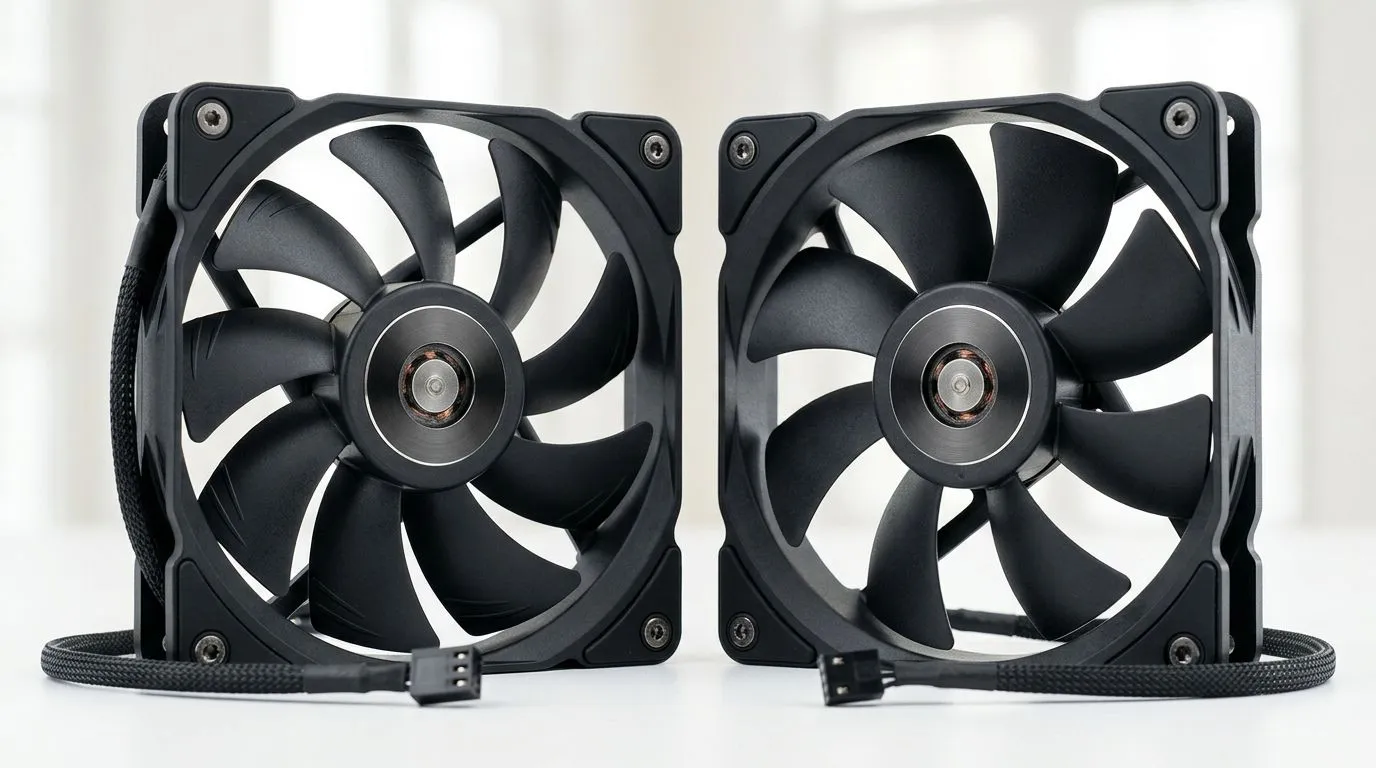
If you’ve ever watched your CPU hit 90°C mid-match, you already know cooling is not optional. 🔧 In gaming PCs, case fans quietly decide whether you get smooth frames or thermal throttling. The big question is… should you choose PWM fans or DC fans? The answer affects noise, fan control, and even how smoothly your rig ramps up during intense firefights. Let’s break it down in plain, South African gamer terms.
PWM (Pulse Width Modulation) fans use a motherboard signal to control speed. The fan gets full power, then the controller “chops” that power very quickly to achieve the right RPM. In practice, that means more precise control.
DC fans run at a fixed voltage level. Speed changes when voltage changes, which usually makes fine control harder. Many DC fans still perform well, but they can be less responsive when temperatures spike suddenly.
For gaming PCs, PWM is usually the better match because your motherboard can adjust fan speed in tighter steps. That can reduce noise when you’re just browsing, then ramp up decisively under load. ⚡
Here’s a micro-story. You start a match, temps climb… and your case fans wake up. With PWM, the response is more “guided” by the motherboard’s temperature curve. With DC, fan speed often feels more linear or limited by how the board controls voltage.
That matters most in:
If your motherboard supports PWM headers (most do), PWM fans can make your cooling sound smoother. Your PC might feel less like it’s “revving” randomly.
If you’re on a tighter budget, DC fans can still move air effectively. Just remember: you may not get the same level of temperature-based finesse.
Use the BIOS fan curve or software fan control to match fan behaviour to your temps. Start with a gentle curve for idle, then increase aggressively only after a clear threshold (for example, after your GPU load begins). This keeps noise down while still protecting components during long gaming sessions.
Fan choice is not only PWM vs DC. Blade size and design strongly affect airflow and noise.
You can browse options here: 120mm case fans for your build and for larger setups: 140mm case fans for quieter airflow
For lighting, consider whether you actually want RGB while you game. ✨ RGB adds visual style, but airflow performance still comes first.
If you want the glow: RGB case fans options If you prefer clean builds without extra flashing: Non-RGB (plain) case fan options
Start by checking your motherboard headers and fan connectors. Many modern boards support PWM, but some setups use adapters or different control modes. If you’re unsure, shop for fans with clear compatibility and buy from a store that lists specs in a straightforward way.
If you want trusted brands, you can also browse: CORSAIR case fan options or explore Deepcool: Deepcool case fans
And if you’d rather compare across lots of models quickly, use the full case fan category: All case fans available
Before you click “add to cart”, ask yourself:
Make these choices and your temps will thank you… and so will your headphones.
Ready to Find Your Perfect Match? If you want a cooler, quieter gaming PC without wasting money, start with the right case fans. Explore our massive range of options and choose what fits your build, your case, and your budget. Shop case fans on Evetech and dial in your cooling today.
PWM is usually better for gaming PCs because it can deliver smoother speed changes and more consistent RPM control across loads.
PWM controls fan speed by pulsing power to the motor, while DC control reduces the voltage. This impacts smoothness, noise, and RPM behavior.
Often yes, but it will typically run using DC voltage control. Expect reduced speed granularity and sometimes less precise RPM regulation.
Yes in most cases. The 4-pin header can supply voltage for DC fans, but it will operate via DC-style control rather than PWM.
Yes. PWM fans often maintain more stable RPM and smoother ramping, which can reduce noticeable pitch changes compared with DC voltage steps.
For quiet builds, PWM is commonly preferred because it supports finer speed control and steadier RPM behavior under varying GPU and CPU loads.
Use your motherboard fan curves for whichever method your fans support. PWM fans typically respond better to detailed curve points for smoother tuning.
Complete Gaming Setup Guide for the Esports. Clear setup instructions with SA-specific considerations, troubleshooting tips & recommended components.
Read more
AIO Liquid 360mm Installation Guide for Your PC. Clear setup instructions with SA-specific considerations, troubleshooting tips & recommended components.
Read more
MacBook Display Colour Looks Wrong? Calibration. Everything you need to know with SA pricing, step-by-step instructions & expert recommendations.
Read more
Printer Terminology Guide. Everything you need to know with SA pricing, step-by-step instructions & expert recommendations.
Read more
Git on Mac: Complete Setup Guide for Beginners. Clear setup instructions with SA-specific considerations, troubleshooting tips & recommended components.
Read more
Ryzen 9 9900X Thermal Paste Dry: Reapplication. Everything you need to know with SA pricing, step-by-step instructions & expert recommendations.
Read more
AMD RX 9050 XT: Rumoured Specs, Price & Release. SA-focused analysis with local pricing data, real-world insights & actionable buying advice.

Can RTX 4080 Super Run AI Workloads for SA Developers Detailed answer with SA data, expert analysis & practical recommendations for local buyers.

Can RTX 4090 Run AI Workloads for SA Developers Detailed answer with SA data, expert analysis & practical recommendations for local buyers.

Top Settings for Intel Arc B580 at Ultrawide 1440p picks evaluated on performance, value & SA availability with current Rand pricing from Evetech.

RTX 4060 CS2 Low Settings at 1080p: FPS Results. Real-world benchmark data, FPS numbers & performance analysis. What SA gamers can actually expect.

Visual Artifacts: Possible GPU Issue Issue #1. Diagnosis steps, proven fixes & when to seek professional help. SA-specific support info included.

Can the RTX 4090 Handle 1440p 144Hz Gaming. Performance testing verdict with real data & practical recommendations for SA buyers.

Top ASUS GPU Under R15000 picks evaluated on performance, value & SA availability with current Rand pricing from Evetech.

GTA 6 Max Settings on RTX 5070. Tested & verified settings for best FPS and visual quality on SA hardware budgets.

Cyberpunk 2077 Max Settings on RTX 5080. Tested & verified settings for best FPS and visual quality on SA hardware budgets.

Starfield Max Settings on RTX 5070 Ti. Tested & verified settings for best FPS and visual quality on SA hardware budgets.

Top RTX 5090 Under R5000 picks evaluated on performance, value & SA availability with current Rand pricing from Evetech.