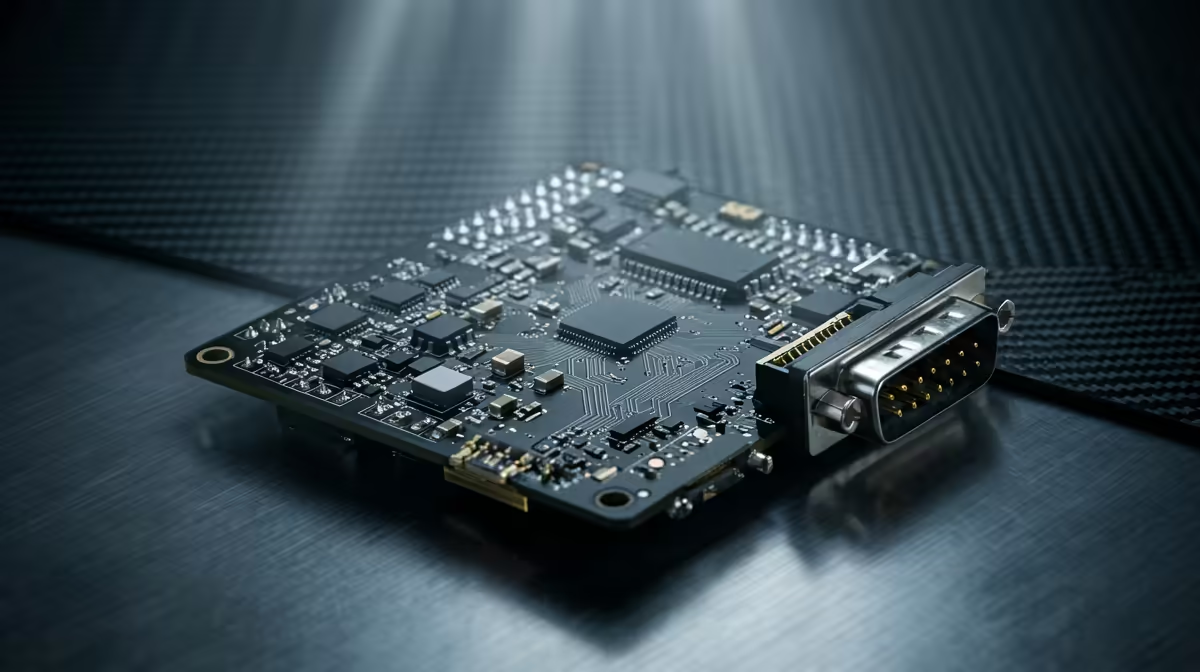
Three boards, three completely different jobs, and the mistake most beginners make is treating them as interchangeable. A Raspberry Pi runs a full operating system on a proper CPU, while an Arduino and the Pico are microcontrollers that do one tightly-timed job extremely well. Pick the wrong one and you either overpay for compute you do not need, or fight a board that cannot do what you are asking. The right choice is almost always obvious once you know what each is built for.
Quick Answer
Choose a Raspberry Pi when your project needs an operating system, networking and real software, anything compute-heavy or screen-driven. Choose an Arduino or a Pico when you need precise, real-time control of pins and sensors with deterministic timing. The Pico, built on the RP2040 chip, costs roughly the price of a coffee and is the standout value for tight control loops.
The core architectural split
This one distinction explains everything else. A Raspberry Pi is a single-board computer: it boots Linux, runs many programs at once, and relies on a microSD card and plenty of RAM, just like a desktop in miniature. An Arduino and the Pico are microcontrollers: they run one program directly on the metal, with no operating system, no boot process and no multitasking in the desktop sense.
That difference decides what each is good at. The Pi excels at software-heavy work, web servers, cameras with image processing, anything that needs a file system or a network stack. The microcontrollers excel at doing a precise physical task on an exact schedule, reading a sensor and pulsing an output every few microseconds, forever, without an OS ever interrupting them. If your build leans toward the computer end, the mini PC range at Evetech shows the small-form options alongside the Pi family.
Where each board wins
Match the board to the demand of the task and the choice makes itself.
Raspberry Pi: when you need real compute
Reach for a Pi when the project involves software that would be painful on a microcontroller: running a media server, processing camera frames, hosting a local web dashboard, or anything that benefits from Linux tools and a real network connection. It has the CPU, RAM and storage to behave like a small computer, which is exactly what those jobs need. The cost is higher power draw and the complexity of maintaining an operating system, neither of which matters when compute is the point.
Arduino: the beginner-friendly real-time controller
Arduino is the gentlest on-ramp to physical computing. It runs at 5 volts, suits a huge range of 5V sensors and shields, and its simple programming model means a beginner can blink an LED or read a sensor within minutes. For straightforward real-time control where determinism and ease matter more than raw power, an Arduino is a dependable, well-supported choice with an enormous library ecosystem behind it.
Pico: power and value in a microcontroller
The Pico, built on the dual-core RP2040 at 133MHz with 264KB of SRAM, punches far above its tiny price. It runs at 3.3 volts, offers 26 GPIO pins, and is happily programmed in MicroPython or C and C plus plus. Its standout trick is the PIO, programmable input/output, blocks that generate precisely-timed data streams in hardware, freeing the CPU for other work. For LED arrays, displays and tight timing-critical projects, that PIO flexibility is a genuine edge over a plain Arduino.
Voltage, timing and practical gotchas
Watch the voltage levels when you wire things up. Arduino's 5V logic and the Pico's 3.3V logic are not directly interchangeable, and connecting a 5V signal straight to a 3.3V pin can damage it. Many sensors come in both flavours, so check before you connect, and use a level shifter when mixing the two.
Timing is the other deciding factor. A Pi running Linux cannot guarantee that it will respond to a pin at an exact microsecond, because the operating system is doing other things, so for hard real-time control a microcontroller is the correct tool. Conversely, asking an Arduino to host a web app is fighting its nature. Let the Pi do the thinking and the microcontroller do the precise physical timing, and many advanced builds use both together. The cables, breakouts and accessories to wire any of them sit in the best-selling PCs at Evetech catalogue alongside the compute hardware.
Power and always-on suitability
Power draw separates these boards as clearly as compute does, and it decides which fits a battery or always-on build. A Raspberry Pi running Linux pulls several watts even when idle, which is fine plugged into the wall but a poor match for a project meant to run for weeks on a battery. Microcontrollers like the Arduino and Pico draw a tiny fraction of that and can even enter deep sleep between tasks, waking only when needed, which is what makes them the right tool for a remote sensor or a wearable.
That difference also shapes reliability. A microcontroller boots instantly into its single program and keeps running it indefinitely, with nothing to corrupt and no operating system to crash. A Pi, like any computer, has an OS that can be interrupted by a power cut mid-write and a microSD card that can wear out, so an always-on Pi build benefits from clean shutdown handling and good storage. For a set-and-forget physical device, the simplicity of a microcontroller is a feature in itself.
Programming approach and learning curve
How you write code for each board is part of the decision. The Pico is commonly programmed in MicroPython, a slimmed-down Python that gets beginners productive quickly while still allowing C and C plus plus for performance-critical work. Arduino uses its own well-established C plus plus environment with a vast library for nearly every sensor and module imaginable, which is why it remains the classic teaching board. Both let you go from idea to blinking output in minutes.
A Raspberry Pi is a different kind of learning. Because it runs Linux, you are working with a real operating system, terminals, package managers and any language you like, which is closer to general software development than to embedded programming. That makes the Pi the better board for learning computing and networking, and the microcontrollers the better boards for learning electronics and real-time control. Picking the one that matches what you want to learn is as valid a reason to choose as any spec.
Frequently Asked Questions
What is the main difference between a Raspberry Pi and a Pico?
The Pi is a single-board computer that runs a full operating system on a multi-core CPU, while the Pico is a microcontroller that runs one program directly with no OS. Use the Pi for software-heavy tasks and the Pico for real-time pin control.
Should a complete beginner start with Arduino or Pico?
Both are beginner-friendly. Arduino has the simplest model and a vast ecosystem at 5 volts, while the Pico offers more power and value, MicroPython programming and PIO timing tricks at 3.3 volts. Choose Arduino for gentle simplicity, Pico for more capability per rand.
Can a Raspberry Pi do real-time control like a microcontroller?
Not reliably for hard real-time work. Because it runs Linux, the OS can interrupt precise timing, so a microcontroller is the better tool for microsecond-accurate pin control. Many projects pair a Pi for compute with a Pico or Arduino for timing.
Why is the Pico so much cheaper than an Arduino board?
The bare Pico is a stripped-down board built around the low-cost RP2040 chip, while many Arduino boards add extra features, connectivity and a 5V design. The Pico's price makes it exceptional value for timing-critical control projects.
Do I need to worry about voltage between these boards?
Yes. Arduino typically uses 5V logic and the Pico uses 3.3V, and connecting a 5V signal to a 3.3V pin can damage it. Check your sensor's voltage and use a level shifter when mixing the two.
Worked out which board your project needs? Explore the compute and small-form options in the mini PC range at Evetech and get building this weekend.