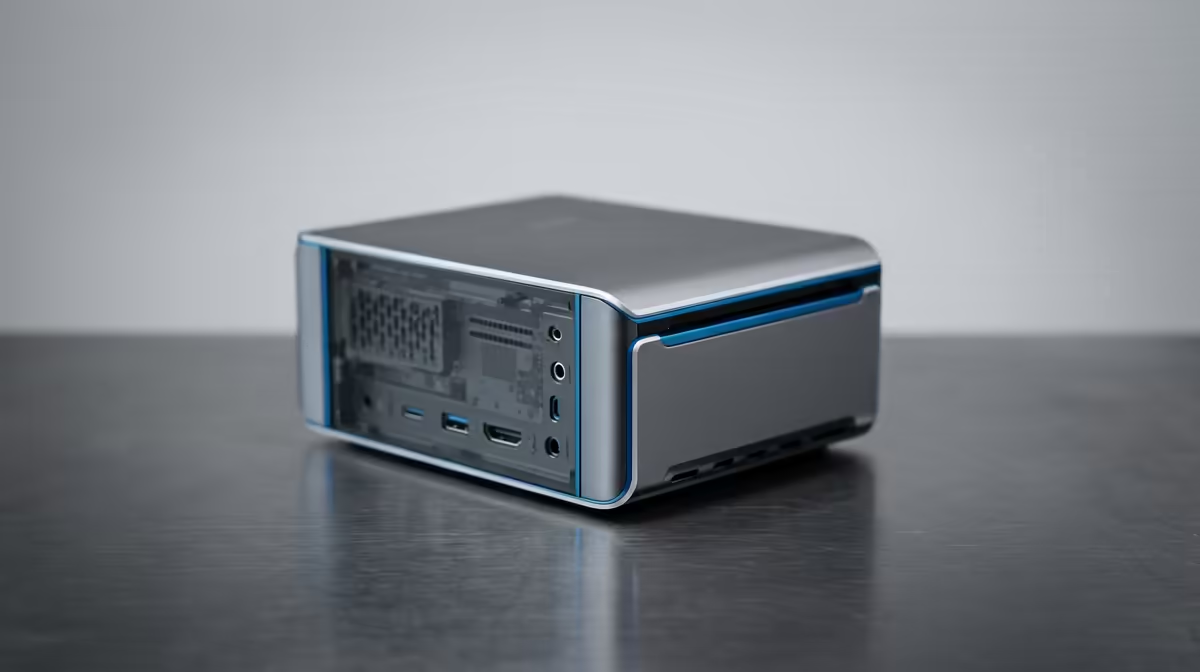
Three very different boxes can run a home lab, and people who have built one tend to argue passionately for whichever they chose. A tiny single-board computer, a compact mini PC, and a repurposed old desktop each make sense for a different builder. The honest Raspberry Pi vs mini PC vs old PC answer is that the right pick turns on three levers: power draw over a year, software compatibility, and how much you want to spend upfront.
Quick Answer
A Raspberry Pi is the most power-efficient at roughly 3 to 5 watts idle but limited to Arm software. A mini PC gives full x86 compatibility with a low idle draw around 10 to 12 watts. A repurposed desktop costs nothing upfront but draws far more power running 24/7, which adds up over a year. Match the choice to your workload and your tolerance for running cost. Compare compact options in the mini PC range at Evetech.
The Raspberry Pi: lowest power, Arm limits
The Pi is the efficiency champion. Running a light home lab stack it idles around 3 to 5 watts, stays cool, and is small enough to tuck anywhere. For a contained, lightweight job, a single service, a file share, a small automation hub, it is hard to beat on running cost and tidiness.
The cost of that efficiency is flexibility. The Pi runs on an Arm chip, so software built only for x86 will not run natively. Many popular tools support Arm, but not all, and some run with extra friction. Storage usually means a microSD card or an add-on SSD rather than internal bays, and the RAM is fixed when you buy. For a small, focused lab those constraints are often fine; for an ambitious one they bite.
The mini PC: the balanced middle
A mini PC built on a low-power Intel or AMD chip is the comfortable middle ground. It idles around 10 to 12 watts, roughly double the Pi but still very low in absolute terms, while delivering full x86 software compatibility. That means almost any home lab application runs without translation, which removes the guesswork the Pi sometimes introduces.
It also brings more headroom. Mini PCs typically offer internal storage, more memory than a Pi, and often some upgrade path, plus more raw compute for running several services at once. The extra idle draw over a Pi costs little in rand over a year, and in return you get a machine that handles a broader, heavier lab without complaint. For most people building a serious but compact home lab, this is the sweet spot.
Putting the Pi and mini PC power gap in context
Going from about 5 watts to about 11 watts looks like a big jump as a percentage, but the absolute difference over a year of continuous running is modest. So the realistic decision between Pi and mini PC is rarely about electricity. It is about whether you need x86 compatibility and expansion, in which case the mini PC's small extra draw is well spent.
The old PC: free upfront, costly to run
A desktop you already own has one unbeatable advantage: it costs nothing to start. If a capable tower is sitting unused, repurposing it gets you a home lab today with full x86 compatibility, plenty of storage bays, and easy expansion, for no outlay at all.
The catch is power. An older full desktop draws far more at idle than either a Pi or a mini PC, often several times as much, and that runs every hour of every day. Over a year that higher draw adds a real, recurring cost that the free start does not fully offset. Older desktops also tend to be larger, louder, and warmer. The old PC is the smart choice for trying things out or for a short-term lab, but for a permanent always-on server the running cost deserves a hard look.
How to choose for your home lab
Lead with your workload and your priorities. If you want the lowest possible running cost and your software runs on Arm, the Pi wins on efficiency and tidiness. If you want broad compatibility and room to grow with a still-low power bill, the mini PC is the balanced long-term pick. If you have a capable desktop spare and want to start free, the old PC gets you going, with the understanding that its 24/7 power draw is the price you pay over time.
A practical path many builders take is to prototype on the old PC they already have, learn what their lab actually needs, then move the permanent workload to a Pi or mini PC sized to the job. That way the free machine earns its keep during experimentation, and the efficient machine handles the long haul. To gauge current value across compact options, the best-selling PCs list is a useful reference.
Noise, heat, and where the box lives
Running cost is the lever people quote most, but where the machine physically sits often decides which one you can actually live with. A Raspberry Pi runs cool and silent enough to tuck on a shelf in a living room without anyone noticing it. A mini PC usually has a small fan that is quiet but occasionally audible under load, which is fine for most rooms. A repurposed desktop is the loudest and warmest of the three, with larger fans that are harder to quieten, and it takes up real space.
For a home lab that lives in a study or a cupboard, noise barely matters and the desktop's bulk is no problem. For one that shares a bedroom or lounge, the Pi or a quiet mini PC is far more pleasant company. Heat output follows the same pattern: the more power a box draws, the more warmth it adds to the room, which is a minor consideration in a Cape Town winter and a more noticeable one in a Durban summer. Factoring in the physical reality of the machine, not just its spec sheet, leads to a choice you stay happy with.
Frequently Asked Questions
Which uses the least power for a home lab?
The Raspberry Pi, idling around 3 to 5 watts. A mini PC is roughly double at 10 to 12 watts, and a repurposed old desktop draws far more, often several times a mini PC, which matters most when running around the clock.
Is the old PC really cheaper if it is free?
It is cheapest upfront, but its much higher 24/7 power draw adds a recurring cost over a year. For short-term or experimental use it is excellent value; for a permanent always-on server the running cost can outweigh the free start.
Why pick a mini PC over a Raspberry Pi?
For full x86 software compatibility, more storage and memory, and more compute, all at an idle draw that is still very low. The small extra power over a Pi buys flexibility the Pi cannot match.
What is the catch with the Raspberry Pi?
Its Arm chip will not run x86-only software natively, and storage and RAM are limited and largely fixed. For a light, focused lab that is fine, but a heavier or compatibility-sensitive lab can outgrow it.
What is the smartest overall approach?
Often, prototype on an old PC you already own, learn what your lab needs, then move the permanent workload to an efficient Pi or mini PC sized to the job. That balances zero upfront cost with low long-term running cost.
Planning a home lab that runs for years? Compare efficient, compatible machines in the Evetech mini PC range and weigh power draw against the workload before you commit.