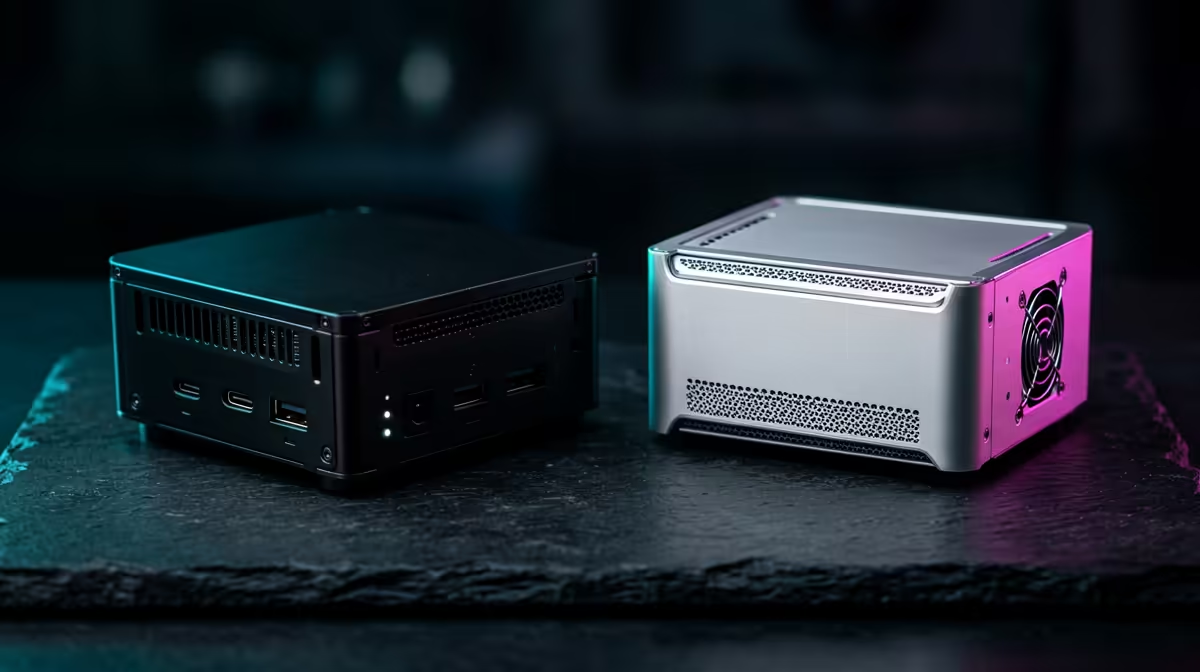
Pick the wrong one and you will fight it for months: a Pi straining to run desktop software it was never built for, or a mini PC sitting idle because you actually wanted to wire up sensors. Raspberry Pi vs mini PC is not a contest with a single winner; it is a fork in the road where your use case, not a spec sheet, decides which path is right.
Quick Answer
The Raspberry Pi 5 wins on low power draw, price, and its 40-pin GPIO header for electronics projects. An x86 mini PC wins on raw performance and full native Windows support. If you are tinkering with hardware and sensors, choose the Pi; if you need desktop apps, Windows, or more horsepower, choose the mini PC.
Power draw and running cost
The Pi 5 sips power, drawing roughly 5 to 12 watts under typical server loads. That makes it genuinely cheap to leave running every hour of every day, which matters for an always-on home server. A mini PC sits higher, around 10 to 35 watts depending on load, so over a year it costs more to keep alive.
The gap is narrower than it first looks, though. Modern entry-level x86 chips like the Intel N100 idle at roughly 4 to 8 watts, and a home server spends most of its life idling rather than working. So while the Pi still wins on absolute efficiency, an N100 mini PC is far closer than its peak figure suggests, and the difference may amount to a few Rand a month rather than a deciding factor.
Performance and architecture
This is where the mini PC pulls clearly ahead. The Pi 5 runs an ARM processor, capable and efficient, but still a long way behind an x86 chip in raw throughput. A mini PC with an Intel N100, N305, or a Ryzen mobile chip handles heavier multitasking, faster compilation, smoother browsing, and demanding applications that would make a Pi crawl.
The architecture difference is not just speed, it is compatibility. The Pi runs ARM Linux, which covers a huge amount of open-source software but excludes anything built only for x86. A mini PC runs the full x86 ecosystem natively, so desktop-grade applications, professional tools, and software that assumes an Intel or AMD chip all just work.
The GPIO advantage that only the Pi has
The Raspberry Pi keeps one decisive trump card: its 40-pin GPIO header. Those pins let you wire sensors, relays, displays, motors, and circuits directly to the board, which is the entire reason the Pi dominates physical-computing projects. Weather stations, smart-home controllers, robotics, retro-console builds with custom buttons, all of these lean on GPIO.
Mini PCs simply do not have this. They are sealed computing boxes with USB and network ports, brilliant for software but blind to the physical world without extra adapters. If your project touches electronics in any way, the Pi is not just preferable, it is often the only sensible option. The current mini PC line-up is worth scanning precisely to confirm whether your project is a pure-software job that a mini handles better, or a hardware one the Pi was made for.
Operating system and software
If you need Windows natively, the decision is made for you: choose an x86 mini PC, because the Pi cannot run desktop Windows in any practical way. The Pi is a Linux machine at heart, superb for headless servers, learning Linux, and lightweight self-hosting.
A mini PC gives you both worlds. It runs Windows out of the box for desktop use, gaming on light titles, and Windows-only software, and it also runs Linux happily if you prefer. That flexibility is a large part of why a mini PC suits anyone who wants a small but genuine desktop replacement rather than a project board.
Price, expandability, and the hidden costs
On the headline price the Pi looks cheaper, but the board alone is not the whole bill. By the time you add a power supply, a case, cooling, and a microSD card or SSD, the gap between a kitted-out Pi and an entry x86 mini PC narrows considerably. A mini PC usually arrives complete, with storage, RAM, a case, and a power brick in the box, ready to switch on.
Expandability differs too. A mini PC commonly lets you upgrade the RAM and swap or add an SSD, so it grows with your needs. The Pi's memory is fixed to the model you buy, and storage hangs off external interfaces. For a build you expect to expand later, the mini PC is the more forgiving platform. For a fixed-purpose project board that does one job at low cost and low power, the Pi's simplicity is the point rather than a limitation.
Which one is right for you
Choose the Raspberry Pi 5 if you want the lowest power draw, the cheapest entry, GPIO for electronics, or a tiny Linux server for light tasks. Choose a mini PC if you need real performance, native Windows, professional desktop software, or a compact machine that doubles as a daily driver. Browsing the broader best-selling desktop range alongside the minis helps gauge when a small-form-factor PC, rather than either of these, is the smarter buy for a full desktop workload.
Frequently Asked Questions
Is a Raspberry Pi 5 cheaper to run than a mini PC?
Yes, on absolute power draw. The Pi 5 uses roughly 5 to 12 watts versus 10 to 35 for a mini PC. But modern N100 mini PCs idle at 4 to 8 watts and servers idle most of the time, so the real-world running-cost gap is smaller than the peak figures suggest.
Can a Raspberry Pi run Windows?
Not in any practical desktop sense. The Pi uses ARM architecture and runs Linux-based operating systems. If you need native Windows for desktop applications or Windows-only software, an x86 mini PC is the correct choice.
What can a Raspberry Pi do that a mini PC cannot?
Connect directly to electronics. The Pi's 40-pin GPIO header lets you wire sensors, relays, displays, and circuits straight to the board for home automation, weather stations, and robotics. Mini PCs have no GPIO and need external adapters to interface with hardware.
Which is better for a home server?
Either works; it depends on the load. The Pi suits light, low-power services and learning Linux. A mini PC suits heavier self-hosting, multiple containers, media handling, or anything needing x86 software, because its stronger CPU and broader compatibility cope with more at once.
Is a mini PC faster than a Raspberry Pi 5?
Generally yes. An x86 mini PC outperforms the Pi 5 in raw processing, multitasking, and demanding applications, and it runs the full desktop software ecosystem natively. The Pi trades that performance for lower power, lower cost, and GPIO access.
Still weighing the two? Compare specs, ports, and prices in the mini PC range at Evetech and pick the small machine that fits how you actually plan to use it.