



PCIe 5.0 vs PCIe 4.0 for Strategy and Sim Games in SA
PCIe 5.0 and PCIe 4.0 differ most in lane support, compatibility, and upgrade value for strategy and sim games. SA buyers should match the choice to their actual hardware and games.
Read moreA law student in SA can use a front desk all-in-one as a compact station for reading, writing, research, and online classes. Pick from current Evetech AIO stock for the actual available models, but consider a tower with RX 7600 or RTX 5060 if upgrade flexibility is more important than the cleaner desk layout.

HP All-in-One 22 i3-N300 8GB/512GB 21.5in at R10,036 suits a South African law student who needs a neat front-desk computer for notes, admin, video calls, and research without turning the counter into a cable nest. This all-in-one pc gives the desk a built-in 21.5in screen, 8GB memory, and 512GB storage, so it is the cleanest first pick for a reception-style study space.
The HP All-in-One 22 i3-N300 8GB/512GB 21.5in at R10,036 makes sense when the desk must look presentable from the front. The 21.5in display is large enough for legal PDFs beside a browser tab, while the 512GB storage gives room for assignments, scanned notes, and downloaded case material.
Minisforum UM750L at R4,600 is the cheaper compact alternative for a student who wants the computer tucked away under the counter or behind a display. Its main advantage is price and size, but the HP All-in-One 22 at R10,036 wins when the screen and computer need to arrive as a single tidy workstation.
A front desk used for study needs to handle visitors, printed forms, and quick research without feeling like a gaming station. The HP All-in-One 22 i3-N300 8GB/512GB 21.5in at R10,036 keeps the visible footprint calm, while the GEEKOM A8 Max at R12,900 is better suited to a separate monitor setup where stronger compact desktop hardware matters more than an integrated screen.
Ready to choose the right all-in-one pc? Use HP All-in-One 22 i3-N300 8GB/512GB 21.5in at R10,036 as the student desk benchmark, then check whether its listed spec matches the space, workload, and upgrade path.
A law student needs an AIO that makes long reading, drafting, research tabs, and video meetings comfortable in one neat setup.
Front desk use should feel organised, with enough working area left for case notes, textbooks, and printed material.
Use the current Evetech product page for exact hardware details, because no confirmed model, price, or specification list appears here.
For law coursework, quiet daily productivity and comfortable reading time carry more weight than raw upgrade potential.
The setup should support focused writing and research without adding a tower that crowds the desk or complicates placement.
Choose the tower path only where future component changes matter.
PCIe 5.0 and PCIe 4.0 differ most in lane support, compatibility, and upgrade value for strategy and sim games. SA buyers should match the choice to their actual hardware and games.
Read more
AM5 vs AM4 for video editing in 4K Difference explained is mostly about compatibility, budget, upgrade path, and setup fit. SA buyers should check device support and real needs before expecting a clear win from either option.
Read more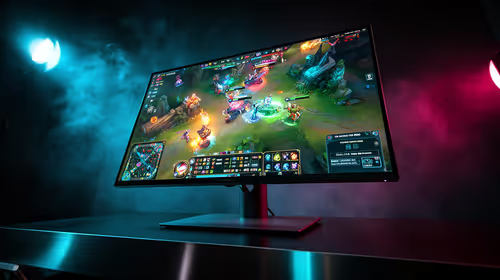
OLED vs QD-OLED for strategy and sim games buyers - what changes is mostly about compatibility, budget, upgrade path, and setup fit. SA buyers should check device support and real needs before expecting a clear win from either option.
Read more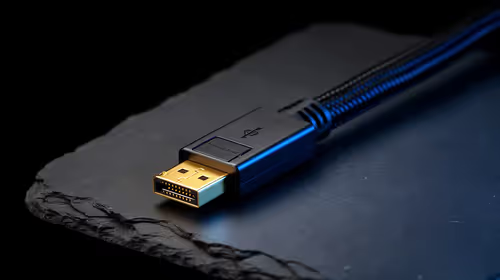
DisplayPort 2.1 and 1.4 differences matter when SA PC builders match GPUs, monitors, and refresh targets. Use this difference between displayport 2 1 and displayport 1 4 explained pc builders guide to avoid mismatched parts.
Read more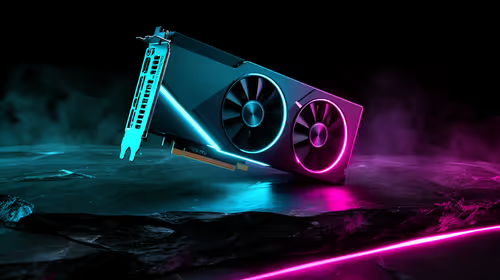
Ray tracing vs Path tracing depends on Strategy and sim games needs, platform limits, and budget fit. Compare compatibility, latency, upgrade path, and real setup constraints before choosing for an SA build.
Read more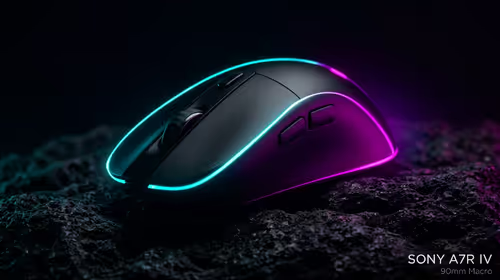
wireless mouse guide for Gqeberha gamers should be shortlisted around the job it must do. South African buyers should compare sensor, shape, weight, and wireless latency, warranty path, and upgrade room before treating any pick as best.
Read more
Windows 11 update KB5121003 is linked to crashes in several multiplayer games on versions 24H2 and 25H2. Check the build, report the fault and avoid risky file or update changes unless the problem is confirmed on your PC.

Sennheiser's Momentum True Wireless 5 adds user-replaceable batteries, 12-hour playback and a $299.95 launch price. There is no confirmed South African date, so compare longevity with live earbuds from R199 to R2,999.

AVerMedia's GC531 and GC535 are professional HDMI capture devices for continuous streaming, with RGB24 capture up to 2K30 and 4K30. South African creators should compare them with live 4K capture cards from R2,099.

From 1 October 2026, WhatsApp Business Platform service replies in South Africa are expected to cost about $0.0076, or 12 cents, per delivered message.
Windows 11 update KB5121003 is linked to crashes in several multiplayer games on versions 24H2 and 25H2. Check the build, report the fault and avoid risky file or update changes unless the problem is confirmed on your PC.

Comsol's standalone 5G network covers about one million Gauteng homes and starts commercial ISP service in September. Early packages range from R275 to R875 a month, but coverage and fair-use rules still decide the real value.
Sennheiser's Momentum True Wireless 5 adds user-replaceable batteries, 12-hour playback and a $299.95 launch price. There is no confirmed South African date, so compare longevity with live earbuds from R199 to R2,999.
AVerMedia's GC531 and GC535 are professional HDMI capture devices for continuous streaming, with RGB24 capture up to 2K30 and 4K30. South African creators should compare them with live 4K capture cards from R2,099.
Windows 11 update KB5121003 is linked to crashes in several multiplayer games on versions 24H2 and 25H2. Check the build, report the fault and avoid risky file or update changes unless the problem is confirmed on your PC.
Comsol's standalone 5G network covers about one million Gauteng homes and starts commercial ISP service in September. Early packages range from R275 to R875 a month, but coverage and fair-use rules still decide the real value.
Sennheiser's Momentum True Wireless 5 adds user-replaceable batteries, 12-hour playback and a $299.95 launch price. There is no confirmed South African date, so compare longevity with live earbuds from R199 to R2,999.
AVerMedia's GC531 and GC535 are professional HDMI capture devices for continuous streaming, with RGB24 capture up to 2K30 and 4K30. South African creators should compare them with live 4K capture cards from R2,099.