


Complete Gaming Setup Guide for the SA Esports Athlete in SA 2026
Complete Gaming Setup Guide for the Esports. Clear setup instructions with SA-specific considerations, troubleshooting tips & recommended components.
Read moreRyzen 5 5500 Temperature Guide: Normal Range. Complete product range with SA pricing, key specs & recommendations for different budgets.
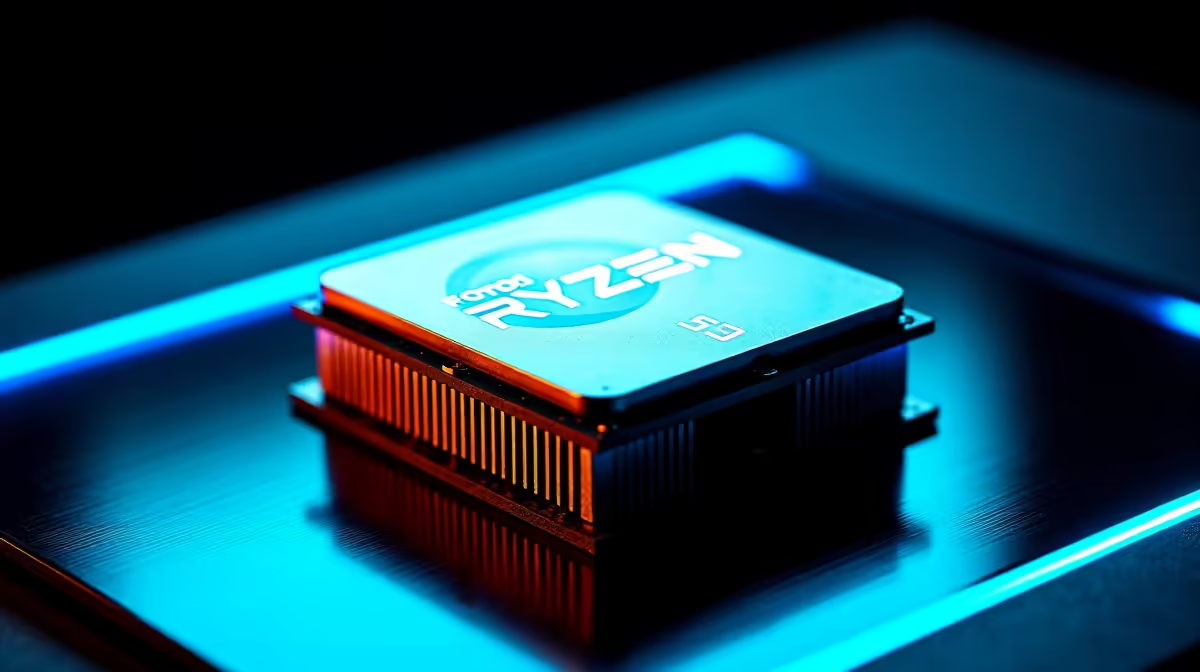
The Ryzen 5 5500 operates normally between 40–60°C at idle and 70–85°C under sustained load with stock cooling. Temperatures above 90°C under full load indicate inadequate airflow or cooling and should be addressed. AMD''s maximum junction temperature (Tjmax) for this chip is 95°C.
The Ryzen 5 5500 is a capable mid-range CPU that finds its way into a wide range of South African gaming and productivity builds. Understanding its normal temperature behaviour helps you distinguish healthy operation from a thermal problem worth fixing, and ensures your system runs reliably for years.
At idle, a well-cooled Ryzen 5 5500 typically reports temperatures between 40°C and 60°C. This range is entirely normal - AMD''s Ryzen processors often idle higher than Intel equivalents because of how the on-chip temperature sensors respond to brief voltage spikes, even at rest.
Under moderate workloads like web browsing, office applications, or light gaming, expect temperatures between 55°C and 75°C. Under sustained full-load stress testing or heavy workloads, a Ryzen 5 5500 with the stock AMD Wraith Stealth cooler can reach 80–90°C. This is within AMD''s specified range but indicates the stock cooler is working near its limit.
With an aftermarket cooler - even a budget tower cooler - temperatures under full load typically drop to 65–78°C, giving meaningful headroom before the chip throttles.
AMD specifies a maximum junction temperature of 95°C for the Ryzen 5 5500. The chip will begin thermal throttling as it approaches this limit - reducing clock speeds to protect itself. If you notice your CPU clocks dropping during gaming or your system feels sluggish under load, check temperatures immediately.
Consistently hitting 90°C or above under normal gaming (not stress testing) is a sign of a cooling problem. Common causes include: dried-out or poorly applied thermal paste, a cooler that is not making full contact with the IHS, blocked case airflow, or an undersized cooler for the ambient temperature in your room.
SA builders in warmer inland cities should account for higher ambient temperatures during summer - a system that runs comfortably at 78°C in winter may push 85°C in a warm room in January. This is expected behaviour, not a fault.
Upgrade from the stock Wraith Stealth if your temperatures are consistently high under load. Even an entry-level aftermarket tower cooler with a 120mm fan dramatically improves thermal headroom. For SA buyers, budget tower coolers in the R200–R400 range offer meaningful improvements without breaking the build budget.
Reapply thermal paste if your system is older than two years. Thermal compound degrades over time and dried paste significantly reduces heat transfer between the CPU and cooler. Clean the old paste with isopropyl alcohol and apply a fresh pea-sized dot in the centre of the IHS.
Improve case airflow. One intake and one exhaust fan is a minimum viable setup. Two intakes and one exhaust (positive pressure) helps keep dust out and pushes cool air across the cooler. Ensure cable management doesn''t block airflow paths inside the case.
Q: Is 85°C too hot for the Ryzen 5 5500 during gaming? A: 85°C is within AMD''s rated range but is near the upper end of comfortable operation. It won''t damage the chip immediately, but upgrading cooling is advisable to extend component lifespan and maintain consistent clock speeds.
Q: Why does my Ryzen 5 5500 spike to 70°C at idle? A: Ryzen processors are known for brief temperature spikes at idle due to voltage fluctuations from the power management system. Short spikes to 60–75°C at idle are normal and not a cause for concern. Sustained idle temperatures above 65°C may indicate airflow or thermal paste issues.
Q: Does the Ryzen 5 5500 need an aftermarket cooler? A: The included Wraith Stealth is adequate for stock operation in a well-ventilated case, but an aftermarket cooler is recommended if you want quieter operation, lower sustained temps, or any overclocking headroom.
Ready to Find Your Perfect Match? Shop CPUs, coolers, and PC components at Evetech - South Africa''s leading gaming and tech retailer.
Ryzen 5 5500 Temperature Guide: Normal R available at Evetech.co.za with local warranty and fast delivery.
Ryzen 5 5500 Temperature Guide: Normal R - check Evetech for latest stock and SA pricing.
Depends on your use case. Ryzen 5 5500 Temperature Guide offers good value at current Rand pricing.
Complete Gaming Setup Guide for the Esports. Clear setup instructions with SA-specific considerations, troubleshooting tips & recommended components.
Read more
AIO Liquid 360mm Installation Guide for Your PC. Clear setup instructions with SA-specific considerations, troubleshooting tips & recommended components.
Read more
MacBook Display Colour Looks Wrong? Calibration. Everything you need to know with SA pricing, step-by-step instructions & expert recommendations.
Read more
Printer Terminology Guide. Everything you need to know with SA pricing, step-by-step instructions & expert recommendations.
Read more
Git on Mac: Complete Setup Guide for Beginners. Clear setup instructions with SA-specific considerations, troubleshooting tips & recommended components.
Read more
Ryzen 9 9900X Thermal Paste Dry: Reapplication. Everything you need to know with SA pricing, step-by-step instructions & expert recommendations.
Read more
AMD RX 9050 XT: Rumoured Specs, Price & Release. SA-focused analysis with local pricing data, real-world insights & actionable buying advice.

Can RTX 4080 Super Run AI Workloads for SA Developers Detailed answer with SA data, expert analysis & practical recommendations for local buyers.

Can RTX 4090 Run AI Workloads for SA Developers Detailed answer with SA data, expert analysis & practical recommendations for local buyers.

Top Settings for Intel Arc B580 at Ultrawide 1440p picks evaluated on performance, value & SA availability with current Rand pricing from Evetech.

RTX 4060 CS2 Low Settings at 1080p: FPS Results. Real-world benchmark data, FPS numbers & performance analysis. What SA gamers can actually expect.

Visual Artifacts: Possible GPU Issue Issue #1. Diagnosis steps, proven fixes & when to seek professional help. SA-specific support info included.

Can the RTX 4090 Handle 1440p 144Hz Gaming. Performance testing verdict with real data & practical recommendations for SA buyers.

Top ASUS GPU Under R15000 picks evaluated on performance, value & SA availability with current Rand pricing from Evetech.

GTA 6 Max Settings on RTX 5070. Tested & verified settings for best FPS and visual quality on SA hardware budgets.

Cyberpunk 2077 Max Settings on RTX 5080. Tested & verified settings for best FPS and visual quality on SA hardware budgets.

Starfield Max Settings on RTX 5070 Ti. Tested & verified settings for best FPS and visual quality on SA hardware budgets.

Top RTX 5090 Under R5000 picks evaluated on performance, value & SA availability with current Rand pricing from Evetech.