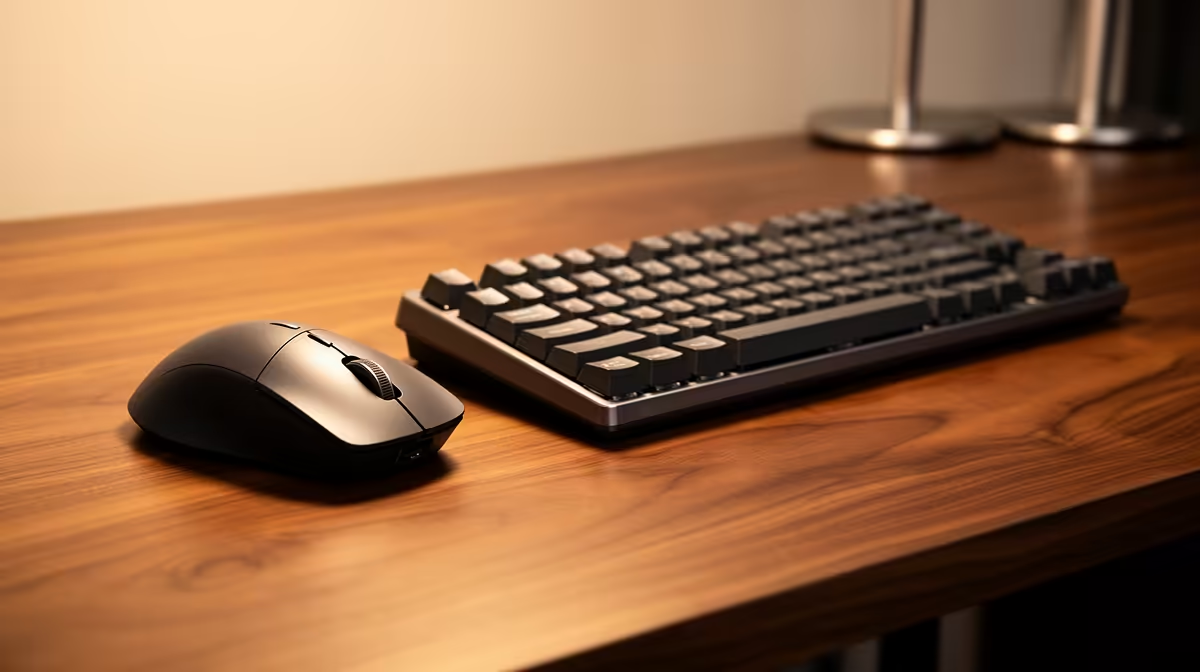
Ergo-certified wireless peripherals have quietly become the most practical upgrade for South African home offices -- and the difference between a clutter-free, posture-friendly setup and a tangle of cables that forces your hands into awkward positions is often just two device swaps. Whether you're in a Cape Town flat or a Joburg suburb, the same rules apply: your keyboard and mouse should sit at the distances and angles your body needs, not where a fixed cable allows.
Quick Answer
Swap a standard wired keyboard and mouse for ergo-certified wireless equivalents. A contoured mouse and split or sculpted keyboard reduce wrist strain, while 2.4GHz wireless lets you position both at ideal angles without cable restrictions.
🪑 Why Cable-Free Changes Everything for Posture
A tethered peripheral seems like a small constraint until you notice how often you adjust your position and drag everything back into place. Cables create an invisible anchor. Your forearm naturally follows the line of the cable, which means the keyboard ends up wherever the cable allows -- not wherever your elbows, shoulders, and wrists need it to be.
Wireless ergo gear removes that constraint entirely. You can push the keyboard slightly further from the monitor to open the elbow angle past 90 degrees. You can angle the mouse outward to match the natural splay of your arm. Neither adjustment requires unplugging anything or routing a cable under a monitor stand.
For SA professionals working from home across longer-than-intended hours, that freedom matters. A spare bedroom desk is rarely optimised the way a corporate ergonomist would specify. Being able to slide peripherals into genuinely neutral positions compensates for a lot of what a dedicated office chair or height-adjustable desk cannot fix on its own.
The other benefit is desk real estate. A compact wireless keyboard with no trailing cable opens more surface for a notepad, a second monitor, or simply less visual noise -- which has its own effect on focus across a long workday.
⌨️ Choosing an Ergo Wireless Keyboard for SA Home Offices
The keyboard market splits into two ergo categories: split and sculpted. A split keyboard physically separates into two halves, letting each hand angle inward and outward independently. A sculpted or contoured keyboard stays in one piece but uses a curved key layout and tented base that tilts the wrists into a more natural position without requiring a full desk reorganisation.
For someone new to ergonomic typing, a sculpted single-body wireless keyboard is the lower-friction starting point. There is no relearning of finger reach for common keys, and most models use standard key spacing so muscle memory carries over quickly.
Key features to look for: a tenting angle of at least five to ten degrees on sculpted models, a detachable palm rest at the correct height, and wireless that pairs via a USB dongle rather than relying solely on Bluetooth. Dongle-based 2.4GHz connections maintain a stable 1ms polling rate that makes the keyboard feel identical to a wired equivalent. Bluetooth is useful if you are switching between a laptop and a desktop across the day, and several premium ergo models now support both simultaneously.
Battery life is rarely a daily concern -- wireless ergo keyboards typically run three to twelve months per charge, depending on whether they use rechargeable lithium or replaceable AA cells.
🖱️ Matching a Wireless Ergo Mouse to Your Grip and Workflow
A wireless ergo mouse shaped for an SA desk worker differs from a gaming peripheral in one key way: the goal is not peak tracking speed but sustained comfort over six or eight hours of cursor positioning, scrolling, and clicking. Contoured mice with a prominent thumb rest and a raised right side hold the forearm closer to a handshake orientation, which reduces the pronation that a flat mouse demands throughout the day.
Vertical mice take this further, positioning the hand almost fully upright at roughly 57 degrees. The transition period is real -- expect a few days of slower cursor control as your motor memory adjusts -- but users who make the switch consistently report reduced forearm and wrist tension within two to three weeks.
For wireless reliability, a dedicated USB-A or USB-C nano dongle is the most dependable option. Most ergo mice now ship with a receiver that tucks inside the battery compartment when travelling. Battery life for a wireless contoured mouse generally runs between 60 and 90 days of office use before needing a charge, and many models ship with a USB-C charging cable that doubles as a wired fallback if you are ever caught with a flat battery mid-call.
DPI range matters less for office work than for design or creative tasks, but an adjustable range that lets you slow the cursor down for precise spreadsheet or PDF work is worth prioritising.
Pro Tip ⚡
In SA, power fluctuations can interrupt USB charging unexpectedly. Choose a wireless ergo mouse with a USB-C cable that allows wired operation while charging, so a brief outage does not strand you without a working mouse at a critical moment.
🔗 Building the Full WFH Ergo Stack Without Overcomplicating It
Wireless keyboard and mouse are the foundation, but a complete ergo-certified setup considers a few surrounding factors that affect how well the peripherals actually do their job.
Monitor height sits at the top of the list. Even the most perfectly positioned wireless keyboard does little for neck strain if the screen sits too low and pulls your head forward. The monitor top edge should be at or just below eye level. A monitor arm achieves this for almost any monitor size and leaves the desk surface cleaner by removing the stand footprint.
Chair seat height comes next. Your feet should rest flat and your thighs roughly parallel to the floor so the wireless keyboard can sit at the correct height for neutral wrists. If the chair is too low, the keyboard ends up angled unfavourably regardless of its built-in tenting.
Once those two factors are sorted, the wireless freedom pays off fully: shift the keyboard further when reading, pull it in for a drafting session, reposition the mouse without navigating a cable management puzzle each time.
Frequently Asked Questions
Does wireless ergo gear introduce any noticeable input lag for office use?
Not with a 2.4GHz dongle. Modern receivers operate at 1ms polling, which is functionally identical to a wired peripheral for word processing, spreadsheets, or video calls. Bluetooth can introduce occasional micro-dropouts on congested networks, which is why a dongle is the safer default for a primary workstation.
How long do wireless ergo peripherals typically last on a charge?
A contoured wireless mouse generally lasts 60 to 90 days of full workday use per charge. Wireless ergo keyboards vary more widely, from three months to well over a year depending on the battery type and backlight settings. Backlit models drain faster, so disabling lighting extends runtime significantly.
Can switching to ergo peripherals genuinely reduce wrist pain over time?
Ergo-certified peripherals reduce the mechanical load on wrists and forearms by encouraging neutral posture, but they work best alongside correct desk and chair height. Most users who combine proper setup height with a contoured mouse and sculpted keyboard report measurable reduction in end-of-day forearm fatigue within two to four weeks.
Is a Bluetooth ergo keyboard better than a dongle model for switching between devices?
Bluetooth offers the advantage of connecting to multiple devices and freeing a USB port, which matters on a laptop with limited ports. A dongle gives a more stable, lower-latency connection on a fixed desktop setup. Many premium ergo wireless keyboards now include both options so you are not forced to choose.
Do I need a separate wrist rest if the ergo keyboard already has a palm rest?
Many sculpted ergo keyboards ship with an integrated or detachable palm rest sized to the keyboard. If yours includes one at the correct height for your desk, an additional aftermarket rest is unnecessary. The test is whether your wrists remain flat and relaxed while typing; if they angle upward, the included rest is either missing or set too low.
Ready to build a cleaner, more comfortable home office?
Browse Evetech's range of wireless keyboards and mice to find ergo-certified options that fit your desk, your grip, and your workday.