


Using GitHub Copilot: Complete Beginner's Guide for SA Developers
Using GitHub Copilot: Complete Beginner's Guide for SA Developers. Everything you need to know with SA-specific pricing and recommendations.
Read moreSmart Lights Setup and Configuration: Complete. Comprehensive coverage with SA insights, Rand pricing & practical recommendations for local buyers.
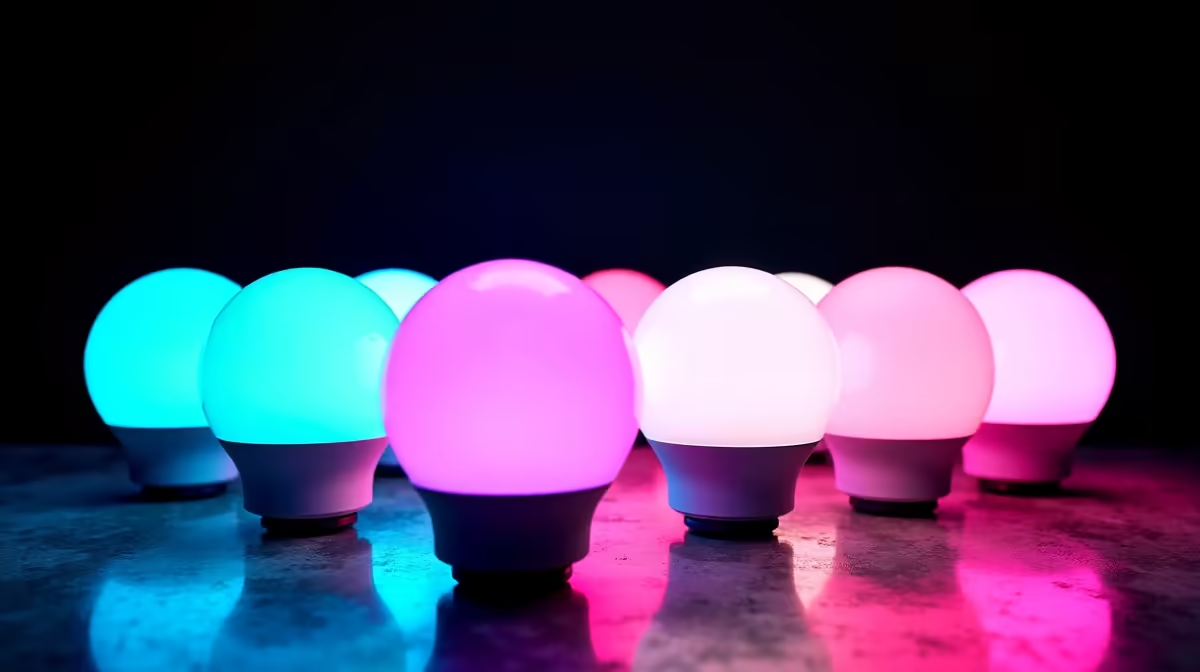
Smart lights in SA setups need a stable 2.4GHz Wi-Fi network, the brand's mobile app and a quick pairing routine. Plan zones, group bulbs by room and set scenes that ride out loadshedding gracefully without blasting on at full brightness when grid power returns.
Map out your gaming desk, lounge and bedroom before unboxing anything. RGB strips work best behind monitors and under desks, while smart bulbs suit ceiling fittings and bedside lamps. For a Cape Town flat or Pretoria res room, two strips and three bulbs cover most setups under R3,000. Keep your router placement in mind, since 2.4GHz signal weakens through brick walls and aluminium window frames common in older SA homes. Sketch a quick floor plan and note which fittings you'll keep dumb, since not every lamp needs to be smart for the experience to feel cohesive.
Download the brand's official app, create an account, and switch your phone to a 2.4GHz Wi-Fi network for pairing, since most smart bulbs don't support 5GHz. Most lights flash on first power-up, signalling pairing mode. Add the device, name it by room, and assign it to a group. Govee, Philips Hue and TP-Link Tapo all follow this flow with minor differences. Hue users will need the bridge plugged into a router LAN port, while Govee and Tapo work direct over Wi-Fi. Enable cloud account sync once paired, so you can control lights from outside your home network.
Build scenes for gaming, movies and morning routines, then schedule them around Eskom loadshedding slots so lights don't try to power up mid-blackout. Many smart bulbs default to full white at 100% when power returns, which is jarring at 2am during stage 4. Set a "power-on behaviour" rule to last state or off in the app to fix this. Sync RGB strips to your monitor with brand software for full immersion during gaming sessions, and pair voice assistants like Google Home for hands-free scene switching.
Most function on local Wi-Fi for app control during ISP outages, but voice assistants and remote access need a working internet connection.
Yes, but enable a power-on behaviour setting in the app so they default to off or last state instead of full white at restoration.
Yes, Govee, Hue and Razer Chroma all offer desktop apps that sync lights to game audio, screen colour and even chat events.
Ready to Find Your Perfect Match? Build the perfect ambient gaming setup with a new SA-delivered PC. Explore gaming PC deals
Smart Lights Setup and Configuration: Co available at Evetech.co.za with local warranty and fast delivery.
Smart Lights Setup and Configuration: Co - check Evetech for latest stock and SA pricing.
Depends on your use case. Smart Lights Setup and Configu offers good value at current Rand pricing.
Using GitHub Copilot: Complete Beginner's Guide for SA Developers. Everything you need to know with SA-specific pricing and recommendations.
Read more
Back-to-School Headset Buying Guide for SA 2026. Everything you need to know with SA-specific pricing and recommendations.
Read more
Mesh Front Panel Setup and Configuration: Complete Tutorial. Comprehensive coverage with SA insights, Rand pricing, and practical recommendations.
Read more
Black Screen: Troubleshooting Guide #1. Everything you need to know with SA-specific pricing and recommendations.
Read more
The Complete 2026 Guide to Storage in South Africa. Everything you need to know with SA-specific pricing and recommendations.
Read more
1000W PSU Not Working After Load Shedding: Recovery Guide. Everything you need to know with SA-specific pricing and recommendations.
Read more
AMD RX 9050 XT: Rumoured Specs, Price & Release. SA-focused analysis with local pricing data, real-world insights & actionable buying advice.

Can RTX 4080 Super Run AI Workloads for SA Developers Detailed answer with SA data, expert analysis & practical recommendations for local buyers.

Can RTX 4090 Run AI Workloads for SA Developers Detailed answer with SA data, expert analysis & practical recommendations for local buyers.

Top Settings for Intel Arc B580 at Ultrawide 1440p picks evaluated on performance, value & SA availability with current Rand pricing from Evetech.

RTX 4060 CS2 Low Settings at 1080p: FPS Results. Real-world benchmark data, FPS numbers & performance analysis. What SA gamers can actually expect.

Visual Artifacts: Possible GPU Issue Issue #1. Diagnosis steps, proven fixes & when to seek professional help. SA-specific support info included.

Can the RTX 4090 Handle 1440p 144Hz Gaming. Performance testing verdict with real data & practical recommendations for SA buyers.

Top ASUS GPU Under R15000 picks evaluated on performance, value & SA availability with current Rand pricing from Evetech.

GTA 6 Max Settings on RTX 5070. Tested & verified settings for best FPS and visual quality on SA hardware budgets.

Cyberpunk 2077 Max Settings on RTX 5080. Tested & verified settings for best FPS and visual quality on SA hardware budgets.

Starfield Max Settings on RTX 5070 Ti. Tested & verified settings for best FPS and visual quality on SA hardware budgets.

Top RTX 5090 Under R5000 picks evaluated on performance, value & SA availability with current Rand pricing from Evetech.