Your smartwatch is more than a gadget... it's a statement. But let's be honest, the default look can be a bit bland. In a country as vibrant as South Africa, your wrist-wear should scream you, not "factory settings". This guide is your key to unlocking next-level smartwatch customization in South Africa, turning that generic black square into a true reflection of your style, from Cape Town to Polokwane. Ready to get started? ✨
Why Bother with Smartwatch Personalization?
Think of it like choosing the mags for your car or the case for your phone. It’s about making your tech an extension of your personality. Proper smartwatch customization lets you match your device to your outfit, your mood, or your mission for the day.
Heading to a client meeting in Sandton? A classic, data-minimal analogue face with a leather strap looks professional. Hitting the gym or hiking Lion's Head? Switch to a durable silicone strap and a fitness-focused face showing your heart rate and steps. It's about function meeting fashion, right on your wrist.
Level 1: Mastering Custom Watch Faces
The watch face is the soul of your smartwatch. It's the first thing you and everyone else sees. Moving beyond the pre-installed options is the easiest win for personalizing your smartwatch.
Find Your Flavour
- Data-Rich: Perfect for tech enthusiasts and fitness fanatics. These faces can display everything from weather forecasts and battery life to calendar events and heart rate zones.
- Minimalist: Clean, elegant, and professional. These often mimic classic analogue watches, focusing on telling the time with style.
- Photo Faces: Use your favourite photo—your pet, your family, or a stunning shot of the Drakensberg—as your background.
Most modern smartwatches, whether running Wear OS or another system, allow you to download new faces directly from their companion app or a dedicated store like the Google Play Store.
Battery-Saving Tip ⚡
Animated watch faces and those with constantly updating data (like a second hand or heart rate) look cool, but they drain your battery faster. If you need to stretch your power for a long day, switch to a simple, static digital or analogue face. Every percentage point counts!
Level 2: The Strap Swap Game
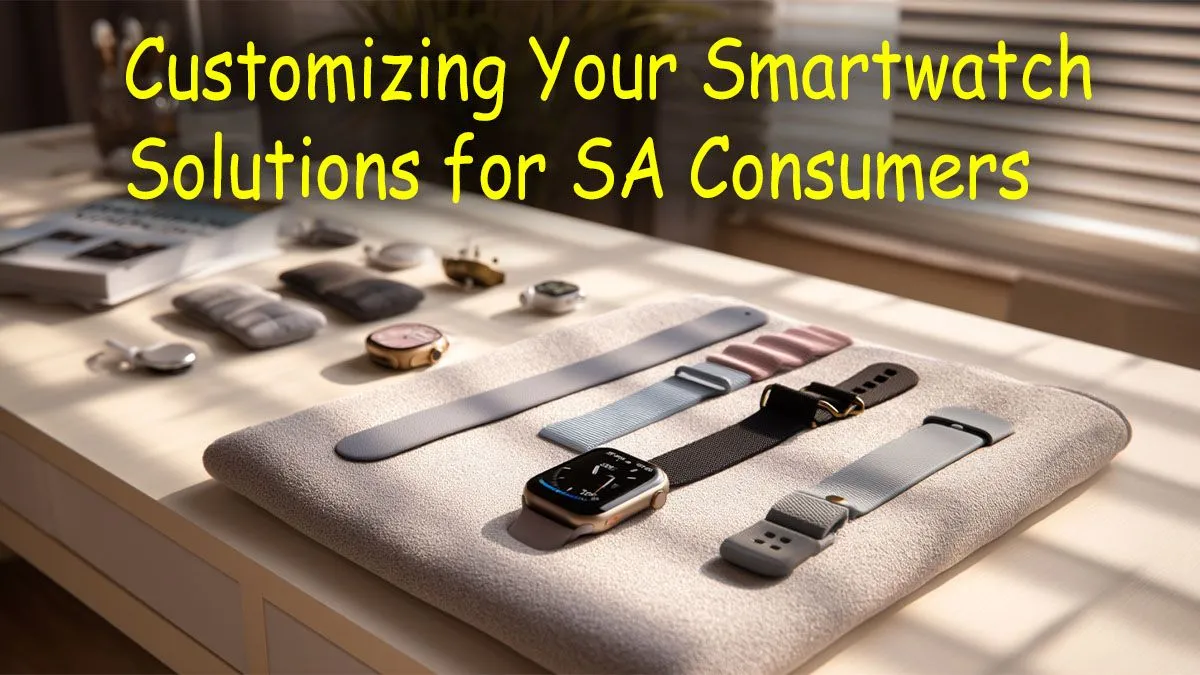
Changing your smartwatch strap is the single most effective physical change you can make. It completely alters the look and feel of your device. Most watches use a standard pin mechanism, making it a quick, tool-free job. The key to great smartwatch customization in South Africa is having a small collection of straps for different occasions.
- Silicone/Rubber: Durable, sweat-proof, and comfortable. Ideal for sports, outdoor activities, and everyday casual wear.
- Leather: Adds a touch of class and sophistication. Perfect for the office or a night out.
- Nylon/Woven: A great middle-ground. They're comfortable, breathable, and come in a massive range of colours and patterns.
- Metal Mesh/Link: Offers a premium, jewellery-like finish for more formal events.
Exploring a huge variety of smartwatches will show you just how different the same watch can look with a different strap.
Level 3: Supercharge with Apps & Complications
True personalization goes beyond just looks. It’s about making your watch work for you. This is where apps, tiles (widgets), and complications come in.
A "complication" is any piece of information on your watch face beyond the time itself. Customizing these is key. You can set up shortcuts to your most-used apps or display need-to-know info at a glance. For example, you could configure your main face to show:
- The current temperature in Johannesburg.
- Your next calendar appointment.
- A shortcut to start a workout.
- WhatsApp notification previews.
Many feature-packed options from brands like Promate offer deep integration with your phone's apps, allowing you to fine-tune what information gets priority on your wrist. Spend 30 minutes in your watch's settings—you'll be amazed at how much you can optimise your daily flow. 🔧
Smartwatch Customization on a Budget
You don't need to spend a fortune to get a unique look. The beauty of customization is that it can breathe new life into any device, new or old. With a massive market for third-party straps and thousands of free watch faces available, you can achieve a high-end look without the high-end price tag.
Even better, the tech itself has become incredibly accessible. You can find some great smartwatches under R1000 that offer all the core features and customization potential you need to get started. It proves that personal style isn't about the price... it's about the creativity. 🚀
Ready to Express Your Unique Style?
Your perfect smartwatch is waiting. From powerful fitness trackers to sleek daily drivers, the right device is the ultimate canvas for your personality. Explore Evetech's incredible range of smartwatches and start your customization journey today.