



PCIe 5.0 vs PCIe 4.0 for Video editing in 4k in SA
PCIe 5.0 vs PCIe 4.0 for video editing in 4k is mainly about fit, features, compatibility, cost, and upgrade path, not one automatic winner. SA buyers should match the choice to the setup.
Read moreSolving Posture: fast-VA panels at 250Hz pair contrast and speed in a way standard VA never matches at the same refresh rate. Compare features against real workloads before paying for the top tier. Quick answers come first, then technical detail.
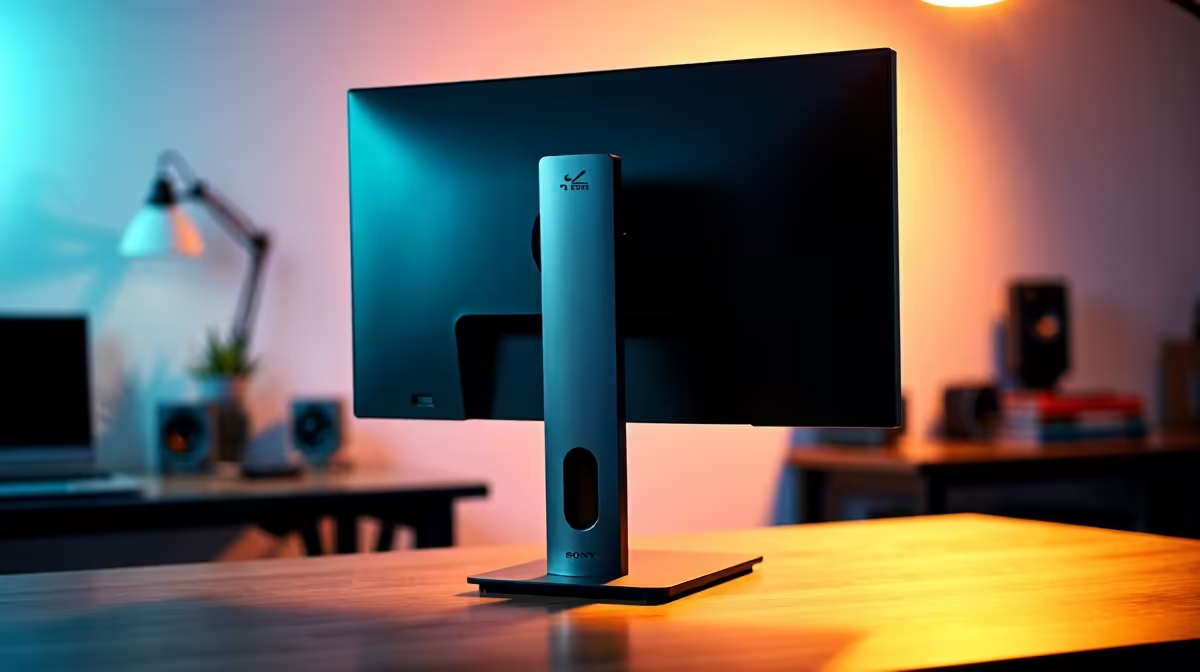
Neck strain from monitor use almost always comes from the display positioned too low, too high, or too far away. The ergonomic target is: top of the screen at or slightly below eye level, panel at arm's length (50 to 70cm), and a slight backward tilt of zero to five degrees. Most ergonomic monitor stands cover this range; VESA arms provide finer control if the stock stand is insufficient.
Neck strain presents in two patterns. Forward-head strain (tension at the back of the neck and upper shoulders) is caused by a screen too far away or too low, forcing the head to crane forward. Lateral strain on one side is caused by a monitor offset from the keyboard centre. Before touching hardware, sit naturally in your chair with your back against the backrest and arms on the desk: wherever your eyes land is the target zone for the vertical centre of the screen. For a standard 27-inch gaming monitor at a 75cm desk, this typically means raising the stand to its maximum height. If the centre of the monitor is not near that natural eye position, height adjustment comes first.
Adjust height first (raise until the top bezel is at eye level or just below), then tilt (tip the screen back zero to five degrees so your gaze meets the panel perpendicularly), then swivel (centre the screen on the keyboard). If the stock stand has limited height range, a monitor riser at R150 to R400 locally lifts the full stand by 10 to 15cm. A VESA arm at R600 to R1,800 replaces the stand entirely and positions the panel anywhere with a gentle push. Confirm your monitor's VESA pattern (75x75 or 100x100mm) before purchasing an arm.
Stand adjustments alone cannot solve posture issues from incorrect desk or chair height. Adjust chair height so your feet rest flat on the floor with thighs roughly parallel to the ground. Adjust desk height so forearms rest at roughly 90 degrees. Then adjust monitor height to meet your eye level. The most common SA home office error is a fixed desk too high for the person's seated height, pushing shoulders up and neck forward. Using a higher chair and a footrest corrects this without tilting the monitor down, which would push the top below eye level and cause upper neck fatigue within two hours.
Every 20 minutes, look at something 6 metres away for 20 seconds to relax your ciliary muscles, then roll your shoulders back twice and briefly tuck your chin to reset head position. Set a discreet phone timer. SA students gaming through late-night sessions commonly report eliminating chronic neck stiffness within one week of applying this routine.
Yes. A full-motion VESA arm positions the monitor at any combination of height, depth, and angle, eliminating the adjustment limits of even a good ergonomic stand.
A zero to five degree backward tilt (screen top slightly farther from you than the screen bottom) aligns best with the natural downward eye angle in a neutral seated position. Tilting the screen toward you forces the neck upward, causing trapezius fatigue.
A riser is simpler and cheaper for a fixed single-monitor setup and creates useful under-desk storage. A VESA arm is better for setups that frequently transition between gaming and work positions or need multi-monitor flexibility.
Building a setup that feels right all session long? Browse gaming monitors with ergonomic stands and VESA compatibility at Evetech, stocked locally across South Africa with full warranty.
PCIe 5.0 vs PCIe 4.0 for video editing in 4k is mainly about fit, features, compatibility, cost, and upgrade path, not one automatic winner. SA buyers should match the choice to the setup.
Read more
Wi-Fi 7 vs Wi-Fi 6e for competitive esports comes down to router support, latency goals, device compatibility, and coverage. SA buyers should match the choice to the real network setup.
Read more
ATX 3.1 vs ATX 3.0 for mMO and live-service games buyers - what changes is mostly about compatibility, budget, upgrade path, and setup fit. SA buyers should check device support and real needs before expecting a clear win from either option.
Read more
LGA 1851 vs LGA 1700 can affect Twitch and YouTube streaming when gaming and encoding share CPU resources. For SA creators, the real-world difference depends on encoder choice, memory support, motherboard cost, thermals, and upgrade plans.
Read more
X870E vs X670E for aaa single-player gaming is mainly about fit, features, compatibility, cost, and upgrade path, not one automatic winner. SA buyers should match the choice to the setup.
Read more
Hall Effect switches vs Mechanical switches for mMO and live-service games is mostly about compatibility, budget, upgrade path, and setup fit. SA buyers should check device support and real needs before expecting a clear win from either option.
Read more
A fake 113GB GTA VI ISO reportedly used empty padding around a small malware payload. SA gamers should delete unofficial builds, keep Windows security active and wait for official channels.

Wi-Fi 6E vs Wi-Fi 6 matters for 4K video editing when files move across a network. The real-world difference between Wi-Fi 6E and Wi-Fi 6 for video editing in 4K depends on NAS access, cloud uploads, router range, and SA creator workflows.

The difference between PCIe 5.0 and PCIe 4.0 for SA gamers is mostly bandwidth headroom. Compare GPU slot needs, NVMe speed, motherboard support, and upgrade timing before paying extra for a newer platform.

Gaming PC stuck pixel checks in South Africa should confirm the monitor fault first. Use colour tests, screenshot comparison, cable swaps, display menu checks, and clear photos before deciding on support.

Shokz OpenFit Air 2 earbuds weigh 7.2g each and use a redesigned dual-driver open-ear layout. SA buyers should choose them for comfort and awareness, not maximum isolation.

AMD's current driver now lists a Radeon RX 9050 4GB, while product coverage details a narrowed memory system. SA buyers should weigh the low VRAM ceiling against current local Radeon options.

Samsung Display has demonstrated a 16-inch 2.5K OLED laptop panel running at 300Hz. SA buyers should wait for a named notebook, full panel specifications and a local price before planning an upgrade.

Microsoft says some Windows 11 game crashes after recent updates are linked to RGB-related drivers. Affected SA gamers should confirm the update and driver before using the published registry workaround.

RTX 5090 on a 650W PSU is a tight pairing with very limited headroom. For SA gaming PCs, focus on total system draw, PSU quality, connector support, CPU choice, and avoid OC plans unless the full build is carefully power-limited.
PCIe 5.0 vs PCIe 4.0 for video editing in 4k is mainly about fit, features, compatibility, cost, and upgrade path, not one automatic winner. SA buyers should match the choice to the setup.

850W PSU safety for RTX 5090 is plausible with a quality unit and balanced parts. In SA, confirm connector support, CPU power draw, case airflow, PSU age, and spare capacity before building around 850W.
Wi-Fi 7 vs Wi-Fi 6e for competitive esports comes down to router support, latency goals, device compatibility, and coverage. SA buyers should match the choice to the real network setup.