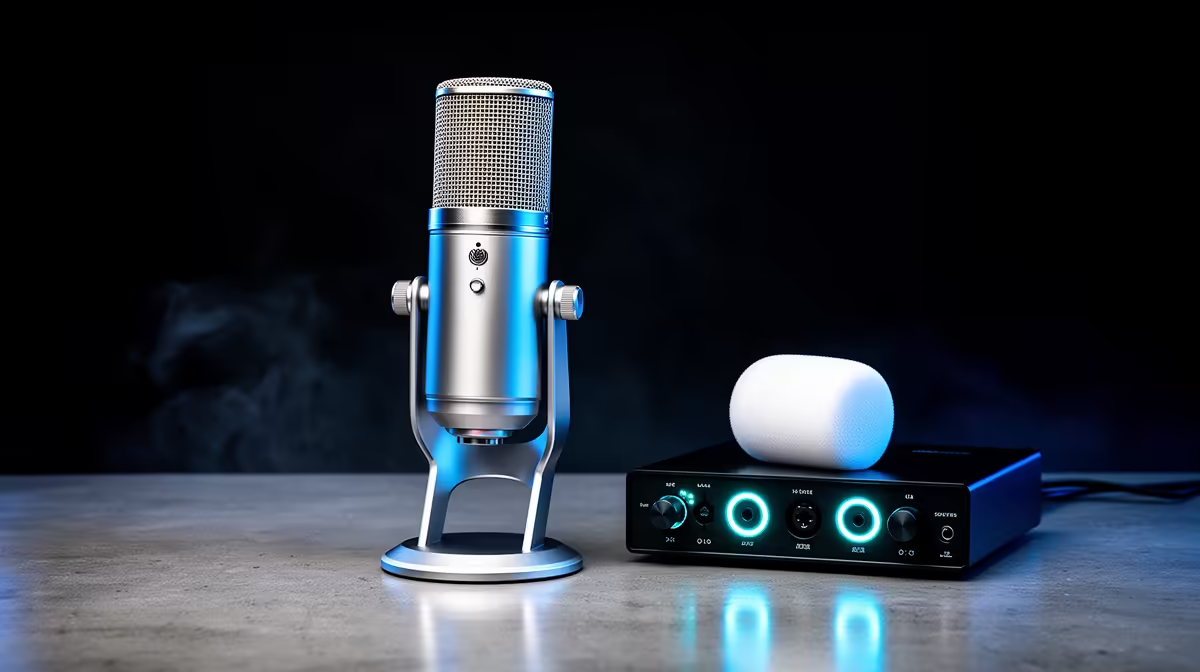
USB microphones are genuinely capable, and for most solo creators they are the correct choice right now. But there is a point in a creator's setup where USB stops being the right answer, and identifying that point before spending money on the wrong solution is the real skill. Moving from USB to an XLR audio interface is not an automatic upgrade. It is a specific answer to specific problems, and those problems are worth naming clearly before committing to the transition.
Quick Answer
Move to an XLR interface when your USB mic cannot deliver enough clean gain for your voice level or recording distance, when you need two or more inputs for a co-host or additional source, or when your gear budget clears roughly R4,000 and a quality interface plus mic combination becomes accessible. Solo streaming rarely demands the switch.
🔌 What USB Actually Does Well
Understanding when to move starts with understanding what you are leaving behind and why. A USB microphone handles analogue-to-digital conversion internally. The mic contains a built-in preamp, a converter chip, and a USB audio driver all in one package. Plug it in, select it as the input source in your streaming software, and it works.
For a solo South African streamer or podcaster recording one voice in a reasonably controlled environment, USB delivers 24-bit audio at 48kHz or 96kHz, which is substantially more resolution than any streaming platform preserves in its compressed output. The self-noise floor on a quality USB mic is low enough that background noise in the recording comes from the room, not the electronics. The built-in preamp handles a moderately close voice at standard speaking volume.
These are real capabilities, not compromises. Most creators who switch to XLR do so for reasons that are not related to the USB output quality at all. They switch because their workflow outgrew the single-device limitation.
⚡ The Gain Problem: When USB Is Not Enough
The most legitimate reason to switch to an XLR interface is gain. Dynamic microphones, particularly broadcast-style dynamic capsules, require more input gain to produce usable output levels than condenser mics. The built-in preamp on a USB dynamic mic has a gain ceiling. Push a voice recording that is quiet, distant, or using a high-output-requirement dynamic capsule, and you will hit that ceiling. The result is the opposite of clipping: gain boosted to its maximum and still not enough, with the noise floor rising alongside the signal.
A quality audio interface has a dedicated preamp with a wider gain range and a lower noise floor at high gain settings. The preamp is where interface manufacturers invest most heavily, because it is where the audible difference between entry and mid-range models is most apparent. For a dynamic mic that needs substantial clean gain, the interface preamp closes the gap the USB chain cannot.
If you are using a condenser mic that already runs well at moderate gain levels, this argument applies less. Condenser capsules are more sensitive and require less input amplification. The USB chain handles them more comfortably, and the interface upgrade produces a smaller audible gain.
How Far Below the USB Ceiling Are You?
A quick self-check: push gain to maximum and record a 30-second voice sample. A healthy level peaks around -12 to -6dBFS on a normal speaking voice. If the level barely reaches -20dBFS at maximum gain, or if you hear a clear hiss when the voice pauses, the USB preamp is at its limit and an interface is the right next step. If neither problem is present, the USB chain is working and the upgrade provides marginal benefit.
🧠 The Multi-Input Case: Two Voices, One Recording
The second genuine reason for the XLR switch is inputs. A USB microphone occupies one port and produces one audio stream. Adding a co-host to a podcast or a second voice to a recording session requires a second microphone and a second input. Operating system USB audio typically handles multiple USB audio devices simultaneously, but mixing two independent USB devices introduces latency synchronisation issues and no shared gain management.
An audio interface with two or more XLR inputs solves this cleanly. Each mic has its own gain-controlled channel, and both streams are synchronised because they share the same clock and the same USB audio device. The recording application sees one input device with multiple channels rather than two separate devices with independent timing.
For a South African podcast running two hosts, a two-channel interface plus two XLR dynamic mics is the correct setup. For a single host, it is almost never the right choice over a quality USB mic.
Pro Tip ⚡
Before buying an interface, borrow or test one with your existing mic if possible. The most common post-purchase discovery is that the USB chain was already providing 90 percent of the quality the interface delivers for voice-only solo recording. The interface investment pays off clearly in the multi-input scenario, less clearly in the single-voice one.
🔆 The Budget Signal: Around R4,000 and Above
Price is a practical indicator of when the XLR switch makes sense. A quality entry audio interface in South Africa runs roughly R2,000 to R3,500 for a single-channel model from a reputable manufacturer. A quality XLR dynamic mic appropriate for the interface starts around R2,000. The combination lands at R4,000 or more before the arm.
Below R4,000, a dual USB and XLR mic at the R2,500 to R3,000 mid-tier is a better allocation. It delivers quality that competes with the entry XLR chain, keeps the setup simple, and reserves the XLR output for a future interface upgrade without replacing the capsule.
Once the total budget passes R4,000 and the use case includes multiple inputs or a dynamic capsule that needs strong preamp gain, the interface becomes the correct next step. The capsule investment already made in a dual USB and XLR mic carries forward on the XLR side, which is the exact financial efficiency those dual-connector designs are built to provide.
🎯 When the Switch Is Not Worth It
For a solo streaming setup with one voice, adequate gain levels, and a platform delivering compressed audio to a consumer audience, the XLR switch is not worth it from a quality standpoint. The audience cannot hear the difference the interface makes. The additional hardware complexity introduces failure points without audible gains at the delivery endpoint.
The most common scenario where creators upgrade unnecessarily is chasing the professional label rather than solving an actual problem. If the USB recording sounds clean, peaks at a healthy level, and the only reason to switch is that XLR is what professional setups use, it is not a problem worth solving with a R5,000 hardware change.
The honest metric is whether the USB chain is actively limiting something audible or functional in the current workflow. If it is, identify which limitation, and choose the interface that addresses it. If it is not, stay on USB and spend the Rand elsewhere.
Frequently Asked Questions
When should I move from a USB microphone to an XLR interface?
Make the move when you need more clean preamp gain than the USB output provides, when your workflow requires two or more simultaneous mic inputs, or when your total gear budget passes roughly R4,000 and a quality interface plus capsule combination becomes accessible. For solo streaming with adequate gain and a single voice, USB is the right choice.
Does XLR actually sound better than USB for a single voice?
Marginally, in controlled conditions. For a solo voice recording, the audible difference between a quality USB output and a matching XLR chain through a good interface is small. The interface earns its worth primarily in the gain headroom and multi-input scenarios, not in a dramatic quality jump for one voice on a compressed streaming platform.
At what budget does an XLR setup start to make financial sense in South Africa?
Once the combined gear spend reaches roughly R4,000, meaning enough to cover a two-channel interface at around R2,000 to R3,000 plus a capable XLR dynamic capsule, the setup starts delivering clear advantages. Below that budget, a dual USB and XLR mid-tier mic at R2,500 to R3,500 outperforms the equivalent single-connector XLR entry setup on simplicity and value.
Can I keep my current mic when switching to XLR?
If your mic has an XLR output, whether it is a dedicated XLR capsule or a dual USB and XLR model, yes. Plug the XLR connector into the new interface and the capsule carries forward. This is the primary practical value of buying a dual connector mic: the interface upgrade is a chain upgrade, not a mic replacement.
Why would I need more than one input channel on an interface?
To record two or more sources simultaneously with independent gain control. The most common scenario is a co-hosted podcast where two mics need their own channel, their own preamp, and synchronised recording. A single USB mic cannot serve two hosts. A two-channel interface with two XLR mics handles it cleanly with shared timing and independent level management.
Ready to decide whether USB or XLR is the right next step for your setup?
Browse the dual connectivity microphones and audio interfaces at Evetech, and build the recording chain that matches the content you are actually making right now.