


Complete Gaming Setup Guide for the SA Esports Athlete in SA 2026
Complete Gaming Setup Guide for the Esports. Clear setup instructions with SA-specific considerations, troubleshooting tips & recommended components.
Read moreSSD vs HDD in NAS: Compare speed, cost and durability to choose the right drives for backups, streaming, or business storage. Learn when SSD caching or full SSD pools make sense. ⚡️💾
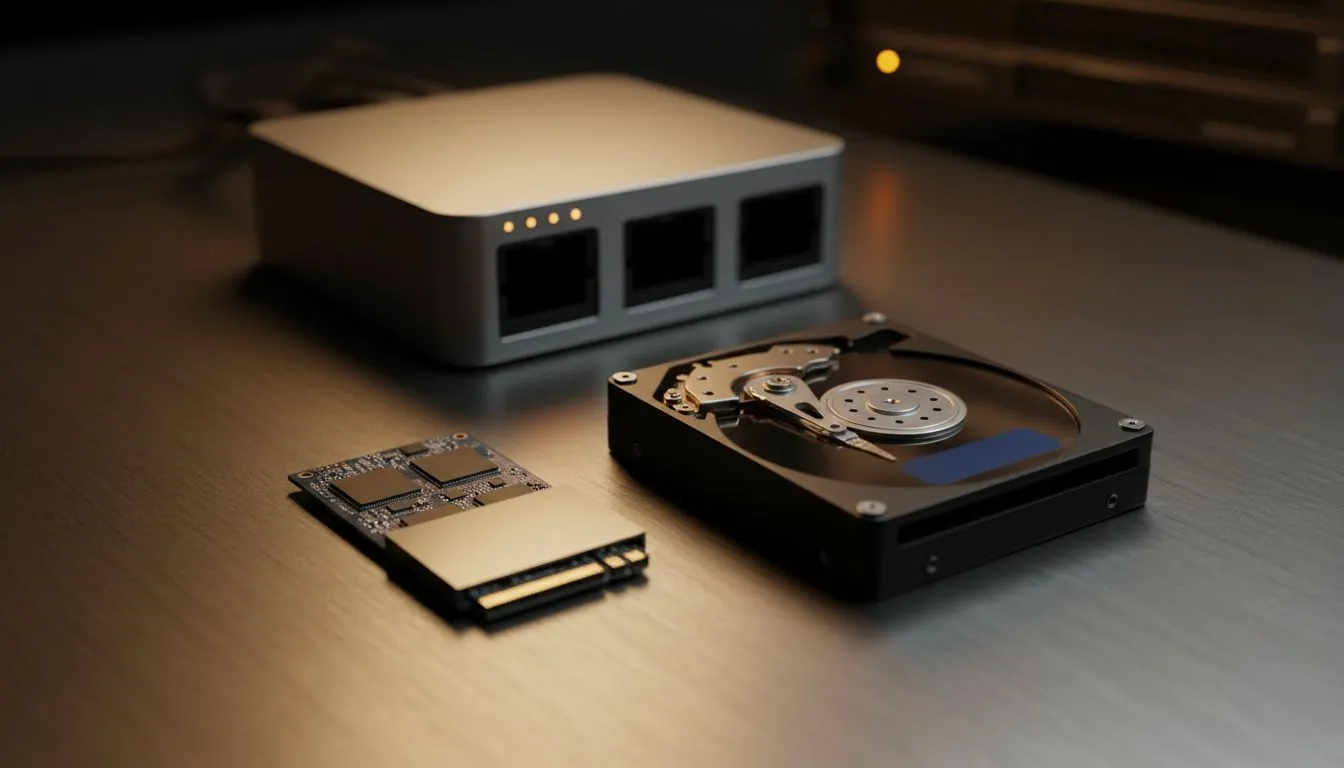
Tired of waiting for your Plex library to load or your local backups to crawl? When setting up a Network Attached Storage (NAS) system in South Africa, the biggest decision isn't just the brand... it is what lives inside. Choosing between SSD vs HDD in NAS: Speed, Cost & Durability Explained is the first step to building a reliable data vault that won't let you down during a deadline. ⚡
While traditional hard drives (HDDs) have been the backbone of storage for decades, Solid State Drives (SSDs) are rapidly closing the gap. If your NAS is primarily for high-speed file editing or running virtual machines, SSDs offer near-instant access times. However, for the average home user storing 4K movies or massive photo archives, the raw throughput of a modern HDD is often sufficient. Start your journey by browsing our wide selection of diskless NAS storage to find the right chassis for your needs.
The most significant hurdle for SSD adoption in NAS setups is the price tag. When we look at the cost per gigabyte, HDDs remain the undisputed kings of value. You can pick up a high-capacity 12TB or 18TB NAS-grade hard drive for a fraction of what a similar capacity SSD would cost in South Africa.
If you are building a massive media server, HDDs allow you to scale your storage without breaking the bank. For those looking for cost-effective ways to house these drives, brands like Orico provide reliable external and internal housing solutions that help you manage your data budget effectively.
Always invest in a small UPS (Uninterruptible Power Supply) for your NAS. In South Africa, sudden load shedding or power surges can cause "head crashes" in mechanical HDDs or data corruption in SSDs. A UPS gives your system enough time to shut down gracefully, protecting your precious data from electrical mishaps.
Durability is a nuanced topic in the SSD vs HDD debate. HDDs have moving parts... spinning platters and moving read/write arms... which makes them susceptible to physical shock and wear over time. SSDs, having no moving parts, are much more resilient to physical movement.
However, SSDs have a limited number of write cycles. In a heavy-use NAS environment where data is constantly being overwritten, you need to ensure you are using NAS-specific SSDs with high "Total Bytes Written" (TBW) ratings. For users who prefer compact, high-performance setups that can tucked away in small spaces, the innovative designs from Minis Forum offer unique ways to integrate storage into your home network. 🚀
Ultimately, the choice depends on your specific use case.
Most modern South African power users are opting for a hybrid approach... using a small SSD for caching to speed up metadata and frequently accessed files, while leaving the heavy lifting to high-capacity HDDs. ✨
Ready to Build Your Ultimate Storage Hub? Whether you need the lightning speed of flash or the massive capacity of traditional spinning rust, we have the hardware to secure your digital life. Explore our massive range of NAS storage solutions and find the perfect match to protect your data today.
For raw speed and low latency choose SSD; for large-capacity backups and lower cost per GB, HDDs remain the best value. Consider hybrid setups.
SSDs are worth it when you need fast access, virtualization, or heavy IOPS. SSD caching for NAS benefits mixed workloads and reduces latency.
SSD caching stores frequently accessed data on faster flash to speed reads/writes without moving all data to SSDs. It's a cost-effective performance boost.
HDDs handle sustained writes and large capacities well; SSDs have limited write endurance but higher shock resistance. Check endurance ratings for NAS use.
Mix HDDs for bulk storage with SSDs for cache or hot pools. Compare cost per GB and performance targets to optimize budget and throughput.
Yes. Many NAS systems support mixed tiers: SSDs for cache or hot pools and HDDs for cold storage to balance performance and cost.
Choose NAS-rated HDDs for large capacity and enterprise SSDs for endurance and sustained performance. Look for explicit NAS compatibility and warranties.
Complete Gaming Setup Guide for the Esports. Clear setup instructions with SA-specific considerations, troubleshooting tips & recommended components.
Read more
AIO Liquid 360mm Installation Guide for Your PC. Clear setup instructions with SA-specific considerations, troubleshooting tips & recommended components.
Read more
MacBook Display Colour Looks Wrong? Calibration. Everything you need to know with SA pricing, step-by-step instructions & expert recommendations.
Read more
Printer Terminology Guide. Everything you need to know with SA pricing, step-by-step instructions & expert recommendations.
Read more
Git on Mac: Complete Setup Guide for Beginners. Clear setup instructions with SA-specific considerations, troubleshooting tips & recommended components.
Read more
Ryzen 9 9900X Thermal Paste Dry: Reapplication. Everything you need to know with SA pricing, step-by-step instructions & expert recommendations.
Read more
AMD RX 9050 XT: Rumoured Specs, Price & Release. SA-focused analysis with local pricing data, real-world insights & actionable buying advice.

Can RTX 4080 Super Run AI Workloads for SA Developers Detailed answer with SA data, expert analysis & practical recommendations for local buyers.

Can RTX 4090 Run AI Workloads for SA Developers Detailed answer with SA data, expert analysis & practical recommendations for local buyers.

Top Settings for Intel Arc B580 at Ultrawide 1440p picks evaluated on performance, value & SA availability with current Rand pricing from Evetech.

RTX 4060 CS2 Low Settings at 1080p: FPS Results. Real-world benchmark data, FPS numbers & performance analysis. What SA gamers can actually expect.

Visual Artifacts: Possible GPU Issue Issue #1. Diagnosis steps, proven fixes & when to seek professional help. SA-specific support info included.

Can the RTX 4090 Handle 1440p 144Hz Gaming. Performance testing verdict with real data & practical recommendations for SA buyers.

Top ASUS GPU Under R15000 picks evaluated on performance, value & SA availability with current Rand pricing from Evetech.

GTA 6 Max Settings on RTX 5070. Tested & verified settings for best FPS and visual quality on SA hardware budgets.

Cyberpunk 2077 Max Settings on RTX 5080. Tested & verified settings for best FPS and visual quality on SA hardware budgets.

Starfield Max Settings on RTX 5070 Ti. Tested & verified settings for best FPS and visual quality on SA hardware budgets.

Top RTX 5090 Under R5000 picks evaluated on performance, value & SA availability with current Rand pricing from Evetech.