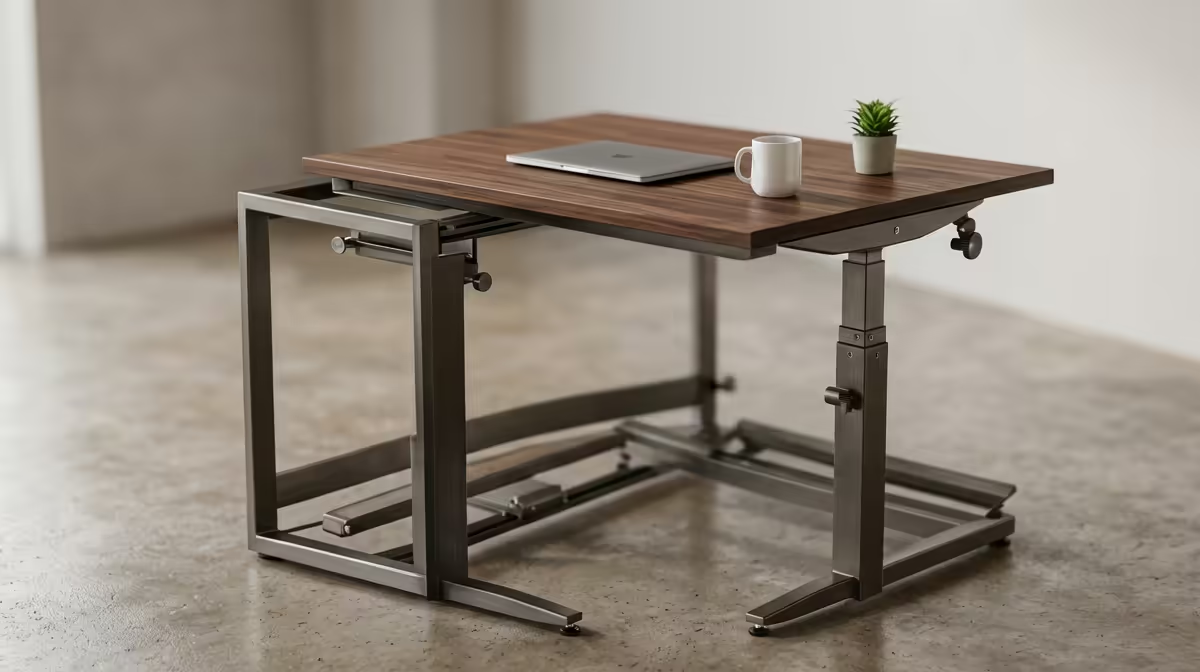
Sitting still for eight hours straight is rough on the back, and a fixed-height desk gives you no way out of it. A sit-stand desk lets you switch between sitting and standing through the day without packing up your whole setup, and the right one in a South African home office can change how the afternoon slump feels. This hub walks through every desk type local buyers can choose from, with honest pricing context in Rand.
Quick Answer
The best all-round choice for most SA buyers is an electric dual-motor sit-stand desk: it moves smoothly through roughly a 70cm to 120cm height range and stores your exact sitting and standing positions as memory presets for one-touch recall. Manual crank desks and desktop converters cost less and suit tighter budgets, while single-motor electric frames sit in between.
The Main Desk Types Compared
There is no single best desk, only the best match for your space, budget and how often you plan to stand.
Electric dual-motor frames
Two motors, one in each leg, lift the desktop together. The result is a stable, even rise with no racking, and these frames handle heavier loads (multiple monitors, a full tower, a laptop dock) without straining. Programmable memory presets are the standout feature: tap a button and the desk glides to your saved standing height, then back to sitting later. For anyone who will genuinely alternate positions every day, this is the type worth stretching for.
Single-motor electric frames
One motor drives the lift, usually through a connecting bar. They are cheaper and still motorised, so raising the desk is effortless, but they tend to be slower, support less weight and can feel slightly less steady at full height. A solid pick for a single-monitor setup on a budget.
Manual crank desks
A hand crank does the lifting. No motor, no power draw, no electronics to fail, and the lowest price of the adjustable options. The catch is friction: cranking from sitting to standing takes a few seconds of effort, which is exactly enough to stop many people bothering. They suit someone who will set a height and rarely change it.
Desktop converters
A converter sits on top of an existing desk and raises just your monitor and keyboard. It is the cheapest way to start standing and needs no new desk at all, but it eats desk depth and can wobble when you type. Good as a low-commitment trial before buying a full frame.
A standing desk only works as well as the rest of the workspace around it, so it is worth pairing the frame with the right desk setup. The gaming and standing desk range at Evetech covers options that complement a sit-stand workflow, from full electric frames to compact desktop converters.
What the Specs Actually Mean
Desk listings throw numbers at you. Here is what to weigh.
Height range
Look for a range that covers both your seated and standing posture. A roughly 70cm to 120cm span fits most adults, but if you are very tall or short, check the extremes against your own elbow height when standing relaxed.
Lifting capacity
Add up your gear honestly: monitors, arms, a desktop tower, peripherals. Dual-motor frames typically carry far more than converters, so heavy multi-screen rigs should default to dual-motor.
Memory presets
Presets are the difference between a desk you actually adjust and one you never move. If a frame stores two or more positions, you will use it far more often than one with no memory at all.
Stability at full height
Wobble at standing height is the most common complaint. Wider feet, a crossbar and dual motors all help. If you can, push down on a raised desk to feel the sway before you buy.
Choosing for a South African Home Office
Most SA home offices are a corner of a bedroom, a converted study or a flat with limited floor space, so footprint matters. Measure the wall the desk will sit against before anything else.
A practical way to decide:
- Tight budget, want to try standing: a desktop converter on your current desk.
- One monitor, occasional standing: a single-motor electric frame.
- Daily sit-stand switching, multiple monitors: an electric dual-motor frame with presets.
- Off-grid or power-conscious, set-and-forget: a manual crank desk.
Cable management deserves a thought too. A desk that moves up and down will tug at cables, so a cable tray or clips stop your monitor cable from yanking loose mid-lift. To see what setups other local buyers are putting together around their desks, the best-selling desk accessories at Evetech are a useful gauge of popular pairings.
Building a Daily Routine That Actually Works
Buying the desk is the easy part. The benefit comes from using it, and most people overshoot at first, standing for hours on day one, aching, then never standing again. A gentler approach sticks. Start by standing for short stretches, perhaps during calls or while reading, then sit for focused typing. Over a few weeks you settle into a natural rhythm of switching when your body asks for it.
This is exactly where memory presets earn their keep. If reaching your standing height is a one-button glide, you will do it. If it means cranking for thirty seconds, you will not. The friction between you and the next position change is the single biggest predictor of whether a sit-stand desk gets used, which is why the easy-lift, preset-equipped frames pay back their price in actual behaviour rather than just specs.
An anti-fatigue mat under your feet makes standing stretches far more comfortable on a hard floor, and supportive footwear helps too. The goal is movement and variety, not standing as a new way to stay rigidly still.
Common Mistakes SA Buyers Make
A few patterns trip people up locally, and they are easy to avoid once flagged.
Buying for height range you do not need
Marketing pushes ever-wider ranges, but you only need a span that covers your own comfortable sitting and standing positions. Pay for stability and presets instead of an extreme range you will never use.
Ignoring the floor and the wall
Measure the space before you fall for a desk online. A wide frame that does not fit your study wall, or one that leaves no room to push your chair back, becomes a daily annoyance. Footprint matters as much as the desktop size in a typical SA flat or shared room.
Forgetting cable management from the start
A desk that moves will tug at every cable plugged into it. Without a tray or clips, a rising desk can pull a monitor cable taut or unplug a charger. Planning cable routing when you set up saves a recurring frustration later.
Underestimating the load
Multiple monitors, a desktop tower and peripherals add up fast. A frame rated below your real load will struggle or feel unstable at height, so total your gear honestly and choose a frame, usually dual-motor, that carries it with margin to spare.
Frequently Asked Questions
Is a sit-stand desk actually worth it?
For anyone at a desk all day, yes. Alternating between sitting and standing eases the strain of staying in one position for hours. The benefit only lands if you actually switch positions, which is why memory presets and an easy lift matter so much.
What height range should I look for?
A range of roughly 70cm to 120cm suits most adults for both sitting and standing. Check the lowest and highest settings against your own comfortable elbow height, especially if you are notably tall or short.
Single-motor or dual-motor: which should I buy?
Dual-motor frames are steadier, lift more weight and move faster, making them the better pick for multi-monitor setups. Single-motor frames cost less and are fine for a lighter single-screen desk.
Can I just use a converter on my current desk?
Yes, and it is the cheapest entry point. A converter raises your monitor and keyboard above an existing desk without buying a new one. The trade-offs are lost desk depth and more wobble than a dedicated frame.
Do standing desks use a lot of electricity?
No. Electric frames only draw power during the few seconds they move and sit idle the rest of the time, so running costs are negligible. A manual crank desk uses none at all.
Ready to stop sitting all day? Explore the desk and ergonomic seating range at Evetech, match a sit-stand frame to your space and budget, and build a home office that lets you move through the workday.