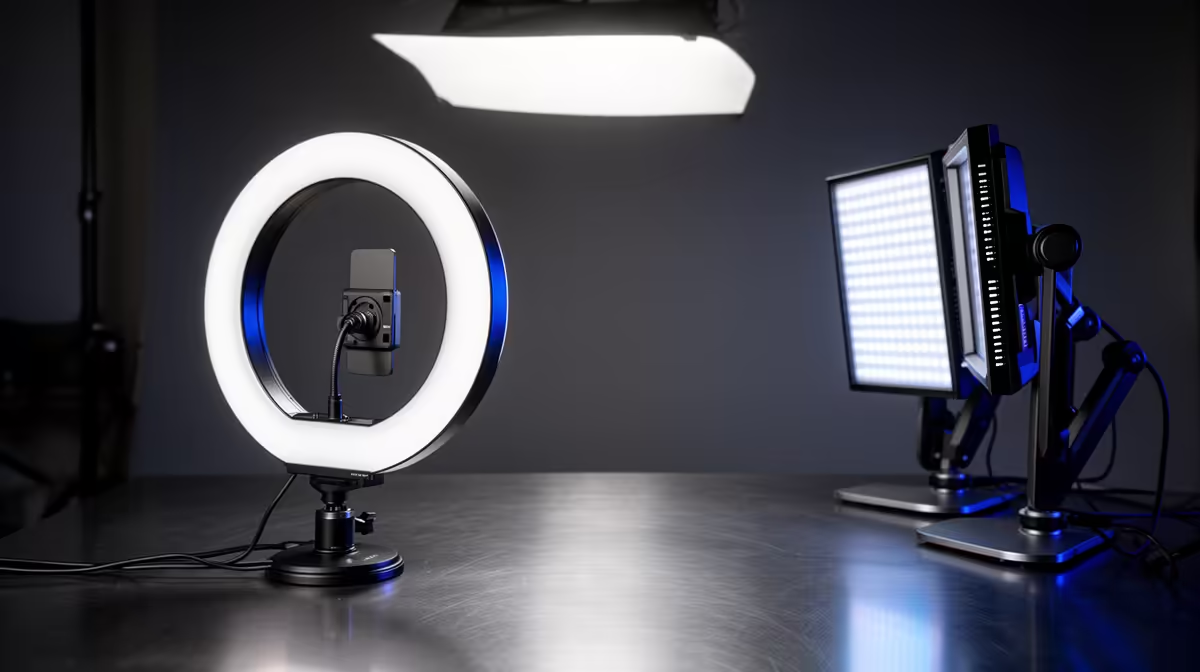
A flat face lit from the front looks exactly like what it is: a flat face lit from the front. Viewers register the difference even if they cannot name it. Structuring lighting angles for stream clarity is less about buying more gear and more about understanding how light and shadow give your face shape, depth, and edge on camera.
Quick Answer
Position your key light roughly 45 degrees to one side and just above eye level. Add a second light behind your shoulder, aimed at your back edge, to separate you from the background. Those two placements give a sculpted, broadcast-quality look in a small room.
🔆 The Key Light: Angle, Height, and Distance
The key light carries the bulk of the work, so getting its position right matters more than anything else in your lighting chain. Start by placing it roughly 45 degrees off your nose, to either side. That angle catches the near cheekbone and lets the nose cast a gentle short shadow toward the mouth, which is exactly the kind of tonal variation that reads as dimension on a flat camera sensor.
Height matters almost as much. Raise the light until it sits between 15 and 30 degrees above eye level. At that position the shadow from your nose falls cleanly downward rather than sideways, and the eye sockets stay visible rather than disappearing into hollow darkness. Push the light much higher, toward 60 degrees overhead, and the result looks like a horror film rather than a broadcast.
Distance determines exposure and softness simultaneously. Closer lights appear larger relative to the subject, which means softer shadows with gradual edges. A 30cm LED panel one metre away produces noticeably softer light than the same panel at two metres. For a gaming or streaming desk, a panel placed roughly 80cm to 120cm from your face at the 45-degree position gives a flattering balance of softness and contrast.
Choosing a Key Light Size
A larger light source is a softer light source, full stop. A 30cm by 30cm LED panel produces softer shadows than a 15cm puck at the same distance. If your budget allows one upgrade to reduce harsh under-eye shadows without a second light, buying a physically bigger panel is more effective than buying a brighter one.
🎯 The Rim Light: Separating You From the Background
Without any separation, a dark shirt against a dark background turns you into a floating head with no edges. A rim light, also called a hair light or edge light, solves this by throwing a thin line of brightness along your shoulder, neck, and the side of your head.
Position this second light behind you and to the opposite side from your key light. Aim it toward your back shoulder at a low angle so the beam catches the outline of your silhouette rather than spilling onto your face. Power it at roughly 25 to 35 percent of the key light's brightness. That low output is enough to create a visible edge without overpowering the front and making you look like a car headlight is shining at you from behind.
In a small South African flat or bedroom, the rim light does not need a full stand. A compact 15W panel mounted on a shelf or balanced on a bookshelf behind you works. The placement matters far more than the hardware.
🌗 Fill Light and the Ratio Decision
A fill light sits on the opposite side from the key, at roughly equal height, and its job is to control how dark the shadowed side of your face appears. A high fill ratio means a bright shadow side that looks natural and even; a low fill ratio means deep shadows that suit dramatic or moody content.
For a typical gaming stream or commentary setup, aim for a fill light at around 30 to 50 percent of the key light's output. That keeps the shadowed cheek visible while still preserving the depth the 45-degree key angle created. A white reflector card placed on the shadow side of your desk costs almost nothing and bounces the key light back as a gentle fill without buying a second LED entirely.
If your room has a white wall to one side, angle the key slightly toward it and let the bounce act as a natural fill. Joburg and Cape Town studio apartments with light paint often allow this approach without any additional gear.
Pro Tip ⚡
Tape a sheet of white A3 paper to the wall on the shadow side of your face before spending money on a fill light. Adjust the key brightness and check the result on your stream preview. Most setups only need a purchased fill after outgrowing the bounce-card stage.
✨ Glasses, Colour Temperature, and Final Checks
Glasses glare is one of the most common stream complaints. The fix is positional rather than hardware-based. Raise the key light slightly and angle it down toward your face at a steeper descent. The reflection from the lenses then bounces below the camera line rather than straight into the lens. Tilting your monitor screen backward slightly also helps, since the reflection from the screen is a second source of lens glare.
Colour temperature consistency matters as much as angle. If your key light runs at 5,500K and your background has a warm-toned lamp at 2,700K behind you, the mixed colours look unintentional. Either match all light sources to a single temperature or switch the background lamp off during streams. Most modern bi-colour panels let you dial in a specific Kelvin value, so matching them is a one-minute adjustment.
Check your setup on the actual stream preview, not just your eyes in the room. Cameras compress dynamic range and shift colours relative to what you see directly. What looks balanced in the room often needs the key pulled back 20 percent when viewed through the lens.
Frequently Asked Questions
Why does angling the light to one side improve stream clarity?
A light aimed directly at your face from the front produces no shadows at all, which means no tonal variation and no sense of the face's physical shape. Moving the light off-centre creates a highlight on the near cheekbone and a shadow on the far side, giving the camera something to read as depth. That contrast is what makes a face look three-dimensional rather than flat and washed-out on screen.
What height causes harsh shadows under the eyes?
Placing a light directly overhead at or above 60 degrees pushes the orbital ridge shadow down over the eye sockets, leaving them dark and unreadable. Keeping the light between 15 and 30 degrees above eye level prevents that shadow from forming, so the eyes stay expressive and visible regardless of the ambient brightness in the room.
How much power should the rim light use relative to the key?
Roughly a quarter to a third of the key light's output is the practical range for most streaming setups. At that level the rim creates a visible shoulder and hair edge that separates you from the background without becoming the dominant light source or washing out the shadow structure the key created on your face.
Can two compact 15W panels cover a small bedroom setup?
Yes, comfortably. Two 15W panels on adjustable stands or monitor clamps give enough output to run a key-and-rim arrangement in a 3m by 3m room without crowding the desk. Point one at 45 degrees for the key, place the other behind the opposite shoulder for separation, and you have a complete two-light rig without significant hardware investment.
Does colour temperature mismatch affect stream quality noticeably?
It does. When two light sources of noticeably different temperatures share the frame, one part of the image appears warm orange while another appears cool blue, and neither reads as neutral skin tone. Viewers register the result as a poorly lit setup even if they cannot articulate the cause. Matching all active lights to within 300K of each other keeps skin tones consistent and the image looking intentional.
Ready to build a lighting setup that actually matches your skill as a streamer?
Browse the LED streaming panels and adjustable light stands available for South African creators, and start placing light where it does the most work.