


Complete Gaming Setup Guide for the SA Esports Athlete in SA 2026
Complete Gaming Setup Guide for the Esports. Clear setup instructions with SA-specific considerations, troubleshooting tips & recommended components.
Read moreSwitch between devices with one wireless keyboard and mouse using Bluetooth, multi-host or USB dongle pairing. Quick steps, tips, and gear picks to streamline switching. ⌨️🖱️
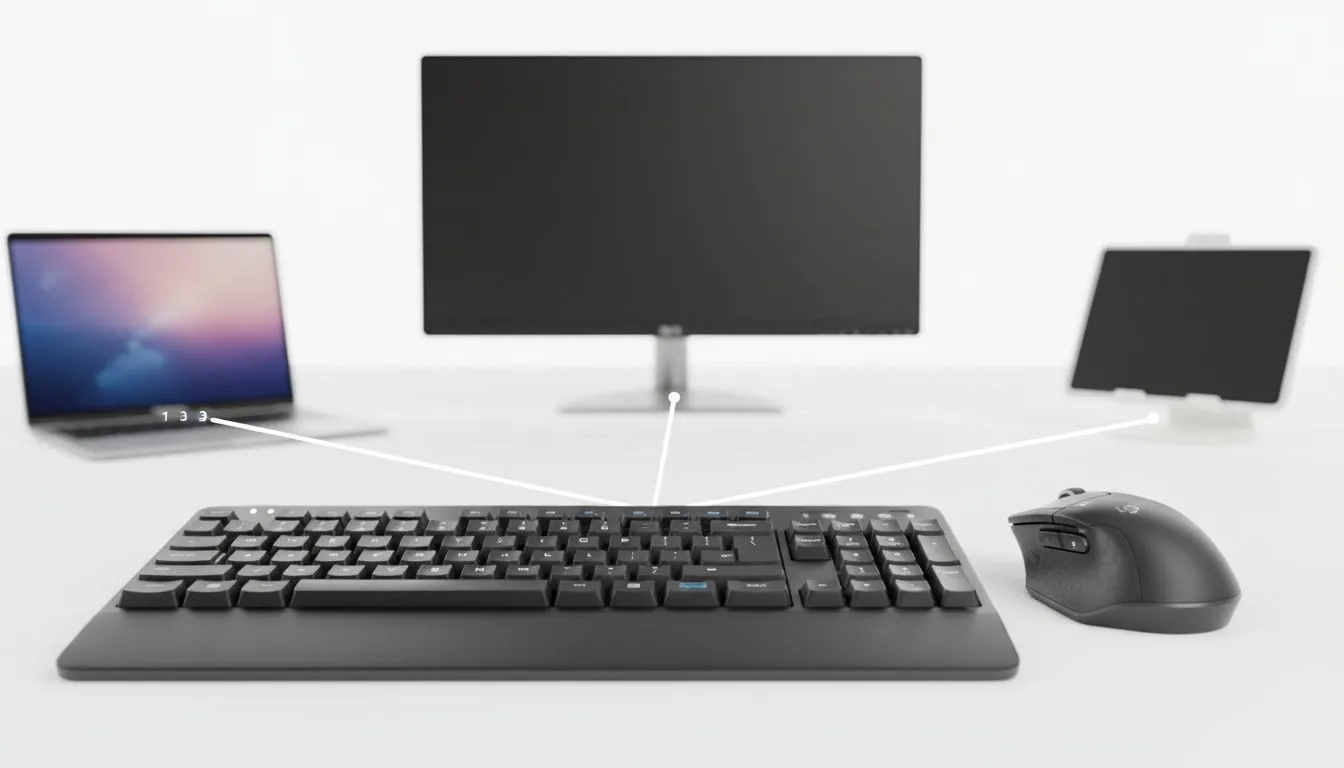
South African gamers and content creators: tired of swapping dongles or juggling cables between your PC, laptop and tablet? Learn how to switch between devices with one wireless keyboard and mouse quickly, and keep your desk tidy while staying competitive. This guide shows practical setups, what to look for, and where to score local value—without jargon. ✨
Most modern wireless keyboards and mice offer two ways to connect: a single unifying USB dongle or Bluetooth. The dongle is plug‑and‑play for gaming rigs; Bluetooth shines when you want cross‑platform convenience. Look for hardware that supports at least three device profiles so you can switch with a keypress.
If you want to see current options and special pricing, browse Evetech’s curated list of the best gaming keyboard deals. (Link to check models and bundles)
best gaming keyboard deals
If you’re price conscious, compare the market for entry-level picks—Evetech lists a good range of the cheapest gaming keyboards to start with.
cheapest gaming keyboards
Wired gives rock‑steady latency for esports; wireless offers freedom and multi‑device switching. Many gamers keep a wired keyboard for competitive matches and a wireless set for daily tasks. Evetech separates wired and wireless inventories so you can filter by preference. Explore wired options if latency is your top priority.
wired options
If you want an all-in-one purchase, check keyboard & mouse combos that often start below R800 at Evetech—great for budget builds or gifting. Prices vary with stock and promotions, so click through to compare current ZAR deals.
keyboard & mouse combos
On Windows, use the PowerToys FancyZones utility to create custom snap layouts for your windows. It's a lifesaver for managing multiple apps on an ultrawide monitor, letting you organise your timeline, preview window, and asset folders perfectly for video editing.
Switching between devices with a single wireless keyboard and mouse isn't a luxury; it’s a workflow upgrade. Pick a unit that matches your priorities—latency, battery life, portability—and you’ll reclaim desk space and minutes every day.
Ready to Find Your Perfect Match? The Mac vs Windows debate is complex, but for maximum power, choice, and value in South Africa, Windows is hard to beat. Explore our massive range of laptop specials and find the perfect machine to conquer your world.
Use Bluetooth pairing, a multi-host switch button, or a USB dongle profile to switch between devices quickly. Try
Yes — use multi-host keyboards or software like Logitech Flow to control multiple PCs; this is a common multi-device keyboard switch method.
USB dongles usually offer lower latency and simpler pairing; Bluetooth is more flexible for phones and tablets when you switch bluetooth devices keyboard.
Not always. Hardware multi-host keyboards switch without software, while solutions like Logitech Flow require companion software for seamless switching.
A KVM switches video, keyboard, and mouse at the hardware level. Multi-host keyboards switch input only; choose based on whether you need display switching.
Many keyboards support 3–4 device profiles via Bluetooth or dongle. Check the spec for 'pair keyboard to multiple devices' limits before buying.
Hardware dongles minimize latency and are best for gaming; software switching can add delay. Look for low-latency multi-host keyboard switch options.
Complete Gaming Setup Guide for the Esports. Clear setup instructions with SA-specific considerations, troubleshooting tips & recommended components.
Read more
AIO Liquid 360mm Installation Guide for Your PC. Clear setup instructions with SA-specific considerations, troubleshooting tips & recommended components.
Read more
MacBook Display Colour Looks Wrong? Calibration. Everything you need to know with SA pricing, step-by-step instructions & expert recommendations.
Read more
Printer Terminology Guide. Everything you need to know with SA pricing, step-by-step instructions & expert recommendations.
Read more
Git on Mac: Complete Setup Guide for Beginners. Clear setup instructions with SA-specific considerations, troubleshooting tips & recommended components.
Read more
Ryzen 9 9900X Thermal Paste Dry: Reapplication. Everything you need to know with SA pricing, step-by-step instructions & expert recommendations.
Read more
AMD RX 9050 XT: Rumoured Specs, Price & Release. SA-focused analysis with local pricing data, real-world insights & actionable buying advice.

Can RTX 4080 Super Run AI Workloads for SA Developers Detailed answer with SA data, expert analysis & practical recommendations for local buyers.

Can RTX 4090 Run AI Workloads for SA Developers Detailed answer with SA data, expert analysis & practical recommendations for local buyers.

Top Settings for Intel Arc B580 at Ultrawide 1440p picks evaluated on performance, value & SA availability with current Rand pricing from Evetech.

RTX 4060 CS2 Low Settings at 1080p: FPS Results. Real-world benchmark data, FPS numbers & performance analysis. What SA gamers can actually expect.

Visual Artifacts: Possible GPU Issue Issue #1. Diagnosis steps, proven fixes & when to seek professional help. SA-specific support info included.

Can the RTX 4090 Handle 1440p 144Hz Gaming. Performance testing verdict with real data & practical recommendations for SA buyers.

Top ASUS GPU Under R15000 picks evaluated on performance, value & SA availability with current Rand pricing from Evetech.

GTA 6 Max Settings on RTX 5070. Tested & verified settings for best FPS and visual quality on SA hardware budgets.

Cyberpunk 2077 Max Settings on RTX 5080. Tested & verified settings for best FPS and visual quality on SA hardware budgets.

Starfield Max Settings on RTX 5070 Ti. Tested & verified settings for best FPS and visual quality on SA hardware budgets.

Top RTX 5090 Under R5000 picks evaluated on performance, value & SA availability with current Rand pricing from Evetech.