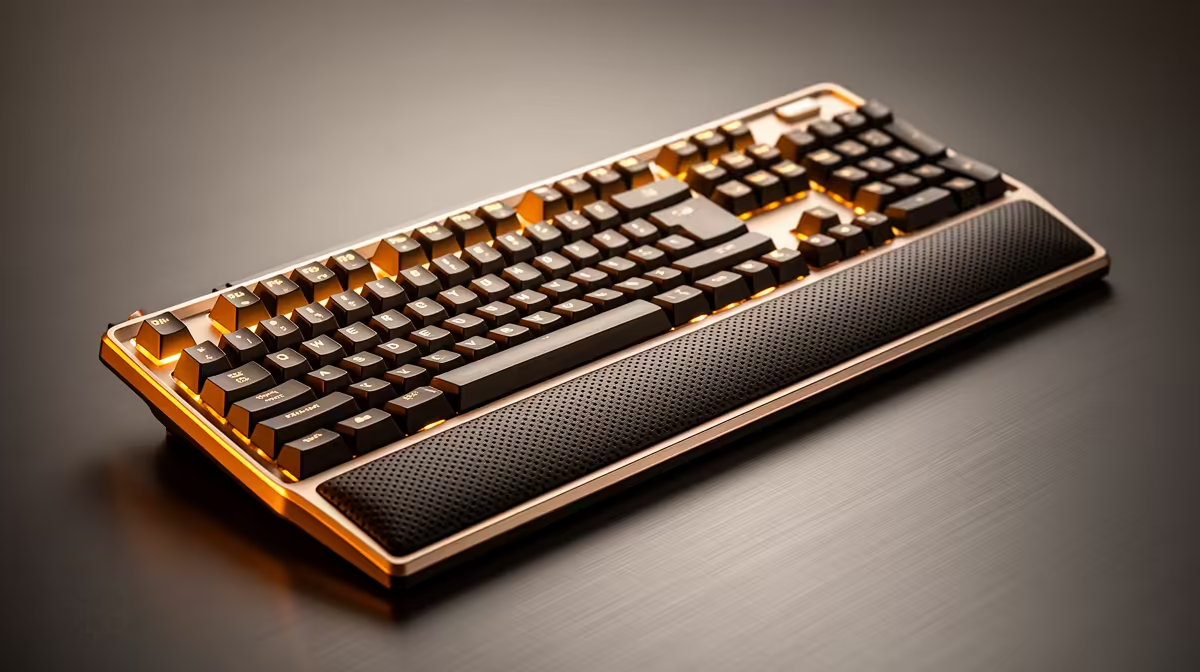
Typing volume has a direct relationship with typing strain, and most of it is not dramatic -- no sudden injury, just a slow accumulation of fatigue that builds keypress by keypress across an eight-hour shift. Tactile feedback and cushioned wrist support address two distinct points in that accumulation: the moment of each keypress, and the sustained pressure of resting wrists against a hard surface. Fix both, and high-volume typing becomes substantially less punishing.
Quick Answer
Choose a keyboard with tactile mechanical switches (45g to 55g actuation) so each keypress confirms without bottoming out hard. Pair it with a memory-foam wrist rest level with the spacebar to keep wrists flat and reduce pressure on the carpal tunnel.
🖐️ What Tactile Switches Actually Do for High-Volume Typists
A tactile switch is defined by a physical bump in the keystroke travel -- typically felt around the 1.5mm to 2mm point of a full 4mm travel -- that confirms the actuation point without requiring the key to bottom out. For someone typing thousands of words or data entries per day, that feedback changes behaviour in a way that reduces physical effort.
Without tactile confirmation, typists tend to press keys until they hit the hard stop at the bottom of the travel. That bottoming out transfers impact force into the fingertips and through the joints with every keypress. Multiply that by 40,000 to 60,000 keystrokes in a long workday and the cumulative load is significant.
A tactile bump allows accurate typists to release the key the moment they feel the confirmation point, before the bottom of the travel. The keystroke is shorter, the force transferred is lower, and the fingers spend less time under load per keystroke. The result is not dramatic on any individual press but compounds across thousands of repetitions.
Actuation weight is the second variable. Switches rated at 45g to 55g require less downward force to actuate than stiffer 60g or 70g alternatives. For short typing sessions the difference is minimal, but across a full day the lighter actuation weight reduces the cumulative effort the fingers and hand extensors absorb. This is why heavy typists who spend time with both switch weights consistently favour lighter tactile options for endurance rather than for speed.
🟫 How a Wrist Rest Changes the Biomechanics of Long Typing Sessions
The term wrist rest is common enough that its function is often assumed rather than understood. The goal is not simply to make the desk surface softer under the wrist -- it is to maintain a specific positional relationship between the forearm, wrist, and keyboard that keeps the carpal tunnel pathway uncompressed.
When wrists rest on a hard desk surface at the wrong height, two problems emerge. First, the sharp desk edge creates localised pressure against the soft tissue on the underside of the wrist, compressing blood flow and nerve pathways. Second, if the keyboard is higher than the resting surface, the wrists angle upward into dorsiflexion -- a position that loads the carpal tunnel and the tendons passing through it.
A correctly sized memory-foam wrist rest addresses both. The foam distributes contact pressure across a wider surface area, eliminating the sharp-edge compression. The rest height, when matched to the keyboard profile, keeps the wrist flat -- in line with the forearm rather than angled upward or downward. That flat alignment means the carpal tunnel stays in its natural open position throughout the typing session.
Memory foam is preferred because it conforms to the heel of the palm rather than maintaining a fixed shape. Firmer fills reduce one sharp edge but can create others at the foam boundary.
Pro Tip ⚡
In SA, many home office desks are fixed-height standard desks at around 75cm. If your keyboard sits high on this surface, a wrist rest is not optional -- it becomes necessary to avoid the upward wrist angle that turns a long typing session into a slow strain accumulation. Measure the gap between your resting forearm and the keyboard home row before buying.
⌚ Matching Keyboard Profile Height to Rest Thickness
Most buyers make an error here that quietly negates the benefit. A wrist rest purchased without accounting for keyboard profile height either props the wrists too high -- reintroducing dorsiflexion from below -- or sits too low, leaving the wrist angled downward toward the pad.
Keyboard profile height varies considerably. A high-profile keyboard with exposed switch housings creates the largest gap above the desk; a low-profile board with slim switches sits much closer. The rest must bridge the gap between desk surface and the spacebar row, leaving the wrist flat at the meeting point.
The correct test: sit in your normal typing posture with the keyboard in place and the rest in front of it. Your wrist should land on the pad without your forearm rising or falling to reach it. The heel of the palm contacts the pad; the wrist joint itself floats slightly above. A rest pressing directly on the wrist joint compresses the carpal tunnel rather than relieving it.
Keyboard tilt interacts with rest height. Many keyboards ship with folding feet that angle the back upward. For high-volume typing, flat or slightly negative tilt -- top of the board fractionally away from you -- keeps the wrist angle flatter than positive tilt allows.
⌨️ Completing the Setup Beyond Switches and Rest
Tactile switches and a memory-foam rest are the two highest-impact changes, but they work within a larger setup context.
Chair height sets the baseline: elbows at 90 to 100 degrees with forearms roughly parallel to the floor when hands rest over the home row. If the chair is too low, the wrists arrive at the keyboard from below and angle upward regardless of the rest height.
A tenkeyless keyboard is worth considering for heavy typists who mouse frequently. A full numpad pushes the mouse further right, increasing shoulder reach across thousands of hours. Removing it brings the mouse in close enough that the arm stays near the torso during normal use.
Frequently Asked Questions
Why do some typists prefer tactile switches over linear or clicky ones?
Linear switches give no bump -- smooth top to bottom, with no actuation confirmation without bottoming out. Clicky switches add an audible click that is disruptive in shared spaces. Tactile without click provides the confirmation without the noise, making it the practical default for high-volume typists working from home.
Where should the wrist rest actually contact the hand?
The rest should support the heel of the palm -- the fleshy area just below the wrist at the base of the hand. The wrist joint itself should float slightly above the rest surface. Resting directly on the wrist joint compresses the carpal tunnel rather than relieving it, which defeats the purpose and can worsen strain over time.
Does actuation weight really matter across a full workday?
For short sessions, no. For five or more hours of sustained typing, a lighter 45g to 55g tactile switch measurably reduces cumulative effort compared to stiffer 60g-plus alternatives. The difference shows up as end-of-day fatigue -- lighter switches reduce how much you feel in your hands by late afternoon.
Can a wrist rest slow down fast typists?
A rest sized and positioned correctly does not reduce typing speed. It supports the hand between bursts of fast typing, not during them. Most fast typists lift slightly off the rest during active typing and return to it during pauses. A rest that is too thick or too far from the keyboard edge can interrupt this rhythm, which is why correct sizing for your keyboard profile matters.
Should a wrist rest run the full width of the keyboard?
Matching the rest to the keyboard width ensures both hands are supported equally and prevents the forearm from resting partially on the pad and partially on the desk edge. A rest shorter than the keyboard width tends to be used by the dominant hand only, which may correct strain on one side while leaving the other unaddressed.
Ready to set up a keyboard that keeps up with your typing volume without the strain?
Browse Evetech's range of mechanical keyboards and accessories to find tactile switches and wrist support options built for long sessions.