Quick Answer
An ATX showcase gaming case should deliver three-sided or full tempered glass visibility, 410mm to 430mm GPU clearance, front or top 360mm radiator support, a PSU shroud that hides lower cabling, ARGB fan positions, and at least one USB Type-C front I/O port. Budget R4,000 to R7,000 for a case that genuinely checks all these boxes without compromise.
Choosing Glass and Visual Design 🏙️
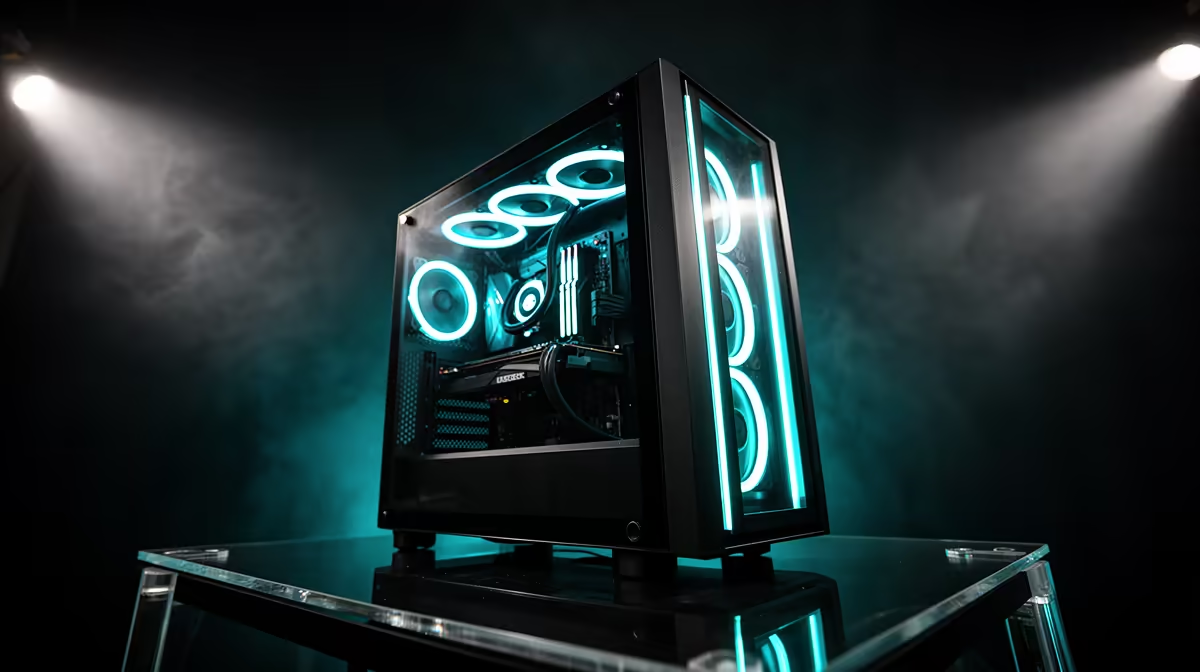
The glass panel configuration sets the visual tone of a showcase build. Standard ATX cases offer a single side panel in tempered glass; mid-range showcase designs add a glass front panel or decorative RGB element at the front; premium panorama cases wrap glass around three sides, revealing the hardware from front, side, and top simultaneously. For a build meant to be seen, the panorama or dual-glass configuration is the baseline. Mirrored display stages at the case base reflect GPU and fan lighting upward, creating visual depth. Case choices with ARGB fan mounts at front, top, and rear allow a uniform lighting ecosystem when paired with an ARGB controller on the motherboard. SA pricing for these features starts at R3,800 for dual-glass ATX designs and climbs to R6,500 for true panorama showcase cases.
Clearance, Cooling, and Cable Management Standards 🔧
Showcase builds typically run flagship hardware: RTX 5080 or 5090 GPUs (340mm to 366mm long), Ryzen 9 9950X or Core Ultra 9 CPUs (requiring 360mm AIOs for quiet thermal management), and high-end DDR5 modules with RGB. The case must accommodate all of these without restriction. GPU clearance of 420mm or above is the target; 360mm front or top radiator mount is mandatory for keeping a high-TDP CPU quiet in a glass-front chassis; and a cable routing channel of 25mm to 30mm behind the motherboard tray keeps the visible interior immaculate. A full-length PSU shroud with Velcro anchor points along the routing path is the final piece, ensuring no modular cable bundle escapes into the visible chamber.
Front I/O and Connectivity Essentials ⚡
A showcase case in 2026 should include at minimum: two USB 3.2 Gen 1 Type-A ports, one USB 3.2 Gen 2 Type-C port (10Gbps or better), and a combined audio jack or separate headphone and microphone sockets. USB 20Gbps (Gen 2x2) Type-C is the premium front I/O spec for builders who transfer external storage data regularly or charge USB-C devices from the front panel. The power button and reset button should have a solid, tactile press feel rather than a soft click, as these are the most-used physical controls on the chassis over its lifetime. Front I/O connectivity is a lasting daily-use quality indicator that outlasts aesthetic trends.
Build Order Matters in Showcase Cases ⚡
In showcase-oriented cases with limited access angles, install the CPU, RAM, and AIO pump head on the motherboard outside the case first. Then mount the motherboard, route rear cables before the glass panels go on, install front fans, then the GPU last. This order prevents the situation of needing to remove the GPU to reach a motherboard connector after the build is complete.
FAQ
How much thermal performance do I sacrifice with a panorama glass front?
A sealed glass front typically raises GPU temps by 4 to 8 degrees Celsius compared to a mesh-front case at identical fan configurations. This is manageable with a 360mm AIO and three strong intake fans on any mesh sections, keeping an RTX 5090 below 85 degrees Celsius during gaming in a 25-degree Celsius room.
Should a showcase ATX case include a PCIe riser cable?
A PCIe riser cable for vertical GPU mounting is a useful inclusion but not essential. It allows the GPU to face the side glass panel for maximum visual impact.
What is the best way to keep a showcase case looking clean over time?
Wipe glass panels weekly with a dry microfibre cloth to remove fingerprints and dust before they accumulate. Clean dust filters monthly in SA conditions.
Ready to build a showcase gaming PC that looks extraordinary?
Browse Evetech's full ATX gaming case range with the glass, clearance, and cooling specs your premium build needs.