


Complete Gaming Setup Guide for the SA Esports Athlete in SA 2026
Complete Gaming Setup Guide for the Esports. Clear setup instructions with SA-specific considerations, troubleshooting tips & recommended components.
Read moreEvery spec on Wi-Fi 7 explained in plain English. What matters for gaming and creator work in 2026, what's marketing fluff, and how each number translates to real-world performance.
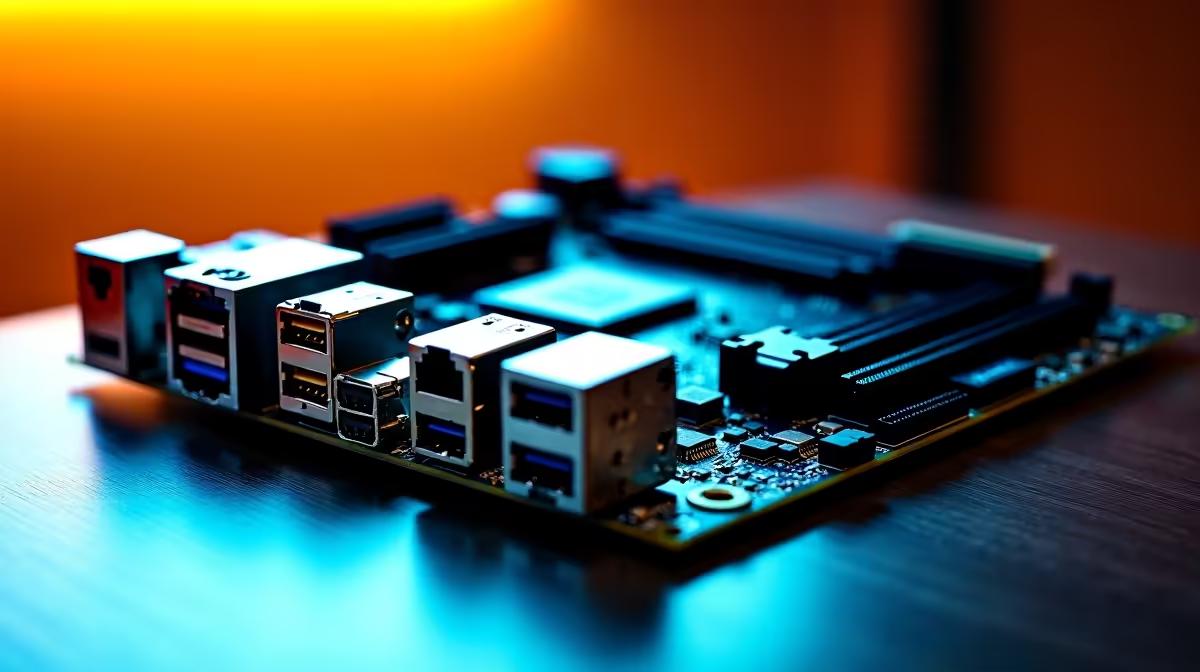
Let's face it... building a rig in South Africa means battling high ping and massive file sizes. You spend thousands of ZAR on a graphics card, but if your board lacks modern ports, you are bottlenecking your entire system. Understanding motherboard connectivity features is crucial before you buy. From wireless speeds to lightning-fast data transfers, let us break down what you actually need.
When you shop for the latest PC motherboards, the spec sheet often looks like alphabet soup. You will see terms like Wi-Fi 7, Bluetooth 5.4, and USB 3.2 Gen 2x2. These are not just marketing buzzwords... they dictate how fast your games download and how quickly your external SSD transfers that massive 100GB Warzone update.
Every peripheral you connect relies on these pathways. If you want to future-proof your investment, paying attention to the rear I/O panel is non-negotiable.
We all know the pain of a dropping connection during a clutch competitive match. Wi-Fi 7 is the newest wireless standard on the block, offering theoretical speeds up to 46 Gbps and ultra-low latency. It uses multiple bands simultaneously to ensure your connection never drops.
If you are running a high-end setup, pairing a Wi-Fi 7 board with high-speed DDR5 memory kits ensures absolute peak system responsiveness. Whether you prefer Team Blue or Team Red, modern ASUS Intel motherboards are already adopting this wireless tech to keep your ping stable and your downloads rapid.
Even with the brilliance of Wi-Fi 7, a wired connection is still king for competitive gaming in South Africa. Look for a board with a 2.5GbE or 10GbE LAN port to maximise your fibre line.
Gone are the days of waiting hours to back up your media. USB 20Gbps Type-C moves data at a blistering 2000 megabytes per second. This is absolutely vital for local content creators moving massive 4K video files or gamers running heavy titles off portable NVMe drives.
If you are eyeing ASUS AMD motherboards for an upcoming Ryzen build, check the specifications carefully. Having at least one of these high-speed Type-C ports means you will not be left waiting when transferring footage or backing up your game library.
While the rear ports get all the glory, internal headers are just as important. These are the pins that connect your front panel case ports to the motherboard. A board with a front-panel USB 20Gbps Type-C header allows you to plug your devices directly into the top of your PC case... saving you from awkwardly reaching around the back of your desk.
Furthermore, modern Bluetooth 5.3 or 5.4 comes bundled with newer Wi-Fi chips. This ensures your wireless gaming headset or controller connects seamlessly without noticeable audio lag.
Your motherboard is the central nervous system of your rig. Skimping on these crucial motherboard connectivity features means you will likely need to upgrade sooner rather than later. You want your hard-earned ZAR to go as far as possible.
If building from scratch feels a bit daunting, you do not have to stress. You can always grab one of our incredible gaming PC deals where the component matching is already done for you. Maximising your connectivity ensures your system stays relevant for years to come.
Ready to Upgrade Your Setup? Do not let outdated ports and slow wireless speeds hold you back. Whether you need Wi-Fi 7 or lightning-fast USB Type-C, we have the perfect foundation for your next build. Explore our massive range of motherboards and start building your dream rig today.
Wi-Fi 7 is available at Evetech.co.za with local SA warranty, Rand pricing and nationwide delivery. Stock and pricing is updated in real time on the product page.
The article breaks down the real-world impact on gaming FPS, creator workflows and everyday responsiveness — not just raw spec numbers.
Only a handful of specs meaningfully change your experience. The guide ranks them by real impact so you spend on what counts.
We cover upgrade headroom, platform longevity and the specific features worth paying extra for if you plan to keep this build for several years.
The article includes a clear generational uplift summary so you can judge whether upgrading from your current hardware is worthwhile.
Complete Gaming Setup Guide for the Esports. Clear setup instructions with SA-specific considerations, troubleshooting tips & recommended components.
Read more
AIO Liquid 360mm Installation Guide for Your PC. Clear setup instructions with SA-specific considerations, troubleshooting tips & recommended components.
Read more
MacBook Display Colour Looks Wrong? Calibration. Everything you need to know with SA pricing, step-by-step instructions & expert recommendations.
Read more
Printer Terminology Guide. Everything you need to know with SA pricing, step-by-step instructions & expert recommendations.
Read more
Git on Mac: Complete Setup Guide for Beginners. Clear setup instructions with SA-specific considerations, troubleshooting tips & recommended components.
Read more
Ryzen 9 9900X Thermal Paste Dry: Reapplication. Everything you need to know with SA pricing, step-by-step instructions & expert recommendations.
Read more
AMD RX 9050 XT: Rumoured Specs, Price & Release. SA-focused analysis with local pricing data, real-world insights & actionable buying advice.

Can RTX 4080 Super Run AI Workloads for SA Developers Detailed answer with SA data, expert analysis & practical recommendations for local buyers.

Can RTX 4090 Run AI Workloads for SA Developers Detailed answer with SA data, expert analysis & practical recommendations for local buyers.

Top Settings for Intel Arc B580 at Ultrawide 1440p picks evaluated on performance, value & SA availability with current Rand pricing from Evetech.

RTX 4060 CS2 Low Settings at 1080p: FPS Results. Real-world benchmark data, FPS numbers & performance analysis. What SA gamers can actually expect.

Visual Artifacts: Possible GPU Issue Issue #1. Diagnosis steps, proven fixes & when to seek professional help. SA-specific support info included.

Can the RTX 4090 Handle 1440p 144Hz Gaming. Performance testing verdict with real data & practical recommendations for SA buyers.

Top ASUS GPU Under R15000 picks evaluated on performance, value & SA availability with current Rand pricing from Evetech.

GTA 6 Max Settings on RTX 5070. Tested & verified settings for best FPS and visual quality on SA hardware budgets.

Cyberpunk 2077 Max Settings on RTX 5080. Tested & verified settings for best FPS and visual quality on SA hardware budgets.

Starfield Max Settings on RTX 5070 Ti. Tested & verified settings for best FPS and visual quality on SA hardware budgets.

Top RTX 5090 Under R5000 picks evaluated on performance, value & SA availability with current Rand pricing from Evetech.