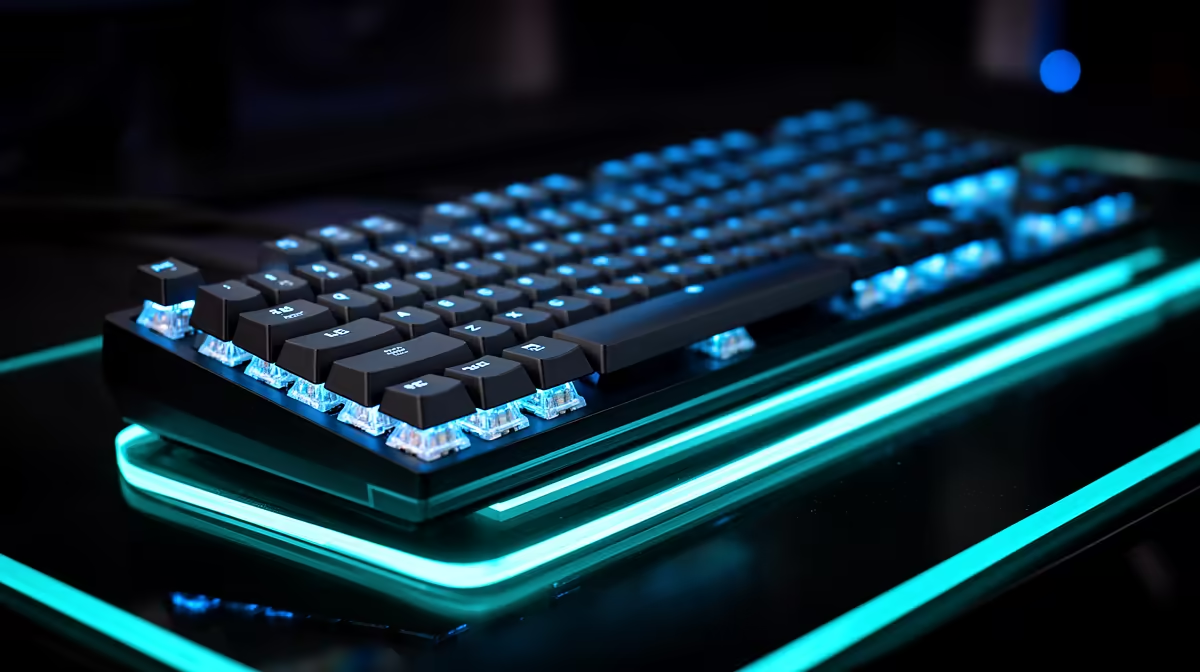
A gaming keyboard can report a key quickly and still feel slow if the switch travels too far for your hand or the game scans input on the next frame. Low latency comes from the whole path: switch sensing, firmware, polling, USB handling and a stable PC frame rate.
Quick Answer
Choose a keyboard with measured low input delay, stable firmware and switches that suit your movement. Optical and Hall-effect boards can offer short adjustable actuation, while a well-designed mechanical board can still be fast. Start at 1,000 Hz, test rapid trigger carefully and keep the settings you can control without accidental presses.
Switch type does not set latency alone
Mechanical switches close an electrical contact. Optical designs interrupt a light path. Hall-effect switches measure a magnet's position, which allows adjustable actuation and reset points. These technologies give the firmware different options, but none guarantees a particular delay.
Controller scan rate, debounce, USB polling and processing inside the board add time. A slow firmware implementation can waste a fast sensor. Use independent measurements for the exact model and firmware rather than assigning a result from the switch name.
Published "under 1ms" figures also need a method. Some measure from electrical actuation to a USB report; others describe polling interval or switch scan. Those are useful parts of the path, not the same end-to-end test.
Polling rate sets the report opportunity
At 1,000 Hz, the keyboard can report once per millisecond. Higher rates shorten the interval, but the practical gain becomes small and depends on the host, game and frame rate. They can also use more USB and CPU resources.
Begin at 1,000 Hz. Run your main competitive game while watching frame time, then try a higher rate. Keep it only when the PC remains stable and the setting creates a repeatable benefit. A hitch from an overloaded USB controller is worse than the interval you were trying to save.
Use the gaming keyboard deals to shortlist switch technologies, then see which models appear among keyboard best sellers. Judge the exact board by its layout, firmware and measured response.
Actuation distance changes feel
A short actuation point can make strafing and ability taps feel immediate. It can also turn a resting finger into an accidental input. Hall-effect boards often let you tune each key, so movement keys can be sensitive while chat and ability keys keep more travel.
Start around a moderate point and lower it in small steps. Play real matches, not only a reaction test. If you trigger opposite movement or crouch by accident, the setting is too sensitive for your hand.
Optical keyboards can offer short fixed actuation or their own adjustment. Read the exact switch specification; the optical label covers many designs.
Rapid trigger changes the reset point
Traditional switches reset after the key rises past a fixed position. Rapid trigger can reset from movement relative to the current position, allowing fast direction changes without waiting for a fixed threshold. This can help counter-strafing and repeated taps.
Sensitivity still needs control. A tiny reset distance can create repeated inputs when your finger trembles or the keycap rebounds. Tune press and release together, then check behaviour while holding another key.
Game and tournament rules can change around input features. Read current rules for macros, simultaneous-input cleaning and automated movement. Adjustable actuation is one thing; firmware that combines or alters commands can be restricted.
Key rollover and matrix behaviour
Competitive movement often combines W, A, Shift, Space and an ability key. The keyboard must register the combination without blocking or inventing a press. Test the actual cluster through a rollover tool and inside the game.
N-key rollover is useful, but implementation and connection mode matter. Some boards reduce rollover over Bluetooth or through a compatibility mode. Use wired or the maker's low-latency wireless link for competition where it provides the cleanest result.
Wireless can be fast when designed for gaming
A dedicated 2.4 GHz receiver can approach wired performance on a well-designed keyboard. Bluetooth prioritises compatibility and power saving, which can add delay. Check same-lab measurements for each connection mode.
Place the receiver close through an extension and away from a busy USB hub. Keep battery charge healthy before an event. If the board can play over its cable, test that fallback before you need it.
Layout affects competitive control
A compact keyboard gives the mouse more room, valuable at low sensitivity. Removing the function row or arrows can make work shortcuts awkward. A tenkeyless layout keeps navigation keys while shrinking the right side.
Check key spacing, stabilisers and the position of Control and Shift. A fast switch under a cramped layout can still slow your movement. Try the board through a full match and a page of typing.
Sound and fatigue belong in the choice
Short actuation does not require hammering the key against the base. A harsh bottom-out can tire the fingers and disturb a shared room. Spring weight, keycap shape and case construction affect comfort.
Use a wrist rest only if it keeps wrists neutral without pressing into them. Let the hands float during active typing and take breaks during long sessions.
Software should create a stable profile
Save DPI-independent game settings, polling, actuation and lighting to onboard memory where possible. Disable automatic profile switching until you know what it changes. A firmware update can reset or rename controls, so record the working values.
Avoid stacking remapping utilities. One clean software path is easier to troubleshoot and less likely to create a background conflict.
Test the complete input chain
Use a high-frame-rate game and a monitor mode with known low delay. Match the frame cap and graphics settings for every keyboard test. The keyboard difference can be smaller than one delayed frame from the PC.
Score accidental presses, direction changes and comfort beside measured delay. The lowest laboratory result is useful only when the board lets you play accurately.
Frequently Asked Questions
Are Hall-effect keyboards the fastest?
They can offer short adjustable actuation and rapid trigger. Firmware and the complete board determine measured latency.
Is polling above 1,000 Hz worth it?
It can reduce the report interval, but the gain is small and the PC must handle it without frame-time problems.
Does 0.1mm actuation improve every player?
No. It can cause accidental inputs. Use the shortest point you can control through a full match.
Compare gaming keyboards by measured input delay, controllable actuation and stable multi-key behaviour rather than switch technology alone.