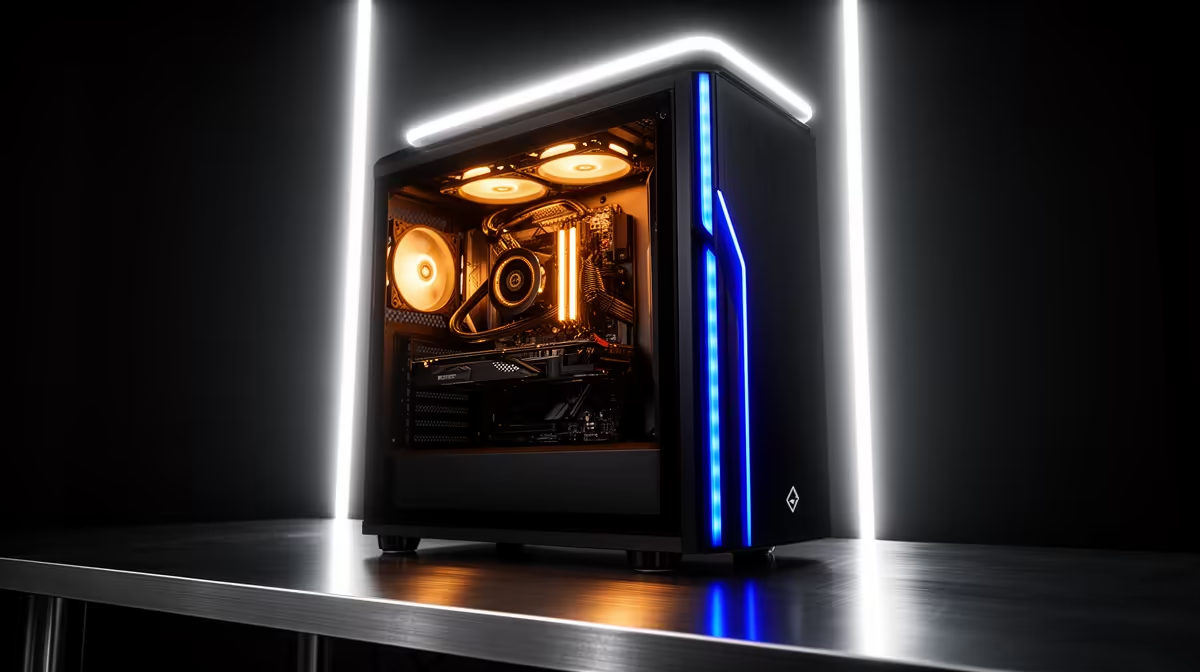
A 70 billion parameter model is where local AI stops being a toy and starts rivalling the cloud, but it asks one uncompromising thing of your hardware: enough VRAM to hold the entire model at once. Miss that target and the model spills into system memory, where speed collapses from useful to unbearable. The whole design of a VRAM-maxed GPU rig for a data scientist comes down to clearing that one threshold, and everything else follows from it.
Quick Answer
Running a 70B model at Q4_K_M quantisation needs roughly 43 to 48GB of VRAM, which you reach by pairing two 24GB cards for 48GB total or choosing a single high-VRAM workstation card. Keep the whole model in VRAM and inference runs at a usable speed, commonly in the high teens to low forties of tokens per second depending on the cards. Let it overflow into system RAM and you drop to a crawl of around 2 to 3 tokens per second, which is the wall this build exists to avoid.
The number that defines the build
Everything about this rig is governed by one figure: the VRAM needed to hold a 70B model. At Q4_K_M, the practical quantisation for this size, the weights occupy somewhere around 43 to 48GB once you account for the model itself plus the working memory the context window needs. That is the target. Hit it and the model lives entirely on the GPU. Miss it by even a little and the part that does not fit gets pushed to system RAM, which is vastly slower, and the model's speed falls off a cliff.
This is why a data scientist cannot simply buy a fast gaming card and call it done. A single 24GB card is quick but cannot hold a 70B model, so it spills and crawls. The build is fundamentally a memory-capacity problem first and a raw-speed problem second.
Two routes to 48GB of VRAM
Dual 24GB cards
The established approach is two 24GB GPUs working together, giving 48GB of combined VRAM that comfortably holds a 70B model at Q4_K_M. Splitting the model across two cards is well-supported by local inference tools, and the result is real working performance. A dual-card setup commonly delivers somewhere in the high teens to low twenties of tokens per second with one inference engine, climbing toward the thirties or low forties with a tensor-parallel setup and faster cards. That is fast enough to read comfortably and to use the model interactively rather than waiting on it.
The trade-offs are physical. Two cards demand a motherboard with the right slot layout, a power supply with serious headroom because the pair can draw well over 700 watts under load, and a case with airflow to keep two hot cards happy. This is a proper workstation build, not a casual one, and the workstation and component range at Evetech covers the parts that go into it.
A single high-VRAM workstation card
The cleaner alternative is one professional card carrying enough VRAM on its own to hold the model. This avoids the complexity of splitting a model across two GPUs, runs cooler and simpler on power, and drops into a more conventional build. The cost is usually higher per gigabyte of VRAM, since workstation cards command a premium, but for a data scientist who values reliability and simplicity over squeezing maximum value from consumer parts, a single card that just holds the model is often the better engineering choice.
Why speed lives and dies in VRAM
It is worth being precise about why overflow is so catastrophic, because it is the entire justification for the spend. When the full model sits in VRAM, the GPU reads weights from its own ultra-fast memory and generates tokens quickly. The moment part of the model has to come from system RAM, every token that needs those weights waits on a far slower memory path, and because token generation touches the weights constantly, the whole process drops to a fraction of its potential. The difference is not 20 percent slower, it is the gap between roughly 2 to 3 tokens per second and tens of tokens per second, which in practice is the difference between unusable and productive.
This binary behaviour is why the build is sized so deliberately. There is no graceful middle ground where a slightly-too-small card is slightly slower. You either fit the model or you fall off the cliff.
Quantisation context
Q4_K_M is what makes a 70B model feasible on 48GB at all. It compresses the weights to roughly four bits each, shrinking a model that would otherwise need well over 100GB at full precision down into something two consumer cards can hold. The K_M variant balances size against quality cleverly, keeping the more sensitive parts of the model at higher precision, so the accuracy loss is modest for the dramatic memory saving. For data science work this is the standard way to run a 70B model locally without a server full of GPUs.
Don't forget the context window
The 43 to 48GB figure already factors in some working memory, but a long context window eats VRAM fast. On a 48GB rig running a 70B model, there is limited headroom left after the weights, which is why most setups run with a moderate context of a few thousand tokens rather than a huge one. If your work needs very long context, that pushes you toward more VRAM, not less, so size for the context you actually use.
Who this rig is for
This build suits a data scientist or researcher who needs frontier-class model capability locally, for privacy, cost control over heavy usage, or working with data that cannot leave the premises. It is overkill for anyone happy with smaller models, where a single 24GB card runs a 32B model beautifully for far less. The 70B rig is specifically for those who need the larger model's depth and are prepared to build the memory capacity to hold it. To compare complete systems built for this class of work, the best selling PCs listing is a useful reference point.
Frequently Asked Questions
How much VRAM does a 70B model really need?
At Q4_K_M quantisation, roughly 43 to 48GB once you include the model weights and working memory for context. That is why 48GB, reached with two 24GB cards or a single high-VRAM workstation card, is the standard target for this size.
Why is dual 24GB the popular choice?
Two 24GB cards combine to 48GB, exactly the capacity a 70B model needs, often at a lower cost than a single professional card of the same total VRAM. Local inference tools split the model across both cards well, so it is a proven, value-driven route.
What happens if the model doesn't fit in VRAM?
Speed collapses. The overflow goes to system RAM, which is far slower, and because token generation constantly reads the weights, throughput drops to around 2 to 3 tokens per second. That is the unusable state this build is designed to avoid entirely.
Is a single workstation card better than two consumer cards?
It is simpler, cooler, and more reliable, avoiding the complexity of splitting a model and the heavy power draw of a dual setup. It usually costs more per gigabyte of VRAM, so the choice is simplicity and reliability against value.
Will I get more tokens per second with faster cards?
Yes. Dual older cards land in the high teens to low twenties of tokens per second, while faster cards or a tensor-parallel setup push toward the thirties and low forties. The first requirement is always fitting the model in VRAM; speed scales from there.
Run frontier-class models on your own bench without the cloud. Explore the AI and workstation range at Evetech to build a VRAM-maxed rig that keeps a 70B model entirely in memory and inference running fast.