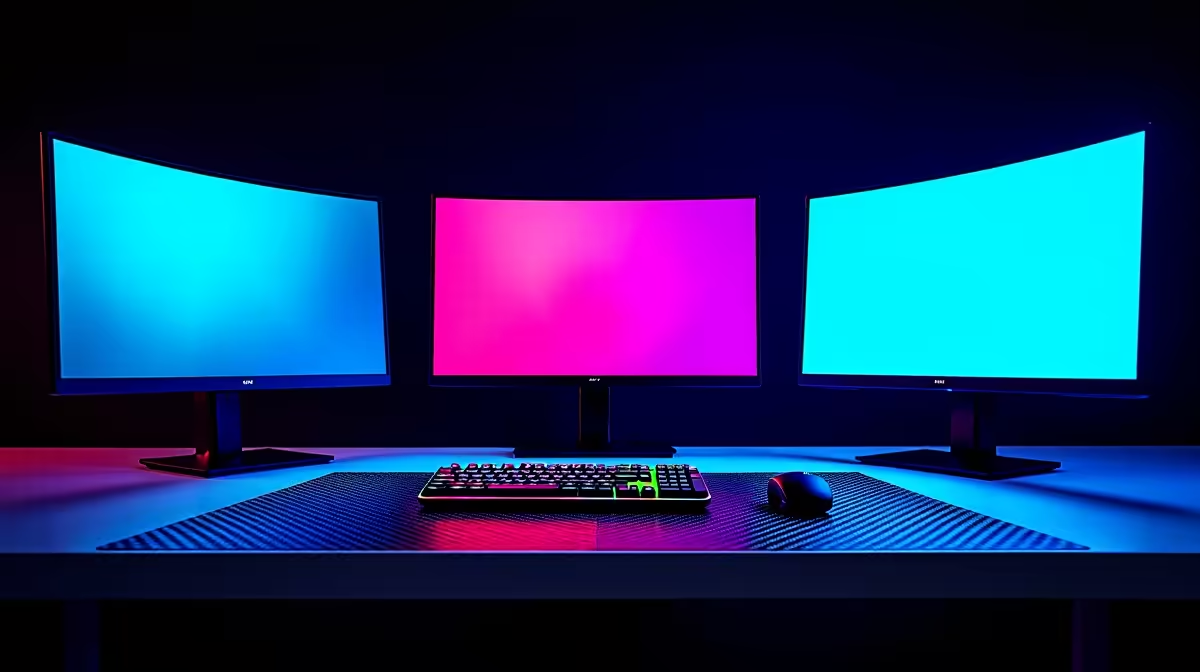
You've spent thousands on a beastly gaming rig, but that blurry, ghosting mess on screen is costing you rounds in Valorant. Sound familiar? In South Africa, where every millisecond counts against ping, your monitor's panel is your silent MVP… or your biggest bottleneck. The TN vs. IPS vs. VA for gaming debate isn't just about pretty colours; it’s about competitive clarity. Let’s finally settle it and find the panel that stops motion blur cold.
The Core Tech: TN vs. IPS vs. VA Explained
Before we dive into which panel stops ghosting, it’s crucial to understand the fundamental differences. Think of these as three different engine types for your display. Each has a unique way of letting light pass through its pixels, which directly impacts speed, colour, and contrast. When you're browsing for new PC monitors, this is the single most important spec to get right.
TN (Twisted Nematic): The Speed Demon ⚡
TN panels are the original gangsters of LCD technology. Their strength is raw, unapologetic speed.
- Pros: Unbeatable response times (as low as 0.5ms) and the highest refresh rates (360Hz and beyond). This makes them the historical favourite for pro gamers who need every possible advantage. They are also typically the most affordable option.
- Cons: Their biggest weakness is poor colour reproduction and terrible viewing angles. Look at a TN panel from the side, and you'll see colours shift dramatically. For creators or anyone who values visual fidelity, this is a major drawback.
IPS (In-Plane Switching): The Colour King ✨
IPS panels were developed to fix the shortcomings of TN. They prioritise visual quality above all else.
- Pros: Simply the best colour accuracy and consistency in the game. They also boast wide viewing angles, meaning the picture looks great no matter where you're sitting. Modern "Fast IPS" panels have drastically improved response times, making the IPS vs. VA gaming choice much tougher. This vibrant colour reproduction makes games look absolutely stunning, especially on gorgeous high-resolution 4K and 5K monitors.
- Cons: Traditionally slower and more expensive than TN. They can also suffer from "IPS glow," a faint brightening of the corners on dark screens, and their contrast can't match VA panels, making blacks look more like dark grey.
VA (Vertical Alignment): The Contrast Champion 🎯
VA panels sit in a unique middle ground, aiming to offer the best of both worlds. Their defining feature is their incredible contrast ratio.
- Pros: Superior static contrast ratios (often 3000:1 or higher compared to 1000:1 for IPS/TN) deliver deep, inky blacks and a vibrant image. This is why the deep blacks on curved monitors feel so incredibly immersive for cinematic games.
- Cons: This is the big one for gamers... VA panels historically have the slowest pixel response times. This is especially true for transitions from black to grey, which causes a noticeable smearing or "ghosting" effect in dark scenes.
The Real Enemy: Ghosting and Motion Blur in Gaming
So, what exactly are we fighting against?
- Motion Blur: This is the streaking or blurring of moving objects on your screen. It’s caused by pixels not being able to change colour fast enough to keep up with the action.
- Ghosting: A specific type of motion blur where a faint trail or "ghost" of a previous frame lingers on the screen.
In a fast-paced shooter, this can mean the difference between seeing an enemy clearly as they peek a corner and seeing a blurry mess that gets you sent back to spawn. To get the best experience, you need to not only pick the right panel but also ensure you're dialling in your setup with the right monitor accessories like a quality DisplayPort cable.
Pro Tip: Tame Ghosting with Overdrive 🔧
Almost every gaming monitor has an "Overdrive" or "Response Time" setting in its menu (e.g., Normal, Fast, Fastest). This pushes more voltage to the liquid crystals to speed up pixel transitions and reduce ghosting. Be careful, though! Setting it too high can cause "inverse ghosting" or coronas, which look like a bright, unnatural trail. The middle setting is often the sweet spot.
The Verdict: Which Panel is Best for Your Games?
The right answer in the TN vs. IPS vs. VA for gaming showdown depends entirely on what you play. There is no single "best" panel, only the best panel for you.
For Competitive Shooters (CS2, Valorant, Apex)
Here, every millisecond is critical. You need the fastest, clearest image possible to track targets effectively.
- Winner: A high-refresh-rate TN panel is still a top contender for pure, unadulterated speed if you're on a budget. However, modern Fast IPS panels now offer response times that are nearly as good, but with vastly superior colour. If your budget allows, a 240Hz+ Fast IPS is the modern champion. Avoid VA panels here, as their slower response times can be a significant handicap.
For Immersive RPGs & Cinematic Adventures (Cyberpunk 2077, The Witcher 3)
In these games, you want to be sucked into the world. Atmosphere, colour, and visual punch are key.
- Winner: It's a tight race between IPS and VA. An IPS panel will give you the most accurate and vibrant colours, making lush landscapes pop. A VA panel, with its deep blacks and high contrast, will make dark, moody scenes and space exploration feel incredibly immersive. The choice comes down to whether you prefer perfect colours (IPS) or deep, atmospheric blacks (VA). It's not just your main screen; even competitive players using portable monitors for LANs need to consider this for their secondary displays.
For All-Rounders & Strategy Games (Dota 2, Civilization, General Use)
If you play a bit of everything and also use your PC for work, browsing, and watching movies, you need a jack-of-all-trades.
- Winner: IPS is the undisputed king here. It provides an excellent balance of good-enough response times for casual and semi-competitive gaming, fantastic colours for media consumption and creative work, and wide viewing angles. It's the panel that compromises the least across the board.
Ultimately, choosing the right monitor panel is about knowing your priorities. But you don't always have to break the bank to get a great experience; keep an eye on the latest PC monitor deals to find incredible value. With this knowledge, you're ready to browse through all gaming monitors with the confidence of an expert.
Ready to Banish Ghosting for Good?
The TN vs. IPS vs. VA debate is all about matching the tech to your game. For a crisp, blur-free image that gives you a competitive edge, the right panel is everything. Explore our massive range of gaming monitors and find the perfect screen to conquer your world.