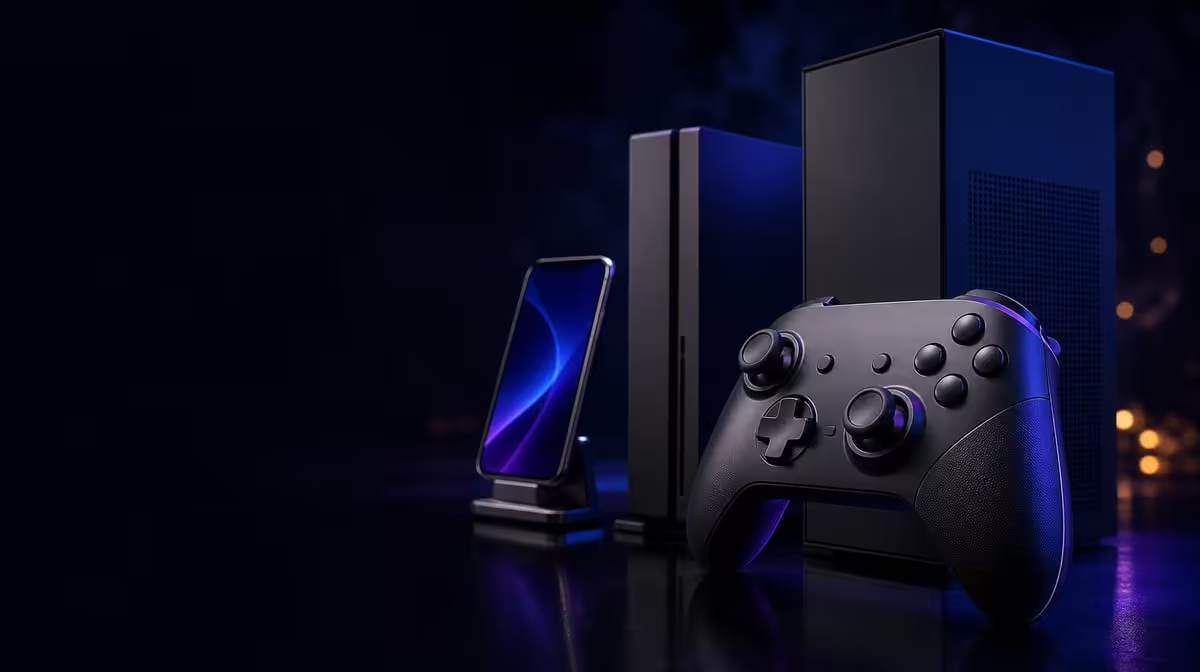
One controller can move among several screens only when its connection routes are understood separately. Tri-mode connectivity for PC, console, and mobile provides three possible paths across compatible hosts, but each exact device and game remains its own practical test.
Quick Answer
Tri-mode gives the GameSir Nova 2 Lite three connection routes that can serve compatible PC, console, or mobile setups. The controller costs R729 and is multi-platform, yet buyers should establish one supported path at a time, confirm host recognition, and test game input before copying profiles to another device.
🔌 What three modes change in practice
Multiple connection routes can reduce the need to rebuild a setup whenever the controller moves. One host may use the primary path, while other compatible devices use alternatives. The value appears through easier switching and a route that suits each supported setup.
The mode count alone says nothing about a particular device or title. "PC", "console", and "mobile" are broad groups. Record the exact host, software environment, game, and intended route before treating any row as covered.
Prioritise the device used most frequently. Give it a stable connection and a neutral profile, then document the result. A successful daily path matters more than showing that three modes can all connect once.
Evetech's gaming controller category offers current multi-platform choices for comparison. At R729, the Nova 2 Lite places tri-mode capability within a wider feature package.
🧭 Validate host and game separately
Establish the first supported route and check whether the host recognises the pad. Navigate a system menu if appropriate, but do not stop there. Launch a familiar game and test buttons, stick movement, and trigger actions.
A host-level connection does not prove that every title accepts the same mapping. If the game ignores input, identify that checkpoint before changing app settings. If most controls work but one command is wrong, then a profile review becomes relevant.
Repeat the exact sequence on the second and third planned devices. Use a neutral baseline initially. An unexplained remap or sensitivity curve can make a compatible route appear faulty.
Multi-platform should therefore be read as flexible support subject to exact matching, not as universal operation. The disciplined test prevents both false confidence and unnecessary rejection.
🎯 Carry controls, then retest them
The Nova 2 Lite includes Hall sticks and precision Hall triggers. Magnetic sensing supports the physical input baseline, but games still interpret those controls. Check stick neutral, slow range movement, and return to centre on every host. Use a graduated trigger action where the title supports one.
The controller also lists 1000Hz polling. A high report rate should be evaluated on the active supported path; do not assume every mode or platform exposes identical behaviour. Keep display and game settings fixed while testing response.
Supported button layouts, sensitivity response, and motor strength can be retained through the GameSir app. Once each connection works without changes, create separate copies for distinct game-platform combinations. Label them clearly so the controller does not carry the wrong behaviour to another screen.
Evetech's broader gaming accessories section can help plan the physical arrangement around several devices and the way the controller will be used between them.
🎛️ Make profiles and feedback device-aware
Begin customisation with the smallest recurring problem. Remap an awkward command, tune a sensitivity balance, or adjust vibration, but do not change all three groups in the same test. Replay one familiar action after each edit.
Dual asymmetric motors may produce different feedback across the controller depending on the game. A vibration level that works on PC should be checked again on another host. Keep it low enough that Hall stick and trigger control remain comfortable.
Store a neutral profile for diagnosis. When an established path changes, this reference shows whether the problem belongs to the connection or the custom settings. It also prevents every platform from inheriting a design built for one game.
Evetech's accessory best sellers offer another current shopping reference. Check price and availability at purchase time.
Tri-mode connectivity is successful when each required route is known, tested, and easy to restore. PC, console, and mobile are helpful planning headings, while exact device and game details provide the evidence. The Nova 2 Lite's R729 value rests on this flexibility working together with its Hall inputs, polling, motors, and profiles.
Give every planned host a compact connection card. Include the device, chosen route, test game, neutral profile, and one input sequence. The card turns a general compatibility claim into a routine that another user in the household could follow without guessing.
The order of switching matters. Disconnect cleanly from the previous setup, establish the next supported path, wait for host recognition, and only then open the game. If input fails, the last successful checkpoint narrows the problem. Editing sensitivity before recognition would only add noise.
Profiles should be treated as host-aware layers. Begin with the same neutral reference, then allow each device and title to earn its own adjustments. Shared settings can be adopted later after back-to-back checks. This method avoids forcing uniformity where software behaviour differs.
Measure convenience across a week rather than during first setup. Count how many times an alternate route saves a reconnection step, how often a separate profile prevents remapping, and whether the controller returns to the primary host easily. These repeated benefits determine whether tri-mode is valuable in practice.
Also note which features require no connection change to matter. Hall sticks and triggers can improve analog sensing on the primary path, while dual motors and app tuning can serve several games on one host. The R729 case does not collapse if all three routes are not used equally.
Finish with a recovery rehearsal. Load the neutral profile, reconnect the main device, and run the input sequence after the other hosts have been tested. Restoring the starting point proves that flexibility has not made the everyday setup fragile.
Keep the connection cards close to the profiles they describe. When a game or host changes, update only that entry after a new test. The other successful routes remain intact.
This modular approach is the practical meaning of tri-mode ownership: one physical controller, several specific paths, and no assumption that a result on one screen automatically proves another.
At R729, the Nova 2 Lite's additional Hall inputs, polling, and feedback make the package broader, while the documented routes make its multi-platform promise usable.
Frequently Asked Questions
Is tri-mode the same as connecting to every device?
No. It means three routes are provided; exact host and game compatibility must be confirmed.
Why test the system menu and the game?
Host recognition and in-game input are separate checkpoints. Passing the first does not guarantee the second.
Should a profile be copied immediately?
Use neutral settings to prove the connection first, then create a tested profile for that device and title.
Do Hall controls change compatibility?
They describe magnetic position sensing for sticks and triggers, not whether a host accepts the controller.
How much is this tri-mode controller?
The local figure used for this Nova 2 Lite example is R729.
Ready to give every screen its own dependable controller route?
Browse Evetech's gaming controller range and compare current tri-mode options against the exact PC, console, and mobile devices you use.