Why Your PC’s Placement Matters for Airflow & Dust Control 🔧
South African gamers and tech buyers, ever wondered if your gaming rig breathes better under your desk or chilling on the floor? The way you position your PC impacts airflow, dust buildup, and even component lifespan. Under-desk PC mounts and floor placement each have pros and cons that affect cooling performance—and your FPS stability—more than you might expect.
Getting this right means fewer overheating issues and longer-lasting parts, especially with our dusty climate. Let’s explore which setup keeps your rig cooler and cleaner.
Airflow Benefits: Under-Desk PC Mounts vs Floor Tanks
When your PC sits on the floor, it often gets slapped with dust and debris from daily foot traffic, which clogs fans and vents faster. Plus, floors can be warmer if placed on carpet, restricting airflow from the bottom intake fans. This suffocates your system’s cooling potential ⚡.
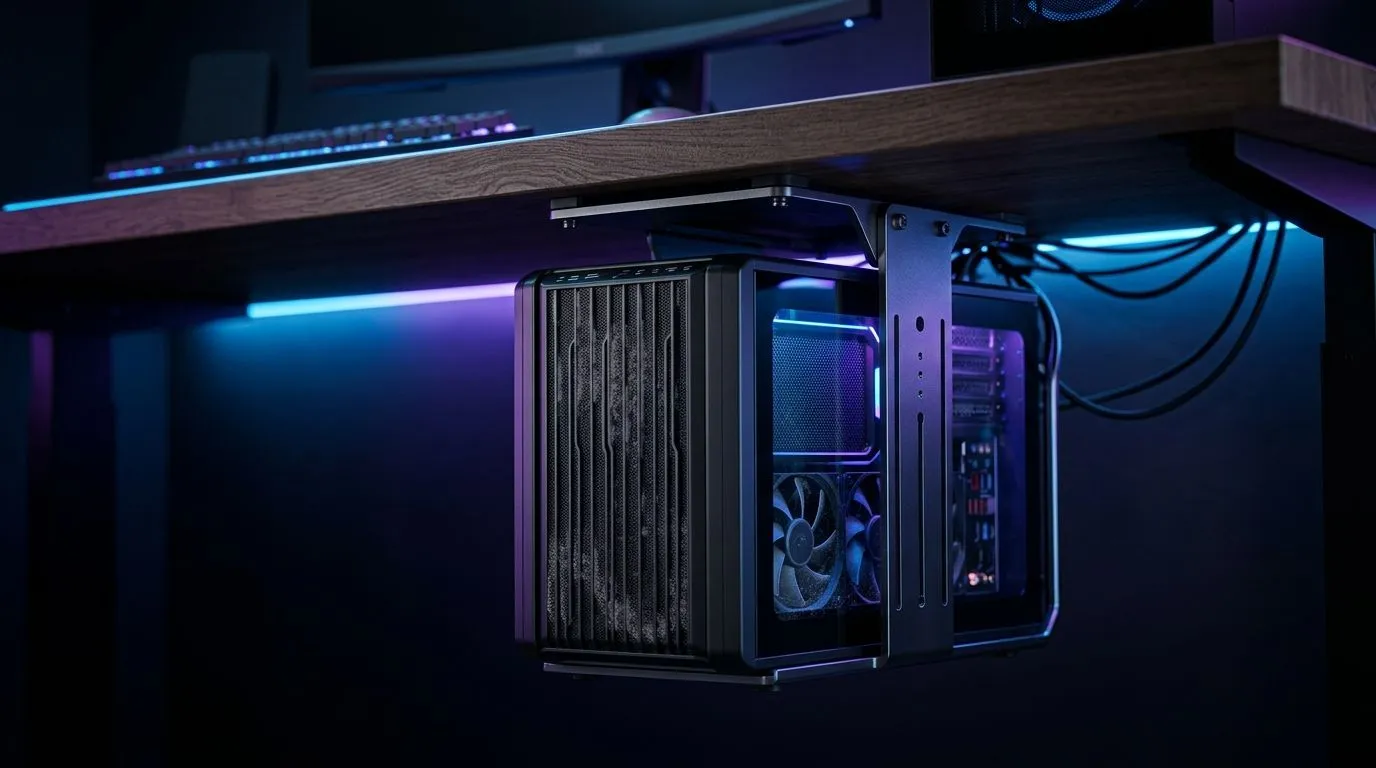
Under-desk PC mounts lift your rig off that dusty battlefield. Elevation encourages better air circulation on all sides. Some mounts even have adjustable angles that align airflow directly with your GPU and CPU, optimising heat dissipation. That means your components can run cooler during those marathon gaming sessions.
For a proactive start to perfect airflow, consider integrating a gaming desk designed to accommodate mounted PCs and allow unrestricted ventilation. You can find quality setups tailored for airflow optimisation right here.
Dust Control Strategies for South African Setups
Dust is the silent rig killer — especially in South Africa’s urban environments. Floor PCs are dust magnets, drawing in grit that collects inside and inflames temperature spikes. Even your best cooling fans slow down under heavy dust loads.
Under-desk mounts not only reduce exposure but make cleaning easier. Since the rig isn’t directly on the floor, you can quickly wipe or vacuum the area below without unplugging anything. Compact setups like the ones in Arrozi gaming setups showcase clever use of mounts to manage clutter and cleanliness simultaneously.
Optimize Your Dust Defence
Routinely cleaning your PC’s vents and fans can knock down internal temps by up to 5°C. Use compressed air once a month, especially if your rig is floor-bound.
Enhancing Your Setup with Lighting & Comfort
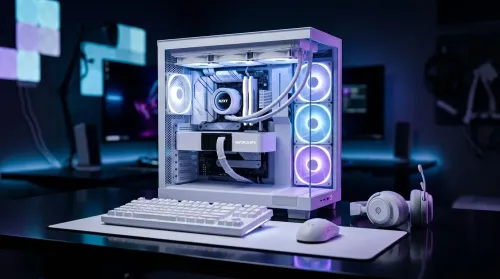
Beyond airflow and dust, mounting your PC under the desk opens creative possibilities. Adding case lighting such as the NZXT case lighting kits can enhance your battlefield aesthetics while keeping cables tidy. This keeps your desk crisp and more ergonomic.
Comfort matters too. Pair your under-desk or floor rig with an ergonomic gaming chair that supports long hours. Good posture complements hardware performance by reducing fatigue so you stay sharp.
Final Thought: Which Installation Fits You Best?
If you prioritise airflow, clutter reduction, and a cleaner rig in dusty SA environments, an under-desk PC mount is worth it. But if you prefer easy access and don’t mind more frequent cleaning, floor placement can suffice.
Explore gaming desks and mounts that bring airflow benefits and a sleek look to your battlestation at Evetech. They offer practical solutions grounded in local needs and conditions.
Upgrade Your Gaming Setup Today!
Discover ergonomic desks and mounts that boost airflow and dust control—Shop now at Evetech for performance that leaves lag in the dust.