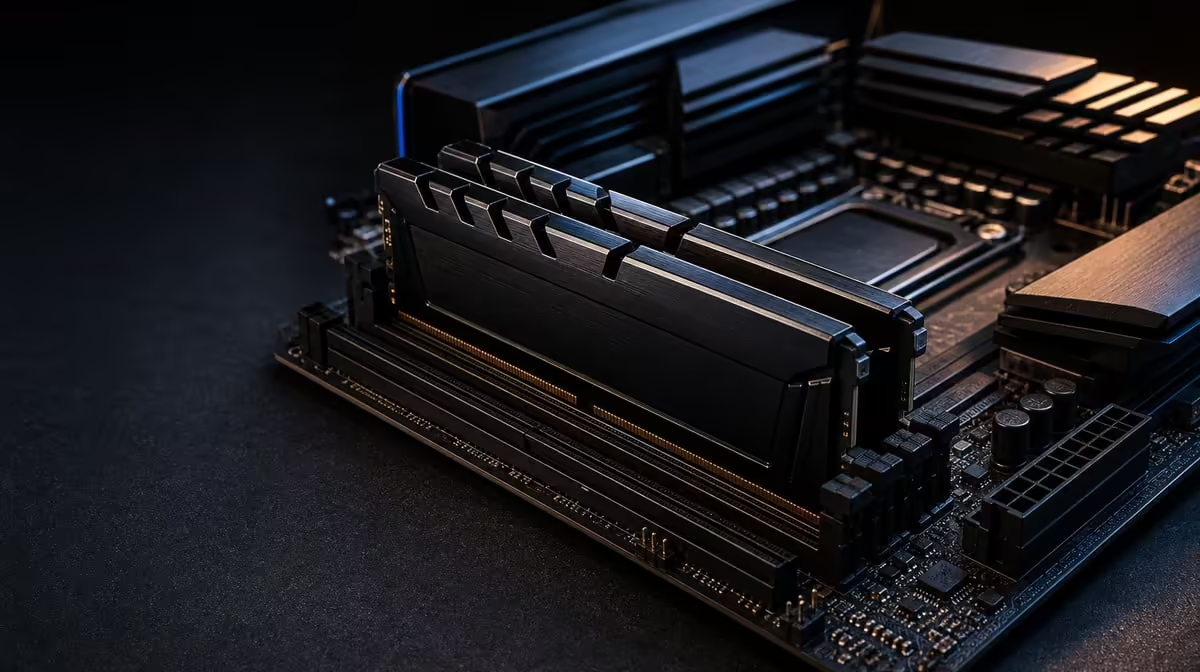
Memory specifications are easiest to misuse when speed and capacity are treated as interchangeable. DDR5-7200 speed and 48GB gaming performance describe two separate dimensions in the R38,999 AMD kit. The KLEVV CRAS V RGB set can provide both bandwidth potential and working headroom, but stable configuration and real workload demand decide what the user experiences.
Quick Answer
This R38,999 kit uses a KLEVV CRAS V RGB DDR5 set with 48GB capacity and a 7200MHz rating. The capacity can support games, creative tools and background software running together, while the rate targets faster data transfer. Neither guarantees higher frame rates in every title, and a stable setting on the 9950X3D and Dark Hero board is more valuable than an unreliable attempt to hold 7200MHz.
📏 Read the two numbers correctly
Capacity is the size of the active system-memory pool. Applications place code and data there while they run. When total demand nears the available amount, the operating system has less room to manage concurrent work smoothly. Moving to 48GB can help a user whose game, browser, communication tools and creation software collectively pressure a smaller configuration.
Frequency represents a transfer-rate target. DDR5-7200 can move data at a higher stated rate than a slower DDR5 setting, but effective performance also involves latency, processor behaviour and software sensitivity. A larger number on the memory label cannot be translated directly into a frame-rate percentage.
The two resources can matter at once. Streaming a game while keeping overlays, chat and editing tools open may use substantial capacity, while parts of the workload can respond to memory performance. In another setup, neither becomes the bottleneck. Measure the routine before deciding which feature deserves more weight.
The KLEVV lighting does not alter this relationship. RGB is a visual characteristic; 48GB, the rated speed and stability are the functional memory facts.
🎮 Locate the gaming bottleneck
A memory change is easiest to see when the game is sensitive to system-memory behaviour and the graphics card is not already limiting performance. CPU-focused scenes, high frame-rate goals and heavy background activity can expose differences that a demanding GPU-limited 4K run hides.
The 9950X3D complicates simplistic comparisons in a useful way. Its 144MB GameCache retains selected data close to the processor cores, while the DDR5 pool holds far more active information. Cache can reduce some trips to memory, but it cannot eliminate the need for a stable system-memory configuration. The layers work together.
Compare the same game version, scene, GPU, graphics settings and background software. Record average results and consistency, repeating the run enough to identify normal variation. If the memory setting changes at the same time as several processor controls, the result cannot be attributed cleanly.
Capacity should be observed separately. Watch peak use and application behaviour during an ordinary session. If demand remains comfortably below a smaller pool, moving to 48GB may provide headroom rather than an immediate gaming uplift. That can still be useful, but it should be described honestly.
Evetech's AMD CPU range allows processor comparisons that keep the memory question in platform context.
🧪 Establish a dependable 7200MHz setup
Begin with physical installation according to the manual for ASUS's X870E ROG Crosshair Dark Hero. Confirm that all 48GB is recognised at a baseline before enabling a higher memory target. This simple sequence separates an installation problem from a tuning problem.
Use documented board settings and make one change at a time. The KLEVV kit's 7200MHz rating is its target, while the stable result depends on the specific 9950X3D memory controller, motherboard firmware and complete configuration. Do not assume that selecting a profile completes the work.
Run appropriate memory stability tests, then use the real games and applications. Different tools stress different patterns, so one short pass is not sufficient evidence for a mixed-work machine. Watch for errors, crashes, corrupted work, unexpected restarts or inconsistent benchmark runs.
Temperature and overall system stability should remain under observation. The DeepCool LQ360 handles CPU cooling in this bundle, but it does not validate the DDR5 setting. If the machine becomes unreliable after a memory change, return to the known stable baseline before altering unrelated processor or cooling controls.
Keep a configuration record. Note firmware state, memory setting and tests completed. That makes later troubleshooting more precise and prevents a previously stable result from being forgotten.
💵 Put memory in the R38,999 value case
The bundle also includes the 9950X3D, Dark Hero and LQ360, so buyers should not assign the full price to its DDR5. Give the memory two rows in a value table: one for 48GB capacity and another for the stable speed achieved. Then attach an actual workload to each row.
A creator who keeps large projects and several tools open may value capacity strongly. A high-FPS gamer whose titles respond to memory performance may care more about speed and latency. A buyer with lighter use may find both features are mostly headroom and prefer a different platform balance.
Compare packages in Evetech's AMD upgrade kit category, keeping the missing graphics, storage, power and case costs visible. Memory headroom should not consume the budget needed for a suitable GPU.
Review the board through Evetech's AMD motherboard selection and check exact-model requirements before assembly. The strongest R38,999 case is a stable complete platform whose 48GB pool and memory performance both answer regular needs. Confirm current availability after that case is written.
Use task switching as a capacity test. Open the normal project, move into a game or preview, then return and observe whether applications remain responsive or reload large working sets. This reflects the benefit a 48GB pool may deliver better than an isolated memory allocation chart. Keep storage activity visible too, because a slow or saturated drive can mimic the delay attributed to RAM.
For speed testing, choose a small number of repeatable workloads and record both performance and reliability. A setting that improves one short benchmark but causes an error during a long creation task has failed the complete requirement. Conversely, a workload that changes by less than normal run variation should not be used to justify the full memory premium.
Separate the final verdict into immediate need and headroom. Immediate need is capacity or transfer performance used today. Headroom covers a credible next project or application, with a time frame attached. This prevents indefinite future claims from giving every unused gigabyte the same value as memory already relieving a constraint.
Frequently Asked Questions
How is memory speed different from capacity?
Speed concerns the rate at which data can be transferred, while capacity describes how much active data the system can hold.
What memory comes in the AMD kit?
It includes KLEVV CRAS V RGB DDR5 with 48GB capacity and a 7200MHz rating.
When can 48GB help gaming?
It can help when the game and concurrent applications create meaningful capacity pressure, although it does not raise every game's frame rate.
Will 7200MHz improve every title?
No. Engine sensitivity, CPU and GPU limits, latency and the stable configuration all influence the result.
What affects the stable rate?
The processor memory controller, motherboard firmware, settings and complete memory configuration contribute to the speed reached reliably.
Why run several stability tests?
One tool or short pass may miss an error pattern that appears in another workload or during a longer mixed-use session.
Does RGB affect performance?
No. Lighting is separate from the KLEVV kit's capacity, rated transfer target and operational stability.
Ready to judge 48GB and DDR5-7200 as two different investments?
Explore Evetech AMD platforms and require both memory capacity and speed to justify their role in the R38,999 kit.