



PCIe 5.0 vs PCIe 4.0 for Strategy and Sim Games in SA
PCIe 5.0 and PCIe 4.0 differ most in lane support, compatibility, and upgrade value for strategy and sim games. SA buyers should match the choice to their actual hardware and games.
Read moreAmpere names the architecture, while software support determines its fit for CAD, rendering, AI and content work. PNY's R12,099 A1000 uses that design for 2304 CUDA cores, paired with 8GB GDDR6 on a 128-bit memory interface.

Ampere is a GPU architecture, not a promise that every CAD, rendering, AI or content-creation task follows the same accelerated path. Each application decides which hardware resources it can use. Understanding NVIDIA Ampere architecture for professional work means connecting one complete card to four different workload tests.
In the RTX A1000, Ampere combines 2,304 CUDA, 18 RT and 72 Tensor cores to serve supported CAD, rendering, AI and content-creation operations.
Ampere is the architecture behind PNY's RTX A1000. At R12,099, this implementation offers a CUDA count of 2304, while project data uses 8GB GDDR6 over a 128-bit interface. CAD, rendering, AI and content creation can consider it only where current software and representative files pass.
A GPU architecture organises compute, memory and other resources into a design generation. It helps buyers understand where a card belongs, but the architecture name is not a standalone product. Different Ampere cards can contain different resource configurations.
On the A1000, the compute figure is 2304 CUDA cores. Its graphics memory is 8GB GDDR6, connected through a 128-bit interface. These specifications define the card more accurately than "Ampere GPU" on its own.
Software implementation remains the gate. A supported operation can use CUDA resources, while another stage may remain on the CPU. Memory capacity can constrain a large project even when compute resources are available. The workload decides which part of the design matters first.
Avoid comparing architecture names without complete cards and identical tasks. A newer generation is not automatically suitable, and an older one is not automatically inadequate. Application fit, project result and price make the difference practical.
Begin with the current CAD version and its GPU guidance. Open the largest regular model and reproduce the interaction that matters, such as viewport movement or a visual-style change. Confirm that the software recognises the device.
A CAD viewport may use graphics differently from an engineering solver or final renderer. Separate those stages. Record responsiveness and correctness, but also observe CPU, system memory and storage so a platform bottleneck is not assigned to the GPU.
The A1000's 8GB capacity should be tested against the model's active data. Its 2304 CUDA cores matter only to operations implemented for that compute path. The Ampere label cannot tell you which application feature qualifies.
Use Evetech's professional workstation GPU range to compare complete cards after the CAD requirement has been written. Keep the model and visual settings fixed.
For rendering, choose the renderer version, device mode, scene and output settings. Time preparation separately from final compute. Verify CUDA support rather than assuming that an NVIDIA card accelerates every mode.
Monitor whether geometry and textures fit within 8GB. If the production scene exceeds practical capacity, the compute count cannot solve that boundary. If memory is comfortable, measured render duration and output correctness become more useful evidence.
Content creators should test a normal editing timeline, effects and export path. Playback and export may involve different components. Keep codec, resolution and quality consistent, then observe where the system waits.
At R12,099, the PNY RTX A1000 is an Ampere candidate to test, not a conclusion about every creative package.
CUDA and Ampere may be relevant to local AI software, but framework, model size, precision and memory requirements vary. Confirm the exact tool and feature. A model that needs more practical GPU memory than 8GB changes the decision regardless of architecture.
Some AI-assisted functions run locally; others may rely on different paths. Do not infer execution location or support from a feature name. Check current documentation, then run a small model test before scaling to production input.
The AI PC collection at Evetech is useful when the project needs a balanced platform rather than a component-only change. CPU, system RAM and storage can influence data preparation and overall responsiveness.
Document AI work separately from CAD or editing. A successful render test does not prove model compatibility, and a working AI operation does not describe viewport behaviour. Four titles on one workstation still require four evidence trails.
Attach R12,099 to a solved task. Identify the slow or capacity-limited operation, establish a baseline and test the A1000 configuration. Include stability and output correctness alongside time.
Before installation, check dimensions, power, connectors and platform compatibility directly. Architecture, core count and memory do not answer those physical questions. A technically suitable workload match still needs a safe hardware fit.
Estimate credible project growth. Larger assemblies, textures, media or AI models can raise memory demand. Plan for expected changes without buying for every hypothetical possibility.
An Ampere card is a smart choice when the complete configuration clears mandatory software and project conditions at an acceptable price. It is a weak choice when support is absent, normal data exceeds capacity or another workstation stage remains the bottleneck.
Create separate sign-off lines for CAD, rendering, content creation and AI. Each line should name the application, project and observed result. Do not let one successful CUDA test approve the other three categories.
The same 8GB capacity can encounter different working data across a model, scene, timeline and local model. Record memory behaviour in each context. If a task is not used by the team, mark it outside scope rather than fabricating a generic result.
When a new application is introduced, add a fifth test instead of editing the old conclusions. This preserves the evidence that supported the original R12,099 decision and keeps Ampere suitability tied to current work.
Prepare one page per application and a cover page for the whole workstation. The cover records the A1000 configuration and R12,099 price; the application pages hold their own files, settings and results.
This layout prevents an AI test from quietly changing the conclusion about CAD or editing. It also shows which workloads were outside the evaluation.
When the team replaces an application, archive its page and create a new one. The Ampere decision remains transparent without pretending that old software evidence applies forever.
The architecture operates here with 8GB GDDR6 and 192GB/sec bandwidth. Three compute ceilings describe different paths: 6.74 TFLOPS applies to FP32, ray tracing reaches 13.2 TFLOPS, and Tensor processing tops out at 53.8 TFLOPS. A compact 50W single-slot board packages those resources for professional workstations, with software deciding which path each task actually follows.
Ampere also defines the A1000's practical packaging. The GPU fits one low-profile slot, draws at most 50W and exposes four Mini DisplayPort connections for a dense professional screen arrangement. Architecture is therefore expressed through both processing capabilities and the compact board that delivers them.
It identifies the architecture generation used by the card. The A1000 implementation adds 2304 CUDA cores, 8GB GDDR6 and a 128-bit interface.
No. The applications and specific operations can use hardware differently, so viewport, solver and renderer tasks need separate checks.
Confirm the framework, model, device path and memory requirement, then run a representative local test before making a purchase conclusion.
No. Codec, resolution, effects, project complexity and software support can produce different memory and compute needs.
The PNY workstation GPU is R12,099. Its value depends on whether the tested workload uses its resources and fits the 8GB capacity.
Ready to test Ampere across the exact professional tasks you use? Explore Evetech GPU and AI PC options with separate CAD, rendering, content and model requirements prepared for comparison.
It identifies the architecture generation used by the card. The A1000 implementation adds 2304 CUDA cores, 8GB GDDR6 and a 128-bit interface.
No. The applications and specific operations can use hardware differently, so viewport, solver and renderer tasks need separate checks.
Confirm the framework, model, device path and memory requirement, then run a representative local test before making a purchase conclusion.
No. Codec, resolution, effects, project complexity and software support can produce different memory and compute needs.
The PNY workstation GPU is R12,099. Its value depends on whether the tested workload uses its resources and fits the 8GB capacity.
PCIe 5.0 and PCIe 4.0 differ most in lane support, compatibility, and upgrade value for strategy and sim games. SA buyers should match the choice to their actual hardware and games.
Read more
AM5 vs AM4 for video editing in 4K Difference explained is mostly about compatibility, budget, upgrade path, and setup fit. SA buyers should check device support and real needs before expecting a clear win from either option.
Read more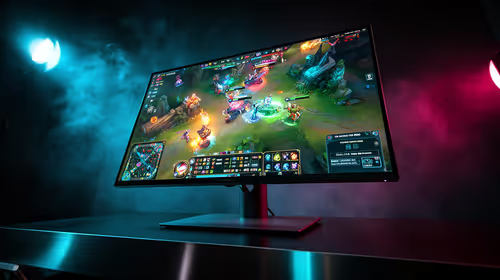
OLED vs QD-OLED for strategy and sim games buyers - what changes is mostly about compatibility, budget, upgrade path, and setup fit. SA buyers should check device support and real needs before expecting a clear win from either option.
Read more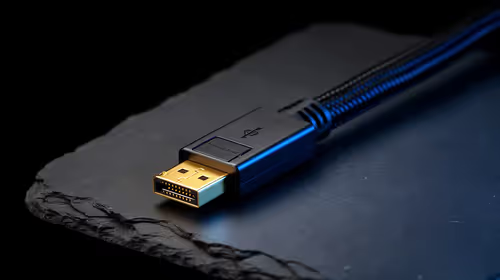
DisplayPort 2.1 and 1.4 differences matter when SA PC builders match GPUs, monitors, and refresh targets. Use this difference between displayport 2 1 and displayport 1 4 explained pc builders guide to avoid mismatched parts.
Read more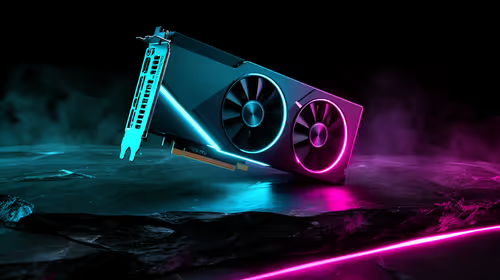
Ray tracing vs Path tracing depends on Strategy and sim games needs, platform limits, and budget fit. Compare compatibility, latency, upgrade path, and real setup constraints before choosing for an SA build.
Read more
wireless mouse guide for Gqeberha gamers should be shortlisted around the job it must do. South African buyers should compare sensor, shape, weight, and wireless latency, warranty path, and upgrade room before treating any pick as best.
Read more
Windows 11 update KB5121003 is linked to crashes in several multiplayer games on versions 24H2 and 25H2. Check the build, report the fault and avoid risky file or update changes unless the problem is confirmed on your PC.

Sennheiser's Momentum True Wireless 5 adds user-replaceable batteries, 12-hour playback and a $299.95 launch price. There is no confirmed South African date, so compare longevity with live earbuds from R199 to R2,999.

AVerMedia's GC531 and GC535 are professional HDMI capture devices for continuous streaming, with RGB24 capture up to 2K30 and 4K30. South African creators should compare them with live 4K capture cards from R2,099.

From 1 October 2026, WhatsApp Business Platform service replies in South Africa are expected to cost about $0.0076, or 12 cents, per delivered message.
Windows 11 update KB5121003 is linked to crashes in several multiplayer games on versions 24H2 and 25H2. Check the build, report the fault and avoid risky file or update changes unless the problem is confirmed on your PC.

Comsol's standalone 5G network covers about one million Gauteng homes and starts commercial ISP service in September. Early packages range from R275 to R875 a month, but coverage and fair-use rules still decide the real value.
Sennheiser's Momentum True Wireless 5 adds user-replaceable batteries, 12-hour playback and a $299.95 launch price. There is no confirmed South African date, so compare longevity with live earbuds from R199 to R2,999.
AVerMedia's GC531 and GC535 are professional HDMI capture devices for continuous streaming, with RGB24 capture up to 2K30 and 4K30. South African creators should compare them with live 4K capture cards from R2,099.
Windows 11 update KB5121003 is linked to crashes in several multiplayer games on versions 24H2 and 25H2. Check the build, report the fault and avoid risky file or update changes unless the problem is confirmed on your PC.
Comsol's standalone 5G network covers about one million Gauteng homes and starts commercial ISP service in September. Early packages range from R275 to R875 a month, but coverage and fair-use rules still decide the real value.
Sennheiser's Momentum True Wireless 5 adds user-replaceable batteries, 12-hour playback and a $299.95 launch price. There is no confirmed South African date, so compare longevity with live earbuds from R199 to R2,999.
AVerMedia's GC531 and GC535 are professional HDMI capture devices for continuous streaming, with RGB24 capture up to 2K30 and 4K30. South African creators should compare them with live 4K capture cards from R2,099.