


Complete Gaming Setup Guide for the SA Esports Athlete in SA 2026
Complete Gaming Setup Guide for the Esports. Clear setup instructions with SA-specific considerations, troubleshooting tips & recommended components.
Read moreUnmanaged switch vs managed switch: pick the right network setup for your home or small office. Learn key differences, when unmanaged is enough, and when managed features matter. 🔧📡
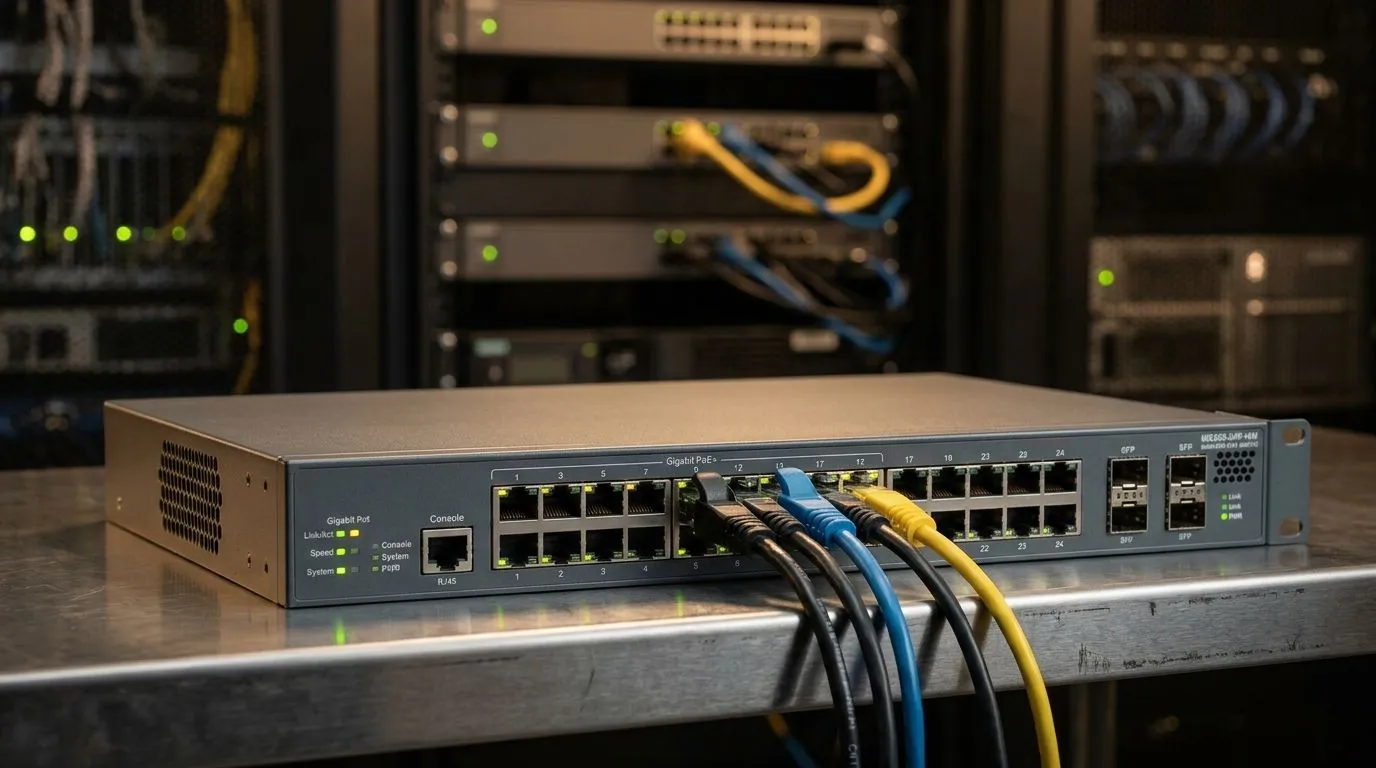
If your home network feels fine until everyone goes online at once, you’re not alone. A streaming box buffers, your gaming ping jumps, and someone in the house is always blaming the router. The real fix is often simpler than people think... choosing the right switch. For South African gamers, streamers, and small office users, the choice between an unmanaged switch and a managed switch affects speed, control, and future upgrades. ⚡
An unmanaged switch is the plug-and-play option. You connect devices, and it starts working with no setup. That makes it ideal for straightforward networks... think a few PCs, a console, a smart TV, and a printer. It keeps things tidy without demanding your attention.
A managed switch gives you more control. You can adjust traffic, create VLANs, monitor ports, and sometimes prioritise gaming or work traffic. That’s useful when multiple people share one line, or when you want cleaner separation between home and business devices. Cisco’s networking guides and other vendor documentation consistently describe managed switches as the choice for configuration and monitoring, while unmanaged models focus on simplicity.
If you just want more Ethernet ports, an unmanaged switch is usually enough. It’s the practical buy for most households. You get more connections, less fuss, and no learning curve. For many SA buyers, that means better value in rand terms.
If you’re building a more serious setup, a managed switch makes sense. Maybe you run a home office and want your work laptop separated from the kids’ gaming PC. Maybe you host LAN nights and want traffic control that keeps the match smooth 🔧. In those cases, the extra cost can pay off in stability and control.
For a current look at local options, check Evetech’s range of network switches. If you’re browsing for a specific brand family, the Cudy switch selection is worth a look too. And if you’re working within a budget, the switches starting from R1,153 page helps narrow things down fast.
Buy for today, but leave room for tomorrow. A 5-port switch can disappear quickly once a console, router, PC, and TV all need a cable.
Most buyers should look for Gigabit Ethernet at minimum. Fast file transfers and smoother local networking are easier to live with.
If you do not enjoy network menus, keep it simple. An unmanaged model avoids confusion.
If you understand VLANs or want traffic visibility, managed is the smarter long-term choice.
If you only need extra Ethernet ports for gaming, streaming, and a smart TV, start with an unmanaged Gigabit switch. Spend the savings on better cabling or a UPS.
Here’s the honest answer. Most people should buy an unmanaged switch unless they know they need management features. That includes VLANs, monitoring, or network segmentation. It saves money, reduces setup time, and still solves the common “not enough ports” problem.
A managed switch is for users who want more than basic connectivity. If that sounds like you, the extra flexibility is worth it. If not, keep your setup simple and put your budget where it matters most... on the gear you actually use every day. 🚀
Ready to Find Your Perfect Match? The Mac vs Windows debate is complex, but for maximum power, choice, and value in South Africa, Windows is hard to beat. Explore our massive range of laptop specials and find the perfect machine to conquer your world.
You need a managed switch if you want VLANs, traffic control, and monitoring. Choose unmanaged if your network is small and changes are minimal.
Unmanaged switches plug and run. Managed switches add configuration options like VLANs, QoS, ports, and traffic logging for better control.
An unmanaged switch is best for basic home setups where devices don’t need segmentation, advanced security, or ongoing performance tuning.
Managed switches help with VLAN support, improved security controls, QoS for smooth gaming or VoIP, and visibility into network issues.
They usually cost more, but managed features can prevent downtime and simplify scaling when you need segmentation, monitoring, or troubleshooting.
Yes. If you later add VLANs or require deeper control, you can replace or add a managed switch and reconfigure your network with minimal disruption.
They can. With QoS and traffic management, managed switches reduce latency and prioritize streaming or gaming traffic on busy networks.
Complete Gaming Setup Guide for the Esports. Clear setup instructions with SA-specific considerations, troubleshooting tips & recommended components.
Read more
AIO Liquid 360mm Installation Guide for Your PC. Clear setup instructions with SA-specific considerations, troubleshooting tips & recommended components.
Read more
MacBook Display Colour Looks Wrong? Calibration. Everything you need to know with SA pricing, step-by-step instructions & expert recommendations.
Read more
Printer Terminology Guide. Everything you need to know with SA pricing, step-by-step instructions & expert recommendations.
Read more
Git on Mac: Complete Setup Guide for Beginners. Clear setup instructions with SA-specific considerations, troubleshooting tips & recommended components.
Read more
Ryzen 9 9900X Thermal Paste Dry: Reapplication. Everything you need to know with SA pricing, step-by-step instructions & expert recommendations.
Read more
AMD RX 9050 XT: Rumoured Specs, Price & Release. SA-focused analysis with local pricing data, real-world insights & actionable buying advice.

Can RTX 4080 Super Run AI Workloads for SA Developers Detailed answer with SA data, expert analysis & practical recommendations for local buyers.

Can RTX 4090 Run AI Workloads for SA Developers Detailed answer with SA data, expert analysis & practical recommendations for local buyers.

Top Settings for Intel Arc B580 at Ultrawide 1440p picks evaluated on performance, value & SA availability with current Rand pricing from Evetech.

RTX 4060 CS2 Low Settings at 1080p: FPS Results. Real-world benchmark data, FPS numbers & performance analysis. What SA gamers can actually expect.

Visual Artifacts: Possible GPU Issue Issue #1. Diagnosis steps, proven fixes & when to seek professional help. SA-specific support info included.

Can the RTX 4090 Handle 1440p 144Hz Gaming. Performance testing verdict with real data & practical recommendations for SA buyers.

Top ASUS GPU Under R15000 picks evaluated on performance, value & SA availability with current Rand pricing from Evetech.

GTA 6 Max Settings on RTX 5070. Tested & verified settings for best FPS and visual quality on SA hardware budgets.

Cyberpunk 2077 Max Settings on RTX 5080. Tested & verified settings for best FPS and visual quality on SA hardware budgets.

Starfield Max Settings on RTX 5070 Ti. Tested & verified settings for best FPS and visual quality on SA hardware budgets.

Top RTX 5090 Under R5000 picks evaluated on performance, value & SA availability with current Rand pricing from Evetech.