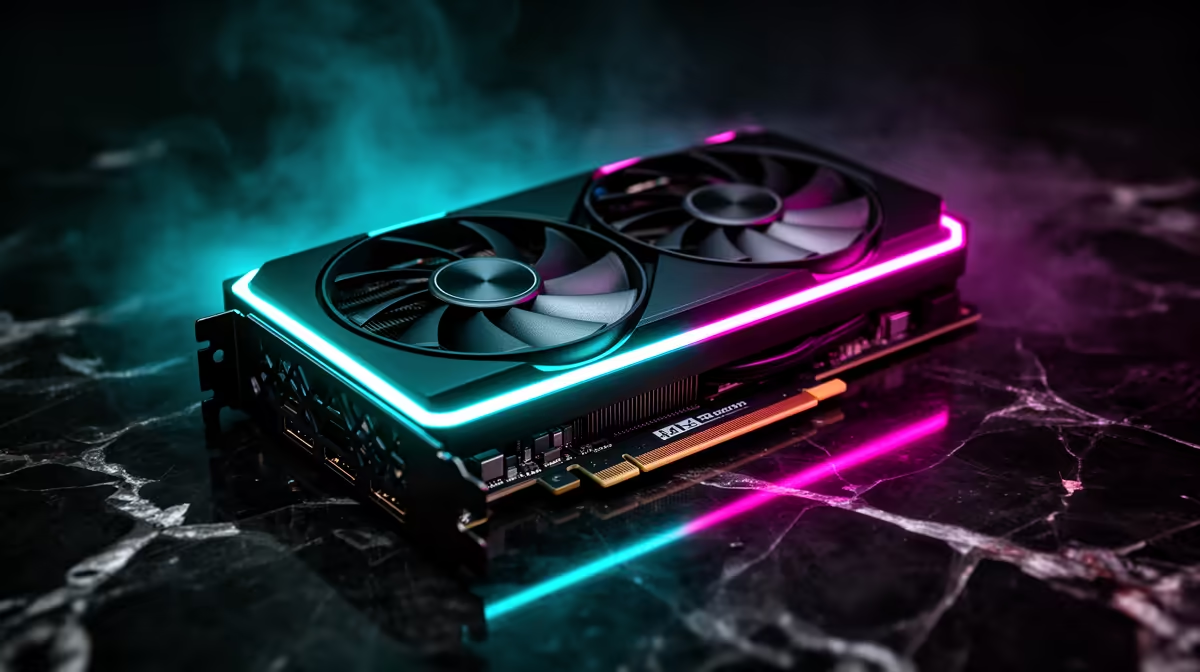
The number that breaks most 1440p upgrade plans is not the monitor price. It is the GPU load. A card that runs 1080p smoothly at 144Hz may deliver a disappointing experience at 1440p, not because 1440p is technically out of reach but because the pixel count is 78 percent higher and the GPU has to process every one of those extra pixels in real time. Upgrading to 1440p in South Africa without pairing it to the right GPU tier is a common way to spend a lot and feel worse about the result.
Quick Answer
1440p draws 78 percent more pixels than 1080p, so expect 30 to 40 percent fewer raw frames from the same card. An RTX 4060 Ti or RX 7700 XT class GPU keeps 1440p high settings above 90 FPS in most current titles. Weaker cards can still run 1440p with DLSS or FSR doing the heavy lifting.
🔧 The Pixel Math Behind the Load Increase
At 1080p a full frame contains 2,073,600 pixels. At 1440p that figure rises to 3,686,400. The GPU must shade, texture, and output each of those pixels every frame, every second. The arithmetic means a card that delivers 144 FPS at 1080p in a given scene will produce roughly 85 to 100 FPS at 1440p in the same scene, assuming no other bottlenecks. For a 144Hz display that is still a smooth experience. For a card already running at its limits at 1080p, the 1440p result can drop into the 50s.
This is why the GPU tier matters more than the monitor spec at the point of upgrade. A 1440p panel paired with an underpowered card does not unlock the resolution's potential; it just runs games at 1440p low settings instead of 1080p high settings, which is often a worse visual result despite the higher pixel count.
The useful mental model is this: if a card comfortably sustains 144 FPS at 1080p high settings in your main games, it is a reasonable candidate for 1440p. If it only reaches 80 to 90 FPS at 1080p, the 1440p experience will likely sit below 60 FPS at equivalent settings, which is the threshold where smoothness becomes noticeably inconsistent.
⚡ GPU Tiers and Their 1440p Reality
At current South African pricing the GPU landscape for 1440p sits across three practical tiers.
The RTX 4060 Ti class, at roughly R9,000 to R11,000, is the current value reference for 1440p. It sustains high settings above 90 FPS in most competitive and mid-weight titles. In the heaviest open-world games with full ray tracing some settings will need reducing to maintain smoothness, but for the majority of gaming scenarios it is a confident choice.
The RTX 4060 and RX 7600 class cards, sitting around R6,000 to R8,000, can run 1440p competently with some trade-offs. At medium to high settings these cards reach 60 to 80 FPS in most titles, which is smooth and playable. DLSS and FSR recover much of the frame rate gap when enabled, making this tier more practical than the raw numbers suggest.
Cards below this level, broadly anything older than an RTX 3060 or RX 6600, will need significant quality reductions to sustain 60 FPS at 1440p in heavier games. They can still run 1440p competently in lighter or older titles, and upscaling helps, but the experience is more constrained.
Pro Tip ⚡
When using DLSS or FSR at 1440p, set the output resolution to 1440p in your game settings and choose the Quality mode for upscaling rather than Performance. Quality mode renders at roughly 1080p internally and upscales, adding 30 to 40 percent FPS with minimal visible difference at normal viewing distance. Performance mode recovers more frames but the upscaling softens fine detail noticeably on a crisp QHD panel.
🚀 How Upscaling Changes the Calculation
DLSS and FSR have shifted the GPU tier equation more than any hardware generation in recent years. Both technologies allow the GPU to render a frame at a lower resolution internally and reconstruct the missing detail algorithmically, producing an output that looks close to native quality at a fraction of the GPU load.
At 1440p in Quality mode, DLSS renders at roughly 960 by 540 pixels internally on the newer DLSS 3 implementation and reconstructs to 1440p. The quality of that reconstruction has reached a point where most players cannot reliably distinguish it from native at normal viewing distances and refresh rates. Frame generation, available on RTX 40-series cards, adds interpolated frames on top of rendered ones, further boosting the delivered frame rate.
FSR 3 works similarly and is available across a broader range of hardware including AMD and older Nvidia cards. The reconstruction quality is slightly below DLSS 4 at equivalent settings but is genuinely useful for extending the practical life of a mid-tier card at 1440p.
For South African builders working within a GPU budget constraint, this means the RTX 4060 with DLSS Quality mode often delivers a 1440p experience that competes with the RTX 4060 Ti at native resolution, at a meaningfully lower price.
🖥️ Matching the Panel to the Card
The refresh rate of the 1440p panel you buy should reflect what the GPU can realistically deliver. Paying for a 240Hz QHD panel when the GPU is sized for 90 to 100 FPS at 1440p means the display is operating at less than half its rated speed most of the time.
A 144Hz panel is the right anchor for an RTX 4060 Ti class card. The card will regularly exceed 90 FPS and occasionally push past 120 FPS in lighter titles, using most of the panel's range across a session. FreeSync variable refresh sync fills the gaps between rendered and display refresh cycles, keeping the image smooth even when the frame rate fluctuates.
A 165Hz panel costs only marginally more than 144Hz in most local listings and gives a small additional ceiling. A 240Hz QHD panel is worth considering only when the GPU budget reaches the RTX 4070 tier and above, where the hardware can sustain the frame rates that genuinely use that headroom.
Frequently Asked Questions
How much does 1440p actually reduce FPS compared to 1080p?
In typical gaming workloads, moving from 1080p to 1440p reduces raw frame rates by 30 to 40 percent. The exact figure depends on whether the workload is GPU-bound, which at high settings it usually is. CPU-bound games, typically competitive titles with simple geometry, show a smaller drop.
Which GPU is the best value entry point for smooth 1440p?
The RTX 4060 Ti class represents the current sweet spot for 1440p high settings in most titles, sitting around R9,000 to R11,000 locally. The RTX 4060 at R6,000 to R8,000 is a credible option with DLSS enabled, recovering much of the frame rate gap through upscaling without a visible quality penalty in Quality mode.
Can an older GPU make 1440p workable with upscaling enabled?
Yes, within limits. An RTX 3060 or RX 6600 can deliver a reasonable 1440p experience in mid-weight titles using FSR or DLSS Quality mode, typically reaching 60 to 75 FPS where native would give 45 to 55 FPS. In the heaviest AAA titles the combination still struggles to maintain consistent 60 FPS, so expectations need to match the hardware.
Does a 240Hz QHD panel make sense for a mid-tier GPU?
Rarely. A 240Hz 1440p panel needs the GPU to sustain above 200 FPS at 1440p in a specific game to use that headroom. Current mid-tier cards reach that figure only in older or less demanding competitive titles, not in the AAA games where the QHD resolution brings the most visual benefit. A 144Hz panel is the better pairing for mid-tier hardware.
Should the GPU or the monitor be purchased first for this upgrade?
The monitor first is generally the better order. A 27-inch QHD 144Hz IPS panel holds its value longer than any specific GPU generation, and buying it immediately gives you a usable 1440p experience even at reduced settings. The GPU upgrade can follow when budget allows, and the display is already there to benefit fully from it.
Ready to step up to 1440p and give your GPU room to perform?
Browse the QHD gaming monitor and GPU range and match the panel and card tier that makes the most of your upgrade budget.