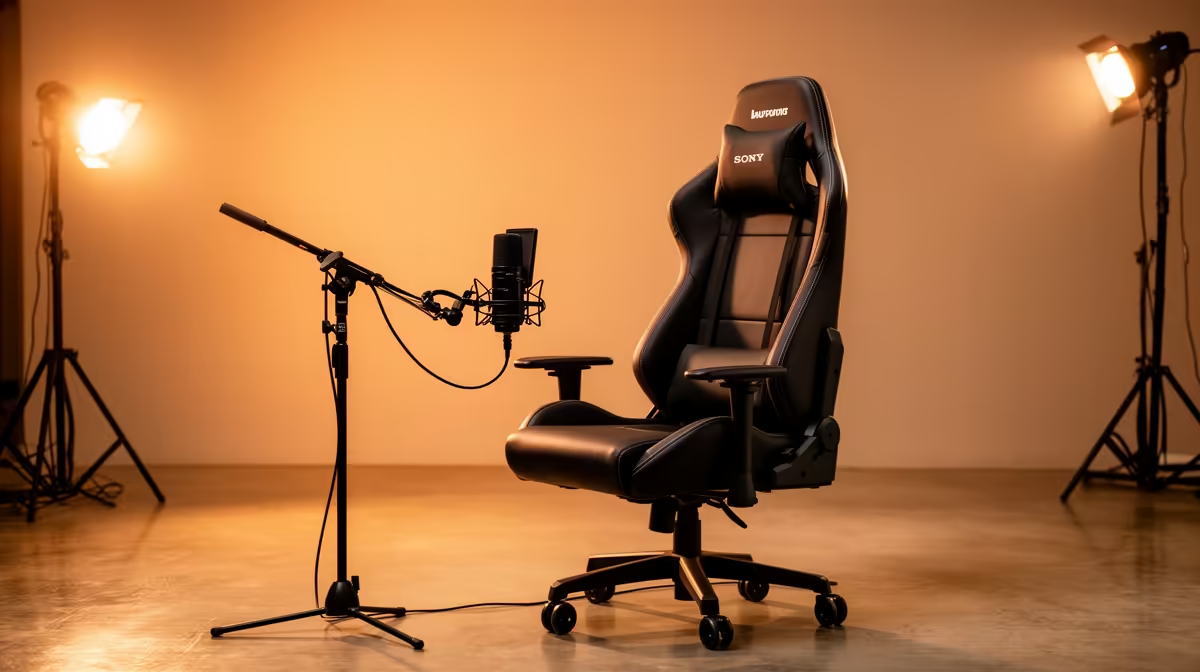
Every South African streamer building on a tight Rand budget faces the same trap: spending on the gear that looks impressive in a thumbnail rather than the gear that actually keeps viewers watching. A sharper camera catches the eye in the first three seconds. Bad audio drives the same viewer away inside thirty. Upgrading a South African streaming studio on a budget means understanding that sequence and spending against it deliberately, not randomly, so each rand does the most visible work.
Quick Answer
Prioritise audio first. A R2,500 microphone upgrade holds viewers longer than a R6,000 camera purchase. Put the second spend into key lighting and basic room treatment. A camera upgrade follows once those fundamentals are solved. This order delivers the most stream quality improvement per rand spent.
🎙️ Why Audio Buys More Loyalty Than Video Does
Stream quality is not symmetric. Video quality sits in the background; viewers adjust to slightly compressed footage within minutes. Poor audio is active and inescapable. A hollow room or a noisy microphone forces the brain to decode what is being said, and that cognitive load translates directly into shorter watch times.
Research across streaming platforms consistently shows that audio quality is the single biggest factor in viewer retention for commentary-driven content. A stream at 720p with clean audio holds an audience better than a 1080p stream with a buzzing USB microphone shoved behind a monitor.
In Rand terms, a R2,500 cardioid microphone with a metal boom arm is a more impactful investment than a R6,000 camera upgrade. The mic upgrade is felt by every viewer in the first minute; the camera upgrade is noticed mainly by the streamer and new viewers comparing thumbnails.
How Much Microphone Budget Is Enough?
Around R2,000 to R3,000 covers a cardioid condenser or dynamic USB microphone with onboard gain control, a basic shock mount, and either a desk stand or an entry-level boom arm. That combination removes the three most common audio problems on beginner streams: proximity-boosted muddiness from incorrect placement, plosive thumps from missing filters, and desk vibration noise from rigid stands.
Once you have a solid cardioid mic and a metal boom arm, additional microphone spending delivers smaller marginal returns. The next upgrade is room treatment, which costs far less.
🔆 Lighting Is the Second-Biggest Visible Upgrade
After audio, the most obvious quality jump comes from key lighting. A webcam sensor limited by a dark room or a window behind the streamer will look grainy regardless of resolution. A single LED key light placed 45 degrees to one side and slightly above the face gives the webcam enough light to resolve a clean image without any camera upgrade.
Budget around 20 percent of your total upgrade spend for lighting. At a R5,000 total, that is R1,000. Spend that on a ring light or compact LED panel with adjustable colour temperature and you will see a more immediate improvement on screen than the same rand dropped on a higher-resolution sensor.
A light directly above the monitor washes out the face. A light slightly off-axis creates depth that reads as professional on even modest webcam sensors. A white wall or foam bounce card opposite the key light fills the shadow side at zero cost.
🔧 Room Treatment Before a Camera Upgrade
A room that echoes undermines both your microphone and the perceived quality of your entire stream. Viewers read echo as "amateur setup" faster than they read "low resolution", and it is among the cheapest problems to fix.
Acoustic foam panels around R400 to R800 for a starter pack of six to eight tiles placed on the wall behind and to the sides of the recording position reduce flutter echo and early reflections. They do not soundproof the room, but they eliminate the hollow bathroom effect a bare concrete or plaster wall creates.
If panels feel like a commitment, trial the effect with a heavy duvet or thick blanket hung behind you. The difference is usually immediate. Once you confirm it is working, replace it with permanent foam at your own pace.
A treated room also makes your existing microphone sound better. A R1,500 cardioid in a treated corner outperforms a R3,500 condenser in a bare, echoey lounge. Fix the room before upgrading the mic to a higher tier.
Pro Tip ⚡
any purchase, record a 60-second test clip at your desk and play it back on headphones. Note exactly what bothers you most: is it hiss, echo, a buzzing hum, or your voice sounding thin? That single check tells you whether you need gain control, room treatment, or placement adjustment, and it prevents spending R2,000 on a new mic when a repositioned existing one might solve 80 percent of the problem.
🚀 Building the Upgrade Sequence Month by Month
A constrained Rand budget is best deployed in sequence rather than divided evenly. Splitting R5,000 across a mic, a light, and a camera simultaneously means spending too little on each to reach a quality tier that makes a real difference.
A sensible upgrade path over three to four months: month one, microphone and boom arm at R2,500 total. Month two, key lighting and basic acoustic treatment at around R1,500 combined. Month three, camera upgrade only after the audio and lighting foundation is solid.
The sequence also builds skill at each stage. Dialling in a microphone, learning optimal camera exposure, and understanding room acoustics are individual learning curves better tackled one at a time.
What to Defer Entirely Early On
A second monitor aids workflow by separating game and chat windows but contributes nothing to stream quality. Defer it until audio, lighting, and camera are sorted. A hardware stream deck is useful but not quality-moving; defer it in favour of acoustic or audio investments above.
A capture card belongs on the list only for console streamers. PC-only streamers capture game footage through software with no hardware required, and the R1,500 a capture card costs is better applied to a microphone or interface upgrade.
Frequently Asked Questions
Why upgrade the microphone before the camera?
Viewers tolerate soft or slightly grainy video for extended periods, but poor audio actively drives them away. A R2,500 microphone upgrade removes plosive thumps, proximity buzz, and desk vibration noise that affects every second of a stream. A camera upgrade at the same price improves visual detail most viewers, watching on a phone or 1080p monitor, barely register.
How much should lighting take of the total budget?
Roughly 20 percent of your total upgrade budget covers key lighting adequately. At a R5,000 total, that is R1,000 for a quality LED panel or ring light with adjustable colour temperature -- an investment that fixes a dark, noisy webcam image faster than spending the same amount on a higher-resolution sensor.
Should I treat the room before buying a costlier mic?
Often yes. Basic foam panels or thick curtains can eliminate the echo that makes an existing microphone sound cheap. Spending R400 to R800 on foam treatment before upgrading means you hear your current mic at its actual capability and sharply reduces how much a better mic needs to compensate for the room.
Can I spread the studio upgrade across several months?
Yes, and it usually produces better results than buying everything at once. Concentrating each month's budget on one category hits a quality threshold rather than spreading too thin. A R1,000 monthly allocation prioritised mic first, then lighting and treatment, then camera, delivers clear quality jumps at each step.
Which upgrade gives the least value early on?
A second monitor improves workflow but adds nothing to stream quality. Defer it until audio, lighting, and camera are sorted. The channel quality difference between a single-monitor and dual-monitor setup is invisible to viewers, so the money is better deployed in the upgrade sequence above.
Ready to build your streaming studio in the right order?
Browse the streaming microphone and lighting range at Evetech and start with the upgrade that delivers the most quality improvement for your rand.