


Using GitHub Copilot: Complete Beginner's Guide for SA Developers
Using GitHub Copilot: Complete Beginner's Guide for SA Developers. Everything you need to know with SA-specific pricing and recommendations.
Read moreUSB-C 100W cable differences explained: learn why some cables won't deliver full 100W or 130W charging, what to check (e-mark, AWG, PD 3.1), and how to pick safe, fast cables ⚡🔌
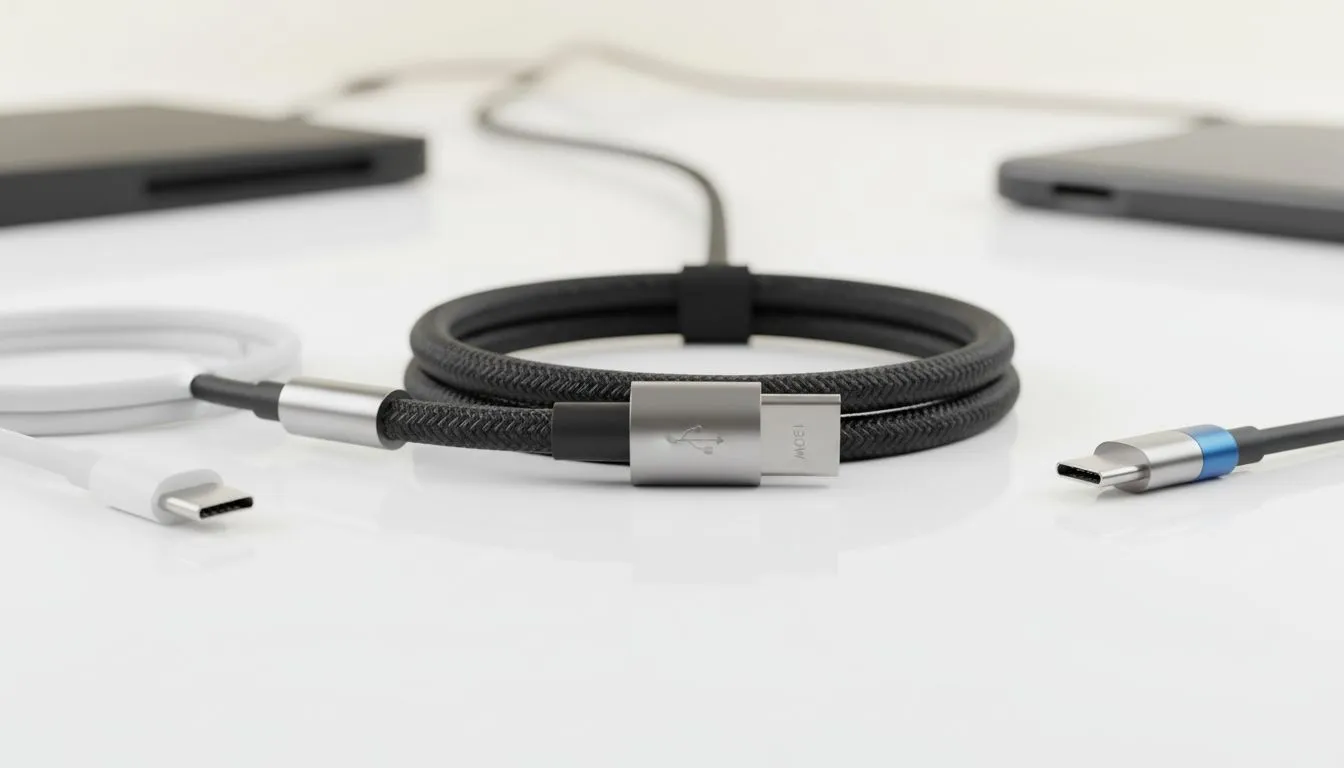
Ever plugged your high-end gaming laptop into a "fast" charger only to see the battery drain while you play? It is a frustrating reality for many South African gamers... especially during load shedding when every minute of power counts. The truth is that not all cords are created equal. Understanding why your USB-C 100W cable might be failing you is the key to keeping your gear powered. ⚡
Most people assume a cable is just a bundle of wires. For basic charging, that might be true. However, any cable designed to carry more than 60W (3 Amps) must have a tiny integrated circuit called an "E-Marker" chip. This chip acts as a digital handshake between your charger and your laptop.
If you buy affordable power banks under R500 for your phone, a standard cable works fine. But for a 100W or 130W draw, the E-Marker tells the system that the cable can safely handle the heat and current. Without this chip, your device will automatically throttle the speed to 60W to prevent the wire from melting.
You might have purchased a high-quality cable, but it still shows "Slow Charger" on your Windows taskbar. This often happens because of proprietary charging standards. Some manufacturers use non-standard voltages to reach 130W. If your cable is rated for 100W (5 Amps at 20V) but your device requires a specific 6.5 Amp current, the cable will limit the flow.
Reliable brands like Promate power banks and accessories usually specify their exact wattage limits clearly. Always check if your laptop requires a specific "Power Delivery" (PD) version... usually PD 3.0 or PD 3.1... to reach those triple-digit speeds.
Always check the text printed on the cable jacket. Genuine 100W or 240W cables often have the wattage laser-etched or printed near the connector. If the cable is thick but has no markings, it is likely limited to 60W regardless of what the packaging claimed.
Heat is the enemy of electronics. In the South African summer, a cable carrying 100W gets significantly warmer. Cheap cables use thinner copper strands which increase resistance. This resistance causes a voltage drop... meaning your laptop receives less than the required power to stay topped up.
When looking at mid-range power banks under R1200, ensure you pair them with a cable that matches the output. A high-capacity bank is useless if the cable acts as a bottleneck. 🔧
To ensure you are getting the full speed you paid for, you must match the charger, the cable, and the device. If any one of these three links is weak, your charging speed will suffer.
If you are tired of slow charging times, it might be time to browse our full selection of high-performance power banks and accessories. Look for "5A" or "100W" labels specifically. These cables are thicker and more robust... designed to handle the heavy lifting of modern gaming hardware. 🚀
Ready to Power Up Your Setup? Don't let a sub-par cable throttle your performance or leave you stranded during the next power outage. Explore our massive range of power solutions and find the perfect high-wattage gear to keep your gaming rig running at full throttle.
Fitting doesn't equal rating. Many cables lack an e-marker or proper AWG and so can't carry the PD current needed for a USB-C 100W cable.
Check packaging/specs for PD 3.1 or EPR support, an e-marker chip, and cable AWG. Look for explicit '100W' or '130W' ratings.
An e-marker is a chip in the cable that negotiates current and voltage. Without an e-mark, a cable won't safely present as a high wattage USB-C cable.
No. 130W needs PD 3.1 EPR-capable cables and e-marking. Standard 5A/20V 100W cables are not enough for >100W charging.
If the cable is honest and within spec, your devices and charger will negotiate lower power. Fake or misrated cables can risk overheating.
Yes. Low-cost cables may advertise 100W but lack e-mark or correct AWG. Buy from reputable brands and check specs.
Prioritize PD 3.1/EPR support, a visible e-marker, correct AWG for 5A or higher, and vendor test reports for safe USB-C cable 130W support.
Using GitHub Copilot: Complete Beginner's Guide for SA Developers. Everything you need to know with SA-specific pricing and recommendations.
Read more
Back-to-School Headset Buying Guide for SA 2026. Everything you need to know with SA-specific pricing and recommendations.
Read more
Mesh Front Panel Setup and Configuration: Complete Tutorial. Comprehensive coverage with SA insights, Rand pricing, and practical recommendations.
Read more
Black Screen: Troubleshooting Guide #1. Everything you need to know with SA-specific pricing and recommendations.
Read more
The Complete 2026 Guide to Storage in South Africa. Everything you need to know with SA-specific pricing and recommendations.
Read more
1000W PSU Not Working After Load Shedding: Recovery Guide. Everything you need to know with SA-specific pricing and recommendations.
Read more
AMD RX 9050 XT: Rumoured Specs, Price & Release. SA-focused analysis with local pricing data, real-world insights & actionable buying advice.

Can RTX 4080 Super Run AI Workloads for SA Developers Detailed answer with SA data, expert analysis & practical recommendations for local buyers.

Can RTX 4090 Run AI Workloads for SA Developers Detailed answer with SA data, expert analysis & practical recommendations for local buyers.

Top Settings for Intel Arc B580 at Ultrawide 1440p picks evaluated on performance, value & SA availability with current Rand pricing from Evetech.

RTX 4060 CS2 Low Settings at 1080p: FPS Results. Real-world benchmark data, FPS numbers & performance analysis. What SA gamers can actually expect.

Visual Artifacts: Possible GPU Issue Issue #1. Diagnosis steps, proven fixes & when to seek professional help. SA-specific support info included.

Can the RTX 4090 Handle 1440p 144Hz Gaming. Performance testing verdict with real data & practical recommendations for SA buyers.

Top ASUS GPU Under R15000 picks evaluated on performance, value & SA availability with current Rand pricing from Evetech.

GTA 6 Max Settings on RTX 5070. Tested & verified settings for best FPS and visual quality on SA hardware budgets.

Cyberpunk 2077 Max Settings on RTX 5080. Tested & verified settings for best FPS and visual quality on SA hardware budgets.

Starfield Max Settings on RTX 5070 Ti. Tested & verified settings for best FPS and visual quality on SA hardware budgets.

Top RTX 5090 Under R5000 picks evaluated on performance, value & SA availability with current Rand pricing from Evetech.