


Using GitHub Copilot: Complete Beginner's Guide for SA Developers
Using GitHub Copilot: Complete Beginner's Guide for SA Developers. Everything you need to know with SA-specific pricing and recommendations.
Read moreUSB-C hub vs docking station — decide the best fit for your 2026 laptop setup, from ports and power to monitors and portability 🔌💻. Get clear, actionable buying guidance and workflow tips.
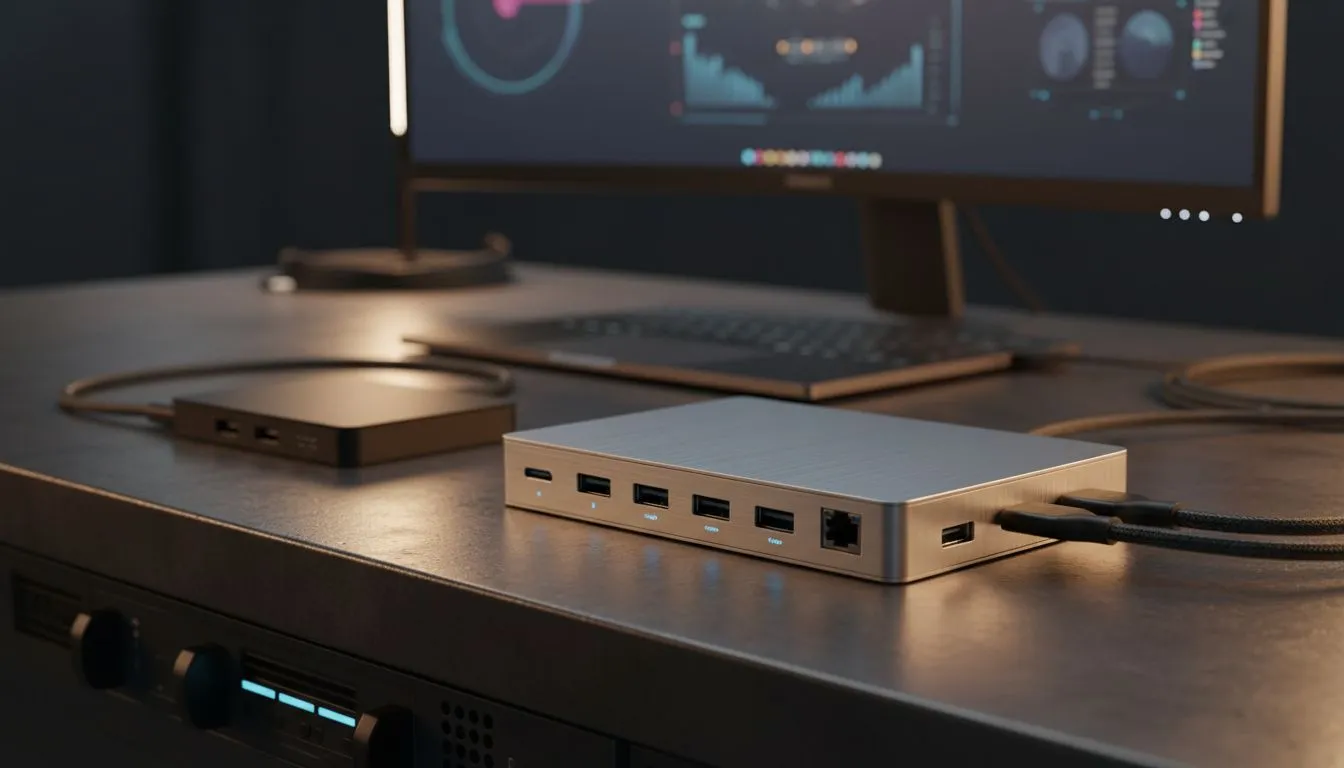
Ever felt the port pinch on your sleek new laptop? You're not alone. As our digital lives expand, especially here in South Africa, juggling multiple peripherals, external displays, and charging cables can turn your desktop into a spaghetti monster. The burning question for 2026 isn't just how to connect everything, but what device offers the best solution for your setup: a simple USB-C hub or a full-blown docking station? Let's dive in.
A USB-C hub is essentially a multi-port adapter, designed for simplicity and portability. Think of it as a pocket-sized expansion pack for your laptop. These handy devices typically connect via a single USB-C cable and provide a handful of common ports: a few USB-A ports for legacy devices, an HDMI or DisplayPort for an external monitor, and often an SD card reader or an Ethernet port.
They're perfect for the South African on-the-go professional, the student hopping between lectures, or anyone needing quick, temporary expansion. A USB-C hub is fantastic for extending your display to a projector in a boardroom or connecting a mouse and keyboard to your ultrabook at a coffee shop. They're generally more affordable, with decent options starting from around R500.
Stepping up in capability, a docking station is designed to transform your laptop into a powerful desktop workstation. Unlike their smaller counterparts, docking stations are usually larger, require external power, and offer a far more comprehensive array of ports. We're talking multiple display outputs (often supporting dual 4K or even single 8K monitors), numerous USB-A and USB-C ports, Gigabit Ethernet, audio jacks, and sometimes even Thunderbolt passthrough for daisy-chaining.
For those who regularly work from home, game at a dedicated desk, or need to connect high-bandwidth peripherals like external GPUs or multiple high-resolution monitors, a docking station is a game-changer. It provides a single-cable solution, meaning you just plug in one USB-C or Thunderbolt cable to your laptop, and suddenly everything—power, monitors, keyboard, mouse, external drives—is connected. It's the ultimate way to optimise your workspace.
The real distinction between a USB-C hub vs docking station in 2026 boils down to power, performance, and permanence.
Power Delivery (PD): Docking stations typically offer significantly more power delivery, often 60W to 100W+, allowing them to charge even demanding gaming laptops while simultaneously powering all connected peripherals. Most USB-C hubs offer limited PD, if any, mostly sufficient for smaller notebooks or basic charging.
Display Capabilities: If you're a content creator or a gamer wanting dual 4K monitors at high refresh rates, a robust docking station with Thunderbolt 4 or USB4 capabilities is essential. A standard USB-C hub might struggle with anything beyond a single 4K display or dual 1080p.
Port Variety & Bandwidth: Docking stations boast a wider range of high-speed ports, crucial for external SSDs, professional audio interfaces, and other bandwidth-hungry devices. They also often include legacy ports that hubs might omit.
For gamers and content creators, ensure your chosen docking station supports DisplayPort Alternate Mode (Alt Mode) or Thunderbolt for optimal display performance. It's the secret sauce for buttery-smooth visuals on multiple monitors without sacrificing frame rates.
Considering a professional setup? You might want to explore premium docking station options up to R2000 that offer advanced features like KVM switches or enterprise-grade security.
When deciding between a USB-C hub vs docking station, consider your specific needs and budget.
Ultimately, for most South African tech users in 2026 with a dedicated workspace, the comprehensive features and single-cable convenience of a docking station will make more sense. However, for sheer portability and basic connectivity on the go, a USB-C hub remains an invaluable tool.
Ready to Find Your Perfect Match? Whether you need a simple USB-C hub for travel or a powerful docking station to transform your desk, Evetech has you covered. Explore our full range of docking stations and hubs and connect your world with confidence.
Choose a laptop docking station for multiple monitors when you need stable multi-display output and extra ports; hubs can work but often lack dedicated GPU bandwidth.
If you want to charge while using peripherals, pick a USB-C hub with power delivery for MacBook or Windows; it prevents battery drain during heavy use.
Yes — many hubs support power delivery and video, but check wattage and display protocol. Lower-watt hubs may not fully charge high-power laptops.
Docking stations offer more ports and stability but are bulkier. For travel, a portable USB-C hub for travel gives better size-to-function balance.
The difference between USB-C hub and docking station: docks focus on power, multi-monitor support, and port density; hubs prioritize portability and simple expansion.
If you need high-speed transfers and multiple 4K monitors, compare USB-C docking station vs Thunderbolt dock. Thunderbolt costs more but delivers superior bandwidth.
Check your laptop's USB-C port capabilities. USB-C hub compatibility with Windows laptops varies by PD, DP Alt Mode, and USB version supported by the port.
Using GitHub Copilot: Complete Beginner's Guide for SA Developers. Everything you need to know with SA-specific pricing and recommendations.
Read more
Back-to-School Headset Buying Guide for SA 2026. Everything you need to know with SA-specific pricing and recommendations.
Read more
Mesh Front Panel Setup and Configuration: Complete Tutorial. Comprehensive coverage with SA insights, Rand pricing, and practical recommendations.
Read more
Black Screen: Troubleshooting Guide #1. Everything you need to know with SA-specific pricing and recommendations.
Read more
The Complete 2026 Guide to Storage in South Africa. Everything you need to know with SA-specific pricing and recommendations.
Read more
1000W PSU Not Working After Load Shedding: Recovery Guide. Everything you need to know with SA-specific pricing and recommendations.
Read more
AMD RX 9050 XT: Rumoured Specs, Price & Release. SA-focused analysis with local pricing data, real-world insights & actionable buying advice.

Can RTX 4080 Super Run AI Workloads for SA Developers Detailed answer with SA data, expert analysis & practical recommendations for local buyers.

Can RTX 4090 Run AI Workloads for SA Developers Detailed answer with SA data, expert analysis & practical recommendations for local buyers.

Top Settings for Intel Arc B580 at Ultrawide 1440p picks evaluated on performance, value & SA availability with current Rand pricing from Evetech.

RTX 4060 CS2 Low Settings at 1080p: FPS Results. Real-world benchmark data, FPS numbers & performance analysis. What SA gamers can actually expect.

Visual Artifacts: Possible GPU Issue Issue #1. Diagnosis steps, proven fixes & when to seek professional help. SA-specific support info included.

Can the RTX 4090 Handle 1440p 144Hz Gaming. Performance testing verdict with real data & practical recommendations for SA buyers.

Top ASUS GPU Under R15000 picks evaluated on performance, value & SA availability with current Rand pricing from Evetech.

GTA 6 Max Settings on RTX 5070. Tested & verified settings for best FPS and visual quality on SA hardware budgets.

Cyberpunk 2077 Max Settings on RTX 5080. Tested & verified settings for best FPS and visual quality on SA hardware budgets.

Starfield Max Settings on RTX 5070 Ti. Tested & verified settings for best FPS and visual quality on SA hardware budgets.

Top RTX 5090 Under R5000 picks evaluated on performance, value & SA availability with current Rand pricing from Evetech.