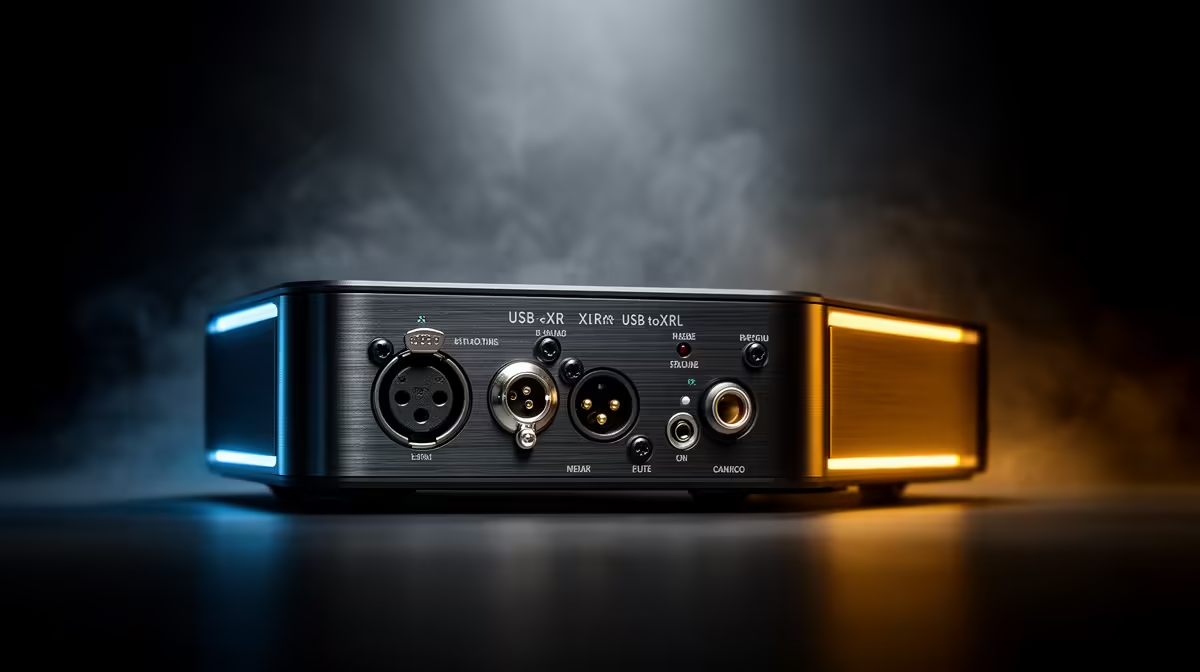
Your webcam's built-in mic has a ceiling it cannot break through. The moment you route your voice through an XLR audio interface, you leave that ceiling behind and step into a signal chain built around gain control, proper preamps, and 48V phantom power that no USB webcam was ever designed to supply. The upgrade costs less than most people expect and the difference in recorded clarity is immediate.
Quick Answer
Swap your webcam mic for an XLR condenser connected to a 2-channel audio interface. The interface supplies 48V phantom power and a proper preamp, while your webcam stays in place for video. Audio and video stay separate, giving you independent control over each.
🔌 Why the Webcam Audio Chain Hits a Wall
A webcam microphone is a compromise by design. The capsule is small, the preamp circuit is crammed onto the same board as the camera sensor, and there is no physical control for gain. You get one level for every situation, regardless of how loud or soft your room is.
The deeper issue is signal path. The microphone signal inside a webcam never leaves the device cleanly. It travels from the capsule through onboard circuitry, gets converted to digital alongside the video signal, and arrives at your PC as a mixed-down stream. You cannot adjust the mic independently without the video, and you cannot replace the capsule without replacing the whole camera.
An XLR interface breaks that chain. The microphone connects directly to the interface, the interface handles conversion at a far higher quality, and your PC sees clean audio on its own channel. The webcam still sends video down its USB cable as normal. You now have two independent controls where before you had one locked, averaged system.
🎙️ What a 2-Channel Interface Adds to the Chain
The headline feature is 48V phantom power. Condenser microphones, including most of the higher-sensitivity studio mics suited to streaming and podcasting, need this voltage supplied through the cable to activate their internal circuitry. A webcam cannot provide it. A 2-channel interface flips a switch and the power flows, making those condenser capsules possible options for the first time.
Beyond phantom power, the interface adds a proper preamp. Preamps amplify the weak signal from the microphone capsule to a usable level before conversion, and the quality of that amplification shapes everything you hear. A clean-sounding preamp introduces very little noise during amplification. A poor one hisses. A webcam's onboard preamp is simply not built to the same tolerance, which is why XLR recordings sound so noticeably quieter and cleaner at the noise floor.
Gain control is the third gain. A large dial on the front panel lets you set how much amplification is applied before the signal converts to digital. Get this right and your voice occupies a healthy portion of the dynamic range without clipping. The webcam offers no equivalent.
Pro Tip ⚡
Set your interface gain so your voice peaks around -12dBFS during normal speaking. That headroom protects against sudden louder moments while keeping the signal well above the noise floor, and it gives any post-processing or platform normalization cleaner material to work with.
🔧 Keeping the Webcam for Video While Upgrading Audio
This is the practical beauty of the XLR route: nothing about your video setup changes. The webcam stays exactly where it is, connected to the same USB port, captured by the same streaming software. You are simply adding a second input device that your software selects for audio instead of the webcam's built-in option.
In OBS or your platform's desktop app, you assign audio input to the interface rather than the webcam. The two signals never interact. If you want to adjust exposure or frame rate on the camera, those settings are in the camera's companion app or your stream software video settings. If you want to change gain, EQ, or input level, those are on the interface. Neither touches the other.
A 3m XLR cable from the interface to a boom-positioned mic keeps the run short and noise-free on a standard desk. Longer runs are possible with balanced XLR cabling, which rejects interference along the length, but for a home streaming desk a standard 3m lead is practical and leaves no hum to worry about.
🚀 Direct Monitoring and Latency on an XLR Interface
One question that comes up when streamers switch to XLR is latency. Webcam audio arrives at your PC via the same USB path as video, with a small buffer that your system manages. An XLR interface handles this differently through a feature called direct monitoring.
Direct monitoring routes the signal from the microphone straight to your headphones through the interface hardware, bypassing the PC entirely. What you hear in your headphones when monitoring directly is essentially your own voice with no perceptible delay. The signal sent to the PC and onwards to your stream software has the tiny buffer latency all audio interfaces carry, but that delay sits well below 10 milliseconds on any modern interface running ASIO drivers, which is far short of the threshold at which a viewer would perceive any timing offset.
This matters for a streamer who talks continuously. If you hear yourself with noticeable delay, you start compensating by slowing your speech, and your on-stream delivery suffers. Direct monitoring on the interface keeps your monitoring clean while the stream receives properly buffered, synced audio.
Frequently Asked Questions
Does my condenser microphone need 48V phantom power from the interface?
Yes, if it is a condenser. Condenser capsules require that voltage to polarise their diaphragm and power the internal buffer circuit. Without phantom power the mic produces no signal or an extremely weak one. Dynamic microphones do not need phantom power, so if you are using a dynamic mic with your XLR interface, leaving the phantom power switch off makes no difference to the signal.
How many XLR inputs should my first interface have?
Two inputs are the practical minimum for streaming. The second input means you can connect a co-host microphone, an instrument, or a monitor return without needing a second device. Single-input interfaces exist and cost less, but the upgrade to a second channel at this stage is inexpensive and removes a later bottleneck.
Will swapping to XLR audio cause sync problems between my video and voice on stream?
Not if the interface is set up correctly. Your streaming software aligns the audio from the interface with the video from the webcam using timestamps. If you notice a slight offset after switching, your platform's audio delay compensation setting, usually found under audio monitoring or advanced audio properties, lets you nudge the timing in milliseconds until the two streams sit in sync.
Can I still use the webcam mic as a backup after installing the interface?
Yes. Both appear as separate input devices in your streaming software, and you can switch between them at any time without disconnecting hardware. Some streamers keep the webcam mic enabled as a secondary source, muted during normal operation but available if the interface needs troubleshooting. Just make sure only one source is active at a time to avoid doubled, phased audio.
What cable length works between an interface and a boom-arm microphone?
Three metres covers almost any desktop arrangement and keeps the cable tidy along the boom arm. XLR carries a balanced signal, meaning the cable actively cancels interference inducted along its length, so you are not sacrificing quality by using a longer run if your desk demands it. For most home streaming desks a 3m lead is the practical sweet spot between reach and tidiness.
Ready to take your stream audio beyond what any webcam can deliver?
Browse the XLR audio interfaces and condenser microphones at Evetech to build a signal chain that matches your setup, whether you are starting simple or planning for two mics.