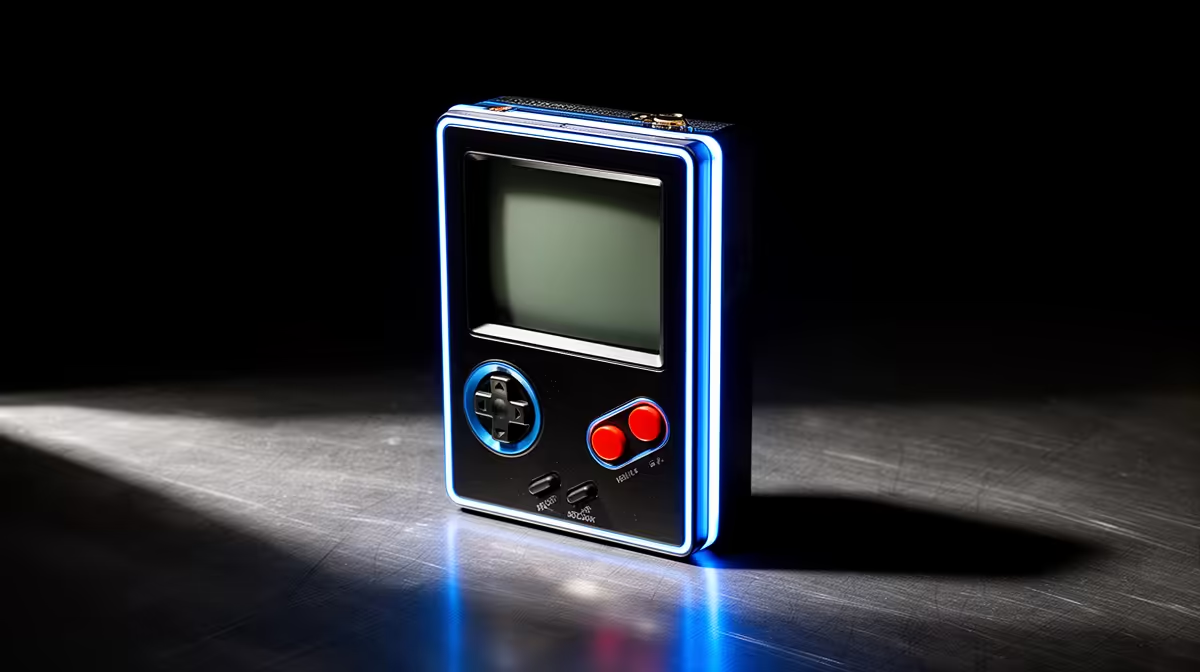
The shape of a retro handheld tells you what it was built to play before you read a single spec. A tall, square-screened unit like the Miyoo Mini Plus is a Game Boy in spirit, made for 2D classics you can pocket. A wide, twin-stick unit like the Retroid Pocket 5 or the Ayn Odin 2 is built to push 3D-era emulation that simply needs analogue sticks to play properly. Buy the form factor that matches your library and the device almost picks itself.
Quick Answer
Choose a vertical handheld if your collection is mostly NES, SNES, Game Boy and other 2D systems, because the tall screen and pocketable body suit those games perfectly and you do not miss analogue sticks. Choose a horizontal handheld if you want PS1, PSP, N64, Dreamcast or anything 3D, since those eras need dual analogue sticks and a wider screen the vertical form cannot offer.
Vertical handhelds: the 2D specialists
Vertical units carry their controls below the screen in the classic Game Boy stack. The Miyoo Mini Plus is the reference point here, with a 3.5-inch IPS display in a body small enough to live in a jacket pocket. That layout is ideal for 2D libraries: platformers, RPGs, fighters and shoot-em-ups from the 8-bit and 16-bit eras all map cleanly to a d-pad and face buttons.
The trade-off is built into the shape. Most vertical handhelds have no analogue sticks, or at best a single nub, which makes true 3D games awkward to control. The tall aspect ratio also leaves wide letterboxing on widescreen content. For their intended era, none of that matters; for anything past the PlayStation 1 launch window, it quickly does.
Horizontal handhelds: the 3D all-rounders
Horizontal units spread the controls either side of a wider screen and almost always include dual analogue sticks, which is the dividing line for serious emulation. The Retroid Pocket 5 and the more powerful Ayn Odin 2 sit firmly in this camp, with the Odin 2 widely rated among the best dedicated emulation devices going. The newer Retroid Pocket 6 pushes the format further with a 5.5-inch 1080p AMOLED running at 120Hz, a large 6,000mAh battery and 4K output over USB-C.
Twin sticks unlock the systems vertical units cannot: PS1, PSP, N64, Dreamcast, GameCube and on the strongest chips even early PS2 and Switch titles. The cost is bulk. These are pocketable only in a loose jacket or a bag, not jeans, and they typically draw more power for the extra performance. If your nostalgia runs into the 3D era, that size is the price of playing those games as intended.
Matching shape to your library
Run a quick audit of what you actually play. If your most-loaded list is 2D, the vertical form gives you the nicest screen shape, the smallest footprint and the cheapest entry. If even a quarter of your list is 3D, the horizontal form with dual sticks is the only one that handles all of it without compromise. People who try to play N64 on a stickless vertical handheld almost always regret it; people who carry a chunky horizontal unit purely for Game Boy games are paying for capability they never use.
A genuine middle path exists for people who want both: own a small vertical unit for daily pocket play and a horizontal one for the 3D library at home. For most buyers, though, one well-chosen shape covers the bulk of what they play.
Ergonomics and session length
The ergonomic difference between these form factors becomes most apparent during longer sessions. A vertical unit that fits the palm like a classic Game Boy is comfortable to hold one-handed for short bursts. A horizontal handheld with proper grips and wider shoulder trigger placement is the better choice for extended play, since your hands rest in a more natural position and the triggers fall where your fingers expect them to be.
This also matters for couch play versus commuting. A compact vertical device can be used sitting up, lying on your side, or held in one hand while you hold a strap in the other. A horizontal device needs two hands consistently, which makes it slightly less versatile in cramped spaces but considerably more comfortable for the long sessions that 3D games tend to demand.
Screen shape and system compatibility
The aspect ratio difference is more important than it first looks. Classic home consoles and Game Boy systems output a 4:3 picture. A vertical handheld typically carries a square or near-square screen to match, which means those games fill the display edge to edge. Load the same game on a horizontal widescreen device and you get black bars on either side unless you stretch the image, which introduces distortion.
Conversely, a horizontal widescreen panel suits PSP titles, which were designed for widescreen from the start, and it also makes YouTube and streaming content far more natural if your device runs Android. Neither shape is objectively better; each is simply optimised for a different era of output.
Who should buy vertical and who should buy horizontal
The vertical form makes most sense for someone whose library is solidly 2D, who commutes and needs a device that disappears into a pocket, or who wants the lowest possible price of entry. The Miyoo Mini Plus remains the recognised benchmark for that use case in 2026, with a polished custom firmware scene and a body that feels right for the classics.
The horizontal form belongs to anyone who wants to push into N64, PSP, Dreamcast, GameCube, PS2 or Switch emulation. The Retroid Pocket 6 is the 2026 standout for Android horizontal devices, and the Ayn Odin 2 serves enthusiasts who want maximum headroom. The current handheld gaming console range at Evetech makes it easy to line up vertical and horizontal options side by side, and the wider PC best sellers help if you are weighing a handheld against a more powerful portable.
Frequently Asked Questions
Are vertical handhelds bad for 3D games?
Generally yes, because most lack the dual analogue sticks that PS1, N64 and later 3D games rely on for camera and movement. They excel at 2D systems where a d-pad is all you need, but 3D titles are awkward or unplayable without proper sticks.
Which form factor is more pocketable?
Vertical units like the Miyoo Mini Plus are far more pocketable, often slipping into a jacket pocket thanks to their small, tall bodies. Horizontal units are wider and bulkier, so they suit a bag or loose jacket rather than jeans.
Can a horizontal handheld also play 2D classics?
Absolutely. A horizontal device with a d-pad runs NES, SNES and Game Boy titles just fine, so it covers both 2D and 3D. The catch is size and usually price, so you pay for 3D capability even when playing simple 2D games.
What should I buy if my library is mixed?
If a meaningful share of your games are 3D, choose a horizontal handheld with dual sticks, since it handles both eras. A vertical unit only makes sense as your main device if your collection is overwhelmingly 2D.
Does screen aspect ratio matter when choosing?
It matters more than most buyers realise. Classic 8-bit and 16-bit systems output a 4:3 picture that fills a square vertical screen perfectly, while widescreen horizontal panels suit PSP and modern streaming better. Neither is wrong, but matching the screen shape to your primary library gives a noticeably cleaner picture.
List the systems you play most, then pick the shape that serves them: vertical for a 2D-heavy collection, horizontal with dual sticks for anything 3D. Compare both styles in the handheld gaming console range at Evetech and match the body to your library.