



PCIe 5.0 vs PCIe 4.0 for Video editing in 4k in SA
PCIe 5.0 vs PCIe 4.0 for video editing in 4k is mainly about fit, features, compatibility, cost, and upgrade path, not one automatic winner. SA buyers should match the choice to the setup.
Read moreA modern VR headset with colour passthrough like the Quest 3 covers fully immersive VR, mixed reality, seated sim racing, room-scale fitness and AR-style apps from a single device. SA first-time buyers get far more than a games device from one Rand investment. 🎮
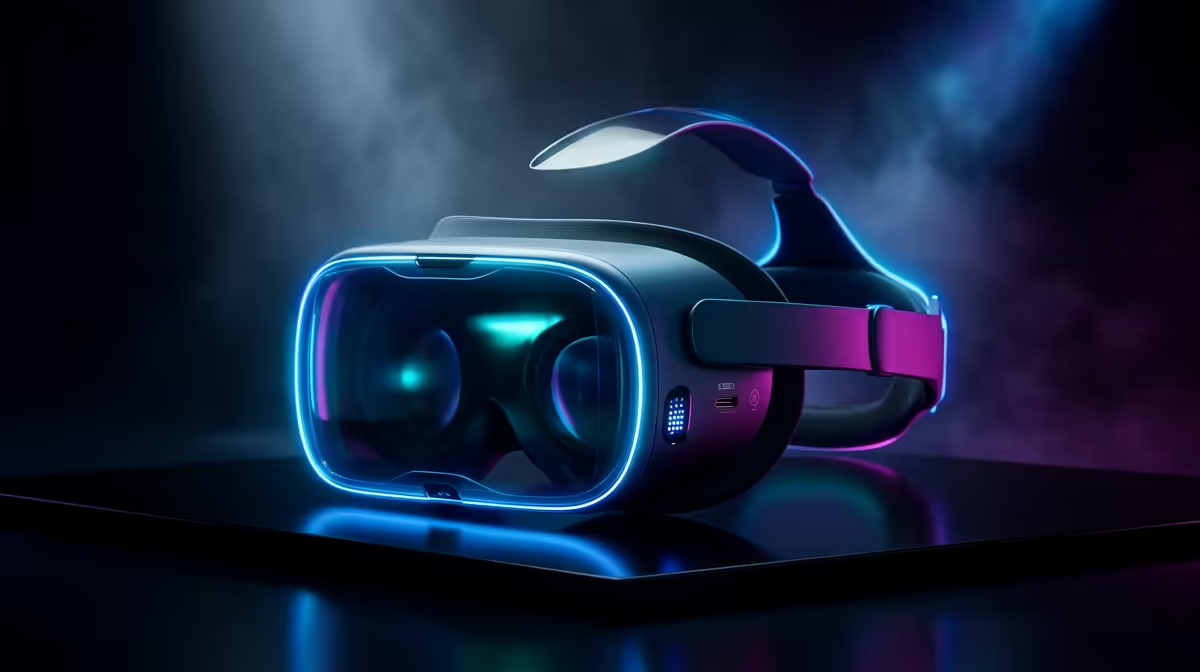
A lot of first-time buyers picture a VR headset as a pricey toy that plays a handful of games and then gathers dust. A modern standalone unit with colour passthrough, like the Quest 3, is far closer to a small computer you wear. From one device you get fully immersive gaming, mixed reality that blends digital objects into your actual room, seated sim racing, room-scale fitness, and AR-style productivity apps. For a South African buyer spending real Rands, understanding the full spread of uses turns the price from a gamble into a genuine value calculation.
A current VR headset with colour passthrough covers five distinct uses from a single device: immersive VR gaming, mixed reality, sim racing, fitness, and AR-style apps. You are not buying a games machine, you are buying a versatile platform. That is why one Rand outlay stretches much further than it first appears.
Gaming remains the reason most people buy in, and it is where the hardware shines. Standalone headsets run a large native library without a PC, from polished single-player adventures to social spaces and rhythm games. Plug into a gaming PC over a cable or wireless link and the catalogue expands to the full range of PC VR titles, with your graphics card doing the heavy lifting for sharper visuals.
The leap from a flat screen to standing inside the world is hard to overstate until you try it. Scale, presence, and motion land differently when you physically turn your head to look around. For anyone curious about where wearable displays are heading, the AR glasses range shows how the same ideas are shrinking into lighter form factors.
Colour passthrough is the feature that changed what these headsets are for. Outward-facing cameras feed a live view of your room into the displays, so digital objects appear to sit on your real desk, walls, and floor. You can pin a virtual screen above your keyboard, play a board game laid out on your coffee table, or follow a fitness coach standing in your lounge while still seeing the furniture you might trip over.
This blend of real and digital is what separates a current headset from older fully-enclosed models. It makes the device usable in a small flat without clearing the whole room, because you stay aware of your surroundings the entire time.
Pair a headset with a wheel and pedals and you have a cockpit view that no triple-monitor setup matches for immersion. Because racing and flight sims are seated, you do not need much floor space, which suits a South African home office or a corner of a bedroom. Looking into an apex by turning your head, or judging braking points by genuine depth perception, sharpens your driving in a way flat screens cannot.
For PC-driven sim racing you need a capable PC and a wheel base. For standalone racing titles, the headset alone handles it, though the visual fidelity is lower. Either way, a stable seat and a clamp for the wheel matter as much as the headset itself.
Rhythm games, boxing trainers, and full-body workout apps turn a session into something you actually want to repeat. Room-scale fitness uses the play area you define, and many apps track effort over time so you can see progress. For people who find a gym routine hard to stick to, the game loop does the motivating. You only need enough clear floor to swing your arms safely, plus a sweat-friendly facial interface to keep the foam clean.
Beyond play, passthrough headsets run virtual multi-monitor workspaces, 3D model viewers, design tools, and meeting apps where remote people appear as avatars around a table. It will not replace a desktop for all-day work yet, but for focused sessions, presentations, or reviewing 3D designs, a giant private screen in a small room is genuinely useful. Charging docks, spare controllers, and head straps from the accessories shelf make longer sessions comfortable.
One area that surprises new buyers is how much of the platform is social. Multiplayer spaces let you meet up with friends in shared virtual lounges, play card games around a virtual table, or watch a live event together in a shared arena. The sense of presence in a VR conversation, occupying the same perceived room as another person rather than appearing in a flat video grid, is qualitatively different from a standard video call. For South African users whose friends and family are scattered across provinces, that sense of shared space adds genuine value beyond the entertainment side.
A headset and a stable internet connection are the baseline. Most social apps run standalone with no PC required, which keeps the barrier low. A microphone built into the headset handles voice, and some apps support hand tracking so you do not even need controllers for casual interactions. The experience scales from a quick drop-in chat to a scheduled group event, and because most popular social spaces are free to access, the running cost after the headset purchase is minimal.
A VR headset suits a gamer wanting the most immersive way to play, a sim racer short on desk space for monitors, someone looking for a fun way to stay active indoors, or a curious early adopter who wants mixed reality on a budget. If you only ever want flat-screen gaming and have no interest in any of the above, the money is better spent elsewhere. For everyone else, the breadth of uses is exactly what justifies the spend.
No. Standalone headsets run a full library on their own onboard hardware. A PC is optional and unlocks higher-fidelity PC VR titles when you connect over a cable or wireless link.
Passthrough uses the headset's cameras to show you a live colour view of your real room inside the headset. It enables mixed reality, keeps you aware of your surroundings, and lets you use the device safely in a small space.
Yes. Rhythm, boxing, and workout apps deliver real cardio, and many track your effort over time. You need a small clear area to move and a wipeable facial interface to manage sweat.
Seated uses like sim racing and productivity need almost none. Room-scale gaming and fitness need a clear area roughly two metres square so you can move your arms and turn without hitting furniture.
For focused sessions, yes. Virtual multi-monitor workspaces, 3D model review, and avatar-based meetings all work well. It is not yet an all-day desktop replacement, but it adds a large private screen in a small space.
Curious whether a VR headset earns its place on your desk? See the immersive options and wearable displays on the Evetech AR glasses range and find the use case that fits you.
No. Standalone headsets run a full library on their own onboard hardware. A PC is optional and unlocks higher-fidelity PC VR titles when you connect over a cable or wireless link.
Passthrough uses the headset's cameras to show you a live colour view of your real room inside the headset. It enables mixed reality, keeps you aware of your surroundings, and lets you use the device safely in a small space.
Yes. Rhythm, boxing, and workout apps deliver real cardio, and many track your effort over time. You need a small clear area to move and a wipeable facial interface to manage sweat.
Seated uses like sim racing and productivity need almost none. Room-scale gaming and fitness need a clear area roughly two metres square so you can move your arms and turn without hitting furniture.
For focused sessions, yes. Virtual multi-monitor workspaces, 3D model review, and avatar-based meetings all work well. It is not yet an all-day desktop replacement, but it adds a large private screen in a small space.
PCIe 5.0 vs PCIe 4.0 for video editing in 4k is mainly about fit, features, compatibility, cost, and upgrade path, not one automatic winner. SA buyers should match the choice to the setup.
Read more
Wi-Fi 7 vs Wi-Fi 6e for competitive esports comes down to router support, latency goals, device compatibility, and coverage. SA buyers should match the choice to the real network setup.
Read more
ATX 3.1 vs ATX 3.0 for mMO and live-service games buyers - what changes is mostly about compatibility, budget, upgrade path, and setup fit. SA buyers should check device support and real needs before expecting a clear win from either option.
Read more
LGA 1851 vs LGA 1700 can affect Twitch and YouTube streaming when gaming and encoding share CPU resources. For SA creators, the real-world difference depends on encoder choice, memory support, motherboard cost, thermals, and upgrade plans.
Read more
X870E vs X670E for aaa single-player gaming is mainly about fit, features, compatibility, cost, and upgrade path, not one automatic winner. SA buyers should match the choice to the setup.
Read more
Hall Effect switches vs Mechanical switches for mMO and live-service games is mostly about compatibility, budget, upgrade path, and setup fit. SA buyers should check device support and real needs before expecting a clear win from either option.
Read more
A fake 113GB GTA VI ISO reportedly used empty padding around a small malware payload. SA gamers should delete unofficial builds, keep Windows security active and wait for official channels.

Wi-Fi 6E vs Wi-Fi 6 matters for 4K video editing when files move across a network. The real-world difference between Wi-Fi 6E and Wi-Fi 6 for video editing in 4K depends on NAS access, cloud uploads, router range, and SA creator workflows.

The difference between PCIe 5.0 and PCIe 4.0 for SA gamers is mostly bandwidth headroom. Compare GPU slot needs, NVMe speed, motherboard support, and upgrade timing before paying extra for a newer platform.

Gaming PC stuck pixel checks in South Africa should confirm the monitor fault first. Use colour tests, screenshot comparison, cable swaps, display menu checks, and clear photos before deciding on support.

Shokz OpenFit Air 2 earbuds weigh 7.2g each and use a redesigned dual-driver open-ear layout. SA buyers should choose them for comfort and awareness, not maximum isolation.

AMD's current driver now lists a Radeon RX 9050 4GB, while product coverage details a narrowed memory system. SA buyers should weigh the low VRAM ceiling against current local Radeon options.

Samsung Display has demonstrated a 16-inch 2.5K OLED laptop panel running at 300Hz. SA buyers should wait for a named notebook, full panel specifications and a local price before planning an upgrade.

Microsoft says some Windows 11 game crashes after recent updates are linked to RGB-related drivers. Affected SA gamers should confirm the update and driver before using the published registry workaround.

RTX 5090 on a 650W PSU is a tight pairing with very limited headroom. For SA gaming PCs, focus on total system draw, PSU quality, connector support, CPU choice, and avoid OC plans unless the full build is carefully power-limited.
PCIe 5.0 vs PCIe 4.0 for video editing in 4k is mainly about fit, features, compatibility, cost, and upgrade path, not one automatic winner. SA buyers should match the choice to the setup.

850W PSU safety for RTX 5090 is plausible with a quality unit and balanced parts. In SA, confirm connector support, CPU power draw, case airflow, PSU age, and spare capacity before building around 850W.
Wi-Fi 7 vs Wi-Fi 6e for competitive esports comes down to router support, latency goals, device compatibility, and coverage. SA buyers should match the choice to the real network setup.