Quick Answer
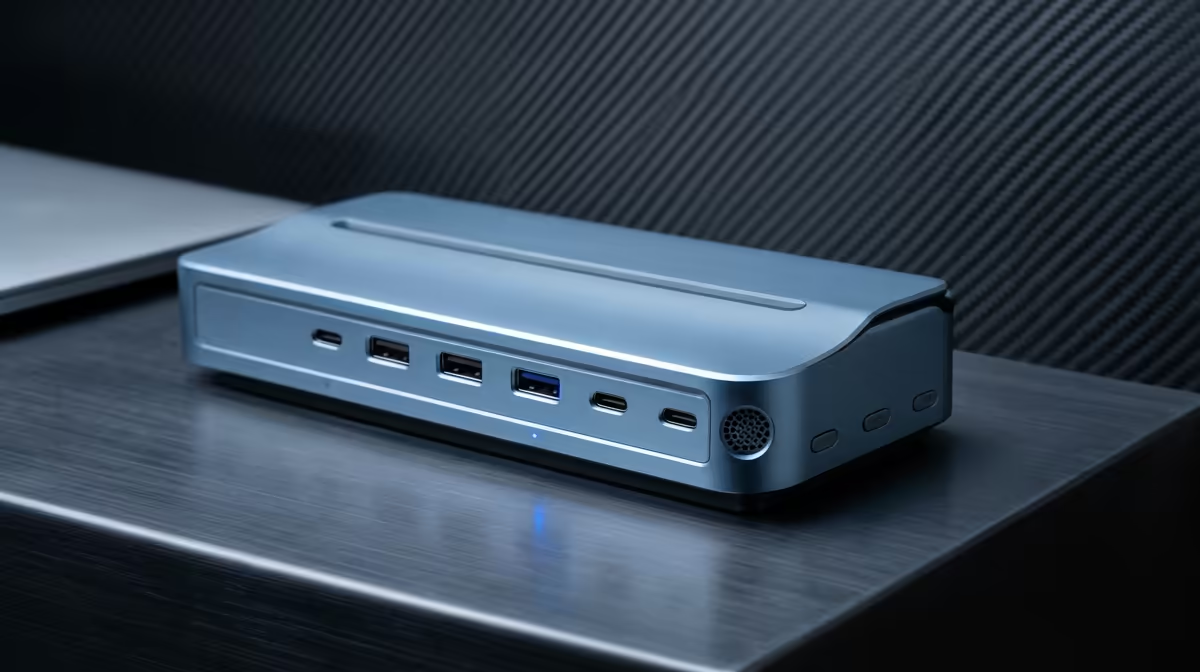
For a South African laptop desk setup, you need at minimum: one HDMI 2.0 or DisplayPort 1.4 (for the monitor), Gigabit Ethernet (for stable fibre), two to three USB-A 3.2 ports (keyboard, mouse, drives), one USB-C data port, and USB-C Power Delivery of at least 65W to charge your laptop through the dock.
The Ports That Actually Matter Daily 🔌
Not every port on a dock spec sheet gets used. The ones that earn their place on a South African desk are the display output (HDMI 2.0 handles 4K at 60Hz; DisplayPort 1.4 handles 4K at 120Hz or dual 1440p), Gigabit Ethernet for uncapped fibre through providers like Vumatel or Openserve, and USB-A ports for the peripherals you already own. Most office keyboards and mice still use USB-A nano receivers, so two USB-A 3.2 Gen 1 ports are the minimum: one for the keyboard receiver and one left free for a flash drive or USB headset adapter. A third USB-A port is useful if you also connect a USB hub for your phone charging cable.
Power Delivery: Why Wattage Matters 💡
The USB-C Power Delivery spec on the dock determines whether you can leave your original laptop charger in your bag. A 65W PD output covers most 13-inch to 14-inch ultrabooks comfortably. Fifteen-inch and 16-inch laptops with discrete GPUs often draw 90W to 140W under load, so they need a dock rated at 90W PD or higher to charge while working. Docks rated at 120W PD are increasingly common and handle nearly all current business laptops. If your dock delivers less wattage than your laptop needs, the battery will drain slowly even while connected, which becomes a problem during long video call days.
Ports Worth Having But Not Always Essential 🗂️
An SD card reader on the dock saves a desk adapter if you transfer photos from a mirrorless camera or drone footage. A 3.5mm audio combo jack is handy when your laptop's own port is awkward to reach at the back. Dual display outputs (two HDMI or one HDMI plus one DisplayPort) matter if you run dual monitors from a single laptop. USB-C data ports are increasingly important as newer peripherals like high-resolution webcams and external NVMe enclosures use USB-C. Security Kensington lock slots are worth noting for docks used in shared South African office spaces where equipment gets borrowed.
Check Laptop Compatibility First ⚡
Before buying a dock, confirm whether your laptop's USB-C port supports DisplayPort Alt Mode and Power Delivery. Some budget laptops have USB-C ports that only carry data and cannot output video, meaning display outputs on the dock will not work regardless of the dock's spec. Check the laptop's spec sheet or the manufacturer's website.
FAQ
Will any USB-C dock work with my laptop?
Not always. Thunderbolt 4 docks work with any USB-C port that supports DisplayPort Alt Mode for the data and video side, but full Thunderbolt bandwidth requires a Thunderbolt-capable host port. Standard USB-C docks with DisplayPort Alt Mode work with most modern ultrabooks regardless of Thunderbolt support.
Do I need Thunderbolt 4 specifically for a single-monitor desk setup?
No. A standard USB-C dock with DisplayPort or HDMI output handles a single 4K or 1440p monitor without needing Thunderbolt 4. Thunderbolt 4 becomes relevant when you run dual 4K displays, daisy-chain external storage, or need maximum bandwidth for multiple high-speed devices simultaneously.
How much do decent docking stations cost in South Africa?
Usable USB-C docks with Ethernet, HDMI, and multiple USB-A ports start at around R800 to R1,500. Thunderbolt 4 docks with 96W to 120W PD and dual display outputs sit in the R2,500 to R4,500 range. The mid-range around R1,500 to R2,500 covers most hybrid worker needs comfortably.
Not sure which dock fits your laptop?
Evetech stocks USB-C and Thunderbolt 4 docking stations across a range of port configurations and power ratings. Check what is currently available at Evetech to match the right dock to your specific laptop model.