A desk earns the word ergonomic desk only when it lets you sit with your elbows at roughly 90 degrees and your monitor's top edge near eye level, with your feet flat and your forearms supported. That is posture, not marketing. The single feature that makes those benchmarks reachable for most people is height adjustability, because no fixed-height surface fits every body. Everything else, depth, edge finish, cable management, supports that posture rather than replacing it.
Quick Answer
An ergonomic desk is one that lets you set the surface height so your elbows rest near 90 degrees and your monitor top sits at eye level, with enough depth to keep the screen about an arm's length away. Height adjustability is the core feature; for most South African home offices a manual or electric height-adjustable desk in the R2,000 to R8,000 range delivers the biggest comfort gain.
The posture benchmarks an ergonomic desk has to hit
Ergonomics is measured against your body, not a spec sheet. Three benchmarks define a desk that works.
First, elbow angle. When you type, your upper arms should hang relaxed and your forearms sit roughly parallel to the floor, putting the elbow near 90 degrees. Too high and your shoulders hunch; too low and your wrists bend upward.
Second, monitor position. The top of the screen should land near eye level, roughly an arm's length away, so your neck stays neutral instead of craning down. Desk depth feeds directly into this, since a shallow desk forces the monitor too close.
Third, support. Your feet should rest flat on the floor or a footrest, and your forearms should have somewhere to land. A desk that meets the first two points but leaves your legs dangling has only solved half the problem.
Height adjustability: the feature that actually matters
Because the right surface height depends entirely on your build and your chair, adjustability is what turns a generic table into an ergonomic one. There are three broad options.
Fixed-height desks
A standard fixed desk works only if its height happens to suit you, and many sit around 73cm to 75cm, which is too high for shorter users. You can sometimes rescue a fixed desk with a well-set chair and a footrest, but you are compensating rather than fixing.
Manual height-adjustable desks
A crank or pin-adjust desk lets you set the surface to your exact elbow height once and leave it. These are the value pick for SA buyers who want correct ergonomics without the cost of a motor, typically landing in the R2,000 to R4,000 band.
Electric sit-stand desks
Motorised desks change height at the press of a button, which makes them ideal for sharing between users or moving between sitting and standing across the day. They cost more, often R5,000 to R8,000 and up, but the convenience encourages you to actually vary your posture rather than staying locked in one position.
Depth, surface and the details that support posture
Aim for a desk at least 70cm to 80cm deep so the monitor can sit an arm's length away without you pulling it to the edge. A width of 120cm or more gives room for a keyboard, mouse and a notebook without crowding. A matte surface reduces glare from overhead lights and screens, and smoothly finished front edges stop your forearms catching a hard line during long sessions. None of these replace height adjustability, but together they decide whether the desk is comfortable hour after hour.
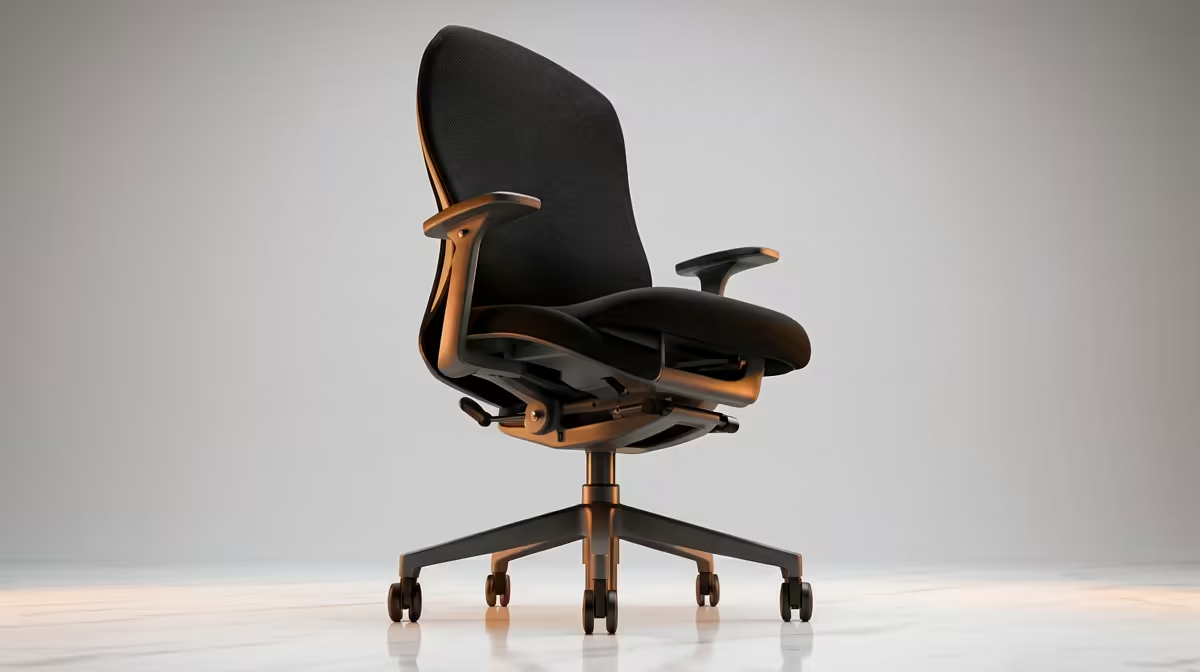
The chair is half the equation
A desk only delivers correct posture if the chair lets you reach it. An adjustable chair that sets your seat so your feet stay flat and your elbows meet the desk at the right angle is the other half of the system. If your chair cannot go high enough, even a perfect desk leaves you reaching up. The sit-stand desks stocked at Evetech cover the height-adjustable options most SA home offices need, and pairing one with a properly set seat is what makes the ergonomic benchmarks achievable. To see what SA buyers are adding once the desk and chair are sorted, the Evetech accessories best sellers offer a practical shortlist of popular workspace upgrades.
Sitting and standing: posture is not a fixed position
The newer thinking on ergonomics is that the healthiest posture is the next one. No matter how perfectly a desk is set, staying frozen in one position for hours stiffens the body. This is the strongest argument for a sit-stand desk: it lets you shift between sitting and standing across the day so no single joint carries the strain for too long.
If you choose a sit-stand desk, set two height presets, one for sitting with your elbows at 90 degrees and one for standing with the same elbow angle. Alternate roughly every hour, and add an anti-fatigue mat for the standing stretches so your feet and lower back stay comfortable. The point is movement, not standing for its own sake; a desk that makes switching effortless is one you will actually use that way.
Cable management and the clutter factor
Ergonomics is not only about height. A desk buried under tangled cables forces you to crowd your keyboard and mouse into a shrinking workable zone, which quietly wrecks the posture you set up so carefully. Look for a desk with a cable tray, grommets or a rear channel that keeps power bricks and leads off the surface.
A clear surface lets your forearms rest naturally and keeps the monitor at the right distance instead of being pushed forward by clutter. On a height-adjustable desk this matters even more, because cables need enough slack and tidy routing to move with the surface without snagging. The cleaner the desk, the easier it is to hold a good position all day.
Who needs which desk
A single user on a tight budget gets most of the benefit from a manual height-adjustable desk and a good chair. A household sharing one workstation, or anyone who wants to stand for part of the day, justifies the electric sit-stand. A fixed desk is fine only if its height genuinely suits the person using it, and even then a footrest often helps. Match the desk to your body and your routine, not to the most expensive option on the page.
Frequently Asked Questions
What is the most important feature of an ergonomic desk?
Height adjustability. Because the correct surface height depends on your body and chair, the ability to set it precisely is what lets you hit the elbow and monitor benchmarks that define good ergonomics.
What height should an ergonomic desk be?
There is no single number; the surface should sit where your elbows rest near 90 degrees while typing. That varies by person, which is exactly why adjustable desks suit most users better than a fixed one.
Is an electric standing desk worth the extra cost?
If you share the desk or want to move between sitting and standing, yes, because the easy button adjustment means you actually use it. A solo user on a budget can get most of the ergonomic benefit from a manual adjustable desk.
How deep should an ergonomic desk be?
Aim for at least 70cm to 80cm of depth so your monitor sits about an arm's length away at eye level. A shallow desk forces the screen too close and undermines neck posture.
Do I need a special chair as well?
Yes. The desk and chair work as a system, and an adjustable chair is what lets you reach the desk at the right height with your feet flat. Pairing the two is what makes the posture benchmarks achievable.