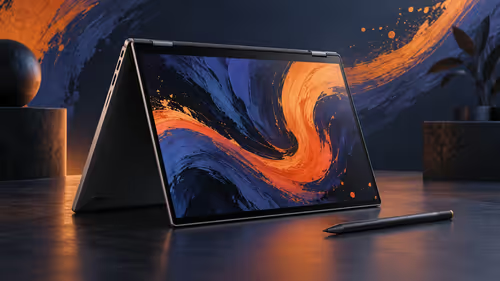
For a South African remote worker, a travel monitor earns its place when it makes ordinary work easier in several locations. The useful questions are practical: does it connect to the laptop without a mystery adapter, remain readable on a small table, fit the bag, and have a support path if regular travel causes a problem?
Quick Answer
South African remote workers should prioritise dependable laptop connectivity, indoor brightness and a stand for compact desks. Carried weight, a sleeve and local warranty handling matter when the screen moves between home, shared offices and regional trips. At R3,199, the Lenovo L16 provides a 16-inch WUXGA IPS workspace in a 0.97kg package with a sleeve included.
🔌 Let the laptop decide the connection shortlist
Remote work cannot pause because a second screen has the wrong connection. Before comparing panels, check the notebook specification for DisplayPort Alt Mode, Thunderbolt or a documented USB-C display output. The oval USB-C socket by itself is not evidence of video support. A port may charge the laptop or connect a storage device while being unable to send an image.
The next part of the same decision is the cable. A lead that charges a phone can still be unsuitable for monitor video. Carry a full-featured USB-C cable that has already been tested with the laptop and screen. That turns a shared-office desk from an uncertain troubleshooting exercise into a repeatable setup.
The L16 accepts DisplayPort 1.2 video through either of its two USB-C ports. Each port also supports USB Power Delivery 3.0 up to 65W. The two-sided arrangement can make a difference on narrow tables because the cable can leave from the side nearest the laptop. It does not change what the laptop itself can output, so start with the notebook manual before browsing portable monitors.
🏠 Design for the tables you really use
Home desks, dining tables, shared offices and hotel rooms rarely have identical dimensions. A workable portable layout places the laptop on the primary task and the second display beside it, with the panel tilted towards the user. The top edge should be as near eye level as the surface allows. If it sits low, increase text scaling before lowering your head to meet it.
The Lenovo L16's 16-inch 1920x1200 panel has a 16:10 shape. The extra 120 vertical pixels over 1920x1080 are useful for documents, tickets, browser research and code. A remote worker can keep the live work surface on one display and reference material on the other, which reduces window switching. It is better to give each screen a role than to squeeze two tiny windows onto both.
Cable routing matters on a temporary desk. Take the lead behind the screen or along the rear edge of the table, rather than across a trackpad or a walkway. Before a client call, set the system to Extend and arrange the displays in settings so the pointer moves in the same direction as the physical screens. This is a two-minute routine that prevents a surprising amount of friction.
☀️ Match brightness and angle to indoor conditions
The L16 is rated at 300 nits and uses an IPS panel. That is appropriate for typical indoor work: a home study, shaded shared office or hotel room. It is not a promise of perfect readability opposite a sunlit window. When reflections make dark text difficult, move the table, turn the panel or reduce the bright surface behind you before assuming the display needs replacing.
The screen also carries the TUV Rheinland Flicker Free and Low Blue Light certifications. These features can support comfortable viewing, but they are not a substitute for setup. Keep the laptop and second panel at similar brightness, use a reading size that does not invite leaning forward, and shift focus away from the screen periodically. The correct brightness is the lowest level that leaves text comfortably readable in the room.
🎒 Make travel weight a measured choice
At 0.97kg, the L16 can fit a mobile kit, but the number should be considered with everything else carried. Add the laptop, charger, cable, mouse, notebook and daily items. Then put the lot in the normal bag and walk the usual route. This test is more informative than calling any screen light or heavy in isolation.
The included sleeve helps protect the panel. Store it against the padded side of a bag, not beside loose plugs or hard accessories. A worker who travels between Johannesburg, Durban and Cape Town may find a second full desktop screen valuable in rooms with limited desk space; someone who spends nearly every day at one dedicated workstation may gain more from a fixed model. For the latter case, compare office monitors before assuming portable is automatically better.
🛡️ Include local support in the working cost
South African purchase decisions should include the local warranty path, proof of purchase and VAT-inclusive cost. Keep the invoice and serial details somewhere accessible. A monitor that moves repeatedly is exposed to more handling than a permanent screen, so knowing who will help if a problem emerges is a practical feature rather than a footnote.
The L16's R3,199 price includes the specified screen and sleeve. It is a fair fit only if the connectivity and bag plan are already sound. Do not call it a saving if extra components are needed to make it work. Conversely, do not choose a lower headline price if it leaves the user without a working cable or protection.
⚖️ Work through the case where the obvious answer is wrong
It is tempting to say every remote worker needs a second screen. That is not true. A person who works mostly in short messages and joins calls from cafes may prefer a lighter, simpler setup. A person who alternates between reports, spreadsheets and browser research may save time every day with a separate document space.
Score your actual routine: video compatibility, document space, carry comfort, table setup and support confidence. Give compatibility double weight. The L16 is compelling where the laptop has confirmed video output and the user regularly needs a taller 16-inch reference surface. It is not the answer when the laptop cannot output USB-C video or the monitor will be left in a drawer.
Protect the travel screen between work sessions
Place the sleeved monitor against a padded compartment, isolate chargers and do a direct USB-C test before a travel day. For someone who moves between a res desk, hotel table and home workspace, that routine protects both the panel and the work schedule. Browse laptop bags and backpacks if the present bag cannot keep a 16-inch screen free from pressure.
Frequently Asked Questions
Does the Lenovo L16 work through every USB-C port?
No. The connected laptop port must provide DisplayPort video output. Check the laptop documentation first.
Is 300 nits suitable for remote work?
It suits normal indoor rooms. Control reflections by changing the seat or panel angle when a window is bright.
What is the advantage of 1920x1200 for remote work?
It has 120 more vertical pixels than 1920x1080, which can show more of a document or reference page before scrolling.
Why does an included sleeve matter?
It adds a protective layer in a bag, though the panel should still be kept away from hard accessories.
Ready to build a second workspace that travels?
Compare portable-monitor connection options with your laptop and carry routine before adding a screen to your remote-work kit.