



PCIe 5.0 vs PCIe 4.0 for Strategy and Sim Games in SA
PCIe 5.0 and PCIe 4.0 differ most in lane support, compatibility, and upgrade value for strategy and sim games. SA buyers should match the choice to their actual hardware and games.
Read moreDirect take: Plan your fan setup with hard numbers: yes for hot SA rooms and dust-heavy desks: premium 2.75mm-H2O static pressure earn their price through bearing life and quieter sweep. Explains why static pressure beats raw CFM on radiators and front filters, with.
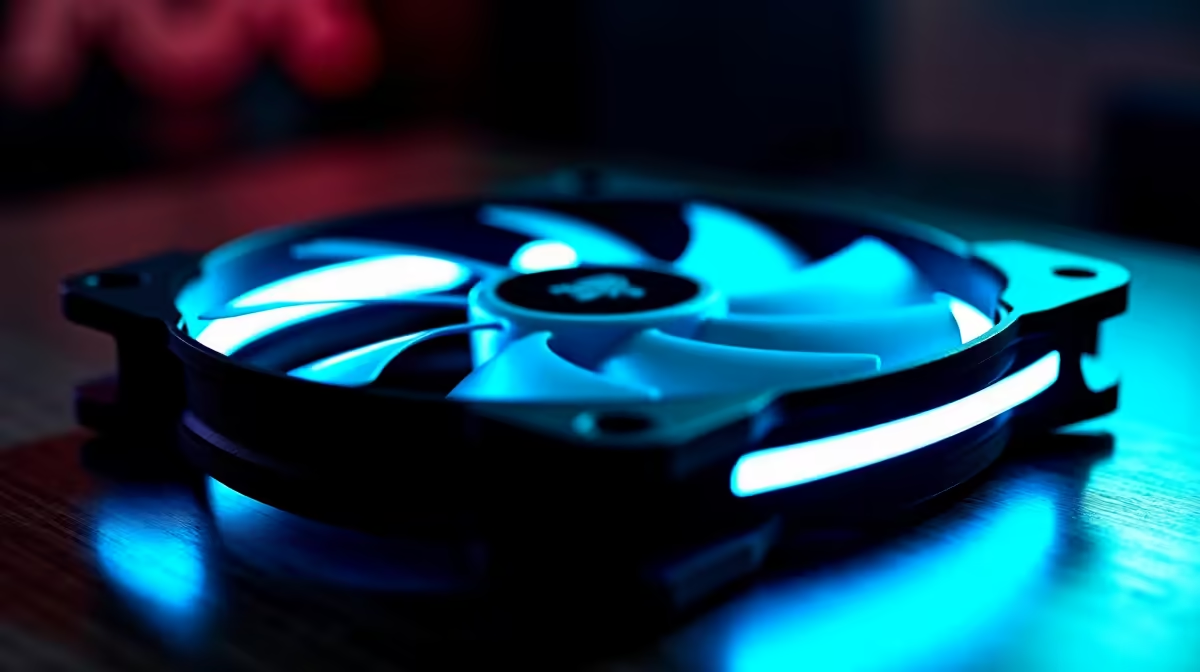
High static pressure fans are worth the extra cost when your build uses an AIO radiator, a restrictive mesh front panel, or a heatsink with dense fin stacks. If your case has a wide-open intake and you are running only air cooling with a tower cooler, standard airflow fans deliver comparable performance at a lower rand per fan.
Static pressure fans excel in three specific applications. First, AIO radiators: a 240mm or 360mm radiator fin array creates significant resistance to airflow. High-pressure fans rated above 2.5 mm-H2O push air through the fin stack effectively; general airflow fans at 1.0 to 1.5 mm-H2O lose most of their CFM to radiator resistance and deliver 15 to 25 percent less effective cooling in benchmarks. Second, dense mesh front panels: some mid-tower cases have a front mesh so fine it acts as a filter and restricts intake meaningfully. High-pressure intake fans compensate for this restriction and maintain adequate volume flow. Third, compact ITX or mATX cases where internal airflow paths are narrow and fan-to-component distances are short, creating internal resistance.
High-static-pressure 120mm fans like the be quiet! Pure Wings 3 or Noctua NF-F12 sit at R220 to R450 per fan, compared to R150 to R250 for equivalent-size general airflow fans. The premium buys narrowed, stiffer blades designed to maintain flow against resistance, optimised blade tip geometry that reduces turbulence noise at high RPM, and often better bearing quality that extends rated lifespan to 60,000 hours or more. For a 240mm AIO build spending R1,800 to R3,500 on the cooler, spending an extra R200 to R400 on the correct fan type is a proportionally small investment that protects the cooler's performance ceiling. The error SA builders frequently make is pairing an R3,000 AIO with R150 sleeve-bearing airflow fans, immediately halving the cooler's effective performance.
Skip high-pressure fans when: your case has a large open mesh front with no filter (low resistance means pressure fans offer no advantage over airflow fans), your CPU is a mid-range chip with a 65W or lower TDP that a standard 120mm tower air cooler handles comfortably, or your budget is constrained and the thermals on a standard airflow fan test within safe limits. Rear exhaust and top exhaust positions never benefit meaningfully from static pressure fans because the air exits to open atmosphere. Spending on high-pressure fans for exhaust is purely wasted money compared to using that budget on better intake-side pressure fans.
Before buying high-static-pressure replacement fans, run HWiNFO64 during a 20-minute gaming session and note your maximum CPU temperature. If the CPU package stays under 80C with your current fans, the benefit of static pressure fans will be marginal. Only upgrade fan type if thermals exceed 85C under sustained load or if your AIO radiator fans are clearly undersized.
Most GPU coolers use proprietary small-diameter fans not interchangeable with standard case fans. Static pressure case fans affect GPU temps indirectly by improving overall case airflow and lowering intake air temperature.
Yes, this is the recommended hybrid configuration. Front intake positions get static pressure fans; rear and top exhaust positions use quieter airflow fans.
Not all, but several current-gen ARGB fans do specify static pressure above 2.0 mm-H2O alongside their lighting features. Check the spec sheet specifically for the mm-H2O figure before purchasing.
Running an AIO or a dense-mesh case? Evetech stocks CPU coolers and high-performance case fans suited for South African gaming builds. Check the range to find the right match for your cooling setup.
PCIe 5.0 and PCIe 4.0 differ most in lane support, compatibility, and upgrade value for strategy and sim games. SA buyers should match the choice to their actual hardware and games.
Read more
AM5 vs AM4 for video editing in 4K Difference explained is mostly about compatibility, budget, upgrade path, and setup fit. SA buyers should check device support and real needs before expecting a clear win from either option.
Read more
OLED vs QD-OLED for strategy and sim games buyers - what changes is mostly about compatibility, budget, upgrade path, and setup fit. SA buyers should check device support and real needs before expecting a clear win from either option.
Read more
DisplayPort 2.1 and 1.4 differences matter when SA PC builders match GPUs, monitors, and refresh targets. Use this difference between displayport 2 1 and displayport 1 4 explained pc builders guide to avoid mismatched parts.
Read more
Ray tracing vs Path tracing depends on Strategy and sim games needs, platform limits, and budget fit. Compare compatibility, latency, upgrade path, and real setup constraints before choosing for an SA build.
Read more
wireless mouse guide for Gqeberha gamers should be shortlisted around the job it must do. South African buyers should compare sensor, shape, weight, and wireless latency, warranty path, and upgrade room before treating any pick as best.
Read more
From 1 October 2026, WhatsApp Business Platform service replies in South Africa are expected to cost about $0.0076, or 12 cents, per delivered message.

DDR5-8000 RAM Kits pros and cons depend on the build, budget, and workload. Weigh gaming needs, platform fit, power, cooling, warranty support, and South African pricing context before shortlisting it.

Wi-Fi 6E vs Wi-Fi 6 depends on AAA single-player gaming needs, platform limits, and budget fit. Compare compatibility, latency, upgrade path, and real setup constraints before choosing for an SA build.

Ryzen 9 9950X3D dead pixel checks should isolate the panel first. Run colour fills, inspect the monitor menu, test another cable or input, and capture proof before linking it to the SA CPU upgrade.

YouTube will count public views from the first frame across video formats from 24 August, while earnings and eligibility remain tied to engaged viewing.

Canonical expects Ubuntu on WSL users to outnumber native Ubuntu desktop users before the end of 2026. The software is open source and runs inside supported Windows PCs.

Telkom's daily bundles pair WhatsApp access with 10 all-network voice minutes. The R15 option includes 300MB, while the R17 option uses a fair-use threshold.

A 10,000-hour test found similar image retention across older and newer OLED TVs, while newer panels were brighter and more efficient. Local OLED monitors started at R9,999.

Windows 11 update KB5121003 is linked to crashes in several multiplayer games on versions 24H2 and 25H2. Check the build, report the fault and avoid risky file or update changes unless the problem is confirmed on your PC.

Comsol's standalone 5G network covers about one million Gauteng homes and starts commercial ISP service in September. Early packages range from R275 to R875 a month, but coverage and fair-use rules still decide the real value.

Sennheiser's Momentum True Wireless 5 adds user-replaceable batteries, 12-hour playback and a $299.95 launch price. There is no confirmed South African date, so compare longevity with live earbuds from R199 to R2,999.

AVerMedia's GC531 and GC535 are professional HDMI capture devices for continuous streaming, with RGB24 capture up to 2K30 and 4K30. South African creators should compare them with live 4K capture cards from R2,099.