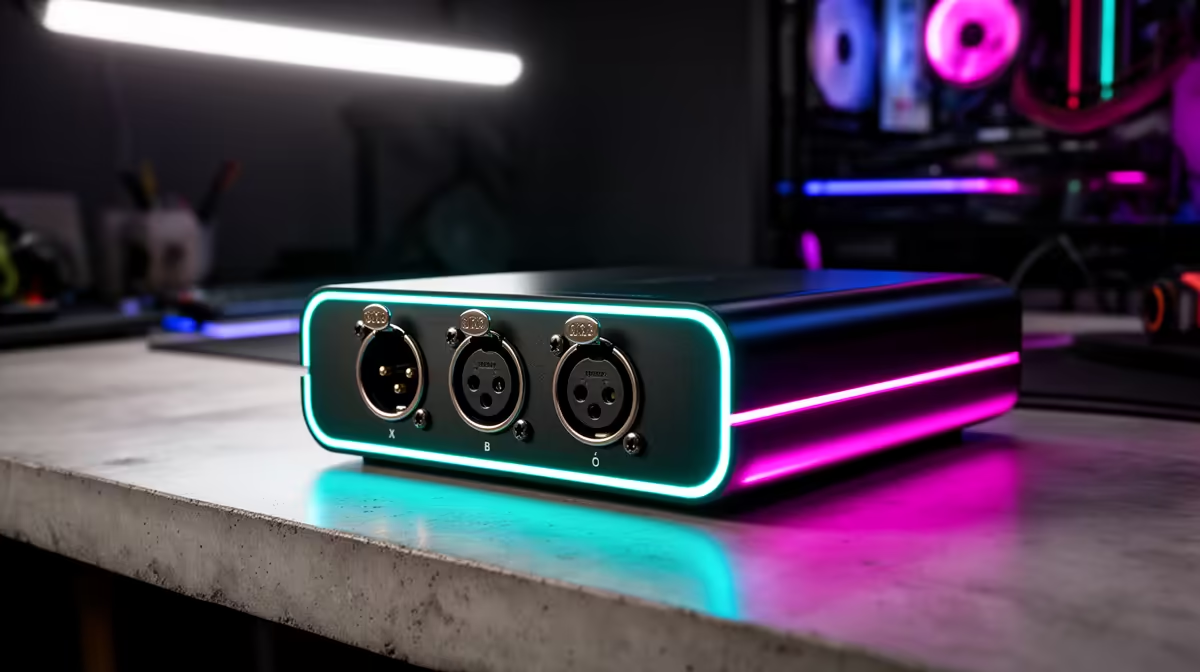
Most South African content creators start with a single USB microphone, and that setup works fine for exactly as long as they are the only voice on screen. The moment a co-host, a regular guest, or an interview subject joins the production, a single input cannot keep pace. Knowing when to move to dual XLR combo jacks for a South African content creation hub means not waiting until the limitation is already costing you content quality, but also not spending the upgrade budget before the need is real.
Quick Answer
Upgrade to dual XLR combo jacks once your setup needs two studio microphones simultaneously. A second voice joining the production permanently, even occasionally, is the clear trigger. Dual jacks give each speaker a clean, balanced, phantom-powered input through one mixer, which two separate USB microphones routed through the same PC cannot reliably replicate.
🎙️ The Two-Voice Trigger
A single-input setup handles one voice well. That is its design scope and within it, a quality USB microphone or a mixer with one XLR jack performs without compromise. The upgrade case builds the moment a content hub needs two voices captured simultaneously with consistent, independent control over each.
A co-host arrangement is the most obvious scenario. Two people in the same room, each speaking to their own microphone, need separate gain controls, individual mute buttons, and dedicated signal paths that do not bleed into each other. Passing one USB microphone back and forth between speakers is a solution, but it introduces handling noise on every transfer, inconsistent position relative to the capsule, and a user experience that no audience misses but every producer feels.
Two separate USB microphones seem like the logical alternative, but the computer sees them as competing audio devices. Most operating systems can handle two simultaneous USB audio sources, but the routing requires virtual audio software to blend them, and that software layer introduces latency, complexity, and a dependency that can fail silently during a live stream. Dual XLR into a single mixer solves all of that at the hardware level, with nothing running in software between the microphones and the USB output.
🔌 What the Dual Jacks Add Beyond a Second Input
Each XLR combo jack on a quality mixer provides a full signal path: phantom power supply, gain trim adjustment, signal level metering, mute control, and a fader for real-time level management. That is not just a second socket on the same shared circuitry. It is a complete duplicate input stage.
For a South African content hub recording in a home environment, the individual gain trim matters particularly. Two different speakers at the same microphone, even with similar vocal volume, will produce different signal levels from the same capsule because mouth shape, projection habits, and distance all vary person to person. Independent gain trims let you optimise each channel separately before recording begins, so both voices arrive at comparable levels without one fader constantly compensating for the other.
The balanced connection that XLR provides also becomes more relevant when a second person is in the room. Two powered microphone cables running parallel across a desk, past a PC tower and its surrounding power supply interference, benefit from balanced wiring's noise rejection. An unbalanced USB microphone cable near other electrical equipment picks up interference. A balanced XLR cable does not.
Pro Tip ⚡
If you interview guests who bring their own microphone, confirm the second microphone's connector type before the session. A dual XLR combo jack mixer accepts both three-pin XLR cables and 6.35mm large jack plugs through the same socket. Most professional and prosumer microphones use one or the other, and a combo jack handles both without any adaptor.
🔆 Phantom Power on Both Channels
If the second microphone joining the setup is a condenser, both inputs need their own phantom power supply. A mixer with per-channel phantom switching gives each condenser what it needs independently. A mixer with a shared phantom rail powers both channels from one switch, which works if both inputs are condensers but creates a constraint if one input is a dynamic microphone that does not need 48V.
For a content hub that expects to vary its microphone setup over time, per-channel phantom provides the flexibility to run any combination: condenser and dynamic, condenser and condenser, or dynamic and instrument through the line input side of the combo jack. Locking phantom to a shared switch means every microphone swap requires considering the other channel's requirements.
🚀 Building the Hub for Growth
The content creation hub framing changes the upgrade calculation. A solo creator optimises for the current setup. A hub builder optimises for where the channel will be in twelve months. In that framing, a dual XLR mixer purchased slightly ahead of needing the second input is cheaper than buying a single-input unit now and replacing the whole mixer when the co-host joins.
In the SA market, a dual-input XLR mixer with Bluetooth, onboard effects, and per-channel phantom runs around R4,500 to R5,500. A second dynamic microphone, a stand, and a cable add another R2,000 to R2,500. A content hub that plans to grow to two voices is looking at roughly R7,000 to R8,000 total investment to set up both seats properly. Buying that setup in stages is fine, but buying a single-input unit as the first stage means the mixer purchase gets repeated.
The dual jacks themselves have a direct cost: the mixer is more expensive than its single-input equivalent, typically by R1,000 to R1,500. For a creator who is certain they will always work alone, that premium adds nothing. For anyone who has already recorded a guest session by passing a single microphone around, the upgrade pays for itself the first time a clean dual-mic recording goes out.
Frequently Asked Questions
When exactly does a content creator need dual XLR inputs?
The direct trigger is two people speaking on microphone simultaneously in the same session. A regular co-host, a guest who joins physically, or an interview format all require two independent input paths. Solo creators with no recurring second voice do not need the second jack and should not pay for it ahead of a genuine need.
Why not just use two USB microphones and route them in software?
Two USB microphones connected to the same computer present as separate audio devices, and blending them requires virtual audio routing software. That software layer adds setup complexity, introduces latency that the two sources may carry slightly differently, and creates a point of failure that sits outside the hardware signal chain. Dual XLR into a single mixer routes both signals through one device with one USB output and no software overhead.
Does each XLR input get its own phantom power on a dual-jack mixer?
On quality units, yes. Per-channel phantom switches each input independently, so a condenser on one jack and a dynamic on the other can coexist without the dynamic needing any protection from 48V. Budget units sometimes share one phantom rail across both channels, which is functional if both inputs run condensers but less flexible for mixed setups.
What is the total cost of a proper two-mic content hub in SA?
A dual XLR mixer around R4,500 to R5,500, plus a second dynamic microphone at R800 to R1,500, a stand at R250 to R500, and a cable at R150 to R300, puts a complete two-seat setup between R5,700 and R7,800. Scaling from that base to higher-quality microphones or a mixer with multitrack recording is a second investment once the format is established.
Should a growing channel future-proof with dual XLR even before needing it?
Yes, provided the channel's direction clearly involves a second voice at any point. The cost to move from single-input to dual-input at the mixer level is a full replacement purchase. Buying dual jacks when the single-channel need is current saves that replacement cost and gives the setup room to grow without structural changes.
Ready to set up a two-mic content hub and capture every voice cleanly?
Browse the dual XLR USB audio mixer range at Evetech for South African creators building setups that handle co-hosts, guests, and interviews without software workarounds.