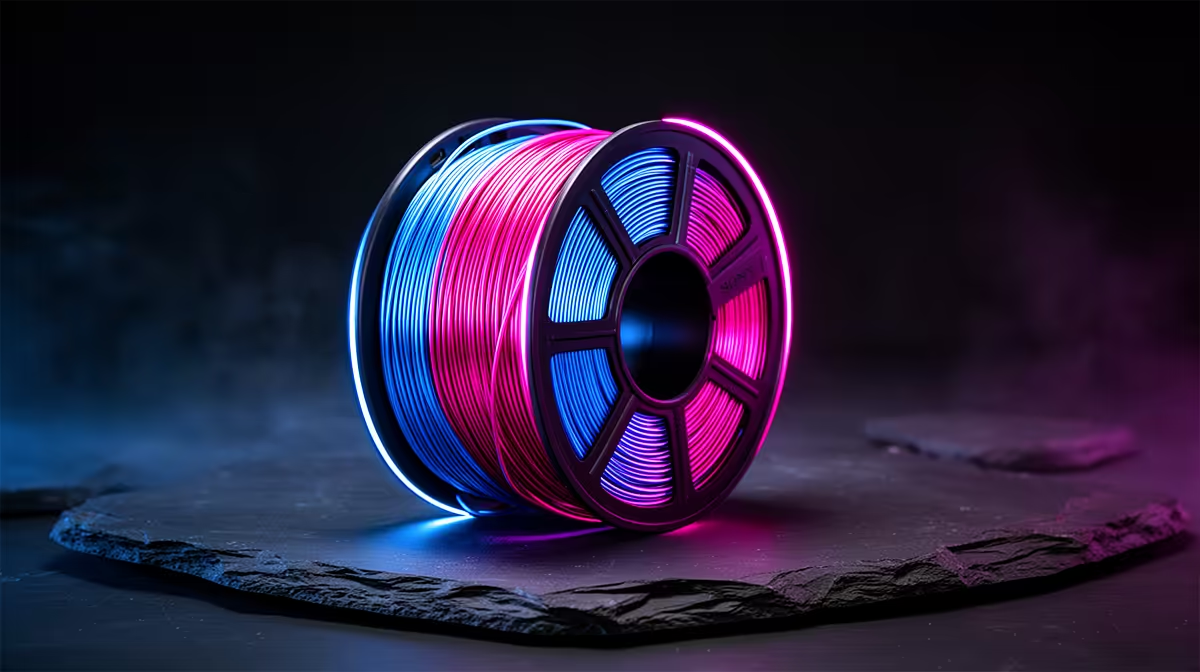
Tilt a print made from the right spool and its surface flips from one colour to another, the same object reading green from one side and blue from the next, all out of a single nozzle. Dual-colour filament pulls this off by laying two pigments side by side inside one strand, so the colour you see depends on the angle the printed line presents to your eye. It is a genuinely different effect from gradient or rainbow spools, and understanding how it works is the key to designing prints that show it off.
Quick Answer
Dual-colour filament places two colours next to each other inside a single strand, so a print made on one extruder shows a two-tone effect that shifts with viewing angle and part geometry. The same model can look like one colour head-on and another from the side, giving a richer surface than any single-colour spool without a multi-material printer.
How two colours live in one strand
This is co-extrusion filament. At the factory, two coloured polymers are extruded together so they sit side by side, half the strand one colour and half the other, without blending. The result is a single filament with an internal seam running down its length, two distinct hues bonded but not mixed.
When your printer deposits that strand, each printed line shows whichever side of the filament faces outward at that point. Because the orientation of the deposited line changes across the geometry of a model, different surfaces present different faces of the strand, and the visible colour shifts with them. That is why a dual-colour print does not look uniform: the colour you see is decided moment to moment by how each line of plastic happens to be laid down.
Why the colour shifts with viewing angle
The angle-dependent effect is the headline feature. Since each printed line carries both colours on opposite sides, the surface you are looking at is a mix of lines showing one colour and lines showing the other, in proportions that change as you move around the object. Walk around the print, or rotate it in your hand, and the dominant colour shifts because you are now seeing a different blend of those line faces.
Lighting amplifies it. Under directional light one colour catches the highlights while the other falls into shadow, so the same print can look strikingly different by a window versus under a lamp. This is also why dual-colour prints are notoriously hard to photograph accurately: the camera captures one angle, but the object's appeal is that it changes as you view it from elsewhere.
Geometry is your design lever
Because the effect is driven by line orientation, the shape of your model directly controls how the two colours distribute. Curved and faceted surfaces, vases, figurines, anything with varied angles, give the richest two-tone play, because their many surface orientations present the strand differently across the piece. Flat, simple shapes show less drama since their lines run more uniformly. Designing for this filament means favouring curves and detail that let the colour dance.
Getting clean results
Dual-colour filament prints at ordinary PLA temperatures and needs no special hardware, so any reliable single-extruder machine from the 3D printers range at Evetech handles it. The main thing to accept is that you do not control which colour lands where; the print decides based on geometry and the random rotation of the strand as it feeds. Lean into that by choosing models that benefit from surprise rather than ones needing a precise colour in a precise spot.
A small practical note: print orientation on the bed changes the result, so the same model printed lying down versus standing up can present its colours differently. If a first attempt does not pop the way you hoped, reorienting the model on the plate is the cheapest experiment. Keeping a few printing extras on hand makes that iteration painless, and the accessories best sellers at Evetech cover the consumables, nozzles, adhesion aids and tools, that an experimenting printer goes through.
Dual-colour versus gradient and rainbow
It helps to know where this sits among colour-shift filaments. Gradient and rainbow spools change colour along the length of the spool, so the colour you get depends on how far through the roll you are; the effect is about transition over a whole print. Dual-colour is different: both colours are present at every point, and the effect is about angle and geometry rather than progress through the spool. If you want a print whose colour changes as you move around it, dual-colour is the one to reach for.
Choosing a colour pairing that pops
Not every two-colour combination produces a striking effect, and the pairing you choose matters as much as the filament technology. High-contrast combinations, a warm colour against a cool one, or a light shade against a dark one, give the most obvious angle-shift, because the eye reads the two faces of the strand as clearly distinct. Pairings like blue and copper, or green and purple, tend to read dramatically as the print turns.
Closely related colours, two similar blues for instance, produce a subtler shimmer that can look refined but understated, which suits a more sophisticated piece. Silk-finish dual-colour filament pushes the effect further, because the glossy surface reflects light strongly and exaggerates the difference between the two faces. If you want the most eye-catching result, a silk finish in a high-contrast pairing is the combination to aim for.
Designing prints that show it off
Because geometry drives the effect, you get the best results by choosing or modelling shapes deliberately. Twisted vases, faceted geometric ornaments and curved organic forms all present the strand at many angles, so the two colours play across the surface as you view it from different positions. Spiral or helical shapes are particularly effective, since the line orientation rotates continuously up the print, producing a flowing colour shift rather than flat blocks.
Avoid expecting much from large flat panels, where the lines run too uniformly to vary the colour. If a model has a prominent flat face you want to liven up, adding surface texture or a slight curve gives the lines something to do. Thinking about the effect at the design stage, rather than just loading the filament and hoping, is what separates a print that genuinely showcases dual-colour from one that merely uses it.
Frequently Asked Questions
Do I need two extruders for dual-colour filament?
No. The two colours are co-extruded into a single strand at the factory, so one nozzle prints both. Any standard single-extruder printer handles it at normal PLA temperatures.
Can I choose which colour appears on which part?
Not precisely. The visible colour is decided by how each line is laid down across the model's geometry, which you do not directly control. You influence it through model shape and print orientation, not by assigning a colour to a feature.
Why does my print look different from each side?
Because each strand carries both colours on opposite faces, and different surfaces present different faces. As you change viewing angle you see a different blend of those faces, so the dominant colour appears to shift around the object.
What models show the effect best?
Curved, faceted and detailed models show the strongest two-tone play, because their varied surface angles present the strand differently across the piece. Flat, simple shapes show less because their lines run too uniformly.
Does print orientation on the bed matter?
Yes. How you position the model on the plate changes which surfaces face which way, altering the colour distribution. If the effect underwhelms, reprinting in a different orientation is a quick way to change the look.
Want a print that changes colour as you turn it in the light? Choose a single-extruder machine from the 3D printers range at Evetech, load a co-extruded dual-colour spool, and design with curves to let the two-tone effect shine.