


Complete Gaming Setup Guide for the SA Esports Athlete in SA 2026
Complete Gaming Setup Guide for the Esports. Clear setup instructions with SA-specific considerations, troubleshooting tips & recommended components.
Read moreEvery spec on motherboard explained in plain English. What matters for gaming and creator work in 2026, what's marketing fluff, and how each number translates to real-world performance.
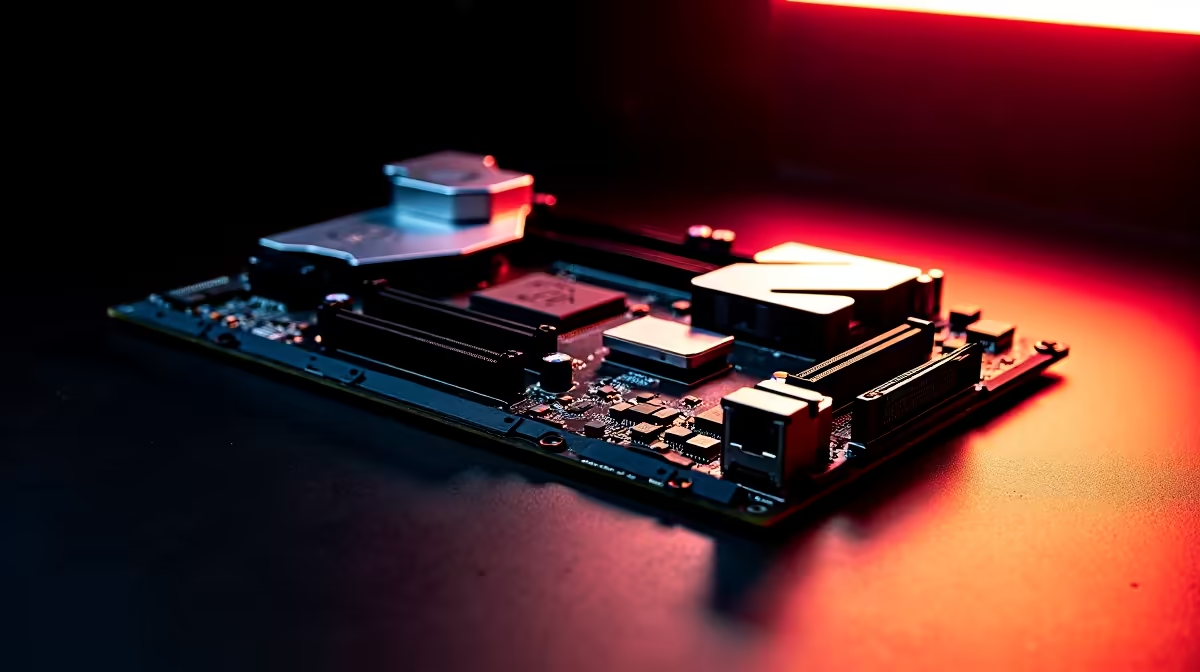
Upgrading your rig in South Africa means squeezing maximum value from your hard-earned ZAR. You finally saved up for a new graphics card or a blazing-fast SSD... but there is a catch. If your board lacks the right bandwidth, you are bottlenecking your own system. Let us break down which motherboard features matter most for next-gen GPU upgrades and fast NVMe storage so your build runs flawlessly.
When looking at a wide selection of motherboards, the term PCIe (Peripheral Component Interconnect Express) is everywhere. Think of it as the main highway your data travels on. For true next-gen GPU upgrades, you want at least PCIe 4.0 x16 support.
While PCIe 5.0 is the bleeding edge and future-proofs your rig for years to come, PCIe 4.0 still offers massive bandwidth. It ensures top-tier graphics cards can stretch their legs without hitting a performance wall. Investing in the right slot generation means your graphics card will not be held back when rendering massive 4K textures or complex ray-tracing environments.
Your storage speed dictates how fast massive games load and how quickly your operating system boots up. To fully utilise fast NVMe storage, you need dedicated M.2 slots that are wired directly to the CPU rather than the chipset. This direct connection drastically cuts down latency.
If you are building a Team Blue system, ensuring your board has Gen 4 or Gen 5 M.2 slots is absolutely crucial. You can easily explore ASUS Intel motherboards to find options that feature robust thermal armour and brilliant storage support.
Ryzen builders get equally impressive tech. Modern ASUS AMD motherboards offer incredible PCIe lane distribution. This means you can run multiple high-speed NVMe drives simultaneously without accidentally crippling your graphics card bandwidth.
Always check if your motherboard includes integrated M.2 heatsinks. Fast NVMe storage drives run incredibly hot during heavy gaming or large file transfers. A good heatsink prevents thermal throttling and keeps your read and write speeds maxed out.
You cannot simply slap a massive, power-hungry next-gen GPU onto a budget board and expect perfect stability. Voltage Regulator Modules (VRMs) are the unsung heroes of any PC build. They control the power flowing from your power supply to your CPU and PCIe slots.
High-quality VRMs with thick heatsinks ensure your components receive clean, consistent power at all times. This is especially vital in South Africa if you plan to push your system hard during peak summer heat. If balancing all these specs feels a bit overwhelming, you can always browse our best gaming PC deals for pre-built rigs that already handle power delivery perfectly.
Finally, next-gen GPU upgrades and fast NVMe storage require a system that can process incoming data instantly. That is exactly where your system RAM steps in. Modern motherboards now fully support DDR5 memory, which offers significantly higher frequencies and bandwidth than older DDR4 generations.
Pairing a feature-rich motherboard with premium memory kits ensures your processor is never left waiting around for data to arrive. This drastically reduces micro-stuttering in demanding open-world games and keeps your minimum frame rates buttery smooth.
Ready to Upgrade Your Setup? Finding the perfect balance of specs is complex, but for maximum power, choice, and value in South Africa, our custom components are hard to beat. Explore our massive range of PC upgrade kits and find the perfect hardware to conquer your world.
The motherboards, tools and accessories referenced in this article are stocked at Evetech.co.za with local SA warranty, ZAR pricing and nationwide delivery.
The article breaks down the real-world impact on gaming FPS, creator workflows and everyday responsiveness — not just raw spec numbers.
Only a handful of specs meaningfully change your experience. The guide ranks them by real impact so you spend on what counts.
We cover upgrade headroom, platform longevity and the specific features worth paying extra for if you plan to keep this build for several years.
The article includes a clear generational uplift summary so you can judge whether upgrading from your current hardware is worthwhile.
Complete Gaming Setup Guide for the Esports. Clear setup instructions with SA-specific considerations, troubleshooting tips & recommended components.
Read more
AIO Liquid 360mm Installation Guide for Your PC. Clear setup instructions with SA-specific considerations, troubleshooting tips & recommended components.
Read more
MacBook Display Colour Looks Wrong? Calibration. Everything you need to know with SA pricing, step-by-step instructions & expert recommendations.
Read more
Printer Terminology Guide. Everything you need to know with SA pricing, step-by-step instructions & expert recommendations.
Read more
Git on Mac: Complete Setup Guide for Beginners. Clear setup instructions with SA-specific considerations, troubleshooting tips & recommended components.
Read more
Ryzen 9 9900X Thermal Paste Dry: Reapplication. Everything you need to know with SA pricing, step-by-step instructions & expert recommendations.
Read more
AMD RX 9050 XT: Rumoured Specs, Price & Release. SA-focused analysis with local pricing data, real-world insights & actionable buying advice.

Can RTX 4080 Super Run AI Workloads for SA Developers Detailed answer with SA data, expert analysis & practical recommendations for local buyers.

Can RTX 4090 Run AI Workloads for SA Developers Detailed answer with SA data, expert analysis & practical recommendations for local buyers.

Top Settings for Intel Arc B580 at Ultrawide 1440p picks evaluated on performance, value & SA availability with current Rand pricing from Evetech.

RTX 4060 CS2 Low Settings at 1080p: FPS Results. Real-world benchmark data, FPS numbers & performance analysis. What SA gamers can actually expect.

Visual Artifacts: Possible GPU Issue Issue #1. Diagnosis steps, proven fixes & when to seek professional help. SA-specific support info included.

Can the RTX 4090 Handle 1440p 144Hz Gaming. Performance testing verdict with real data & practical recommendations for SA buyers.

Top ASUS GPU Under R15000 picks evaluated on performance, value & SA availability with current Rand pricing from Evetech.

GTA 6 Max Settings on RTX 5070. Tested & verified settings for best FPS and visual quality on SA hardware budgets.

Cyberpunk 2077 Max Settings on RTX 5080. Tested & verified settings for best FPS and visual quality on SA hardware budgets.

Starfield Max Settings on RTX 5070 Ti. Tested & verified settings for best FPS and visual quality on SA hardware budgets.

Top RTX 5090 Under R5000 picks evaluated on performance, value & SA availability with current Rand pricing from Evetech.