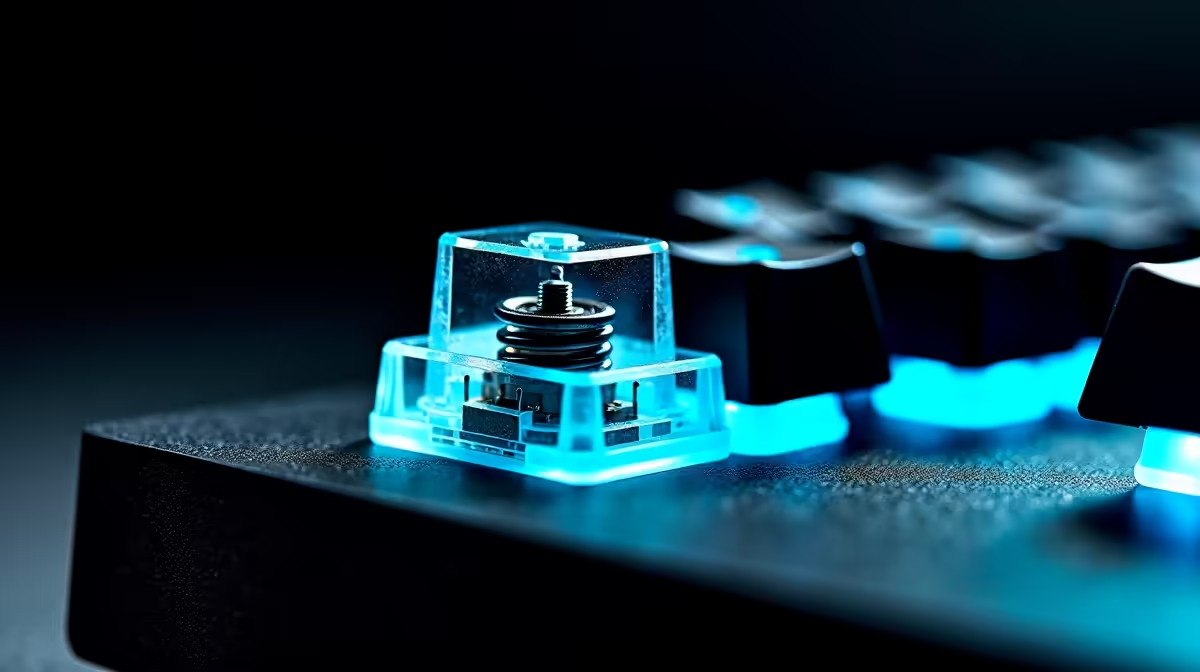
The keyboard you hear across a shared workspace is not a neutral piece of equipment. Every keystroke is an acoustic event, and in a room where several people type simultaneously, the character of that sound shapes whether the space feels like a focused workplace or a typing pool. Whisper-quiet switches cut that ambient signature by roughly half compared to standard clicky mechanicals, which is a difference that is felt before it is measured.
Quick Answer
Silent switches register around 40dB per keystroke versus 55 to 60dB for clicky Cherry MX Blue-style mechanicals. That gap is about 15 to 20 decibels -- nearly the difference between a quiet library and a normal conversation. Silent tactiles preserve the felt bump of each keystroke; only the sound component is dampened.
🔧 Where the Sound Actually Comes From
Mechanical keyboard noise has two separate sources, and understanding them explains why some fixes work and others do not.
The first source is the click jacket, a small plastic collar inside clicky switches that snaps at the actuation point. This produces the sharp, high-frequency transient -- that "click" -- that registers clearly even across a room. The second source is bottom-out impact: the keycap contacting the switch housing at the end of its travel, producing a lower thud that carries through the desk surface.
Silent switches address both by adding soft dampening material at the top and bottom of the key travel path. The actuation bump is preserved as a physical sensation, but neither the click jacket sound nor the bottom-out contact sound escapes the switch housing at significant volume. The result at the desk is a soft, padded thock rather than a sharp snap-and-thud combination.
Standard membrane keyboards are quieter than clicky mechanicals by default, sitting near 50dB, but they have no defined actuation point and a mushy bottom-out that many typists find unsatisfying. Silent mechanicals offer the feedback precision of a mechanical switch at membrane-level noise.
⚡ The 40dB Number in Context
Decibels are logarithmic, which means a 10dB drop represents roughly half the perceived loudness, not 10 percent less. The difference between 60dB and 40dB -- approximately the gap between a clicky mechanical and a silent one -- is perceived as about four times quieter, even though the number only spans twenty units.
At 40dB, individual keystrokes no longer project above the ambient noise floor of a functioning office. Ventilation systems, distant conversation, and the general low hum of electronics all sit at or above that level. A bank of silent keyboards in an open plan produces a collective typing sound that blends into the ambient environment rather than punctuating it.
For a shared workspace in Cape Town or Joburg where desks are two metres apart or less, the practical result is that colleagues stop noticing whether someone nearby is actively typing. That reduction in micro-distraction compounds across the day.
✨ What Silent Switches Keep and What They Give Up
The concern typists raise most often about silent switches is the loss of tactile feedback. This applies fully to silent linear switches -- they have no physical bump at actuation and are designed for a smooth, even press from top to bottom. If you type by feel and rely on the click point to tell you when a key has registered, a silent linear will feel different and require an adjustment period.
Silent tactile switches are a different proposition. The bump is structural, built into the switch mechanism at the physical actuation point, not generated by a click collar. Removing the click collar to produce a silent variant does not change the tactile bump. What disappears is the audible component, not the felt one. A typist who switches from a standard tactile to a silent tactile of the same weight will notice the silence immediately, but the typing feel remains largely familiar.
The one feedback element that genuinely changes is confidence in registration at low force. Some typists use the audible click as secondary confirmation that a key registered. Without it, they rely entirely on the tactile bump, which requires a short recalibration rather than a sustained loss of performance.
Pro Tip ⚡
If you are evaluating switches for a shared SA workspace, request sample switches or a tester board before committing to a full keyboard. The difference between a 45g silent tactile and a 55g one is significant under sustained typing, and what feels comfortable in a five-minute test can feel heavy or light over a six-hour day.
🎯 O-Rings and Other Noise Modifications
A common alternative to buying silent switches is fitting O-ring dampeners to an existing mechanical keyboard. These are small silicone rings that seat inside the keycap, cushioning the bottom-out contact point and reducing the thud of the keycap hitting the plate.
O-rings do reduce bottom-out noise measurably, typically by 2 to 5dB depending on their thickness and durometer (the material hardness). That is not nothing, but it targets only the bottom-out thud. The click jacket sound that makes clicky switches audible across a room is untouched. O-rings on a Blue switch produce a slightly quieter thud with the same sharp click, so the result remains loud by open-office standards.
For a shared workspace where noise is the core concern, O-rings are a partial measure at best. They suit a personal keyboard that is already reasonably quiet and just needs bottom-out dampening. They are not a realistic substitute for switching to a keyboard built around silent switch technology.
Frequently Asked Questions
How much quieter are silent switches compared to standard clicky mechanicals?
Silent linears and tactiles typically operate at around 40dB per keystroke. Standard clicky mechanicals like Blue-style switches register between 55 and 60dB. That gap, 15 to 20dB, is perceived as significantly quieter in practice -- not a marginal reduction but a genuinely different noise character. In a shared workspace the collective effect of several silent keyboards versus several clicky ones is the difference between a calm environment and a distracting one.
Do silent switches change the feel of typing, or only the sound?
It depends on the switch type. Silent linear switches remove both the click sound and the tactile bump, so the feel changes substantially. Silent tactile switches remove the audible click but keep the physical bump at the actuation point. For most typists moving from standard tactiles, the silent tactile variant is the low-disruption upgrade -- the desk quietens but the hands still feel each keypress register.
Are O-ring dampeners a good alternative for a shared workspace?
Partly. O-rings reduce bottom-out noise -- the thud at the end of key travel -- but do nothing about the click jacket sound that clicky switches produce at the actuation point. In a shared workspace where the click itself is the problem, O-rings on a clicky keyboard deliver limited improvement. They work better as a refinement on a keyboard that is already close to your noise tolerance.
Which keyboard suits a hot desk used by multiple people in a day?
A silent switch keyboard with a standard layout and no unusual key placement is the best fit for a hot desk. Multiple users can sit down without a learning curve, and the consistent typing noise at 40dB avoids the jarring acoustic change that happens when a clicky keyboard replaces a quiet one mid-day. A wireless variant keeps cable management out of the handover.
Is the feedback on a silent tactile switch enough to type accurately?
Yes, for the overwhelming majority of users. The physical actuation bump tells your fingers when the key has registered, and that signal is the same as a standard tactile switch. The absence of the audible click removes a secondary confirmation signal, but typists who rely primarily on touch rather than sound adapt quickly. Most find their accuracy is identical after a few hours of use.
Ready to quieten your shared workspace without giving up keyboard feel?
Browse the silent and low-noise mechanical keyboard range and find a switch type that keeps your colleagues comfortable and your typing accurate.