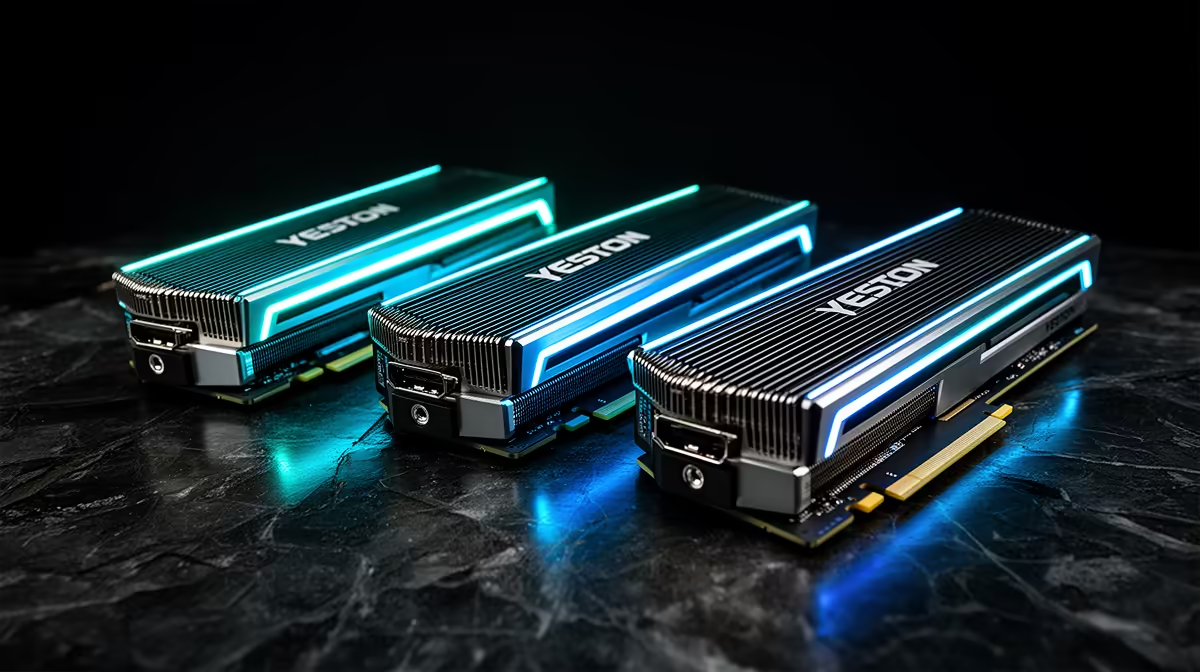
Yeston graphics cards can look like centrepieces, with illustrated shrouds and colour schemes far removed from the usual black rectangle. Underneath, they still use NVIDIA or AMD GPU chips that can be compared with mainstream cards. For Yeston GPUs in South Africa, decide what the artwork is worth after checking the chip, cooler and support route.
Quick Answer
Yeston GPU listings and Rand totals can shift across niche South African and overseas routes, so no permanent local-stock claim is safe. Cross-border supply may add freight, customs duty and a difficult return for a heavy card. Evetech's live graphics-card category gives you locally listed cards using current GPU generations.
🎨 Separate the artwork from the GPU
Yeston is known for distinctive themed coolers and backplates, including anime-influenced designs. Exact themes and editions change.
The NVIDIA or AMD GPU determines broad gaming capability, ray tracing and software features. Yeston controls cooler, PCB, dimensions and factory tuning.
Identify the full chip and memory capacity before valuing a special edition.
Check whether the artwork is printed, coated, illuminated or part of removable accessories. Cleaning and long-term wear can differ.
Review cooler performance for the exact model. An elaborate shroud can still run hot or noisy.
Check fan sizes and replacement access. A custom visual design may hide proprietary parts.
Look at display outputs and BIOS features. Artwork has no bearing on monitor compatibility.
📏 Make sure the centrepiece fits
Measure card length, height and slot thickness. Themed cards can use oversized coolers.
Check power connector type and side-panel bend clearance. Use only approved PSU cables.
Support a heavy card without covering its artwork or blocking fans. A bracket can be part of the visual plan.
Check case orientation and glass tint. A beautiful backplate can face the wrong direction in a vertical layout.
Plan airflow around the GPU's heat. Intake and exhaust remain more important than the colour scheme.
If lighting is present, confirm software and whether the card remembers a static or off state.
Compare the rest of the build under the same light. White, pink and illustrated parts can look different behind tinted glass.
📦 Calculate the collector premium honestly
Use a dated quote naming the full Yeston model, GPU, memory, artwork edition, accessories, seller and currency.
The Rand total must include actual shipping, customs assessment and insurance. Limited artwork makes transit condition important.
Ask how scratches, cracked shrouds, fan faults, artefacts and dead cards are handled.
Check the RMA destination and whether cosmetic parts are covered alongside electronics.
Review Evetech's GPU best-seller page for current local cards in the same performance class.
Compare the same chip on memory, cooling, noise, dimensions, warranty and delivered price. Put a separate Rand value on the art.
Keep the presentation box, anti-static bag, protective films, port caps and serial details.
Do not assume Yeston stock at Evetech. Use live pages for actual card availability.
Consider resale. A future buyer may value pristine artwork and proof of the original route.
Check whether the illustration is tied to licensed characters or a limited production run. Keep product documentation that identifies the exact edition without making assumptions about future collector value.
Ask whether replacement shrouds, backplates or fans use the same artwork. A plain service part may restore cooling while changing the visual product you paid for.
Review coil noise, fan noise and temperature from exact-model tests. A display build often sits on the desk close to your ears.
If a matching riser cable or vertical bracket is planned, price its bandwidth and support separately. Visual orientation should not create instability.
Check the backplate temperature and clearance from a CPU air cooler. Large illustrated plates can sit close to other hot components.
Keep protective film only until testing is complete, then remove it where the manual requires. Film left on a hot backplate can discolour or trap heat.
Photograph the clean installed card under neutral light. That gives you a condition record before normal dust and handling.
🧪 Test electronics before admiring the finish
Photograph the sealed carton and shroud during unpacking. Report dents, scratches or broken decoration early.
Inspect fans, bracket, PCB edge and power connector before installation.
Disconnect mains power before pressing the card into the slot. Tighten the rear bracket and position a support without touching the fans.
Connect approved PSU leads with safe bend clearance. Boot at stock settings.
Install the current trusted driver for the NVIDIA or AMD GPU.
Run a familiar game while monitoring temperature, hotspot, clock, power and fan speed.
Test for artefacts, crashes, fan noise and unusual smell. Keep the first tests free of overclocking.
Check every display output and target refresh mode.
Only after core stability passes should you install lighting software or adjust profiles.
Clean the artwork with approved material and keep solvents away. Recheck card support after the first heat cycles.
Run the card with the side panel closed and the case lights set as intended. Glass and lighting can change perceived colour, while the panel changes airflow.
Test fan-stop recovery several times. Every fan should start without rubbing the decorative shroud.
Check the card after sleep, wake and a cold boot. Lighting utilities can load in a different order and cause false faults.
Keep a stock lighting state that needs no account or cloud service. The art should remain present even when software changes.
If a crash occurs, remove lighting and tuning utilities from the diagnosis path before blaming the hardware.
Recheck the power connector visually after moving the PC. A stiff themed extension cable can pull on it.
Store the carton away from moisture and sunlight. Collector packaging is also the safest transport shell.
Frequently Asked Questions
What makes Yeston cards stand out?
They use distinctive themed shrouds, colours and backplates around mainstream NVIDIA or AMD GPU chips.
Is there an official Yeston distributor in South Africa?
No channel status is permanent. Review present South African sellers and their written support when you are ready to buy.
How should South Africans assess a Yeston listing?
Verify exact model, seller, delivered cost, cosmetic condition, cooler testing and RMA route.
Does Yeston use mainstream GPU chips?
Yes, its cards are built around NVIDIA or AMD chips, depending on model and generation.
What locally stocked GPUs does Evetech offer?
Open Evetech's current product and popularity pages to find cards in the same performance class.
Is warranty realistic for an imported card?
Only when the seller offers a clear written route you accept, including transport and cosmetic terms.
Are Yeston cards good value?
Compare the electronics with the same chip elsewhere, then decide what the visual edition is worth to you.
Ready to choose a graphics card for both the game and the build theme?
Check Evetech's current graphics cards and GPU best sellers, then compare the same chip before pricing the artwork.