

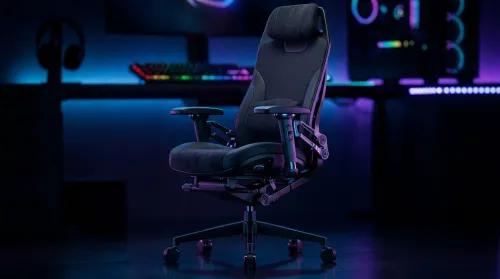
3D Armrest Ergonomic Gaming Chair Features for Comfort
Shop smart for a 3D armrest ergonomic gaming chair: key support points, adjustable lumbar, pressure relief, and smooth armrest tuning. ✅🎮 Get comfort that lasts.
Read moreLooking for the best gaming monitors South Africa has to offer? Discover our curated list of top-rated 144Hz, 4K, and ultrawide displays. We break down the specs, performance, and best deals to help you elevate your gameplay today. Find your competitive edge now! 🎮✨
Got a beast of a rig but still feel like you’re missing something? Your monitor might be the bottleneck. In a world of load shedding and precious gaming hours, you can't afford a display that lags, blurs, or dulls your experience. Choosing the right gaming monitor in South Africa is about more than just screen size; it's about unlocking the true potential of your PC and making every single frame count. Let's get you sorted.
Before you even think about brands or prices, you need to understand the big three: refresh rate, resolution, and response time. Getting this balance right is the secret to visual victory. These are the core numbers you'll find on any of our PC monitors, and they define your entire experience.
Refresh rate, measured in Hertz (Hz), is how many times your screen updates with a new image each second. A standard office monitor is 60Hz, which is… fine. But for gaming? You want more.
Resolution is all about clarity and detail. More pixels mean a sharper, more immersive image.
Measured in milliseconds (ms), response time is how quickly a pixel can change colour. A slow response time leads to "ghosting" or motion blur, where moving objects leave a faint trail. For gaming, you want 1ms (GtG) if possible. It ensures your image stays crisp and clear, even in the most chaotic firefights.
The tech inside the screen and its physical shape also play a huge role in how your games look and feel.
This is a classic trade-off between colour, contrast, and speed.
Is a curved screen just a gimmick? Not at all. A gentle curve, especially on larger or ultrawide displays, can enhance peripheral vision and make the experience feel more immersive. It’s a personal preference, but for many, diving into the world of immersive curved monitors is a step they never regret.
On Windows, grab the free PowerToys app from Microsoft. Its 'FancyZones' tool lets you create custom screen layouts, so you can snap your game, Discord, and a browser into perfect position on your massive display. It's brilliant for multitasking between matches.
Ultimately, the best gaming monitor is the one that fits your games, your GPU, and your budget. You don't need a 4K 240Hz beast if you're mainly playing Stardew Valley. Likewise, pairing an RTX 4090 with a 1080p 60Hz screen is a massive waste of power.
Take a moment to consider what you play most, what your PC can handle, and then scout for the best PC monitor deals that match your criteria. And don't forget niche options! If you're a student or travel for work, a couple of handy portable monitors can be an absolute lifesaver for productivity on the go. ✨
Finding your ideal display among the many gaming monitors in South Africa is a journey of balancing these factors. Once you know what you're looking for, browsing becomes much easier. The perfect panel to complete your setup is out there, waiting to bring your games to life.
Ready to See the Difference? Choosing between refresh rate, resolution, and panel type is the key to unlocking your PC's potential. Explore our massive range of all gaming monitors and find the perfect display to dominate your digital world.
The best gaming monitor depends on your needs. For competitive FPS, a high refresh rate 144Hz+ model is ideal. For stunning visuals, a 4K display excels. Evetech offers top brands to match any budget.
A budget gaming monitor in South Africa can start from R3,000 for a solid 1080p model. Mid-range 1440p/144Hz models are R5,000-R9,000, while premium 4K or OLED displays can exceed R15,000.
Absolutely. A 144Hz monitor provides a much smoother and more responsive gaming experience, especially in fast-paced games. This can give you a significant competitive advantage over players on standard 60Hz screens.
Evetech is a leading supplier of gaming monitors in South Africa. We offer a wide selection of displays from top brands like ASUS, MSI, and LG, with competitive pricing and nationwide delivery.
Key factors include resolution (1080p, 1440p, 4K), refresh rate (Hz), response time (ms), panel type (IPS, VA, TN), and adaptive sync technology (G-Sync/FreeSync) to prevent screen tearing.
A curved gaming monitor can offer a more immersive experience by wrapping the image around your field of view, especially on ultrawide screens. It's a matter of personal preference but is popular for immersion.
Shop smart for a 3D armrest ergonomic gaming chair: key support points, adjustable lumbar, pressure relief, and smooth armrest tuning. ✅🎮 Get comfort that lasts.
Read more
Use this ergonomic gaming chair adjustable lumbar support checklist to spot key comfort features, avoid poor fit, and choose the right support for long sessions. 🪑✅
Read more
Wondering if a 49-inch UWQHD monitor is too big for your gaming desk? We break down ideal desk depth, viewing distance, and clearance tips so you can upgrade confidently. 🎮🛠️
Read more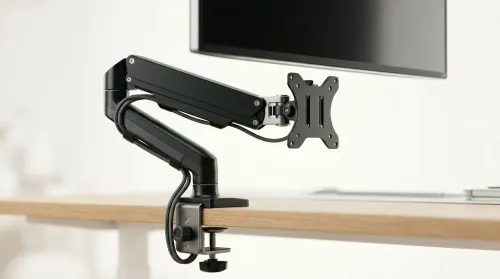
Running out of desk space? A VESA monitor arm and under-desk mount free up more room than you think. Less clutter, better ergonomics, smoother cable routing. Clear your workspace today ✅🖥️
Read more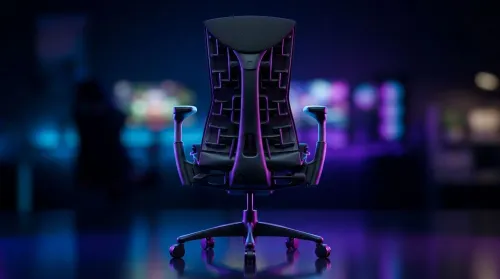
Gaming chair with adjustable lumbar support should fit your back, not fight it. We cover lockable recline and 3D armrests so you can sit longer, game better, and adjust fast. 🎮🪑
Read more
Every spec on PCIe 5.0 explained in plain English. What matters for gaming and creator work in 2026, what's marketing fluff, and how each number translates to real-world performance.

A head-to-head look at WiFi 7: real-world performance, ZAR pricing and which option delivers better value for SA builders. The clear answer — no fluff.

Everything you need to set up and tune PCIe 5.0 properly: the prep work, the settings that actually matter, and the mistakes to skip. Written for SA builders in 2026.

Everything you need to set up and tune X870E Motherboard properly: the prep work, the settings that actually matter, and the mistakes to skip. Written for SA builders in 2026.

Wondering what a 512GB SSD capacity really holds? This guide breaks down how many games, photos, and documents fit on 512GB, with real-world ranges 📦💾

Every spec on vrm explained in plain English. What matters for gaming and creator work in 2026, what's marketing fluff, and how each number translates to real-world performance.

Every spec on motherboard explained in plain English. What matters for gaming and creator work in 2026, what's marketing fluff, and how each number translates to real-world performance.

Premium vs Midrange Motherboards in South Africa: real-world performance, SA pricing, power draw and which one delivers better value for your build for SA buyers. The clear answer — without the fluff.
Wondering what a 512GB SSD capacity really holds? This guide breaks down how many games, photos, and documents fit on 512GB, with real-world ranges 📦💾
Every spec on PCIe 5.0 explained in plain English. What matters for gaming and creator work in 2026, what's marketing fluff, and how each number translates to real-world performance.
A head-to-head look at WiFi 7: real-world performance, ZAR pricing and which option delivers better value for SA builders. The clear answer — no fluff.

Every spec on USB4 explained in plain English. What matters for gaming and creator work in 2026, what's marketing fluff, and how each number translates to real-world performance.