


Best Laptop with Core Ultra 9 + RTX 4070 Laptop: SA Picks 2026
Top Laptop with Core Ultra 9 + RTX 4070 Laptop: Picks picks evaluated on performance, value & SA availability with current Rand pricing from Evetech.
Read moreLooking for a compact gaming keyboard in South Africa for a small desk? Compare layout, switches, wireless options, and latency to upgrade fast, game longer, and clear your workspace 😄⌨️
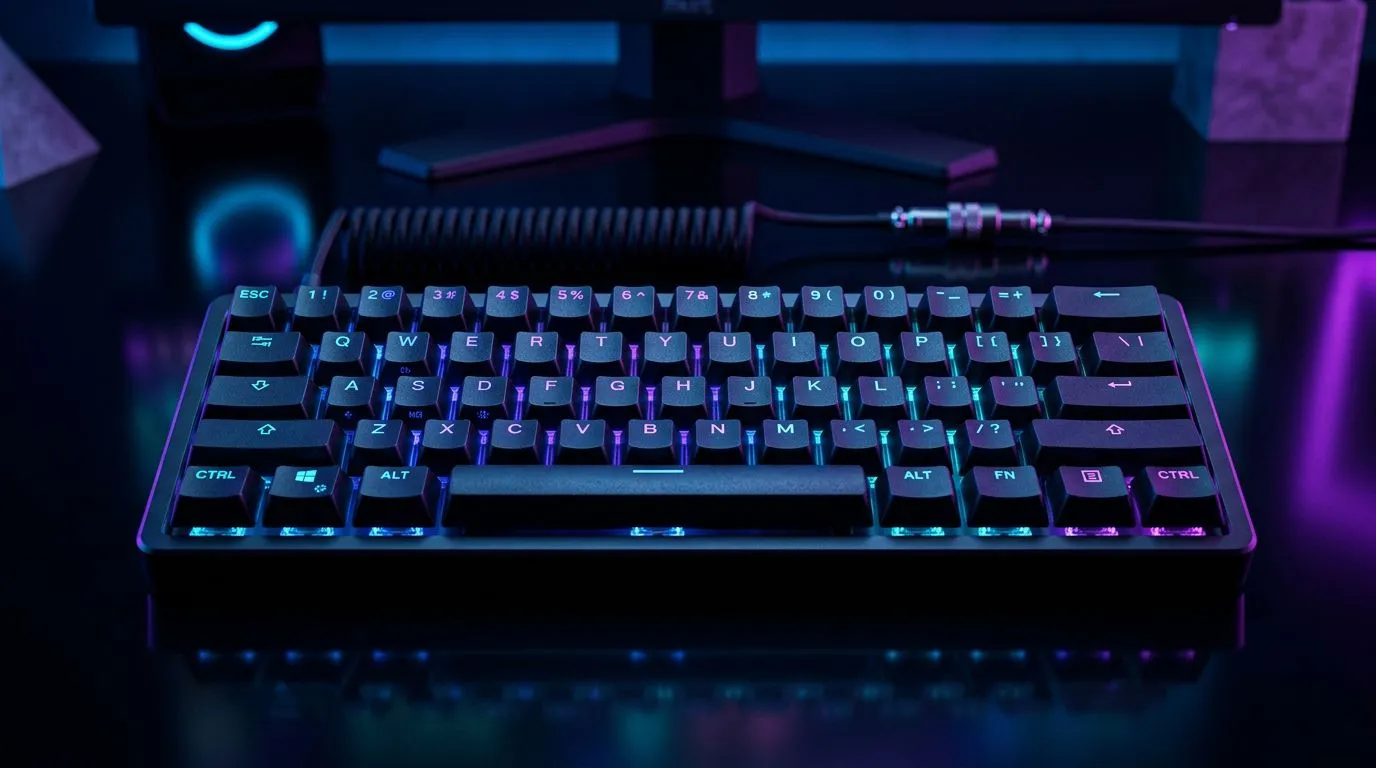
If your gaming setup feels cramped, you’re not alone. South African gamers battle small desks, shared workstations, and cable mess like it’s a boss fight. A compact keyboard helps you reclaim space without sacrificing control. But which one actually fits your hands, your games, and your budget in ZAR?
In this guide, we’ll unpack what to look for in a compact gaming keyboard in South Africa… and point you to Evetech deals worth checking today. ✨
A “compact” keyboard usually means fewer keys than a full-size board. Common layouts include:
Why you should care:
But size isn’t everything. Key feel, actuation, and software support can make or break your aim.
Here’s a practical checklist that saves you money and frustration:
You want switches that match your tolerance for noise and your play style. If you stream or game late, consider quieter options.
Wireless is convenient, but wired is often simpler for consistent latency expectations. If you game competitively, you’ll likely prefer the stability of wired.
Many gamers underestimate how much desk habits affect latency. If your compact keyboard sits close to your PC, wired can feel “snappier” simply because you never worry about battery, pairing, or signal dropouts. If you use a laptop, wireless can still be ideal if you keep the battery topped up and avoid busy USB hubs.
If you travel between home and LAN nights (or share your desk), you’ll appreciate compact boards that pack up easily and stay aligned.
Deals matter, but don’t chase the lowest sticker price blindly. A keyboard with a solid key feel and reliable connection will outlast a “cheap and cheerful” buy.
Need a place to start? Evetech has curated pages that make it easy to compare compact gaming keyboard choices across connectivity types. 🚀
If you want that straight-to-PC simplicity, start here: Cheapest wired gaming keyboard deals in South Africa
If you value clean desk space and fewer cables, check: Cheapest wireless gaming keyboard deals in South Africa
If you’re browsing and comparing quickly, these deal roundups can help you narrow it down fast: Best gaming keyboard deals
And if you’re the “I want the full setup today” type, pair it up: Buy a keyboard and mouse combo
For more compact-focused browsing, this is also worth a look: Cheapest gaming keyboard options in South Africa
Go compact with a layout that keeps your movement keys comfortable. If you rely on number-row binds for grenades, ultimates, or quick utility, make sure the layout you pick supports your bindings without fighting key layers every match.
Desk space is only half the battle. Quiet switches and predictable key presses reduce mic noise. If you record, consider mapping shortcuts to keep your editing and capture workflows fast.
You don’t need the most expensive keyboard to get better results. Focus on consistent actuation, a solid key feel, and connectivity that won’t distract you mid-session.
A compact keyboard isn’t just about saving space. It’s about making your desk feel organised, your inputs feel reliable, and your games feel smoother. When you pick the right layout and connection type, you stop thinking about your keyboard… and start thinking about your next win. ✨
Ready to Find Your Perfect Match? The Mac vs Windows debate is complex, but for maximum power, choice, and value in South Africa, Windows is hard to beat. Explore our massive range of laptop specials and find the perfect machine to conquer your world.
Most players choose 60% or 75% for compact gaming. A 75% keeps arrow keys and reduces desk clutter without losing key convenience.
Yes, a 60% gaming keyboard works well if you use layers or shortcuts. For fast FPS control with fewer keys, it’s a strong fit.
Pick switches based on feel and noise: tactile for feedback, linear for smooth presses, and clicky if you can tolerate sound. Confirm actuation needs.
Wireless helps desk space and cable management. Look for low-latency wireless, stable connectivity, and charging that matches your play time.
Yes. Key feel affects consistency, while polling rate and latency affect responsiveness. Aim for high polling support and reliable connection.
Hot-swap is great for future upgrades, programmable keys improve in-game control, and RGB helps setup clarity. Choose based on your gaming needs.
You can find solid options across budgets. Compare switch quality, build materials, and connectivity first, then decide on extras like RGB or wireless.
It can help by freeing space for your mouse. Place the keyboard centrally and adjust sensitivity to keep aim consistent.
Top Laptop with Core Ultra 9 + RTX 4070 Laptop: Picks picks evaluated on performance, value & SA availability with current Rand pricing from Evetech.
Read more
RTX 4090 Laptop GPU Starfield Performance: Laptop. Real-world benchmark data, FPS numbers & performance analysis. What SA gamers can actually expect.
Read more
RTX 4070 Laptop GPU Baldurs Gate 3 Performance. Real-world benchmark data, FPS numbers & performance analysis. What SA gamers can actually expect.
Read more
RTX 4060 Laptop GPU Call of Duty Performance. Real-world benchmark data, FPS numbers & performance analysis. What SA gamers can actually expect.
Read more
the CPU Pairing for the RTX 4060 Ti. Optimal CPU matches ranked by performance balance & SA value. Avoid bottlenecks with the right pairing.
Read more
Top Gaming GPU Between R30,000 and R50,000 picks evaluated on performance, value & SA availability with current Rand pricing from Evetech.
Read more
Snapdragon X2 NPU Explained: How 80 TOPS Changes. Plain-English explanation of what it means, why it matters & how it affects your buying decisions in SA.

HBM? High Bandwidth Memory Used in GPUs and AI. Plain-English explanation of what it means, why it matters & how it affects your buying decisions in SA.

How much should you spend on sim racing accessories in South Africa for a realistic setup? We break down budgets by quality tiers, so you buy smart gear and avoid overspending 🎮💸

G-Sync and FreeSync? Variable Refresh Rate. Plain-English explanation of what it means, why it matters & how it affects your buying decisions in SA.

AMD Laptop: Value. SA-focused analysis with local pricing data, real-world insights & actionable buying advice.

How MacBook Neo Handles 30+ Chrome Tabs with Only. SA-focused analysis with local pricing data, real-world insights & actionable buying advice.

Why Apple Put 8GB RAM in MacBook Neo: The A18 Pro. SA-focused analysis with local pricing data, real-world insights & actionable buying advice.

Upgrade your work laptop with a New Motherboard. Step-by-step instructions with SA-specific tips, common pitfalls to avoid & expert recommendations.

Maintain wired headset — Checklist: • inspect cables • clean earpads • store properly 🔧🎧 Practical steps to preserve sound quality and avoid premature replacements.

Fix crackling headset fast: step-by-step checks for cables, connectors, drivers, and settings to remove static or distorted audio on wired headsets 🎧⚙️

Stereo vs mono headsets: learn which delivers clearer calls, better spatial music, or simpler mono voice performance — pick the right headset for meetings, music, or gaming 🎧💬

- Compare gaming headset vs studio headphones; - Assess comfort, mic and sound; - Recommend best daily picks. Gaming headset vs studio headphones: learn which suits work, music and casual gaming. 🎧⚖️