

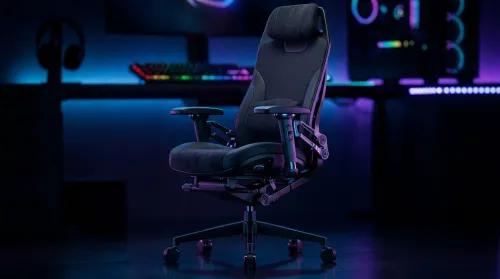
3D Armrest Ergonomic Gaming Chair Features for Comfort
Shop smart for a 3D armrest ergonomic gaming chair: key support points, adjustable lumbar, pressure relief, and smooth armrest tuning. ✅🎮 Get comfort that lasts.
Read moreYour gaming peripherals setup is more than just accessories; it's the key to unlocking peak performance and immersion. Discover how the right keyboard, mouse, monitor, and headset can transform your gameplay from good to legendary. 🚀 Ready to dominate the competition? Let's dive in! 🎮

So, you’ve finally got your dream PC. The tower is glowing, the fans are humming, and you’re ready to dominate. But something feels… off. Your aim is inconsistent, your movement feels clunky, and the experience just isn’t hitting the mark. Sound familiar? Often, the culprit isn’t your rig but your gear. A truly elite gaming peripherals setup is the bridge between a powerful machine and a winning performance. Let's fix that. 🚀
Your mouse is your digital paintbrush, your sniper scope, your primary connection to the game world. Using a generic office mouse for Apex Legends is like taking a Go-Kart to Kyalami… it just won’t cut it. To enhance your PC experience, you need to focus on two key things: DPI and grip.
Dots Per Inch (DPI) is simply a measure of mouse sensitivity. A higher DPI means the cursor moves further with less physical movement. Pro players often use lower DPI settings (400-1600) for more precise control, compensating with large mousepads. Find a comfortable DPI and stick with it to build muscle memory. Whether you have one of our high-performance gaming PCs over R20k or a more modest build, a quality mouse translates that power into precision.
The humble keyboard is your arsenal's control panel. For gaming, the mechanical vs. membrane debate is long over: mechanical wins for its superior feedback, durability, and speed. The magic is in the switches underneath the keys.
Choosing the right switch is a personal preference, but it’s a critical part of optimising your gaming peripherals setup, even on budget gaming PCs where every advantage counts.
Your keyboard can get seriously grimy. For a quick clean, unplug it, turn it upside down, and use a can of compressed air to blast out dust and crumbs. For a deeper clean on mechanical keyboards, carefully remove the keycaps with a keycap puller and wipe them down with a damp cloth. A clean setup is a happy setup!
You can't react to what you can't see or hear. Your monitor and headset are the final, crucial pieces of your PC gaming setup, turning raw data from your PC into an immersive experience.
Modern gaming audio is all about spatial awareness. A good gaming headset with 7.1 virtual surround sound can be the difference between hearing an enemy sneaking up behind you or staring at a respawn screen. Look for clear microphone quality for comms and comfortable earcups for those long sessions. This is an upgrade that benefits any rig, from entry-level PCs under R20k to the most powerful custom builds.
Your monitor's refresh rate (measured in Hertz or Hz) determines how many times per second the image updates. A standard 60Hz screen is fine for work, but for gaming, 144Hz or higher is the sweet spot. It creates a smoother, more responsive image that makes tracking fast-moving targets much easier. Pairing a high-refresh-rate monitor with one of our pre-built PC deals ensures you're getting every single frame your graphics card can push out.
A collection of great gear doesn't automatically make a great setup. The final step is ergonomics and organisation. Position your monitor at eye level to avoid neck strain. Ensure your chair supports your back and allows your feet to rest flat on the floor. Tidy up your cables for a clean, distraction-free zone.
This holistic approach is how you truly enhance your PC experience. It ensures your hardware, your peripherals, and your own comfort are all working together. When every piece is in sync, you’re not just playing the game… you’re in it. And if your core PC is the next piece of the puzzle, browsing the best gaming PC deals in South Africa is the perfect place to start.
Ready to Complete Your Ultimate Setup? A killer gaming peripherals setup unlocks the true power of your rig. From the mouse to the monitor, every piece matters. Explore our massive range of PC gaming hardware and find the perfect gear to conquer your world.
The essentials for any gaming peripherals setup include a high-precision gaming mouse, a responsive mechanical keyboard, a high-refresh-rate monitor, and a quality headset.
Quality peripherals directly impact performance by improving aim with a better mouse sensor, reducing input lag with a mechanical keyboard, and providing a competitive edge.
Yes. Gaming mice offer superior sensors for accuracy (higher DPI/CPI), faster response times, and programmable buttons, which are crucial for fast-paced competitive gaming.
Absolutely. A high refresh rate monitor (144Hz or higher) provides smoother motion, reduces blur, and allows you to react to in-game events faster, giving you a clear advantage.
After your core PC components, upgrading your mouse and monitor often provides the most immediate and noticeable improvement in your gaming performance and overall experience.
A good gaming headset enhances gameplay by providing clear positional audio, allowing you to hear enemy footsteps and other cues. A quality mic also ensures clear team communication.
Shop smart for a 3D armrest ergonomic gaming chair: key support points, adjustable lumbar, pressure relief, and smooth armrest tuning. ✅🎮 Get comfort that lasts.
Read more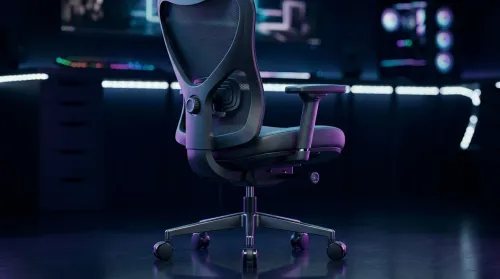
Use this ergonomic gaming chair adjustable lumbar support checklist to spot key comfort features, avoid poor fit, and choose the right support for long sessions. 🪑✅
Read more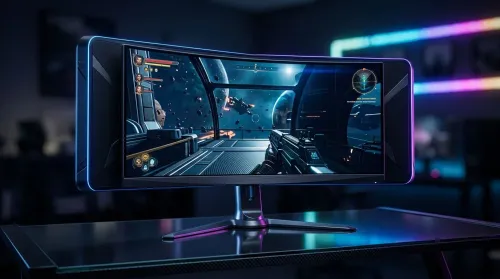
Wondering if a 49-inch UWQHD monitor is too big for your gaming desk? We break down ideal desk depth, viewing distance, and clearance tips so you can upgrade confidently. 🎮🛠️
Read more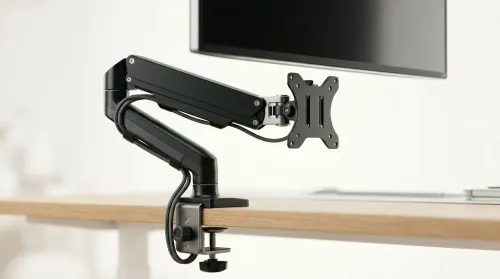
Running out of desk space? A VESA monitor arm and under-desk mount free up more room than you think. Less clutter, better ergonomics, smoother cable routing. Clear your workspace today ✅🖥️
Read more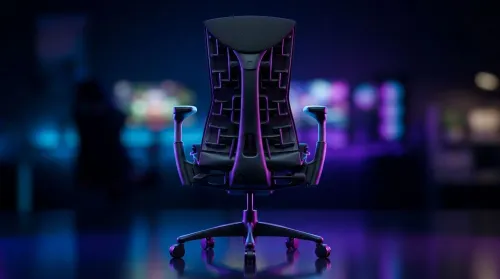
Gaming chair with adjustable lumbar support should fit your back, not fight it. We cover lockable recline and 3D armrests so you can sit longer, game better, and adjust fast. 🎮🪑
Read more
Every spec on PCIe 5.0 explained in plain English. What matters for gaming and creator work in 2026, what's marketing fluff, and how each number translates to real-world performance.

A head-to-head look at WiFi 7: real-world performance, ZAR pricing and which option delivers better value for SA builders. The clear answer — no fluff.

Everything you need to set up and tune PCIe 5.0 properly: the prep work, the settings that actually matter, and the mistakes to skip. Written for SA builders in 2026.

Everything you need to set up and tune X870E Motherboard properly: the prep work, the settings that actually matter, and the mistakes to skip. Written for SA builders in 2026.

Wondering what a 512GB SSD capacity really holds? This guide breaks down how many games, photos, and documents fit on 512GB, with real-world ranges 📦💾

Every spec on vrm explained in plain English. What matters for gaming and creator work in 2026, what's marketing fluff, and how each number translates to real-world performance.

Every spec on motherboard explained in plain English. What matters for gaming and creator work in 2026, what's marketing fluff, and how each number translates to real-world performance.

Premium vs Midrange Motherboards in South Africa: real-world performance, SA pricing, power draw and which one delivers better value for your build for SA buyers. The clear answer — without the fluff.
Wondering what a 512GB SSD capacity really holds? This guide breaks down how many games, photos, and documents fit on 512GB, with real-world ranges 📦💾
Every spec on PCIe 5.0 explained in plain English. What matters for gaming and creator work in 2026, what's marketing fluff, and how each number translates to real-world performance.
A head-to-head look at WiFi 7: real-world performance, ZAR pricing and which option delivers better value for SA builders. The clear answer — no fluff.

Every spec on USB4 explained in plain English. What matters for gaming and creator work in 2026, what's marketing fluff, and how each number translates to real-world performance.