

Best Laptop with Core Ultra 9 + RTX 4070 Laptop: SA Picks 2026
Top Laptop with Core Ultra 9 + RTX 4070 Laptop: Picks picks evaluated on performance, value & SA availability with current Rand pricing from Evetech.
Read moreGaming monitor for productivity can boost multitasking and visuals—learn setup, settings, and workflow tips to use a gaming monitor for work and play 💻🎮
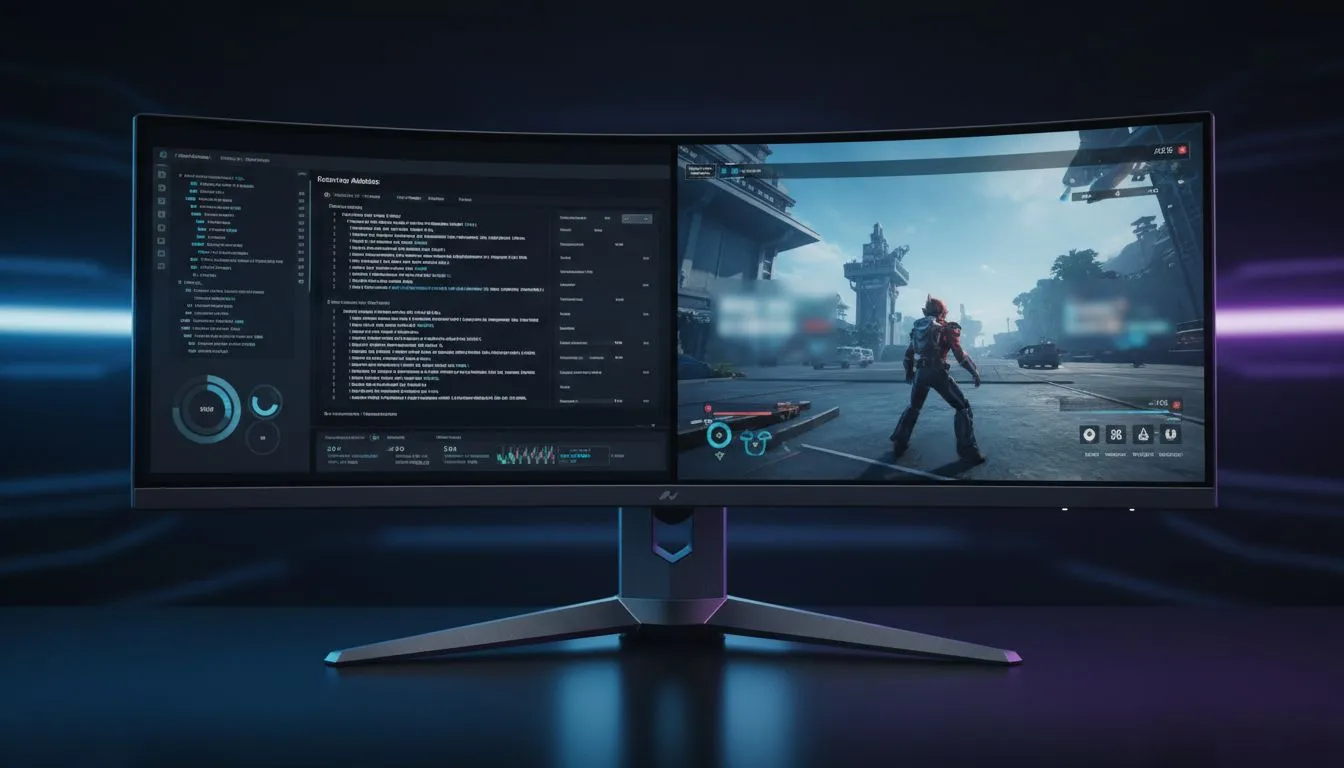
South African gamers and tech fans know the value of a sharp, responsive display. But why settle for just gaming when your monitor can also boost productivity? A gaming monitor for productivity strikes the perfect balance between work tasks and immersive gameplay. Whether you're tagging spreadsheets or diving into FPS battles, the right monitor elevates every moment with crisp visuals and smooth motion ⚡.
Choosing such a setup means you can upgrade your workspace without compromising your gaming edge. Let’s unpack the top benefits and features to look for in a gaming monitor that handles both worlds seamlessly.
High refresh rates (144 Hz and above) and low response times (1 ms) are prized in gaming for smooth visuals and less blur. But these perks matter in productivity too. Scrolling through documents or switching between applications feels effortlessly fluid, reducing eye strain over long work sessions.
Looking for these specs? Check out some of the best PC monitors on Evetech’s list, including models that combine speed with sharp detail: Best PC Monitor Deals at Evetech
A larger screen or ultrawide setup can significantly improve multitasking. Imagine having multiple windows open side-by-side while gaming in full screen when downtime hits 🔧. A 27- to 32-inch 1440p or 4K display offers the perfect real estate.
Explore the wide range of high-res monitors that fit snugly on your desk without overcrowding: 4K & 5K Monitors at Evetech
Curved screens wrap around your field of vision, easing neck strain and adding immersion during gameplay 🎯. They’re excellent for office tasks too — less glare and a natural viewing angle make lengthy work sessions comfortable.
Browse the curved monitor selection Evetech offers to find your ideal match for comfort and style: Curved Monitors at Evetech
Want to work from a coffee shop or game at a friend’s place? Portable monitors add convenience without sacrificing screen space or clarity. Great for hybrid setups and on-the-move creativity.
Take a look at Evetech’s curated portable monitors that blend portability with performance: Portable Monitors at Evetech
Fine-tune your workspace with accessories like monitor arms, blue light filters, and adjustable stands. Ergonomic setups reduce fatigue and make long hours productive and enjoyable.
Find the perfect add-ons to complete your setup from Evetech’s monitor accessories department: Monitor Accessories at Evetech
Adding a second gaming monitor can expand your workspace and streamline your workflow. Use one for work tasks and the other for entertainment pauses – seamless multitasking unlocked!
With Evetech’s extensive selection, you can compare specs, prices in ZAR, and user reviews right at your fingertips. From budget picks to top-tier displays, their gaming monitor collection has something to suit every South African gamer and professional.
Finding your perfect gaming monitor for productivity is easier than ever — start by exploring models with the specs and features you need, then customise with accessories for your ideal desk.
Upgrade Your Setup Today Ready to enjoy a gaming monitor that excels at work and play? Don’t miss out — Shop now at Evetech for performance that leaves lag in the dust.
Yes—using a gaming monitor for productivity works well if you tweak resolution, enable proper monitor settings for productivity and gaming, and set ergonomic height.
Use native resolution, correct scaling, enable sRGB or calibrate gaming monitor for work color accuracy, and set refresh to what your workflow needs.
Yes—an ultrawide monitor for work and gaming offers wide workspace for productivity layouts and immersive gaming without adding extra bezels.
Use USB-C or HDMI with DisplayPort alt mode; check bandwidth and connectors to successfully connect gaming monitor to laptop for work.
Picture-by-picture on gaming monitors is ideal for side-by-side workflows and productivity layouts for ultrawide monitor when running two inputs.
Often yes—adjust refresh rate for productivity to reduce power and potential UI issues unless you need high refresh for smoother interaction.
Look for IPS panels at 1440p with decent color and adaptive sync—seek the best gaming monitor for productivity that balances size, clarity, and price.
Top Laptop with Core Ultra 9 + RTX 4070 Laptop: Picks picks evaluated on performance, value & SA availability with current Rand pricing from Evetech.
Read more
RTX 4090 Laptop GPU Starfield Performance: Laptop. Real-world benchmark data, FPS numbers & performance analysis. What SA gamers can actually expect.
Read more
RTX 4070 Laptop GPU Baldurs Gate 3 Performance. Real-world benchmark data, FPS numbers & performance analysis. What SA gamers can actually expect.
Read more
RTX 4060 Laptop GPU Call of Duty Performance. Real-world benchmark data, FPS numbers & performance analysis. What SA gamers can actually expect.
Read more
the CPU Pairing for the RTX 4060 Ti. Optimal CPU matches ranked by performance balance & SA value. Avoid bottlenecks with the right pairing.
Read more
Top Gaming GPU Between R30,000 and R50,000 picks evaluated on performance, value & SA availability with current Rand pricing from Evetech.
Read more
Snapdragon X2 NPU Explained: How 80 TOPS Changes. Plain-English explanation of what it means, why it matters & how it affects your buying decisions in SA.

HBM? High Bandwidth Memory Used in GPUs and AI. Plain-English explanation of what it means, why it matters & how it affects your buying decisions in SA.

How much should you spend on sim racing accessories in South Africa for a realistic setup? We break down budgets by quality tiers, so you buy smart gear and avoid overspending 🎮💸

G-Sync and FreeSync? Variable Refresh Rate. Plain-English explanation of what it means, why it matters & how it affects your buying decisions in SA.

AMD Laptop: Value. SA-focused analysis with local pricing data, real-world insights & actionable buying advice.

How MacBook Neo Handles 30+ Chrome Tabs with Only. SA-focused analysis with local pricing data, real-world insights & actionable buying advice.

Why Apple Put 8GB RAM in MacBook Neo: The A18 Pro. SA-focused analysis with local pricing data, real-world insights & actionable buying advice.

Upgrade your work laptop with a New Motherboard. Step-by-step instructions with SA-specific tips, common pitfalls to avoid & expert recommendations.

Maintain wired headset — Checklist: • inspect cables • clean earpads • store properly 🔧🎧 Practical steps to preserve sound quality and avoid premature replacements.

Fix crackling headset fast: step-by-step checks for cables, connectors, drivers, and settings to remove static or distorted audio on wired headsets 🎧⚙️

Stereo vs mono headsets: learn which delivers clearer calls, better spatial music, or simpler mono voice performance — pick the right headset for meetings, music, or gaming 🎧💬

- Compare gaming headset vs studio headphones; - Assess comfort, mic and sound; - Recommend best daily picks. Gaming headset vs studio headphones: learn which suits work, music and casual gaming. 🎧⚖️