

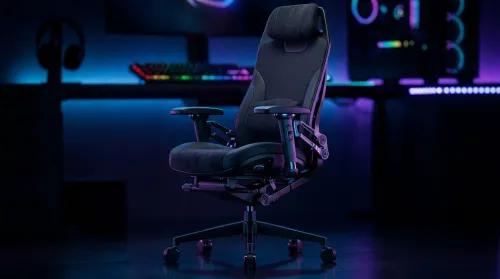
3D Armrest Ergonomic Gaming Chair Features for Comfort
Shop smart for a 3D armrest ergonomic gaming chair: key support points, adjustable lumbar, pressure relief, and smooth armrest tuning. ✅🎮 Get comfort that lasts.
Read moreLearn how to test a gaming headset before you buy to avoid buyer's remorse. Our guide covers critical checks for audio quality, mic clarity, comfort, and build durability, ensuring your next headset is a perfect fit for epic gaming sessions. 🎧 Get the winning edge! ✅
We’ve all been there. You’ve just spent a chunk of your hard-earned Rands on a shiny new headset, only to find the bass is muddy, the mic makes you sound like you’re underwater, and it clamps onto your head like a vice. Ouch. Knowing how to test a gaming headset before you commit is the single best way to avoid buyer's remorse. This pre-purchase checklist will ensure your next headset is a perfect fit.
Before you even think about audio quality, you need to test for comfort. A headset can have the best sound in the world, but if you can’t wear it for more than 30 minutes, it’s useless.
When you try one on, pay attention to these key areas:
If you wear glasses, always test a headset with them on. The arms of your specs can break the earcup seal, affecting sound isolation and creating uncomfortable pressure. Finding the right fit is crucial, which is why browsing a wide selection of gaming headsets is the best place to start.
Now for the fun part: the sound check. A great gaming headset needs to be a versatile performer. Your goal when testing a new headset is to check its performance across different scenarios, not just one game.
Fire up a game with excellent sound design. In a shooter like Apex Legends or Warzone, can you pinpoint the direction of footsteps and gunfire? This tests the headset’s imaging and soundstage. For immersive RPGs, listen to the environmental audio. The world should feel alive, not flat.
Play a high-quality audio track you know inside and out. Listen for clarity in the highs (cymbals), richness in the mids (vocals), and punch in the bass. Is the bass overwhelming or tight and controlled? Also, watch a quick YouTube video or movie trailer to check for dialogue clarity. Whether you prefer the zero-latency of reliable wired headsets or the convenience of cable-free wireless headsets, this audio test is non-negotiable.
For a fantastic all-in-one audio test, listen to "Bohemian Rhapsody" by Queen on Spotify or Apple Music at high quality. The track has incredible dynamic range, complex vocal harmonies, and distinct frequency shifts that will quickly reveal a headset's strengths and weaknesses.
Your teammates will thank you for this one. A bad mic can lose you the match. The best way to test a gaming headset microphone is to record yourself and listen back.
Use Discord’s built-in mic test or the simple Voice Recorder app on Windows. Speak normally and listen for:
This is especially important for console gamers where comms are everything. You'll find great options for PlayStation and a range of top-tier Xbox headsets that are specifically tuned for clear communication.
Running through this quick gaming headset checklist demystifies the process. It turns a hopeful guess into an informed decision. Remember, the "best" headset isn't about the highest price tag; it's about what works best for your ears, your head shape, and your primary use. Once you know what you’re looking for in terms of comfort, sound, and mic quality, you can confidently find an incredible deal on a headset that you’ll love for years to come.
Ready to Hear the Difference? This pre-purchase checklist empowers you to make a smart choice. Now it's time to find the perfect hardware. Explore our massive range of gaming headset deals and get the competitive edge you deserve.
Focus on four key areas: audio quality (bass, treble, surround sound), microphone clarity (background noise filtering), long-term comfort, and overall build quality.
Use your PC's voice recorder or an online mic quality test tool. Speak clearly, listen for static or distortion, and check how well it filters out ambient background noise.
Listen to a variety of audio. Play games with complex soundscapes, listen to music with deep bass and high treble, and use a surround sound test video to check immersion.
Discomfort causes distraction. A proper gaming headset comfort test, wearing it for at least 15 minutes, reveals pressure points that can ruin long gaming sessions.
Look for a flexible yet sturdy headband, metal components over plastic, high-quality earcup padding, and a braided, detachable cable that resists tangling and damage.
Use a dedicated 'surround sound test for headphones' video or audio file online. These tests play positional audio to verify the headset's spatial sound capabilities accurately.
Shop smart for a 3D armrest ergonomic gaming chair: key support points, adjustable lumbar, pressure relief, and smooth armrest tuning. ✅🎮 Get comfort that lasts.
Read more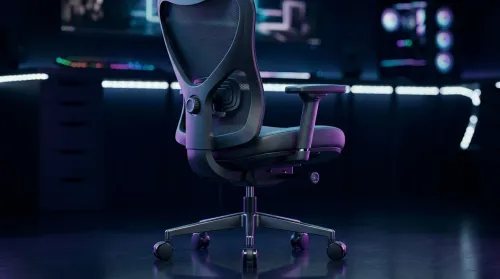
Use this ergonomic gaming chair adjustable lumbar support checklist to spot key comfort features, avoid poor fit, and choose the right support for long sessions. 🪑✅
Read more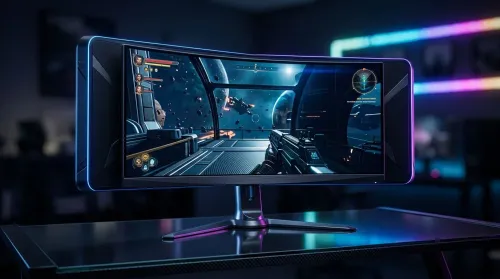
Wondering if a 49-inch UWQHD monitor is too big for your gaming desk? We break down ideal desk depth, viewing distance, and clearance tips so you can upgrade confidently. 🎮🛠️
Read more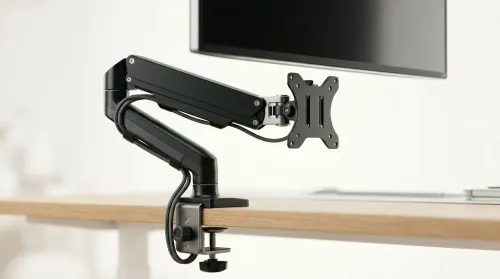
Running out of desk space? A VESA monitor arm and under-desk mount free up more room than you think. Less clutter, better ergonomics, smoother cable routing. Clear your workspace today ✅🖥️
Read more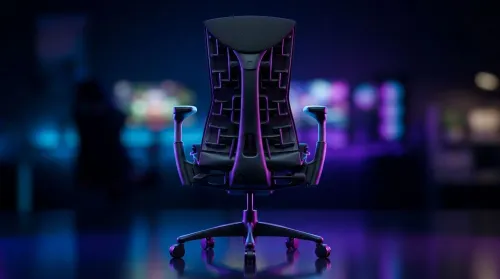
Gaming chair with adjustable lumbar support should fit your back, not fight it. We cover lockable recline and 3D armrests so you can sit longer, game better, and adjust fast. 🎮🪑
Read more
Every spec on PCIe 5.0 explained in plain English. What matters for gaming and creator work in 2026, what's marketing fluff, and how each number translates to real-world performance.

A head-to-head look at WiFi 7: real-world performance, ZAR pricing and which option delivers better value for SA builders. The clear answer — no fluff.

Everything you need to set up and tune PCIe 5.0 properly: the prep work, the settings that actually matter, and the mistakes to skip. Written for SA builders in 2026.

Everything you need to set up and tune X870E Motherboard properly: the prep work, the settings that actually matter, and the mistakes to skip. Written for SA builders in 2026.

Wondering what a 512GB SSD capacity really holds? This guide breaks down how many games, photos, and documents fit on 512GB, with real-world ranges 📦💾

Every spec on vrm explained in plain English. What matters for gaming and creator work in 2026, what's marketing fluff, and how each number translates to real-world performance.

Every spec on motherboard explained in plain English. What matters for gaming and creator work in 2026, what's marketing fluff, and how each number translates to real-world performance.

Premium vs Midrange Motherboards in South Africa: real-world performance, SA pricing, power draw and which one delivers better value for your build for SA buyers. The clear answer — without the fluff.
Wondering what a 512GB SSD capacity really holds? This guide breaks down how many games, photos, and documents fit on 512GB, with real-world ranges 📦💾
Every spec on PCIe 5.0 explained in plain English. What matters for gaming and creator work in 2026, what's marketing fluff, and how each number translates to real-world performance.
A head-to-head look at WiFi 7: real-world performance, ZAR pricing and which option delivers better value for SA builders. The clear answer — no fluff.

Every spec on USB4 explained in plain English. What matters for gaming and creator work in 2026, what's marketing fluff, and how each number translates to real-world performance.