


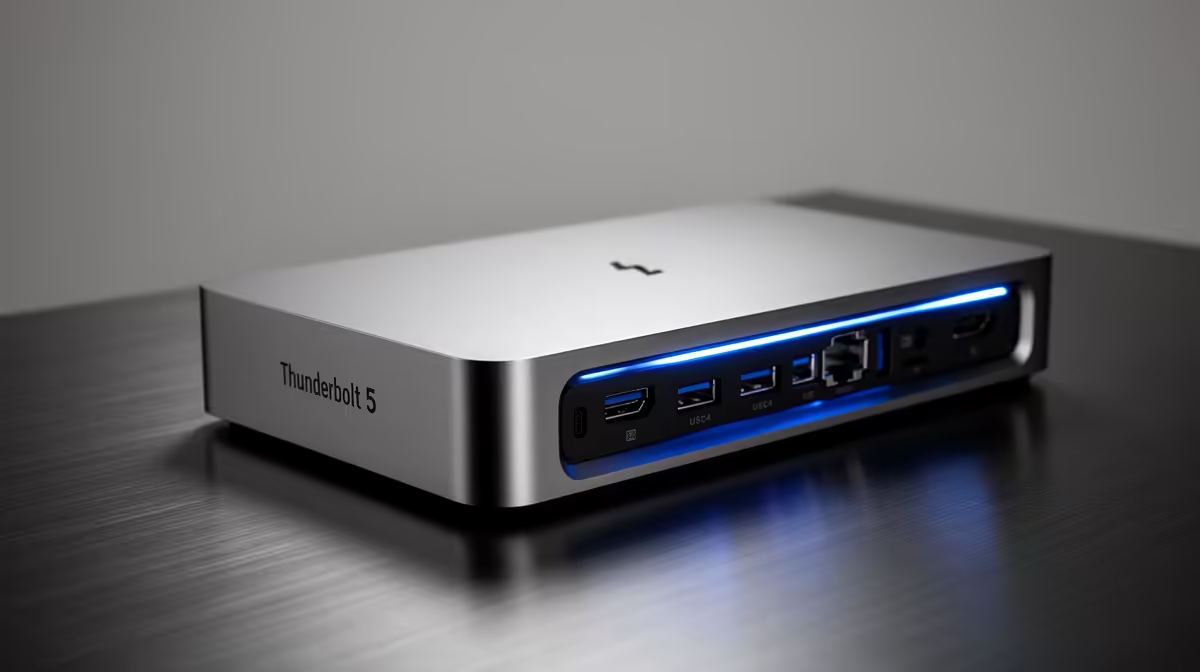
You’ve just unboxed a beastly new 4K monitor, ready to dominate in Warzone. But when you plug it in alongside your external SSD and other gear, your performance chokes. Sound familiar? That single-cable dream often feels just out of reach. Enter the next evolution in connectivity. So, what is Thunderbolt 5? It’s Intel’s answer to our ever-growing demand for more speed, more power, and more pixels... all through one revolutionary port. 🚀
What Makes Thunderbolt 5 So Fast?
At its core, the new standard is all about raw, unadulterated speed. While Thunderbolt 4 was impressive at 40 Gigabits per second (Gbps), Thunderbolt 5 leaves it in the dust. It delivers a staggering 80 Gbps of bi-directional bandwidth. That means it can send and receive data at that insane speed simultaneously.
But here’s where it gets really clever. For demanding tasks like driving a high-refresh-rate gaming monitor, Thunderbolt 5 features a new technology called Bandwidth Boost. This allows the connection to dynamically shift its resources, pushing up to 120 Gbps in one direction (e.g., to your display) while maintaining 40 Gbps in the other. This is the kind of performance that will make today's top-tier Intel Core i9 laptops even more capable as desktop replacements.
More Than Just Speed: Key Features Explained
While the headline speed is impressive, the practical benefits of Thunderbolt 5 explained show its true potential for South African gamers and creators. It’s not just an incremental update; it’s a complete overhaul of what a single port can do.
Extreme Display Support 🖥️
Tired of choosing between resolution and refresh rate? Thunderbolt 5 can handle multiple 8K displays or gaming monitors running at up to 540Hz. For a creative professional, this means a clean, single-cable setup for a massive, colour-accurate workspace. For a gamer, it means unlocking the full potential of next-gen displays without compromise. This technology is set to be a perfect match for the processing power found in the new Intel Core Ultra 9 laptops.
Double the PCIe Bandwidth
For those of us using external SSDs for our game libraries or eGPU enclosures for extra graphical muscle, this is huge. Thunderbolt 5 doubles the PCI Express data throughput to 64 Gbps. In simple terms, your external devices will run faster and feel more responsive... almost as if they were connected directly to your motherboard. Even the latest powerful Intel Core Ultra 7 models will see a massive benefit from this expanded I/O capability.
Future-Proof Your Setup ⚡
When buying new peripherals like monitors or external drives, check for the latest connectivity standards. While Thunderbolt 5 devices are still rolling out, investing in Thunderbolt 4 gear today ensures you have fantastic performance now and great forward compatibility when you eventually upgrade your laptop or PC.
Who Really Needs Thunderbolt 5 in South Africa?
Is this new standard overkill for everyone? Maybe. But for a growing number of power users, it’s exactly what’s needed.
Imagine you're a streamer. You need to connect a 4K camera, a high-refresh-rate gaming monitor, and a lightning-fast external drive for recording gameplay... all while charging your laptop. Thunderbolt 5 speed makes this a seamless, single-port reality. The same applies to video editors working with massive 8K files or developers compiling huge projects.
For most gamers and professionals, the capabilities of Thunderbolt 4 found in many current versatile Intel Core i7 laptops are more than enough. However, as game sizes, display resolutions, and our creative ambitions continue to grow, Thunderbolt 5 provides the headroom we'll all be craving soon. It’s not just about what we need today; it’s about building a setup that won’t hold us back tomorrow.
Ready for Next-Gen Speed? While Thunderbolt 5 is on the horizon, the future of high-performance computing is already here. To get the best performance today and be ready for tomorrow, you need the right machine. Explore our incredible range of Intel laptops on special and find the powerhouse that’s right for you.











