


RTX 4060 Ti PUBG at 1440p: FPS Benchmark & Optimal Settings
RTX 4060 Ti PUBG at 1440p: FPS Benchmark. Real-world benchmark data, FPS numbers & performance analysis. What SA gamers can actually expect.
Read moreThinking of buying a second-hand laptop for UE5 development? 🤔 Don't risk a bad deal! Our guide shows you exactly how to **check second-hand laptops for UE5** compatibility, performance, and hidden issues. Get the power you need without breaking the bank. Learn what to inspect for a smooth Unreal Engine 5 experience. 💻
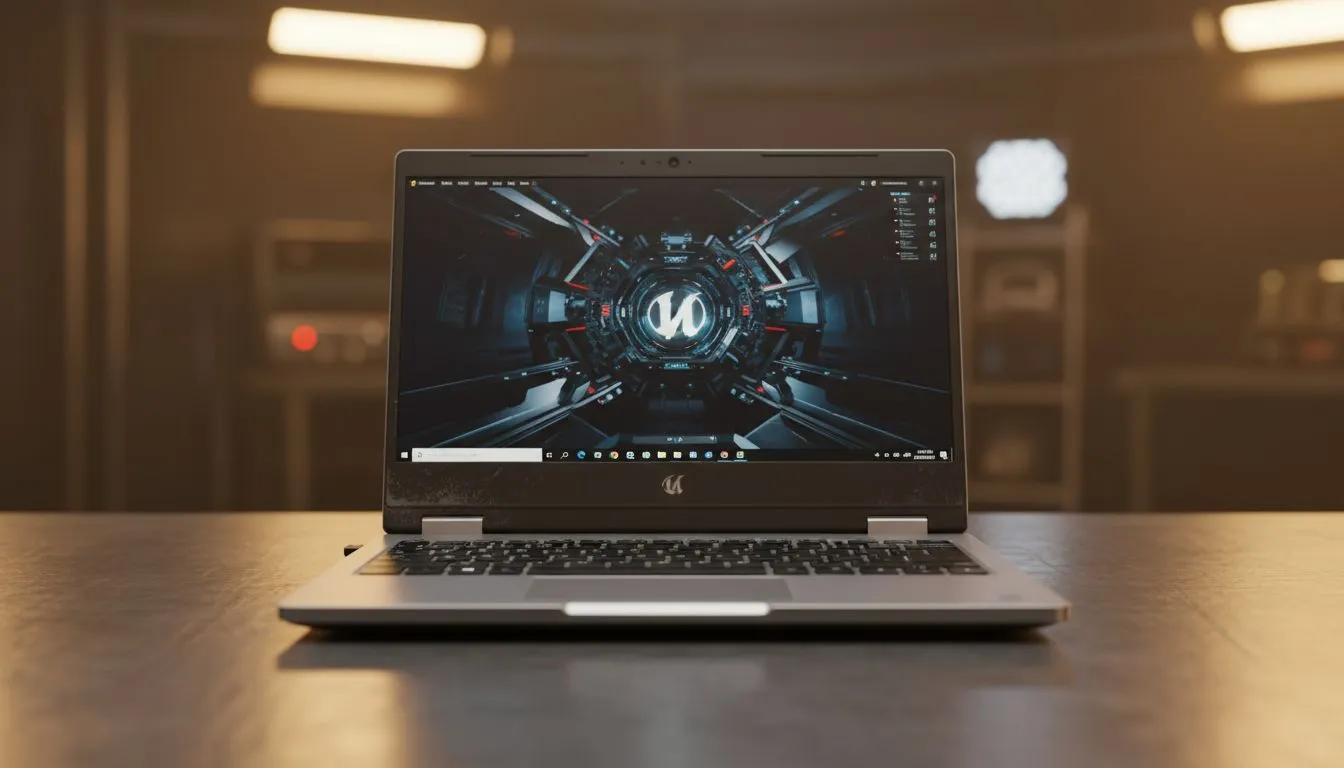
Hunting for a bargain to start your game dev journey in South Africa? Finding a used machine that handles Unreal Engine 5 is tricky. You want to check second-hand laptops for UE5 carefully before handing over your hard-earned Rands. A bad choice means stuttering viewports and crashed builds. Here is how to spot a winner or decide if a new deal is safer.
Unreal Engine 5 relies heavily on modern features like hardware ray tracing. If you look at older models... ensure they have at least an RTX 30-series card. You can find great geforce rtx gaming laptops on special that often beat used prices. Look for at least 8GB of VRAM to handle high-resolution textures without choking. Anything less will struggle with Lumen and Nanite.
Compiling shaders takes forever on weak CPUs. When you check second-hand laptops for UE5... prioritise high core counts. Many intel laptops on special offer the multi-threaded performance needed for smooth editing. Alternatively... ryzen laptop deals are famous for their efficiency and productivity scores in dev environments. Aim for 16GB of RAM as an absolute minimum. 32GB is the sweet spot for heavy multitasking ⚡.
Before buying used, run a benchmark like Cinebench or 3DMark for ten minutes. Watch the temperatures closely. If the laptop hits 95 degrees and throttles immediately, the thermal paste is likely dry. This will kill your UE5 performance during long dev sessions.
Check the screen for colour accuracy. Devs need to see exactly what they are building. Sometimes... best gaming laptop deals on new units provide better screen tech than five-year-old flagships. Also... check the SSD health using a free utility. Unreal Engine 5 projects are massive. A worn-out drive will slow your project loading times significantly.
Second-hand sellers often overprice their old rigs. You might find that you can buy gaming laptops under r20k that include a full manufacturer warranty. This peace of mind is vital when you are working on a deadline 🚀. Modern entry-level chips often outperform older high-end hardware in single-core tasks. Always compare the used price against the latest retail specials.
Ready to Find Your Perfect Match? The second-hand market is risky, but for maximum power, choice, and value in South Africa, a new machine is hard to beat. Explore our massive range of laptop specials and find the perfect machine to conquer your world.
For basic UE5 development, aim for a quad-core CPU (Ryzen 7/i7 or better), 16GB RAM, an RTX 2060/RX 5700XT GPU, and an NVMe SSD. Higher specs are recommended for complex projects.
Use benchmarking tools like 3DMark or Heaven Benchmark. Also, try running a demanding UE5 demo project or game to observe real-world performance, frame rates, and thermal management.
Look for a powerful multi-core CPU, ideally an Intel Core i7 (10th gen or newer) or AMD Ryzen 7 (4000 series or newer). CPU performance is crucial for compiling shaders and light builds in UE5.
While 16GB is the minimum, 32GB RAM is highly recommended for smooth UE5 development, especially with larger projects or when running other applications concurrently.
Always prioritize an NVMe SSD. Its high read/write speeds significantly reduce project load times and improve asset streaming within Unreal Engine 5, making it indispensable.
Inspect the screen for dead pixels, check all ports, keyboard, trackpad, and hinges. Test battery health, listen for fan noise, and check for any physical damage or overheating signs.
Use built-in OS tools (like `powercfg /batteryreport` on Windows) or third-party software to check battery wear level. UE5 tasks are resource-intensive, so a healthy battery is crucial if not always plugged in.
Avoid older integrated graphics or entry-level discrete GPUs (e.g., GTX 1050/1650) as they won't provide adequate performance for modern UE5 workflows. Aim for RTX or equivalent AMD GPUs.
RTX 4060 Ti PUBG at 1440p: FPS Benchmark. Real-world benchmark data, FPS numbers & performance analysis. What SA gamers can actually expect.
Read more
Head-to-head comparison of RTX 4080 Super vs RTX 3050: Gaming Performance for SA gamers. Performance benchmarks, Rand pricing & which delivers better value.
Read more
RTX 4080 Super for Scientific Computing. Real-world benchmark data, FPS numbers & performance analysis. What SA gamers can actually expect.
Read more
RTX 4060 Ti Star Wars Outlaws FPS: Performance. Real-world benchmark data, FPS numbers & performance analysis. What SA gamers can actually expect.
Read more
RTX 4060 Ti AV1 Encoding: Benchmark & Real-World. Real-world benchmark data, FPS numbers & performance analysis. What SA gamers can actually expect.
Read more
Snapdragon X2 NPU Explained: How 80 TOPS Changes. Plain-English explanation of what it means, why it matters & how it affects your buying decisions in SA.

HBM? High Bandwidth Memory Used in GPUs and AI. Plain-English explanation of what it means, why it matters & how it affects your buying decisions in SA.

How much should you spend on sim racing accessories in South Africa for a realistic setup? We break down budgets by quality tiers, so you buy smart gear and avoid overspending 🎮💸

G-Sync and FreeSync? Variable Refresh Rate. Plain-English explanation of what it means, why it matters & how it affects your buying decisions in SA.

AMD Laptop: Value. SA-focused analysis with local pricing data, real-world insights & actionable buying advice.

How MacBook Neo Handles 30+ Chrome Tabs with Only. SA-focused analysis with local pricing data, real-world insights & actionable buying advice.

Why Apple Put 8GB RAM in MacBook Neo: The A18 Pro. SA-focused analysis with local pricing data, real-world insights & actionable buying advice.

Upgrade your work laptop with a New Motherboard. Step-by-step instructions with SA-specific tips, common pitfalls to avoid & expert recommendations.

Maintain wired headset — Checklist: • inspect cables • clean earpads • store properly 🔧🎧 Practical steps to preserve sound quality and avoid premature replacements.

Fix crackling headset fast: step-by-step checks for cables, connectors, drivers, and settings to remove static or distorted audio on wired headsets 🎧⚙️

Stereo vs mono headsets: learn which delivers clearer calls, better spatial music, or simpler mono voice performance — pick the right headset for meetings, music, or gaming 🎧💬

- Compare gaming headset vs studio headphones; - Assess comfort, mic and sound; - Recommend best daily picks. Gaming headset vs studio headphones: learn which suits work, music and casual gaming. 🎧⚖️