

RX 9060 XT Like a Dragon Performance: FPS Test & Settings Guide 2026
RX 9060 XT Like a Dragon Performance: FPS Test. Real-world benchmark data, FPS numbers & performance analysis. What SA gamers can actually expect.
Read more- Frame generation input lag: diagnose impact - Why pros disable frame gen - Quick fixes, settings, and gear - Restore lowest possible aim latency 🎮⚡ Frame generation input lag explained for Siege players: learn risks, how to disable, and practical steps to cut input lag and improve aim.
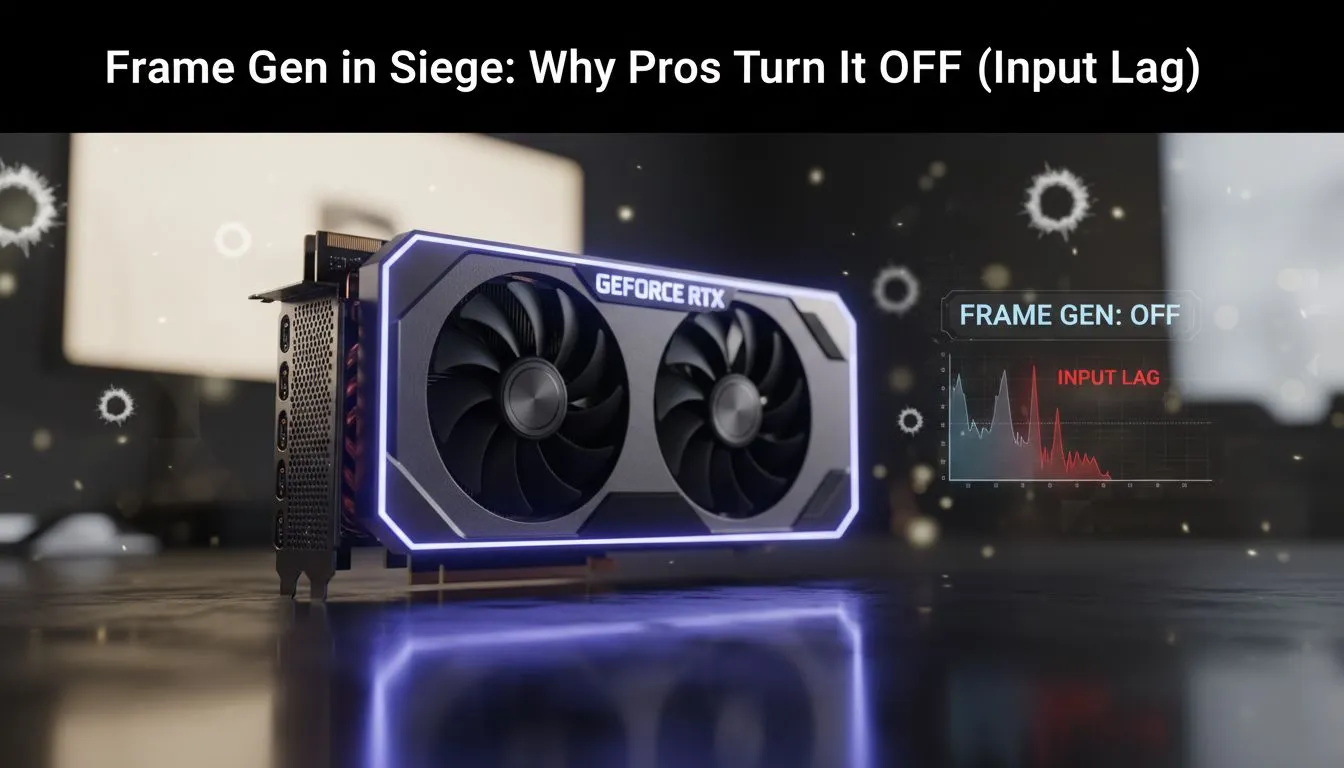
In the high-stakes world of Rainbow Six Siege, a single millisecond determines if you clutch the round or head back to the lobby. While modern tech promises smoother visuals, many local competitive players are hitting the brakes. Frame generation input lag has become a hot topic in the South African gaming community... especially for those chasing Diamond rank on local servers where every bit of responsiveness counts.
Rainbow Six Siege is a game of pixels and timing. When you are holding a tight angle in the Clubhouse basement, you rely on your muscle memory to react to a head popping into view. Frame generation works by inserting an "interpolated" frame between two traditionally rendered frames. While this makes the movement look fluid, it introduces a delay because the system must wait for the next frame to calculate the middle one.
If you are currently browsing NVIDIA and ATI graphics cards, you might see frame generation advertised as a primary feature. For cinematic titles like Cyberpunk 2077, it is fantastic. However, in Siege, that added delay is often the difference between a successful flick and a missed shot.
The core issue with frame generation input lag is that the "fake" frames do not contain new input data. Your mouse movements are only processed on the real frames. This creates a disconnected feeling... a floatiness that pros find unacceptable. High-performance MSI graphics cards are designed to push high raw frame rates, which is always the preferred method for competitive play.
Instead of using frame generation, always enable NVIDIA Reflex or AMD Anti-Lag in your game settings. These technologies work to synchronise the CPU and GPU, reducing the render queue and significantly lowering the total system latency without adding artificial frames.
Even the latest Intel Arc graphics cards offer various scaling technologies to boost performance. The key for Siege players is to prioritise raw FPS over "generated" FPS. While workstation graphics cards are excellent for rendering and stability, a dedicated gaming GPU is essential for the low-latency response needed in tactical shooters.
If you prefer the red team, AMD Radeon graphics cards offer robust drivers that allow you to optimise for minimal delay. In South Africa, where we often deal with higher pings to international servers, adding local hardware latency on top of your network lag is a recipe for frustration. Pros turn these features off to ensure that what they see on screen is as close to real-time as possible.
Ready to Dominate the Lobby? Don't let input lag hold you back from your true potential in Siege. Whether you need raw power or the latest low-latency tech, we have the hardware to keep you at the top of the leaderboard. Explore our massive range of graphics card specials and find the perfect upgrade for your competitive rig.
Frame generation input lag is extra delay from synthetic frames or interpolation that adds milliseconds to control response, harming aim in Siege.
Pros disable frame generation because its interpolation can increase perceived latency and reduce aim precision, so raw responsiveness wins.
NVIDIA Frame Generation can introduce processing delay on some setups; test with and without it to measure true input lag in Siege.
Use high-speed camera, OS latency tools, or GPU latency meters. Compare raw input with frame generation enabled to spot added lag.
Disable frame generation, enable low latency modes, use a high refresh monitor, and enable NVIDIA Reflex or equivalent to lower input lag.
Frame generation can raise apparent FPS by synthesising frames; turning it off may drop frame count but often improves input latency and aim feel.
High refresh rate monitors, fast response panels, wired gaming mice, and a tuned GPU/driver stack all help reduce overall input lag.
RX 9060 XT Like a Dragon Performance: FPS Test. Real-world benchmark data, FPS numbers & performance analysis. What SA gamers can actually expect.
Read more
Head-to-head comparison of RTX 5080 vs RTX 4070 Super: Gaming Performance for SA gamers. Performance benchmarks, Rand pricing & which delivers better value.
Read more
Ryzen 7 9800X3D + RTX 5060 Build: Bottleneck. Real-world benchmark data, FPS numbers & performance analysis. What SA gamers can actually expect.
Read more
RTX 4070 Super Linux Support: Benchmark. Real-world benchmark data, FPS numbers & performance analysis. What SA gamers can actually expect.
Read more
RTX 5080 CS2 FPS: Performance Benchmark & Settings. Real-world benchmark data, FPS numbers & performance analysis. What SA gamers can actually expect.
Read more
RX 9070 PUBG at 4K: FPS Benchmark & Optimal. Real-world benchmark data, FPS numbers & performance analysis. What SA gamers can actually expect.
Read more
Snapdragon X2 NPU Explained: How 80 TOPS Changes. Plain-English explanation of what it means, why it matters & how it affects your buying decisions in SA.

HBM? High Bandwidth Memory Used in GPUs and AI. Plain-English explanation of what it means, why it matters & how it affects your buying decisions in SA.

How much should you spend on sim racing accessories in South Africa for a realistic setup? We break down budgets by quality tiers, so you buy smart gear and avoid overspending 🎮💸

G-Sync and FreeSync? Variable Refresh Rate. Plain-English explanation of what it means, why it matters & how it affects your buying decisions in SA.

AMD Laptop: Value. SA-focused analysis with local pricing data, real-world insights & actionable buying advice.

How MacBook Neo Handles 30+ Chrome Tabs with Only. SA-focused analysis with local pricing data, real-world insights & actionable buying advice.

Why Apple Put 8GB RAM in MacBook Neo: The A18 Pro. SA-focused analysis with local pricing data, real-world insights & actionable buying advice.

Upgrade your work laptop with a New Motherboard. Step-by-step instructions with SA-specific tips, common pitfalls to avoid & expert recommendations.

Maintain wired headset — Checklist: • inspect cables • clean earpads • store properly 🔧🎧 Practical steps to preserve sound quality and avoid premature replacements.

Fix crackling headset fast: step-by-step checks for cables, connectors, drivers, and settings to remove static or distorted audio on wired headsets 🎧⚙️

Stereo vs mono headsets: learn which delivers clearer calls, better spatial music, or simpler mono voice performance — pick the right headset for meetings, music, or gaming 🎧💬

- Compare gaming headset vs studio headphones; - Assess comfort, mic and sound; - Recommend best daily picks. Gaming headset vs studio headphones: learn which suits work, music and casual gaming. 🎧⚖️